
Adding the server you play on to the desktop application is a quick and straightforward process.
1. Open the application and click on either of these 3 buttons
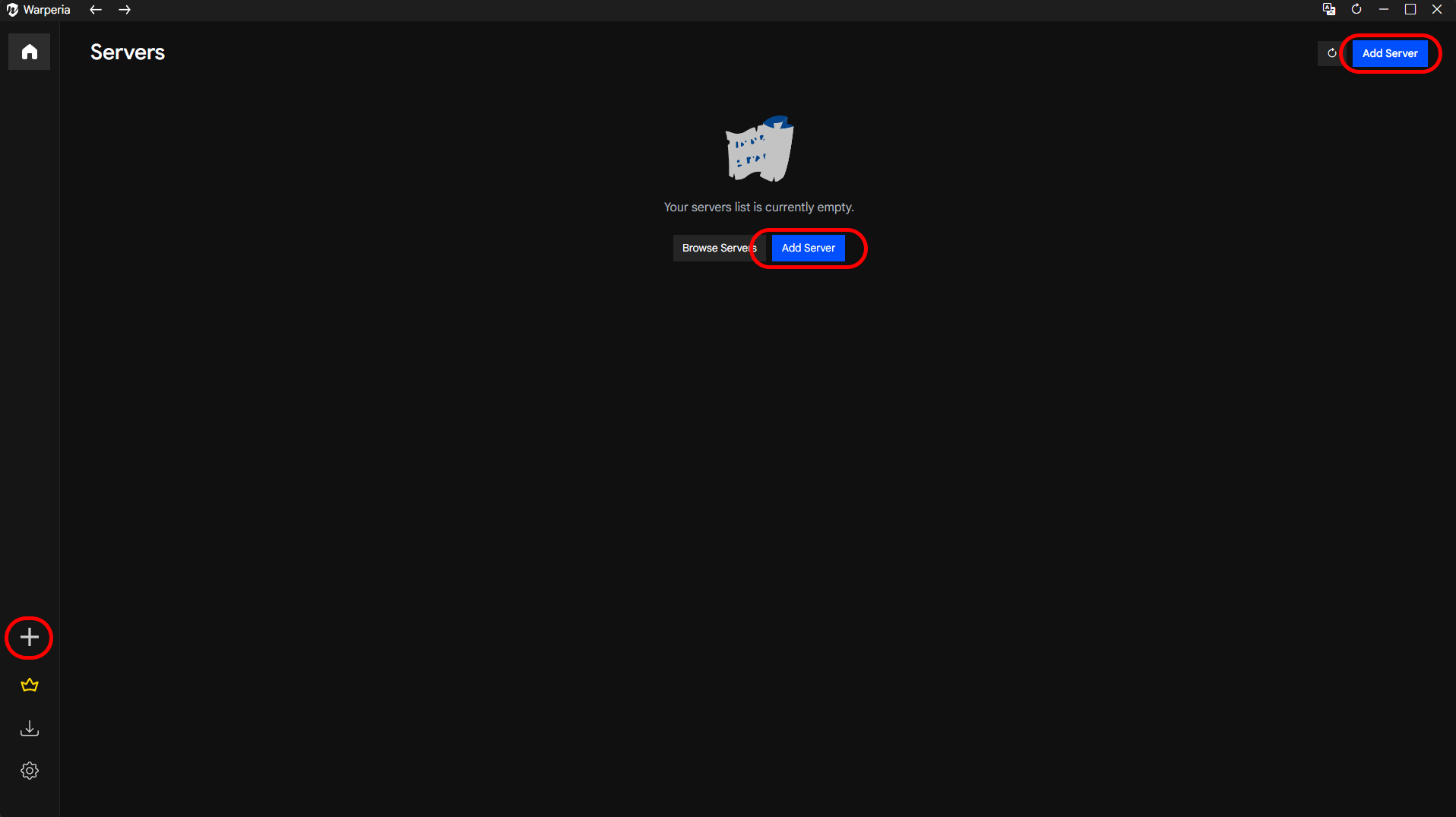
Clicking on them will open a modal for server configuration.
The first step will be to select your client type – Default Client or Classic Client. The selection you pick will depend on the World of Warcraft client that you are using. In 99% of cases you will need to pick the default option but if you are not sure you can ask in your server Discord or you can also join the Warperia discord where we can help you pick.
2. Filling the server information
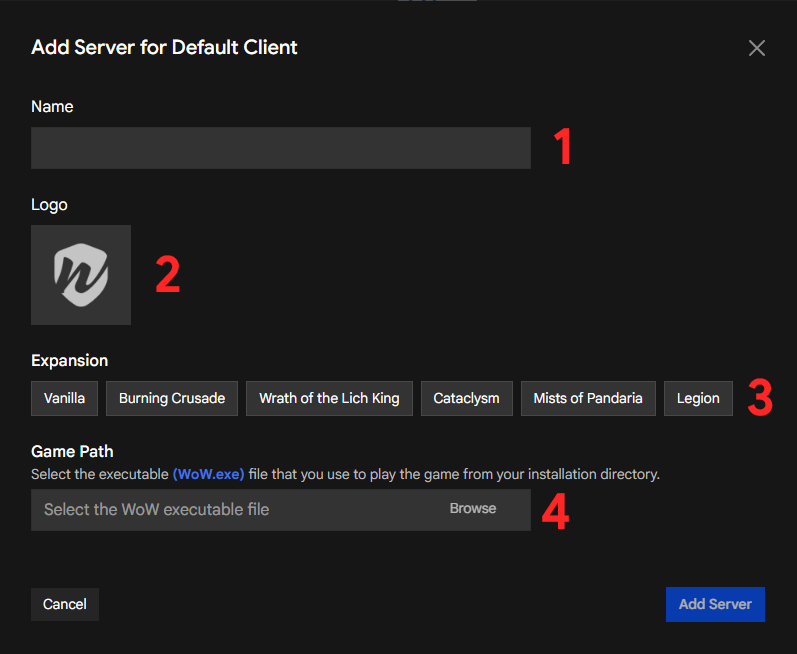
In field #1 you will need to write the name of the server you are going to play on. It doesn’t matter if the name is written correctly.
The #2 field will be for the server logo and the #3 field will be the expansion of the server/realm you will be playing on. If you are not sure what to select here, you can ask in your server Discord.
The #4 field asks you to select the game executable file. This is basically the WoW.exe program that you use to run World of Warcraft.