
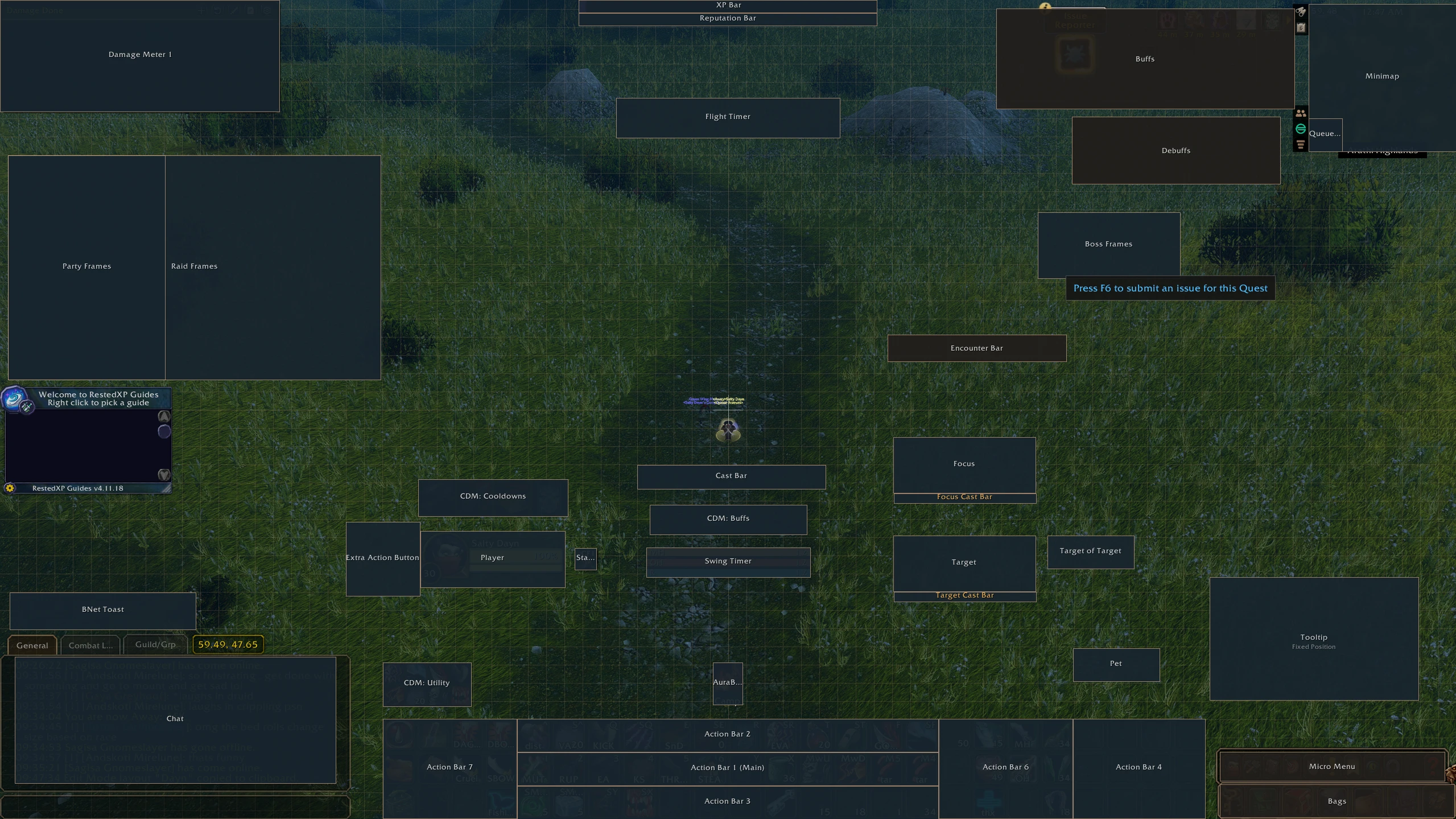


Saltydayn’s UI
Profile Details
Profile ID:
29540
Uploaded:
Nov 16, 2026
Updated:
Nov 16, 2026
Installs:
116
Website:
Source Link
Theme & Expansion
Roles
Content
Resolution
Hey there! This is my first ever profile & I thought about sharing it here as well.In advance: I'm sorry if it isn't as greatly customized/in-depth as others (I'm new to EllesmereUI), but I'll try to update it going forward.I'm using this on 1440p/2K resolution with 70% UI scale.
And mostly used for my Rogue as of now.If you have any questions, let me know!
Code
How to install
1 Copy the entire code string shown above.
2 Open World of Warcraft and open the EllesmereUI settings in the chat to open the EllesmereUI settings.
3 In the EllesmereUI window, go to Profiles → Import Profile.
4 Paste the code string into the box.
5 Click Import to apply the profile.