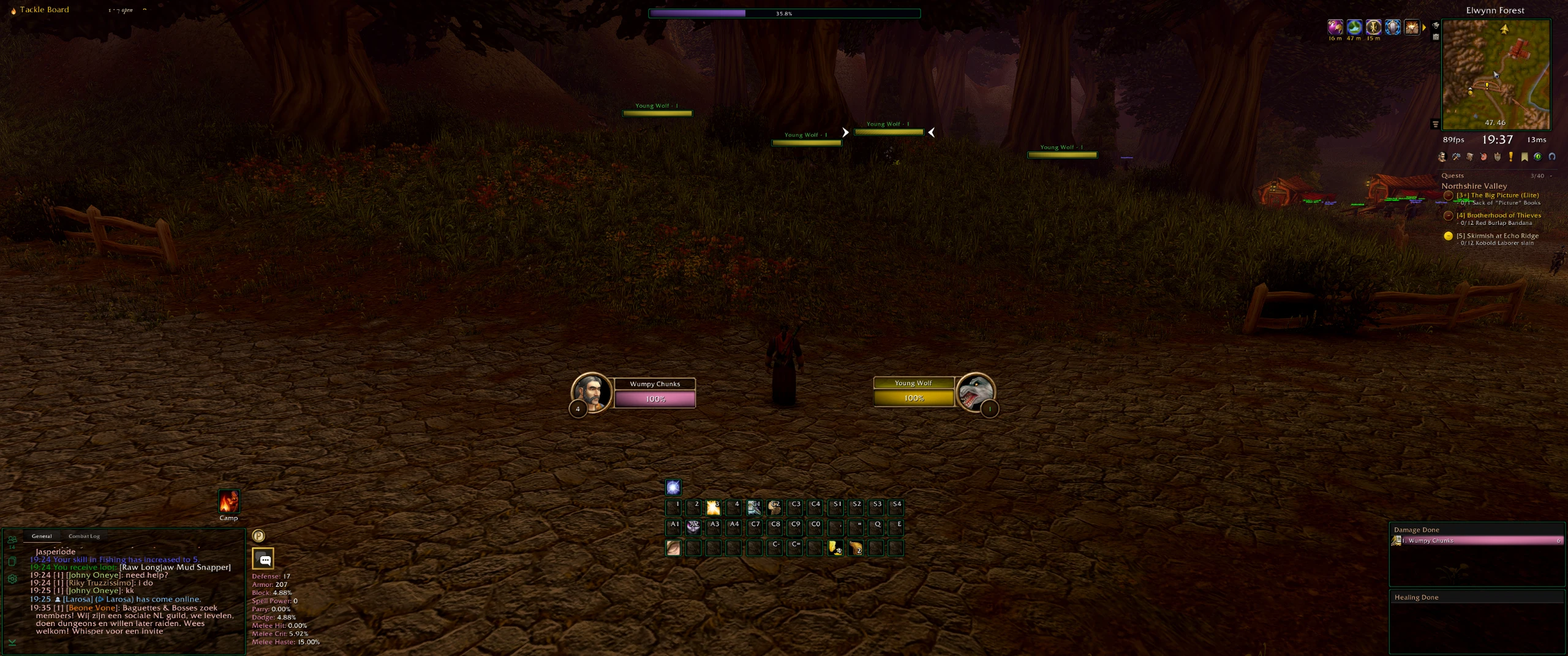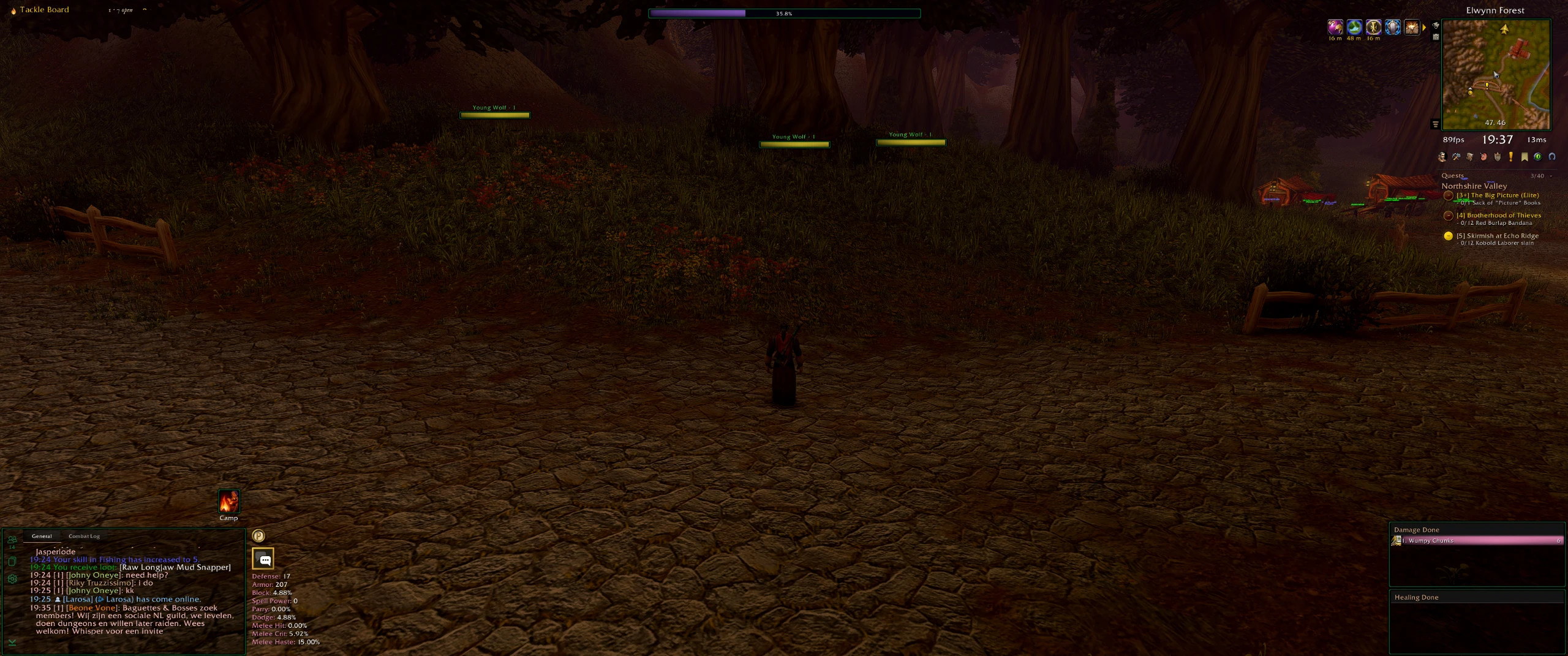


HedgeForever – 3440 x 1440p
Profile Details
Profile ID:
29582
Uploaded:
Nov 16, 2026
Updated:
Nov 16, 2026
Installs:
1,585
Website:
Source Link
Theme & Expansion
Roles
Content
Resolution
Finding a UI that really appeals to me, that's quite tough. I like very specific things and have a 3440 x 1440 resolution monitor so I've resorted to trying to creating my own within EUI.So, I've been working on tweaks to the Forever and Ellesmere Deafult preset styles. I am not a smart dude, it's basic but it does what I need it to do. As mentioned, it's a mix of EUI and Blizzard skins and there's no fancy interactions, just a simple, un-intrusive, clean UI that keeps the feel and coziness of what Forever is trying to achieve. I have also tried to keep the whole thing as consistent as possible with similar borders, colours and textures. Ultimately I am trying to create a UI that feels right in Forever but still gives the info / mechanics EUI can provide. I've also tried to keep it self contained so it should work with most class / spec combos... however, I don't play every class / spec combo, so some tweaks are probably needed by you. Likewise, I've not done anything with the Cooldown Manager side of things, so you'll need to look into that too.The main viewing zone is completely clutter free when not in combat so you can enjoy the world. Even in combat, the layout is designed to be a clean and enjoyable setup. Even if you're not a fan of the theme etc, I hope this base layout can act as a starting point for you.Thanks for checking it out and good luck with your Forever adventure!
Code
How to install
1 Copy the entire code string shown above.
2 Open World of Warcraft and open the EllesmereUI settings in the chat to open the EllesmereUI settings.
3 In the EllesmereUI window, go to Profiles → Import Profile.
4 Paste the code string into the box.
5 Click Import to apply the profile.