

Azeroth Survivors is a free, fan-made browser game by Aethus, a Warcraft-themed take on the survivors-like genre. You pick a class, steer through waves of enemies, and your spells cast on their own. The game supports addons, and this page lists addons made for it and explains how to install them.
How addons work in Azeroth Survivors
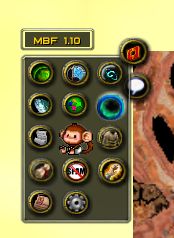
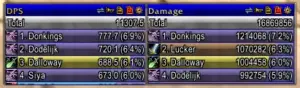
The game already has a built-in Damage Meter. You open it from a button on the minimap, and its window shows Damage Done, Healing Done, Boss Damage, and Party DPS. You can show or hide it under Options, then Interface. An addon is optional, and you only need one if you want something the built-in meter does not do.
Addons use the same format as WoW 1.12 addons: a folder that holds a .toc file along with Lua and XML files. You install them from the game’s own Options, then AddOns page, and not from a World of Warcraft installation. An addon is switched on or off for every hero at once, and it loads the next time you start a run.
Addon categories on this page
- Spell and damage meters that break a run down in more detail than the built-in meter
- HUD replacements that rebuild the action bar, boss bars, and run timer
- Loot books and build planning tools
Popular addons for Azeroth Survivors
AZS Spell Meter, by kex0, shows damage per spell, along with kills, procs, healing, the last boss fight, damage taken, and a party view in co-op. Its README says the damage totals come from the game’s own meter, so they match Damage Done. You open it with /azsm.
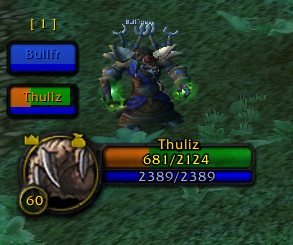
SurvivorsDragonUi, by migwynkriid13, is a Dragonflight-style HUD. It moves the action bar, run timer, boss health, and guardian tracker into a layout you can move, resize, and hide. You open its settings with /sdui.
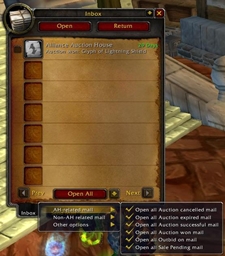
Azerloot, by Kindagrey, is a loot book with a build planner, a wishlist, and a record of your recent runs. You open it with /azl.
SurvivorsDragonUi replaces frames the game already draws, so install one HUD addon at a time and confirm a run still starts before you add another.
How to install addons in the browser
- Download the addon as a .zip file and leave it packed.
- Open the game at wow.aethus.pl and go to Options, then AddOns.
- Click Install AddOns and choose the .zip file. You can pick more than one.
- Wait for the message that the addon is installed. It names the addon after its .toc file.
- Start a new run. The addon loads at the start of the run, so reloading the menu is not enough.
The browser stores installed addons in that browser only. They do not move to another browser or to the Windows build, and clearing the site’s data removes them. Install the addon again on the copy of the game you actually play.
How to install addons on the Windows build
In the Windows build, open Options, then AddOns, and click Open AddOns Folder. Put the addon’s folder in the location that opens, so the finished path ends in AddOns/AddonName/AddonName.toc. The folder name has to match the .toc file name. The authors of SurvivorsDragonUi and Azerloot place this folder at benilla-config/AddOns, beside the game’s executable.
Unpack the zip with 7-Zip or WinRAR. The Extract All option in Windows can wrap the addon in an extra folder, and the game will not load an addon in that layout.
If an addon does not appear
- A message that the zip holds no addon means it has no .toc file. Download the packaged release from the author, not a source code archive.
- If the addon installed but nothing changed, start a new run. Addons do not load in the middle of one.
- If the game marks an addon as out of date, it was made for a different game version. The Load out of date AddOns option loads it anyway, but the game warns that such addons may not work, so leaving it off is the safer choice.
- If the game reports a missing addon, the one you installed depends on another addon that is not installed yet.
- If you get a Lua error after a game update, install the author’s newer release and start a fresh run.
Keeping addons working after game updates
Azeroth Survivors is still changing, and updates can affect addons. In October 2026, for example, an engine update stopped the game from loading addon pictures larger than 512 pixels, which left blank art in Azerloot until its author released a fix. Each author states which game version they tested, and some listings were tested on an older build than the one you are playing. If an addon breaks after an update, turn it off or look for the author’s latest release.
Download addons from their authors
An addon is a folder with a .toc file, not an .exe. A program that offers to install addons by running itself is not the same thing, so avoid it. The game is free and does not need a Blizzard account, so never enter Blizzard account details to play it or to install an addon.
Frequently asked questions
Does Azeroth Survivors have a damage meter?
Yes. The game has a built-in Damage Meter that shows Damage Done, Healing Done, Boss Damage, and Party DPS. You can show or hide it under Options, then Interface, and an addon is only needed if you want more detail.
Can I use addons from a private server in Azeroth Survivors?
The installer accepts addon packages made for WoW 1.12, but Azeroth Survivors is not a full World of Warcraft client. An addon built for raid frames or the auction house has nothing to work with here. Use addons made for Azeroth Survivors.
Do my addons carry over to the Windows build?
No. Addons installed in the browser stay in that browser, and the Windows build has its own AddOns folder. Install them again on each copy you play.
Is this the same as the Azeroth Survivors addons on CurseForge?
No. CurseForge lists several addons with similar names that run inside World of Warcraft clients such as WoW Forever. They are addons you play inside the WoW client, which is different from the browser game on this page.
Azeroth Survivors is a free fan-made game by Aethus and is not affiliated with or endorsed by Blizzard Entertainment. World of Warcraft is a trademark of Blizzard Entertainment.