

Wrath Mentor
Wotlk ingame raid tactics
Details
Expansion
 Wrath of the Lich King
 Categories
Developers

Having issues?
WRATH MENTOR v2.0.2 - in-game tactics for every WotLK raid (WoW 3.3.5a)
==========================================================================
INSTALL
Delete any old WrathMentor folder, then copy this "WrathMentor" folder into:
<WoW folder>\Interface\AddOns\
Restart the game (or /reload). Your saved settings are kept.
WHAT'S IN THE WINDOW (/wm)
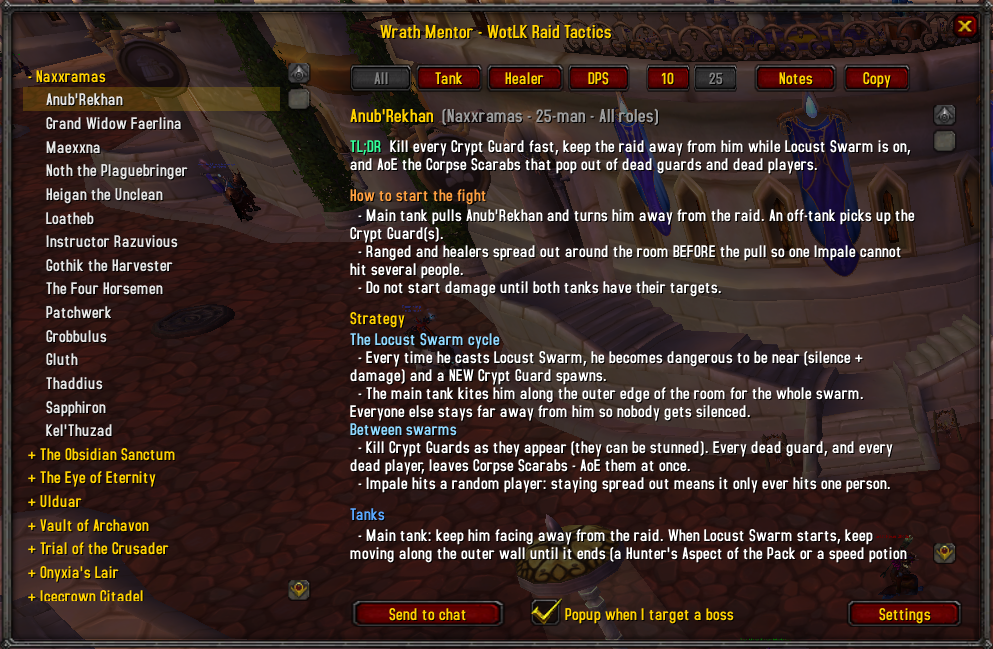
Left: raid + boss list (bosses with a personal note are tinted blue).
Top row: All / Tank / Healer / DPS | 10 / 25 | Notes | Copy
- Role buttons filter the tips.
- 10 / 25 switches the text to the 10-man or 25-man version
(add counts, tank counts, number of marked players, etc.).
- Notes opens a side box for your own notes on that boss. Press Save to keep them.
(Unsaved text is also saved automatically if you change boss, close the box or the window.)
- Copy shows the whole boss text as plain, selectable text: drag with the mouse to select
part of it, or press Select all, then Ctrl+C. Press Back to return.
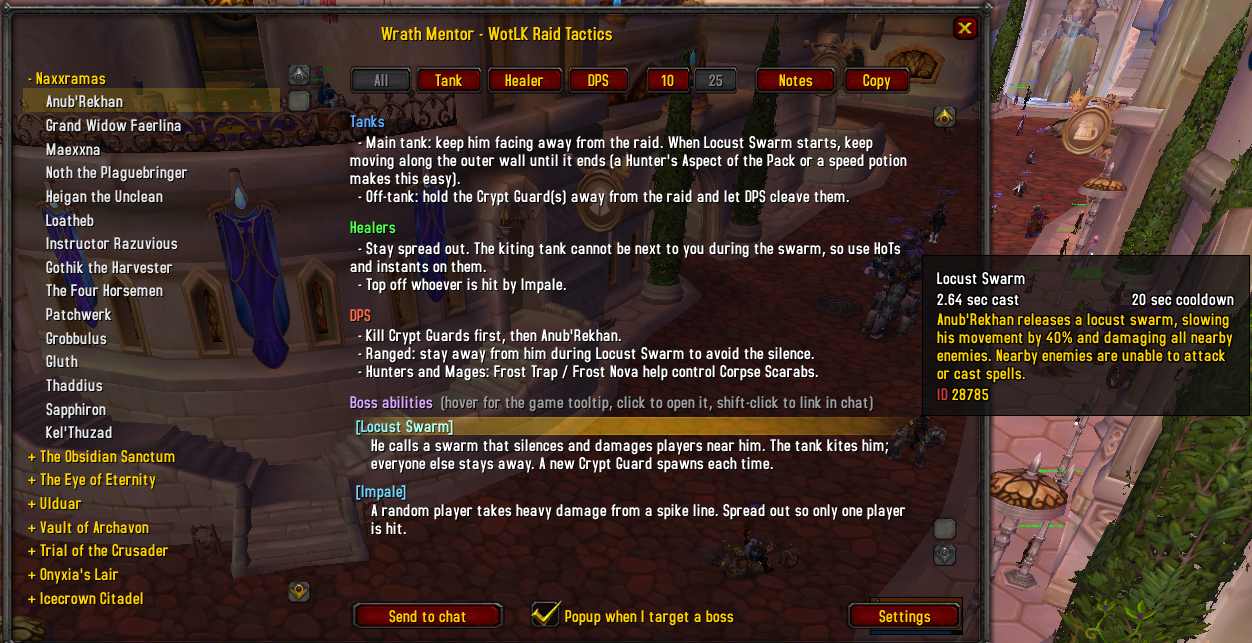
Each boss shows: TL;DR, How to start the fight, Strategy (by phase), Tank/Healer/DPS tips,
Boss abilities and the Hard mode / Heroic explanation.
BOSS POPUP
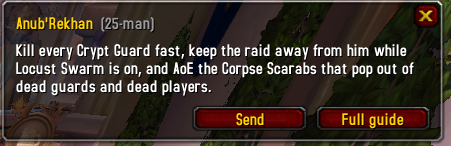
When you target a boss inside a raid, a small popup shows the boss's TL;DR.
Inside a fight it appears at most ONCE per boss: if you close it, targeting an add and then the
boss again will not bring it back. It can appear again in the next fight.
SEND TO CHAT
"Send to chat" (and the Send button on the popup) posts ONLY the Strategy section of the boss,
in the selected 10/25-man version, one line at a time.
ABILITY LINKS
Abilities are shown as [Spell Name]. Hover for the real game tooltip, click to open it,
shift-click to put the link in chat.
A link is only created when this client confirms the spell ID has the expected name, so a wrong ID
can never show a wrong spell. Abilities without a confirmed ID appear as plain white text.
/wm checklinks tells you how many abilities linked on your client.
COMMANDS
/wm open / close
/wm <boss name> open a boss (partial names work: /wm lich, /wm sapph, /wm yogg)
/wm role all|tank|heal|dps role filter
/wm size 10|25 choose 10-man or 25-man text
/wm notes open / close the notes box
/wm quick toggle the TL;DR popup when you target a boss (once per fight)
/wm config settings panel (also: right-click the minimap button)
/wm minimap show / hide the minimap button
/wm send [raid|party|say] send the selected boss's Strategy section to chat
/wm checklinks report resolved ability links
/wm reset reset window positions
EDITING THE DATA
Open Data_*.lua in a text editor. Boss fields:
name, aliases, tldr, start, general, tank, heal, dps, abilities, hard
Line tags: "[10] text" = only in 10-man, "[25] text" = only in 25-man,
"#{a/b}" = a in 10-man / b in 25-man, "## Title" = sub-heading inside a list.
Ability: { ids = { 10-man id, 25-man id }, name = "Exact Spell Name", desc = "..." }
Boss names must match the in-game NPC name (English client) for the popup to trigger.
Personal notes are stored in your saved variables, keyed by raid and boss name.
No changelog available.
You must be logged in to leave a comment.