
Tooltip Plus
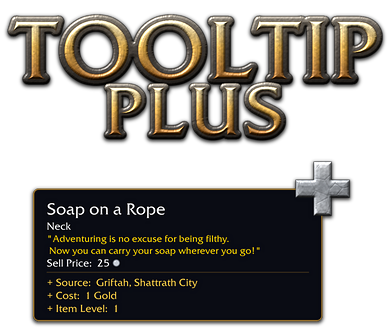
Everything about an item, right in its tooltip. For World of Warcraft 3.3.5a.
Details
Expansion
 Wrath of the Lich King
 Categories
Developers

Having issues?
TOOLTIP PLUS v1.7.1
Everything about an item, right in its tooltip. For World of Warcraft 3.3.5a.
By Saranwrap
Hover any item and Tooltip Plus tells you where it comes from, what it is used for and
how many your characters have, without leaving the game:
- Where to get it: vendors, quest rewards, crafting, mob drops with the drop chance,
chests and gathering nodes, containers, disenchanting, prospecting, milling, skinning,
pickpocketing and fishing.
- Professions: which professions use a material, the reagents and skill colours of a
crafted item, and which of your characters know a recipe or can learn it.
- Your characters: how many of the item each of your characters has, and where (bags,
bank, equipped, mailbox, currencies), plus your guild banks.
- Sell price, stack size and item ID.
- One window (minimap button) with every recipe of every profession, and everything your
characters own, both searchable.
INSTALL
1. Close the game.
2. Extract the zip into <WoW folder>\Interface\AddOns\ and keep the folder name it comes
with ("Tooltip-Plus-main" from GitHub, or "TooltipPlus"). Keep only one of them.
3. Start the game. After an update, restart the game completely: new files are not
loaded by /reload.
IN THE TOOLTIP
The information has its own block at the bottom of the tooltip, under "Tooltip Plus:".
Vendor who sells it, where, A / H (Alliance / Horde only), price in gold, badges,
honor or arena points, limited stock
Quest the quest that rewards it, its level and where it starts
Crafted the profession, skill colours [250 290 305 320] (orange / yellow / green /
grey), the reagents, and which of your characters know the recipe or can
learn it
Drop the mobs that drop it, the place and mode (Normal, Heroic, 10, 25, 10 HC,
25 HC) and the drop chance per kill. Bosses and rare mobs are coloured;
dungeon and raid trash is grouped under "[Ulduar [25]] - trash mobs"
Object chests, caches, herbs, ore veins... and the chance per opening
Contained in bags, boxes and caches that contain it
Disenchanting, Prospecting, Milling what it comes from, with the chance
Skinning, Pickpocket, Fishing mobs or fishing zones, with the chance
Teaches on a recipe: what it teaches, and which of your characters know it, can
learn it now, or later
Used in on a material: the professions that use it (number of recipes) and which
of your characters know a recipe that uses it
Sells for the vendor price
ID / Count the item ID, the stack size and how many all your characters have, then
one line per character: "Bags: 24" or "90 (Bags: 24, Bank: 66)"
Lines look like: Object: [Ulduar [25]] - Rare Cache of Winter 18%
Tags after a source:
(Hallow's End) only during that world event
(quest) drops only while you are on the quest
(hard mode) drops only in hard mode
A / H Alliance / Horde only
The main sources are listed first, followed by "... and N more". An empty line closes the
block, so the lines of other addons stay apart.
THE WINDOW (minimap button, or /tplus recipes)
Tabs in the title bar: Recipes, Items and Settings.
Recipes: every recipe of every profession.
- Filter by profession, search a recipe or reagent name (or shift-click an item into the
box), and show all recipes, the ones this character knows, can learn now, or later, the
ones another character knows, or the ones none of your characters know.
- Names are in this character's skill colour (red: skill too low, dark grey: not one of
its professions). A tick marks the recipes it knows.
- Right side: skill colours, how many it makes, the reagents with how many you have, where
the recipe is learned and which of your characters know it or can learn it.
- Hover a recipe or a reagent for its full tooltip. Shift-click links it in chat.
- Shift + right-click a material (bags, bank, chat link or the window): the window opens
with every recipe that uses it, the ones you know first. A crafted item opens its recipe.
Items: everything your characters on this realm have, and your guild banks, in one list.
- Search by name, filter by character or guild bank.
- Hover an item: who has it and where. Shift-click: link. Ctrl-click: try on.
- The gold of all your characters at the top right (hover it for each character).
YOUR CHARACTERS
Log on each character once so it is remembered.
- Bank, mailbox, guild bank: read when you open them (each guild bank tab when you look
at it).
- Recipes known: read when the character opens each of its profession windows.
/tplus forget <name> removes a character you deleted. The minimap button tooltip shows
the gold of every character.
SETTINGS (/tplus, minimap right-click, or Escape > Interface > AddOns > Tooltip Plus)
- Show item sources, only while holding Shift, compact (hide zones), "... and N more"
- Item ID, stack size, sell price
- Count of all your characters, one line per character
- Used in, recipes known / can learn, reagents, Shift + right-click to open recipes
- Minimap button
- Which sources to show
The Escape > Interface > AddOns page also has every command as a button.
COMMANDS
/tplus settings (/tooltipplus works too)
/tplus recipes recipes
/tplus items items of your characters
/tplus gold gold of your characters, in chat
/tplus on | off turn the item sources on / off
/tplus <item ID> print an item's sources in chat
/tplus minimap show / hide the minimap button
/tplus chars characters remembered on this realm
/tplus forget <name> forget a deleted character
/tplus help list the commands
ABOUT THE DATA
Sources, prices and drop chances come from the AzerothCore world database (the core
ChromieCraft runs on) and the 3.3.5a game files. A server can change some of its data,
so treat the drop chances as a guide.
No changelog available.
You must be logged in to leave a comment.