
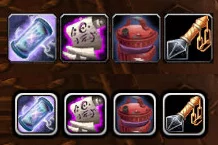
QuestItemBar
Automatically shows a bar with buttons for the quest items you possess.
Details
Expansion
 Wrath of the Lich King
 Categories
Developers

Having issues?
Automatically shows a bar with buttons for the quest items you possess. It looks similar to a standard action bar. It is based on Ace3 and various embedded libraries provided by the Ace-community.
Features
Behaves more or less like any standard action button.
ButtonFacade support.
LibDataBroker launcher.
Show all or only usable quest items.
Sort items in order usable – not usable – quest starter
Indicate if a item starts a new quest.
Display quest name and objective status in tooltip if information found.
Better handling of keybinds. If a quest item is no longer in possesion the keybind will be cleared instead of jumping to another item. If the player gets the previously keybound item again it will be bound again.
Should work on any WoW language client. Please report if it doesn’t.
Configuration
Open a configuration dialog using the commands “/qib config” or “/QuestItemBar config” or by clicking the LDB launcher. Or simply use the standard interface -> addons menu.
Configuration can be done using commands too. /qib . Write /qib to show available commands.
Change the direction (growth) by right clicking on the anchor.
You must be logged in to leave a comment.