

Hekili (backported)
Your next ability, on screen, for every class.** A priority helper for World of Warcraft 3.3.5a
Details
Expansion
 Wrath of the Lich King
Categories
Developers

Having issues?
HEKILI for WoW 3.3.5a - version 3.3.5-1.2.13
Your next ability, on screen, for every class. Backport by Saranwrap.
I am not the original author of this addon. Hekili is made by Hekili and its contributors
(https://github.com/Hekili/hekili). This is a backport of its Wrath of the Lich King
Classic version to the 3.3.5a client (AzerothCore servers such as ChromieCraft).
Report problems with this version at https://github.com/saranwrap04/Hekili/issues
INSTALL
1. Close the game.
2. Copy the "Hekili" folder into <WoW folder>\Interface\AddOns\ and keep its name:
the addon loads from it.
3. Start the game.
UPDATING
Close the game and DELETE THE OLD "Hekili" FOLDER COMPLETELY, then copy in the new
one. Also delete any "Hekili-main" folder from an older download, so only one copy
is installed. Copying over the old folder can keep old files, and the game only
loads new files after a full restart, not after /reload.
Do not install another version of Hekili (retail or Classic) at the same time.
WHAT IT DOES
- Shows the next abilities to use for your class and talents, updated as you fight.
- Picks the priority from your talents (the tree with the most points).
- Big cooldowns in their own display, interrupts when your target casts.
- Shows the key each ability is bound to on your action bars.
- AOE recommendations as soon as you hit several enemies.
- Works out of the box: no setup needed.
Death Knight Blood, Frost (two versions), Unholy
Druid Balance, Feral DPS, Feral Tank
Hunter Beast Mastery, Marksmanship, Survival
Mage Arcane, Fire, Frost
Paladin Holy, Protection, Retribution (two versions)
Priest Shadow
Rogue Assassination, Combat
Shaman Elemental / Restoration DPS, Enhancement
Warlock Affliction, Demonology, Destruction
Warrior Arms, Fury, Protection
THE DISPLAYS
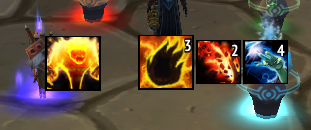
Primary your rotation: the next ability (large icon) and the two after.
Middle of the screen, above the player cast bar.
Cooldowns big cooldowns (Fire Elemental Totem, Bloodlust, Icy Veins...). Left of Primary.
AOE the multi-target priority, in the Dual and Reactive display modes.
Right of Primary.
Interrupts / Defensives only when set to show separately in Toggles.
Each icon shows its keybind (1, S2 = Shift-2, CF = Ctrl-F...). Default action
bars and the common bar addons are read, macros included. Messages such as "Cooldowns ON" appear
at the top of the screen.
MOVING THEM
/hek move (out of combat), then left-click and drag a box. Right-click a box to open
its settings. /hek lock when done: positions are saved.
TOGGLES
Cooldowns on, in their own display Alt-Shift-R
Interrupts on Alt-Shift-I
Defensives off Alt-Shift-T
Potions off
Display mode automatic Alt-Shift-N
Pause Alt-Shift-P
Change them in /hek > Toggles, with the keys, or from the minimap button (left-click).
SETTINGS
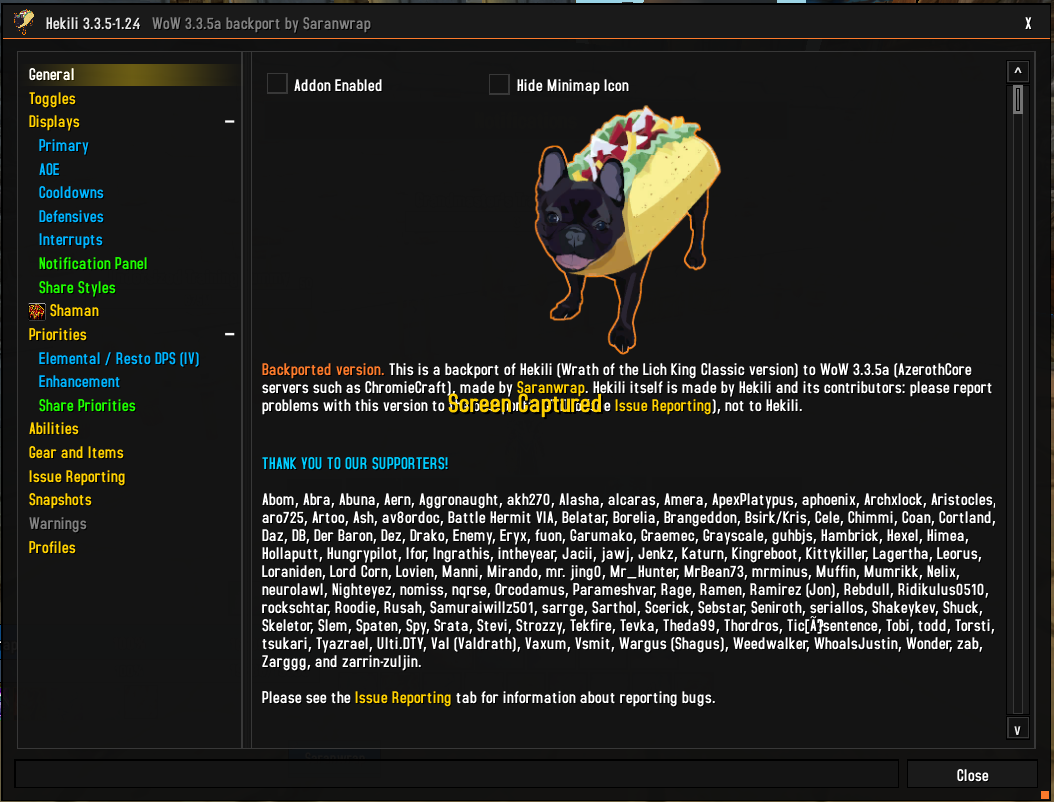
/hek, a right-click on the minimap button, or Escape > Interface > AddOns > Hekili.
- Displays: size, icons, position, keybind text, glow, border, captions, visibility.
- Your class: rotation (or pick it by talents), rotation options, enemy counting.
- Priorities: the rotations themselves (copy, edit, import, export). For advanced users.
- Abilities / Gear and Items: turn one off, boss fights only, enemy count limits, its
toggle (Cooldowns...), its keybind text.
- Profiles: per character or shared, and per talent group (dual spec).
COMMANDS
/hek open the settings (/hekili works too)
/hek move, /hek lock unlock the displays to move them, lock them again
/hek enable, disable turn the addon on or off
/hek set your class options and toggles (e.g. /hek set cooldowns on)
/hek priority show or change the rotation
/hek profile show or change the active profile
NOTES FOR 3.3.5
- Enemies are counted from the combat log (enemies you hit, or that hit you, in the last
few seconds): nameplates cannot be read by addons on 3.3.5.
- Haste is your haste rating plus the common haste buffs.
- Boss fights are detected from the boss frames.
- Shaman weapon imbues are read from the weapon tooltip (English client).
- Shaman options (/hek > Shaman, or the minimap button menu): Chain Lightning on one
enemy (on), Thunderstorm (off), Fire Nova (on) and Magma Totem (on). Without its glyph,
Thunderstorm knocks enemies back. Unchecking Magma Totem stops it from being recommended.
- Retail-only options (covenants, nameplate detection, SpellFlash) are hidden.
Settings are saved in WTF\Account\<ACCOUNT>\SavedVariables\Hekili.lua
LINKS
This version https://github.com/saranwrap04/Hekili
Issues https://github.com/saranwrap04/Hekili/issues
WotLK sims https://wowlegacysims.github.io/sims/wotlk/all/
CREDITS
Hekili and the Hekili contributors: the addon, its engine and all class priorities.
Libraries: Ace3, LibStub, CallbackHandler, LibSharedMedia, LibDBIcon, LibDataBroker,
LibDualSpec, LibRangeCheck, LibSpellRange, LibCustomGlow, LibCompress, LibDeflate,
LibTranslit, LibChatAnims (3.3.5 versions).
No changelog available.
No changelog available.
- Auto Shot now has its icon set directly:
Ability_Whirlwind, which I confirmed from the 3.3.5a client’s own spell data. - Every icon lookup now has a fallback (another way to get the icon, then a question-mark icon), so a spell with no icon can’t stop a file from loading again. That covers the ability, aura and item lists, plus one options message.
No changelog available.
No changelog available.
You must be logged in to leave a comment.