

Auctionator Remastered
Improved Auctionator with offline prices, price history, deal finding, shopping lists and trading logs for WoW 3.3.5a.
Details

Expansion
 Wrath of the Lich King
Categories
Developers

Having issues?
Auctionator Remastered
Auctionator Remastered brings offline price browsing, historical charts, deal discovery, shopping planning and trading logs to World of Warcraft 3.3.5a.
Tested during everyday auction-house use on Warmane, with both ElvUI and the standard WoW interface.
Explore your market, even away from the auction house
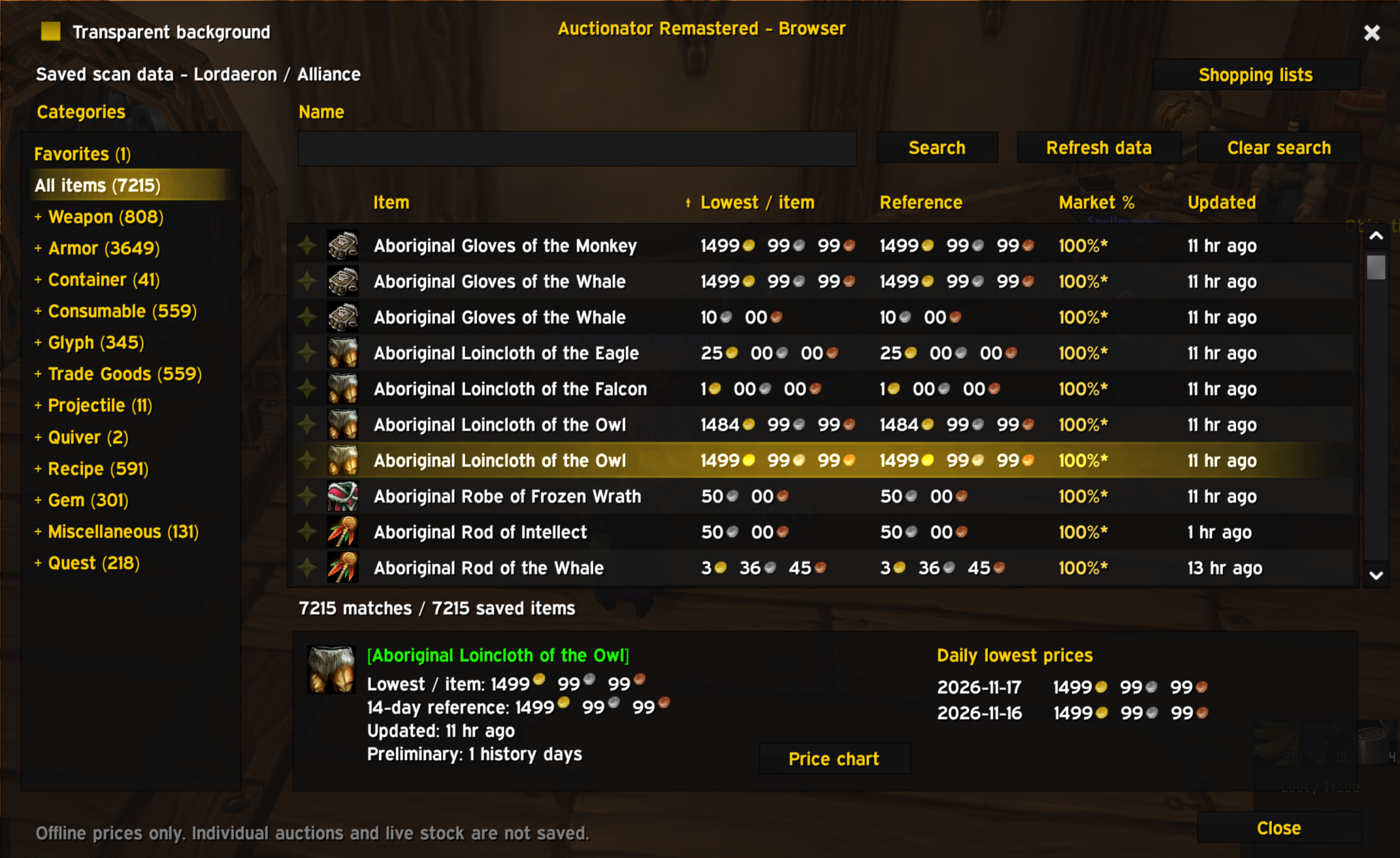
Check saved prices wherever you are. The Offline Browser lets you search items, explore categories, save favorites and review price history without opening the auction house.
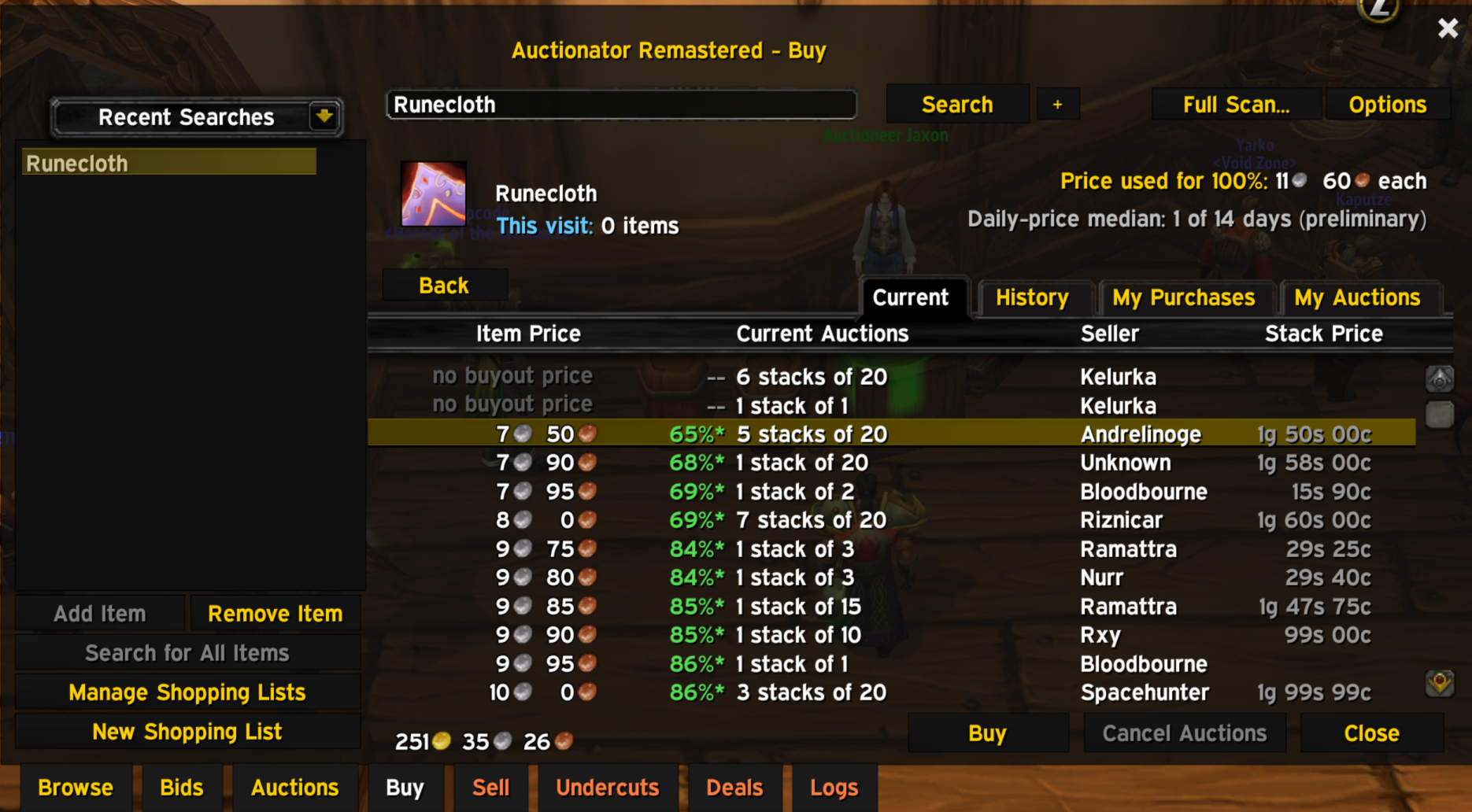
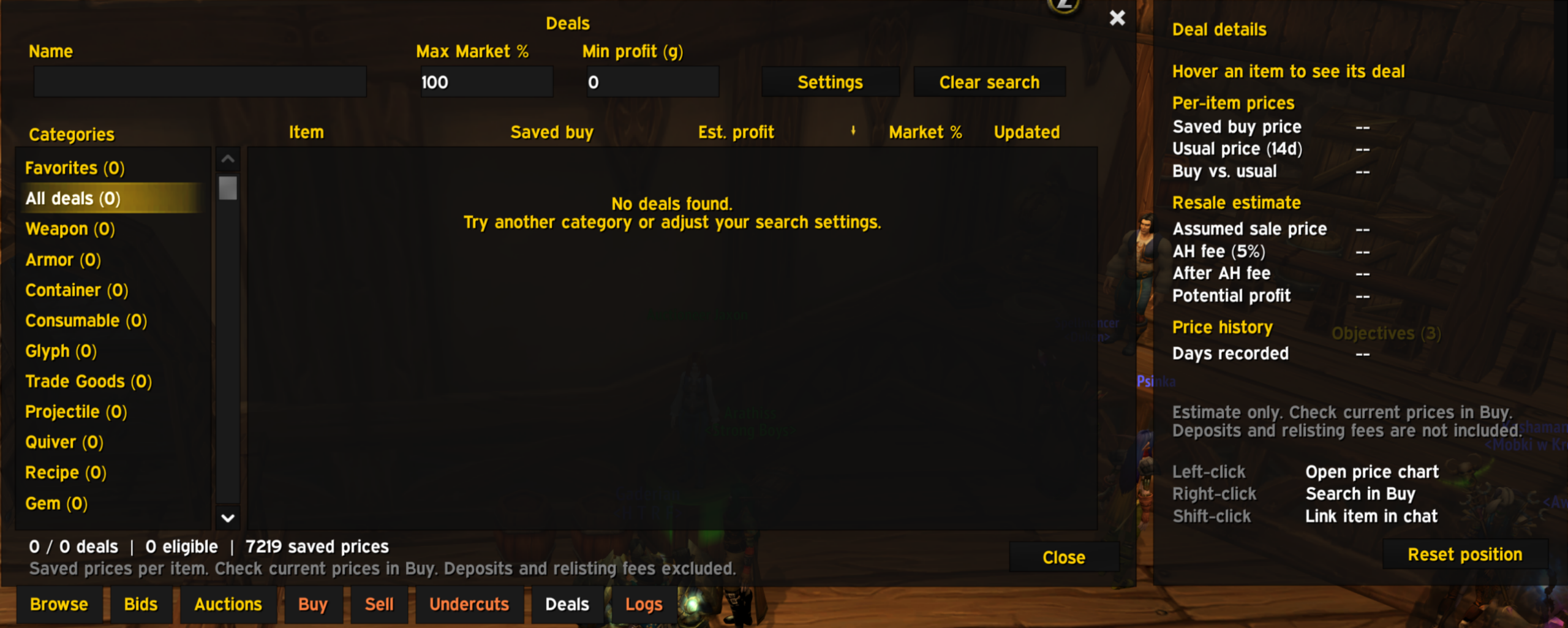
Use historical references and colored Market % comparisons to understand how a price compares with your saved history. The Deals tab helps you explore potential discounts using your saved scans, with configurable filters and a detailed profit breakdown.
Highlights
- Offline Browser — saved prices, categories, equipment slots, favorites and item tooltips.
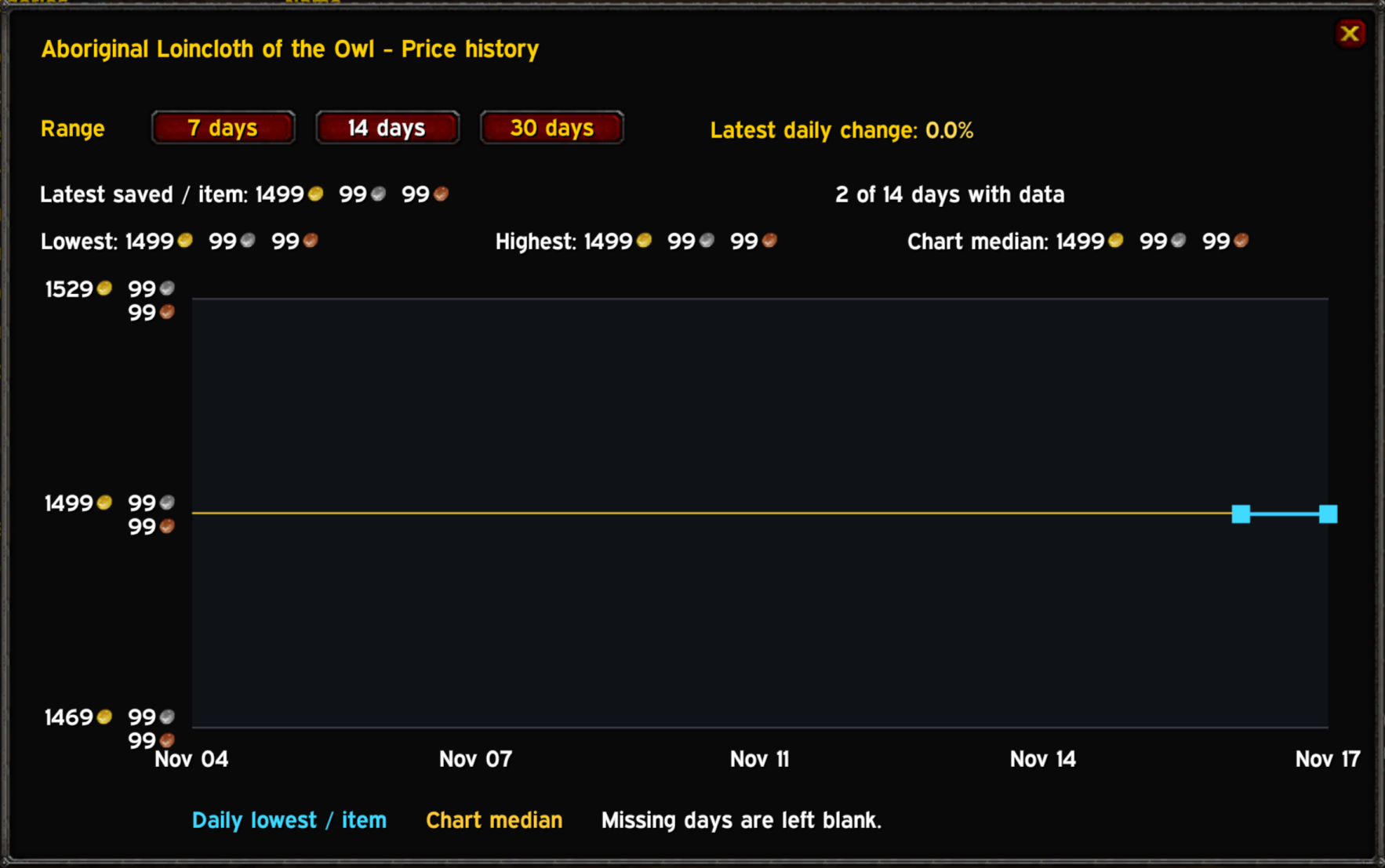
- Price history — charts covering 7, 14 or 30 days.
- Market comparisons — colored percentages against your historical price reference.
- Deals — discover potential discounts and inspect estimated resale value, fees and profit.
- Shopping planner — target quantities, owned items, missing quantities and estimated costs.
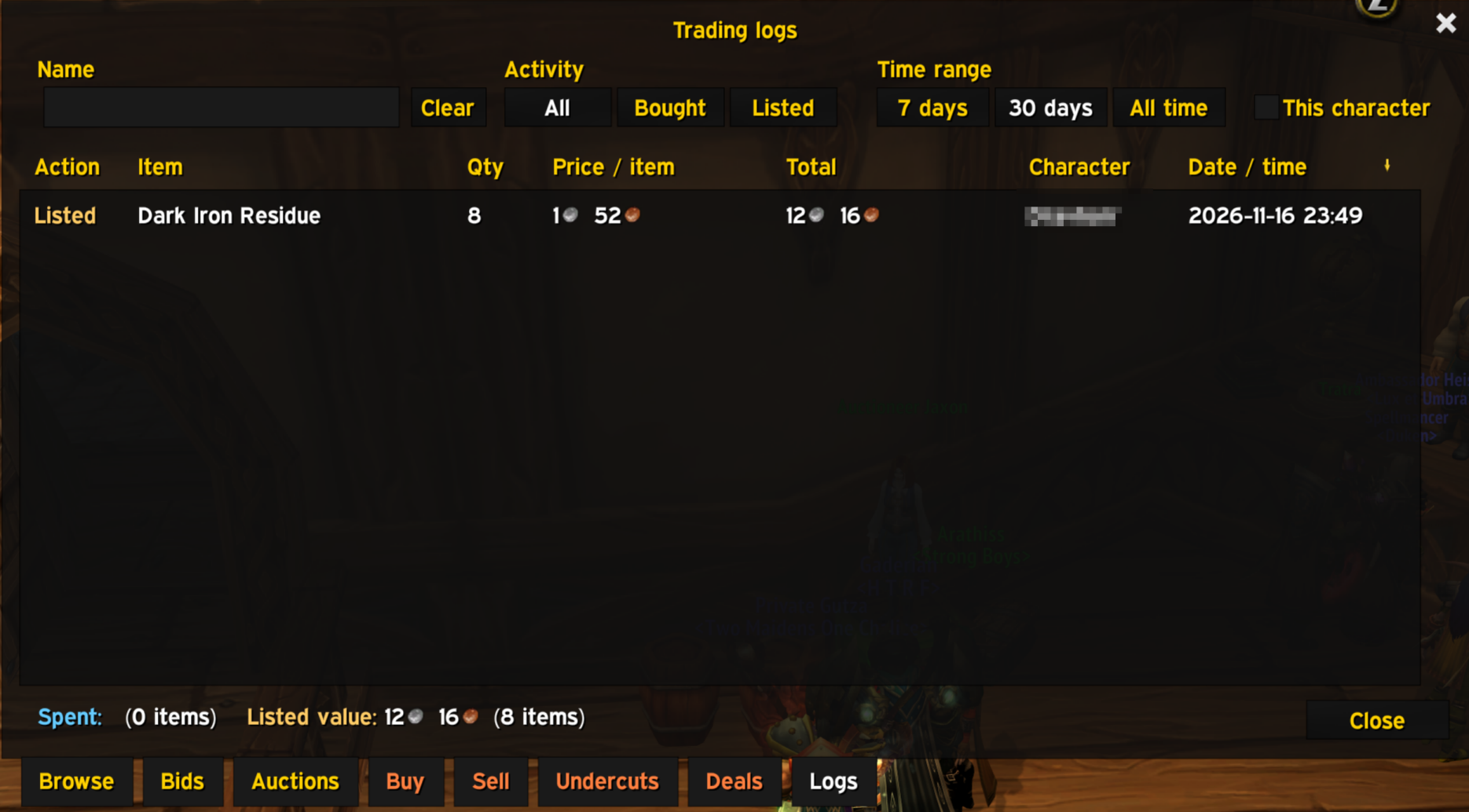
- Trading Logs — searchable purchases and auction postings, with character and date filters.
- Purchase tracking — quantities and spending for the current auction-house visit.
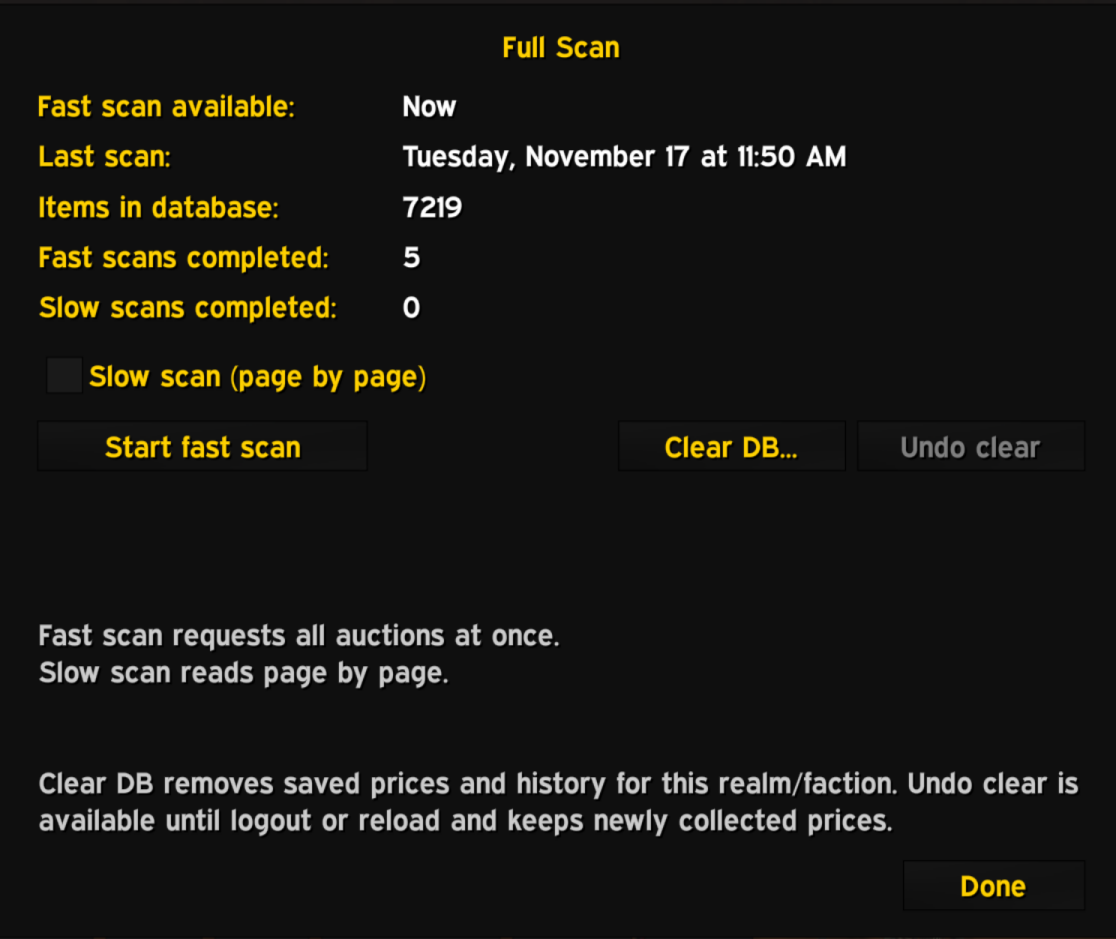
- Rebuilt full scans — improved local processing and clearer progress information.
- Slow-scan time estimates — smoothed estimates based on observed scanning speed.
- Stop and save — keep completed slow-scan pages when you do not want to finish the entire scan.
- Color-coded scan summaries — auction counts, item changes, duration and quality breakdowns.
- New item-based database — separate prices for distinct item IDs and suffix variants.
- Built-in item metadata catalog — supplements icons and classification without adding artificial market prices.
- ElvUI integration — built-in styling for Remastered's interface.
- Standard WoW support — usable without ElvUI.
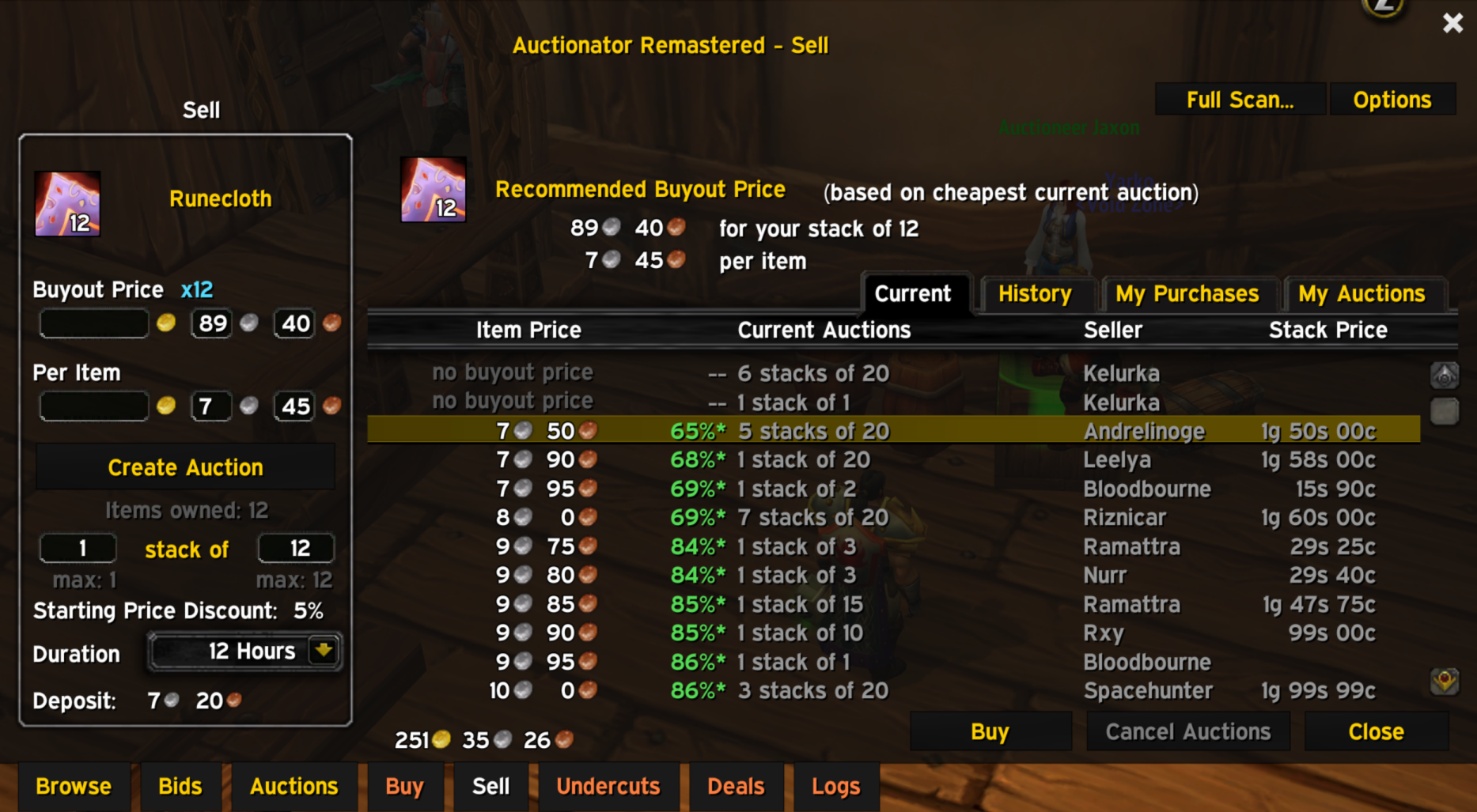
- Convenient Shift-click actions — search from bag items or insert an item into Sell.
- Movable auction window and detachable deal details.
- Built-in seller information and merchant pricing — MiniFeatures is not required.
- Installation conflict detection — helps prevent multiple Auctionator versions from running together.
Installation
- Exit WoW completely.
- Extract both included addon folders into
World of Warcraft/Interface/AddOns/. - Disable other Auctionator versions and Auctionator MiniFeatures.
- Start WoW and enable Auctionator Remastered and its Main module.
- Enable Load out of date AddOns if required.
Keep both folders:
Interface/AddOns/AuctionatorRemastered/
Interface/AddOns/AuctionatorRemastered_Startup/
Updating
Back up your addon folders and WTF directory, close WoW, then replace both Remastered folders.
Updates preserve an existing new-format Remastered database. Moving from original Auctionator or an older installation using the Auctionator folder starts with a fresh price database. Old saved files are not deleted or imported.
First use
Run a Full Scan at the auction house, then open the Offline Browser using the minimap button or /atr browse.
Your price history develops through continued use. Deal availability depends on the history and filters you have selected.
Warmane — fast-scan disconnects
On Warmane, fast scans can occasionally end with the server disconnecting you. In our testing, this appears to be a server-side issue: fast scans often start working again later without changing the addon.
If it happens, try again later. Slow scan is also available if you want to collect prices in the meantime.
Feedback
Feedback is welcome! Include a screenshot, reproduction steps and any Lua errors when reporting an issue. Further improvements to the standard WoW interface are planned.
Auctionator Remastered by Nisho
Based on the original Auctionator by Zirco, with original contributor credits retained.
No changelog available.
You must be logged in to leave a comment.