

GoGoMount
One-key solution for mounting/dismounting, supports spells, shapeshifting


Details
Expansion
Categories
Developers

Having issues?
Description:
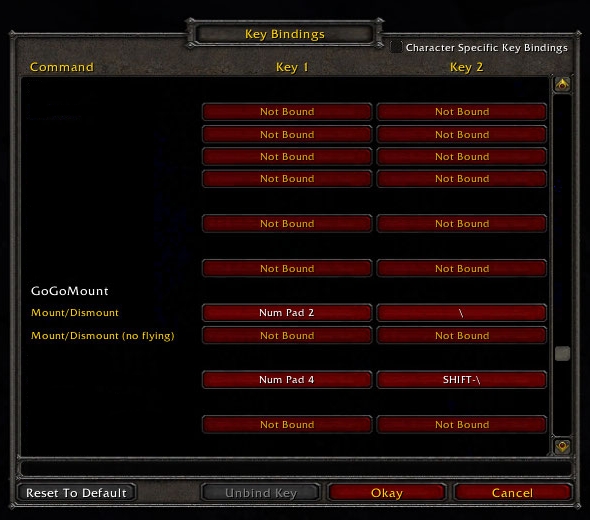
One-key mounting solution, useful whether you have just one mount or several. Supports all mounts currently in game, sensibly chooses/randomizes between what you have. Bind a key and hit it to mount/unmount or shapeshift/deshift, or use '/click GoGoButton' in a macro.
Spell support:
- Supports Shaman and Druid travel forms - in combat as well
Autodismount support:
Dismounts you automagically when clicking on herbs/ores or using offensive spells/abilities. Use '/gogo auto' to toggle this on/off.
Preferred mounts support:
You can assign one or more preferred mounts for each zone. Use '/gogo MountLink' to add pref. Use '/gogo clear' to clear prefs for current zone. Warning: GoGoMount will always use your zone specific preferred mounts even if you have faster ones.
You can also assign one or more preferred mounts globally. Enable the option "Preferred mount changes apply to global setting" and the zone specific preferences and commands are applied to the global preferences.
Excluded mount support:
You can exclude mounts that you never ever want to see. Use '/gogo exclude MountLink' to add a mount to the exclusions list. Use the same command to remove a mount from the exclusions list.
The GoGoMount manual with more details can be found here. (http://wow.curseforge.com/projects/gogomount/pages/manual/)
Use the ticketing feature on GoGoMount's GitHub site to report problems and make feature requests.
Miscellaneous:
You can follow @gogomount@pleroma.funkymonkey.org (ActivityPub) for news and updates related to GoGoMount.
You must be logged in to leave a comment.