

Scrolling Chat Text
Shows your chat messages in a separate scrolling window with customizable filters and colors.
Addon Details
Addon ID:
18932
Addon Version:
ScrollingChatText1.2.zip
Expansion:
7.3.5
Upload date:
Dec 12, 2025
Last Updated:
Dec 12, 2025
Downloads:
Less than 100
Expansion
 Legion
 Categories
Developers

Dimsai
Creator
Having issues?
Scrolling Chat Text
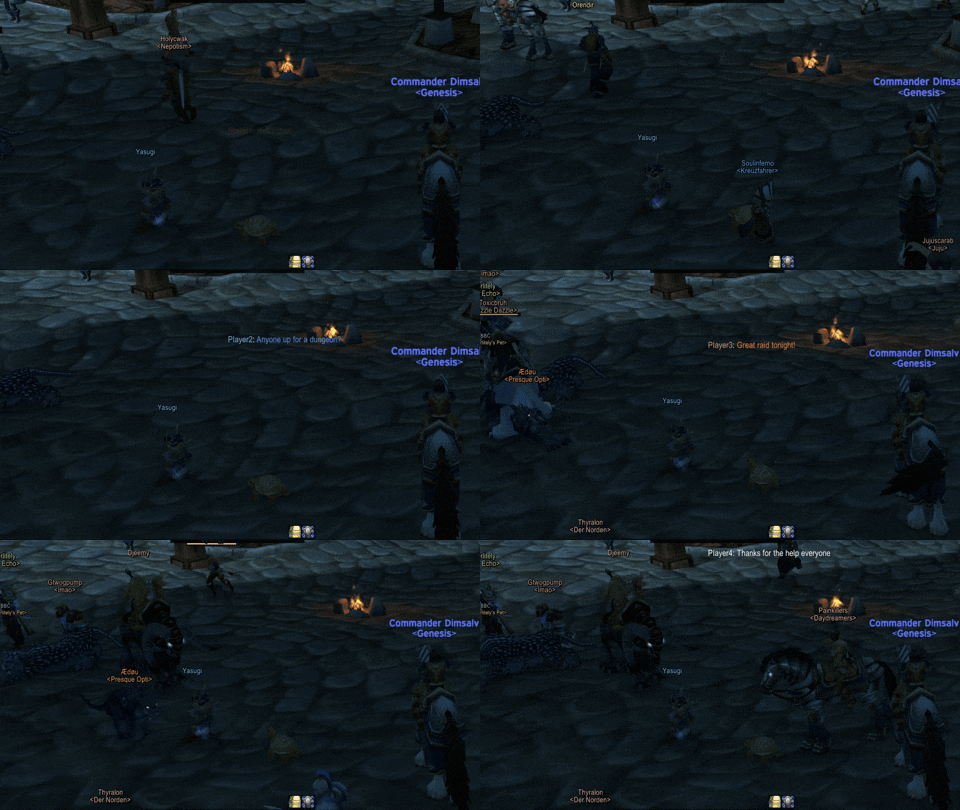
Smart Message Filtering
- Filter messages by keywords with multiple match types (Begins with, Ends with, Contains, Exact Match)
- Case-sensitive and case-insensitive filtering options
- Enable/disable individual filters on the fly
- Default filter included for World Buff announcements
Customizable Display
- Adjustable frame size, position, and transparency
- Customizable font, font size, and text colors
- Optional background with adjustable opacity
- Control which chat types to display (Guild, Party, Raid, Whispers, etc.)
- Choose to show or hide your own messages
Emoji Support
- Full integration with TwitchEmotes addon
- Displays both static and animated emotes
- Smooth animation system for dynamic emojis
Multi-Version Compatibility
- Automatically detects your WoW version
- Proper class color support for all available classes per expansion
- Seamless experience across Classic Era, TBC, WotLK, Cata, MoP, and Retail
Commands
- /sct config - Open the options panel
- /sct test - Display scrolling test messages
- /sct stop - Stop the test
More addons for Legion
Discover other addons that might interest you
Auto Bag Opener
Opens your bags, everytime you open your character frame.
Can I Mog It?
Adds tooltips and overlays to items showing if you have learned a transmog appearance.
Sweet Whispers
Showing floating head message when your weapon whispers you
McConnell REEEEE
Plays a sound when you die.
Scorpio
Addon framework based on PLoop
Powered
Power bar addon. Gives you a simple, moveable power bar.
Quester
Improved Questing Experience
Vex Runes
Alternate Rune Display