

XE QoL Forever
Quality-of-life bundle for WoW Forever (classic-era rules): vendor/bank/mail sheet, destroy-cheapest helper, consumables bar, gear upgrades with stat weights, quest arrow, quest/threat nameplates, target macros, movable frames. Toggle modules with /xe.
Details
Expansion
 Forever
 Developers

Having issues?
XE QoL — quality of life for WoW Forever
Light. Blizzard-looking. Modern when you want it.
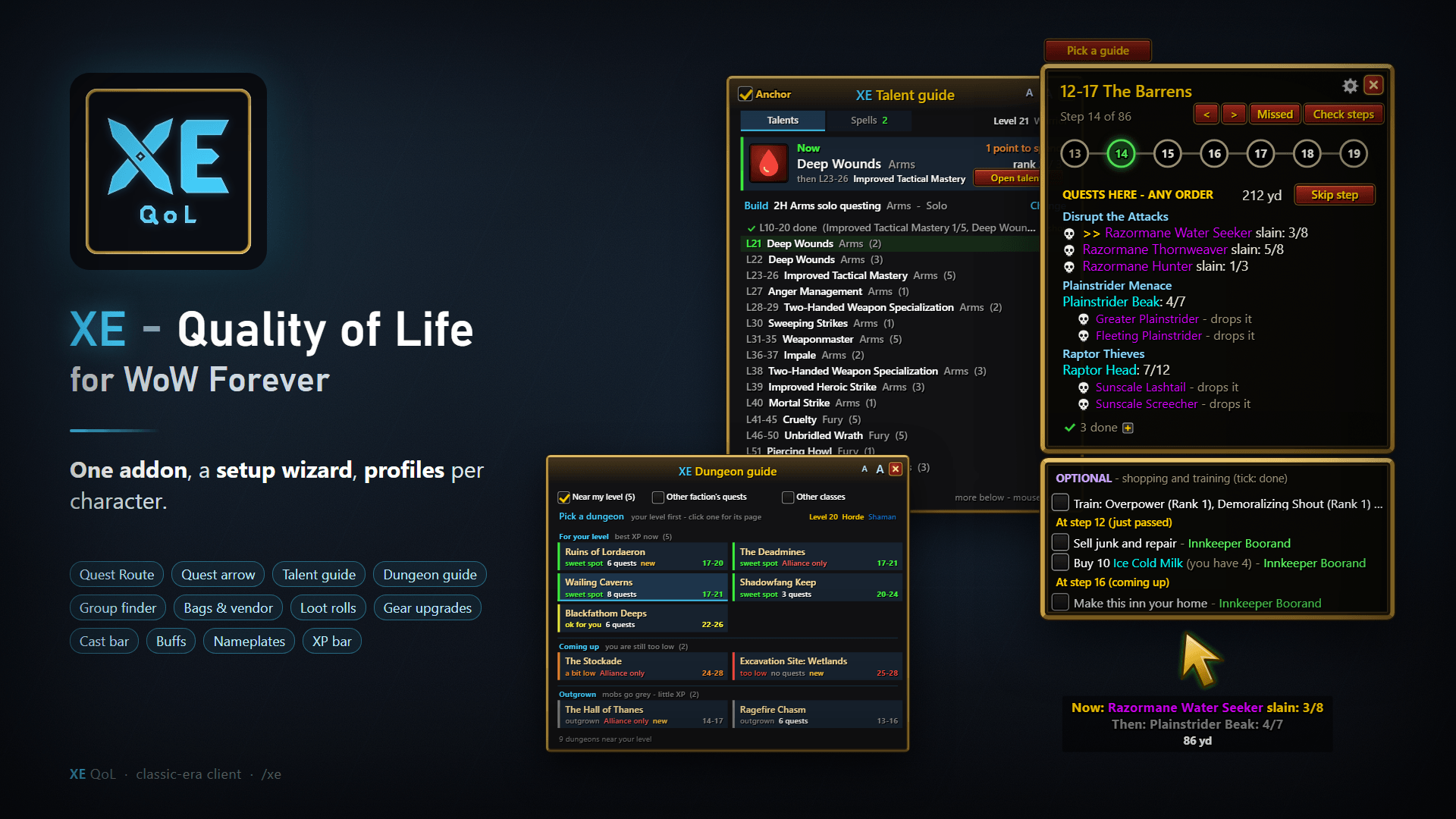
🗺️ NEW — Quest Route: levelling 1 to 60 for both factions as simple stops — go here, grab these, kill those, hand in — with an arrow that says what to do Now and Then, class quests and a route per dungeon. (details below)
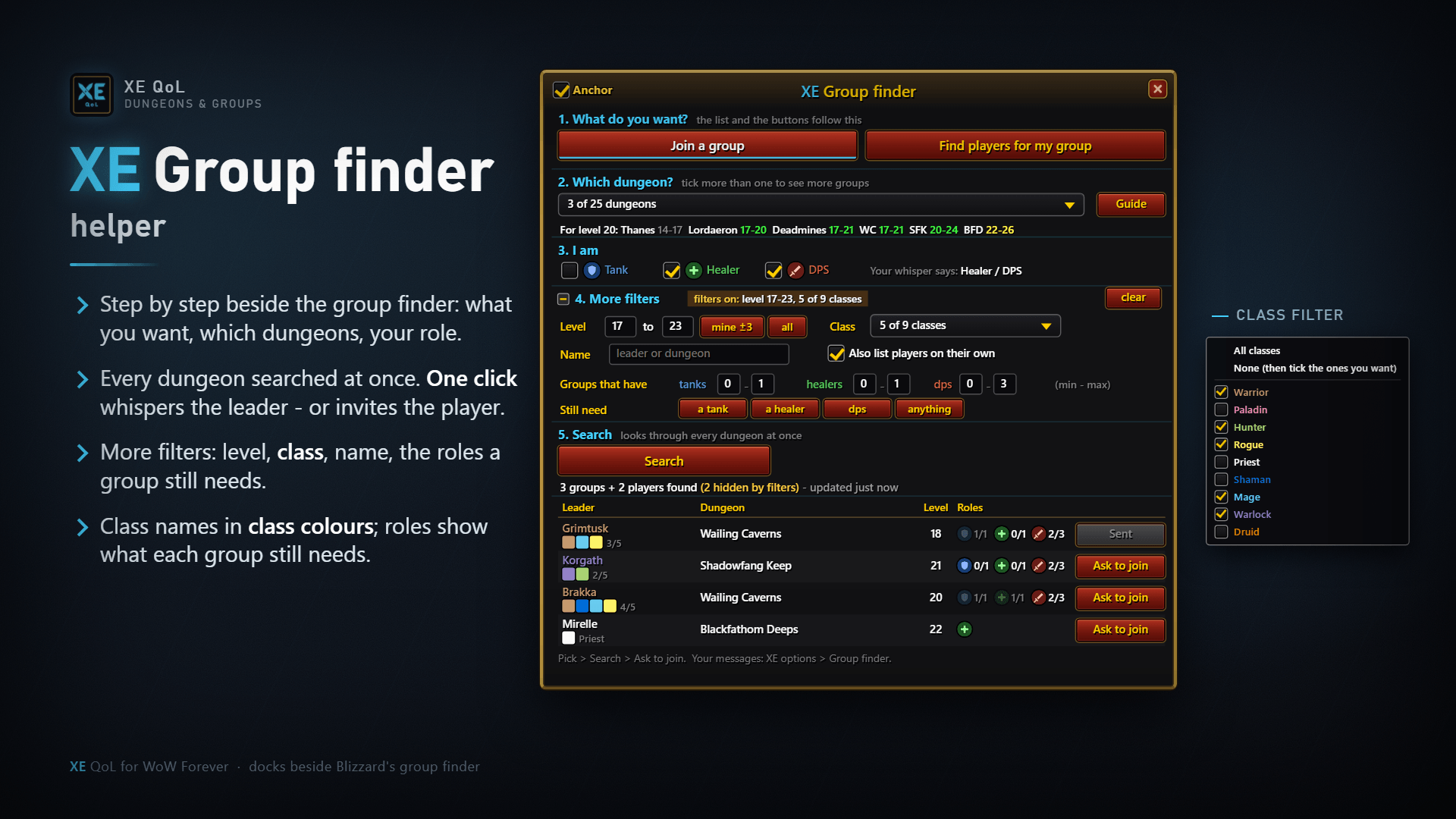
👥 Group finder helper: the Looking For Group list made usable — dungeon checklist, level range, class filter, find players or groups by the roles they still need, one-click whisper and invite. (details below)
XE QoL is one small addon that replaces a pile of others. It looks and feels like the game's own UI — Blizzard's classic windows, fonts and colours — and every visual part has a modern design you can switch on with one click (flat Plater-style nameplates, a clean cast bar, borderless action bars).
- Light: no libraries, nothing runs for a module you turn off. XE itself uses about 9 MB of memory; the Quest Route about 16 MB (it holds every route - untick it if you don't level with it).
/xe perfshows yours. - Pick what you want: a short setup at first login, then
/xeany time. Every module is one tick; everything you don't use costs nothing. - Made for WoW Forever (Interface 16001).
💬 Join the XE Discord — bug reports, ideas, and a heads-up on every new version.
⭐ NEW: Quest Route — levelling 1 to 60, as simple stops
A separate add-on in the same download (untick XE QoL - Quest Route in the AddOns list if you don't want it).
- Go here, grab these, kill those, hand in: town stops grouped by NPC, field objectives together — do them in any order; only what's left is shown.
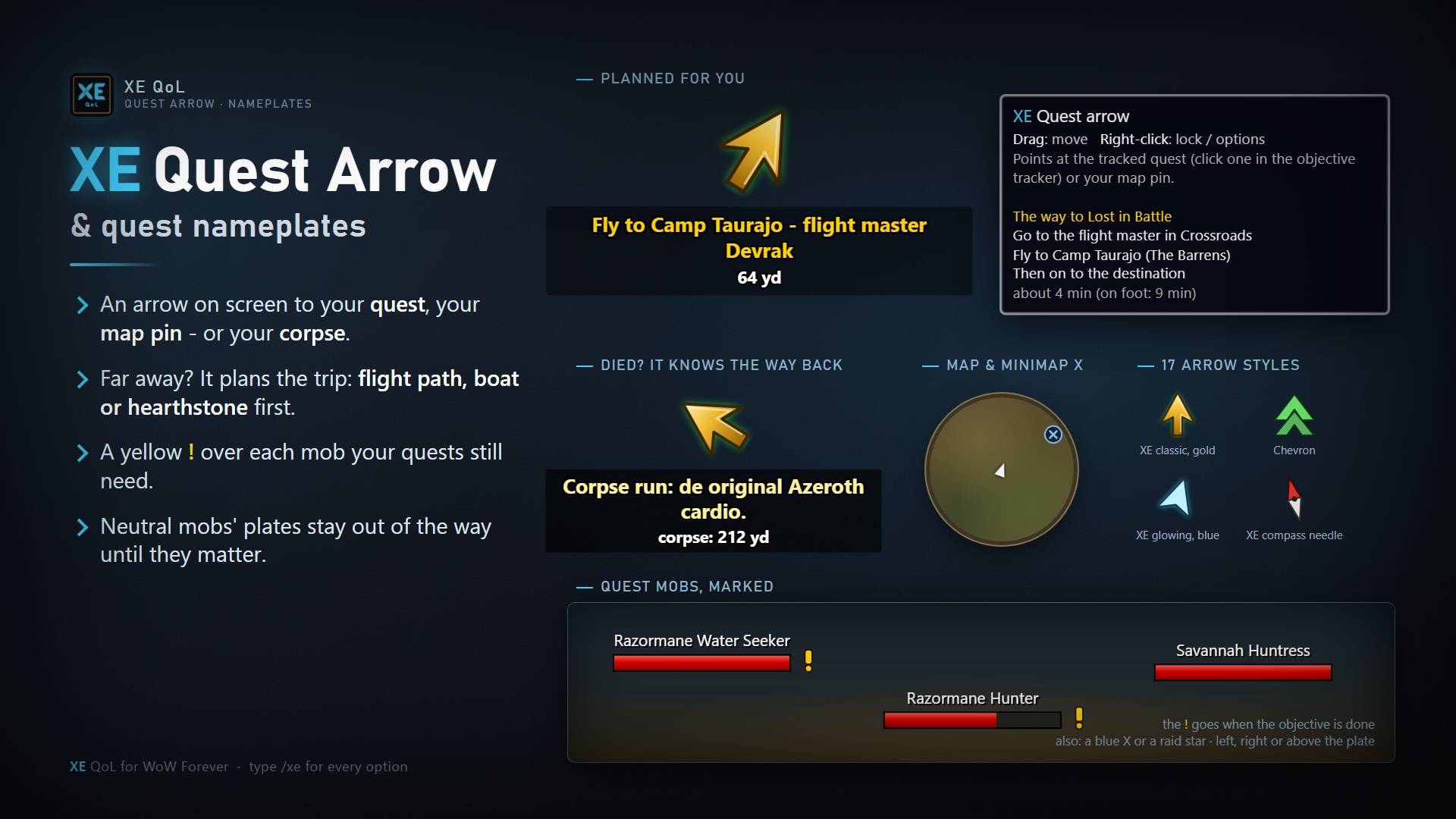
- The arrow says what to do Now and what comes Then; far away it plans the trip first (flight path, boat or zeppelin, hearthstone).
- Pick a guide: automatic for your race and level, all levels, class quest chains, and a route per dungeon (its quests and chains, city by city, then the entrance).
- Missed: the quests you passed that you can still do, and where to get them.
- Shopping and training in their own list — including the spells your class trainer has for you right now.
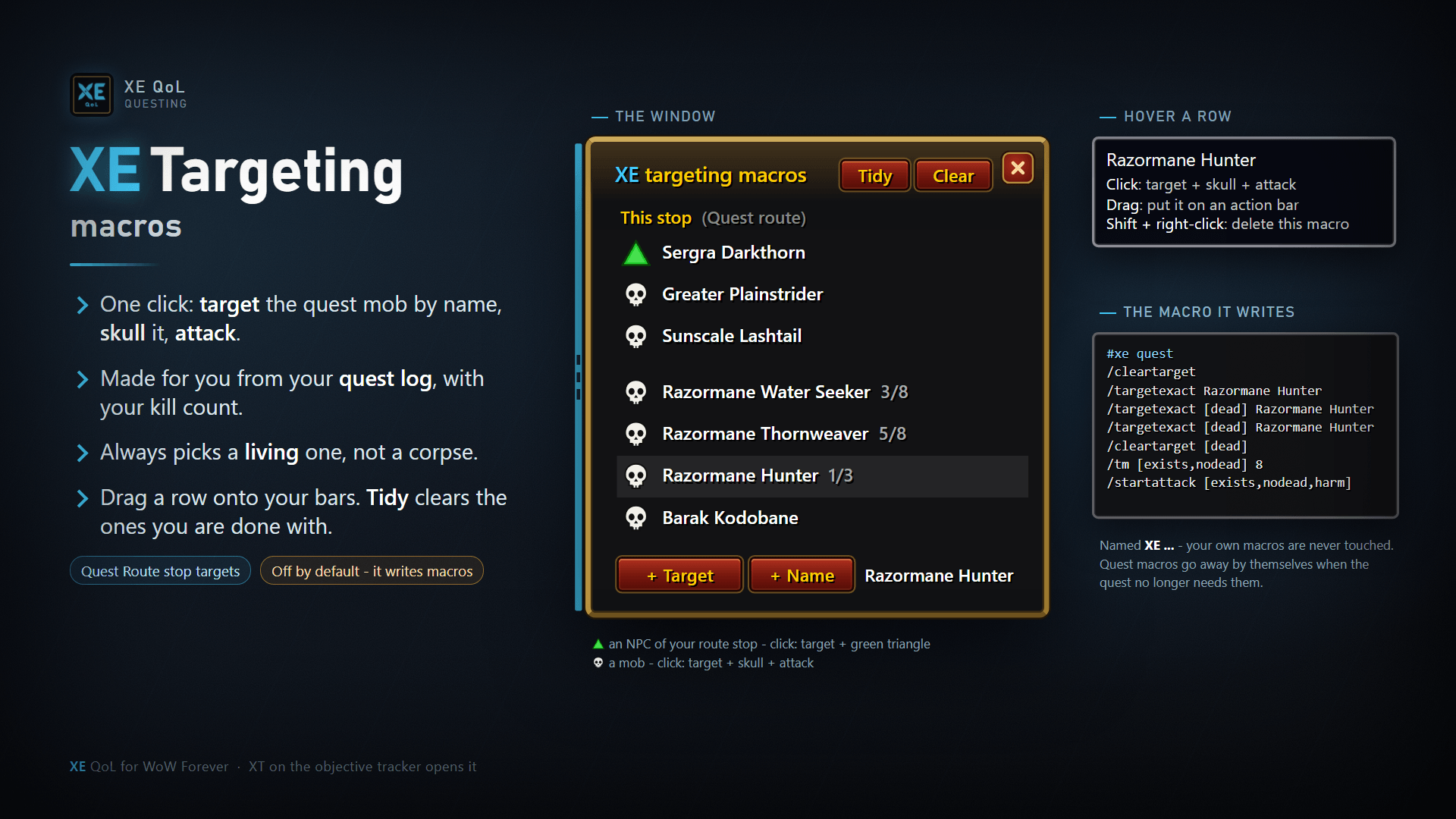
- Click a skull to target the mob. XR on a quest's details jumps the route to it.
⭐ Setup wizard & profiles
- A setup wizard with a live preview of every part: pick what you want in a few pages.
- Profiles per character: a new character uses or copies another's settings, or starts fresh.
⭐ Group finder helper
The Looking For Group list, finally usable. A filter panel docks to Blizzard's window (Premade Groups Filter style):
- Dungeon checklist, level range (±3 of your level in one click), class filter and name search.
- Find players looking for your group, or groups by how many tanks, healers and DPS they already have — "needs a tank" is one preset.
- Group rows show the members' class icons; the tooltip lists each one with level and role.
- Whisper sends a ready-made "invite me" message with your class, level and role; Invite a solo player with one click, with a short "inviting you for Deadmines" whisper first. All texts are yours to edit.
⭐ Threat nameplates — for groups, the way few addons still do it
In a group fight, every enemy plate tells you who it is attacking, from your point of view:
- DPS / healer: red = it's on you, green = it's on the tank.
- Tank: red = it's not on you, green = it's on you, orange = changing hands.
- Casters stay blue — and when one is on the wrong person it gets a red X and a red border.
- Role is detected for you (group role, bear form, Defensive Stance) or set by hand.
Solo, the same plates switch to questing colours: enemies brick red, casters blue. Choose the Blizzard plate or the flat XE Plater design (height, width, health % in the middle), plus a target marker (corner brackets or chevrons >>> <<<).
More highlights
- Quest arrow & quest guide — an arrow to your tracked quest or map pin, with distance; a guide with the next steps.
- Target macros — one-click target → skull → attack macros for the mobs your quests need (kill and drop quests), created and removed for you.
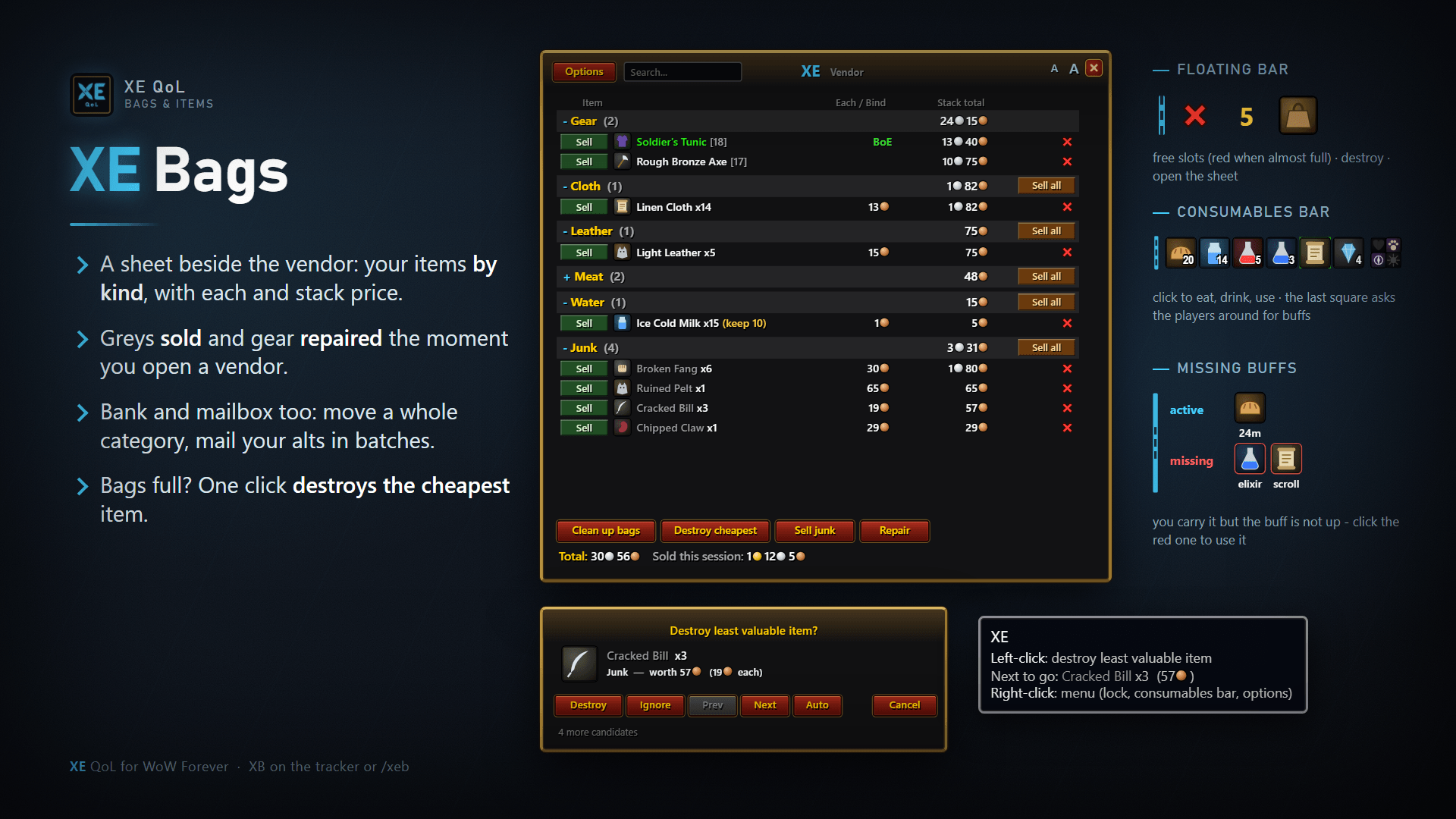
- Bag & vendor sheet — everything sellable on one list: Sell, Sell all, auto-sell junk, auto-repair.
- Consumables bar — food, potions, scrolls and bandages always at hand, with an Ask for buffs button that says a funny /say line.
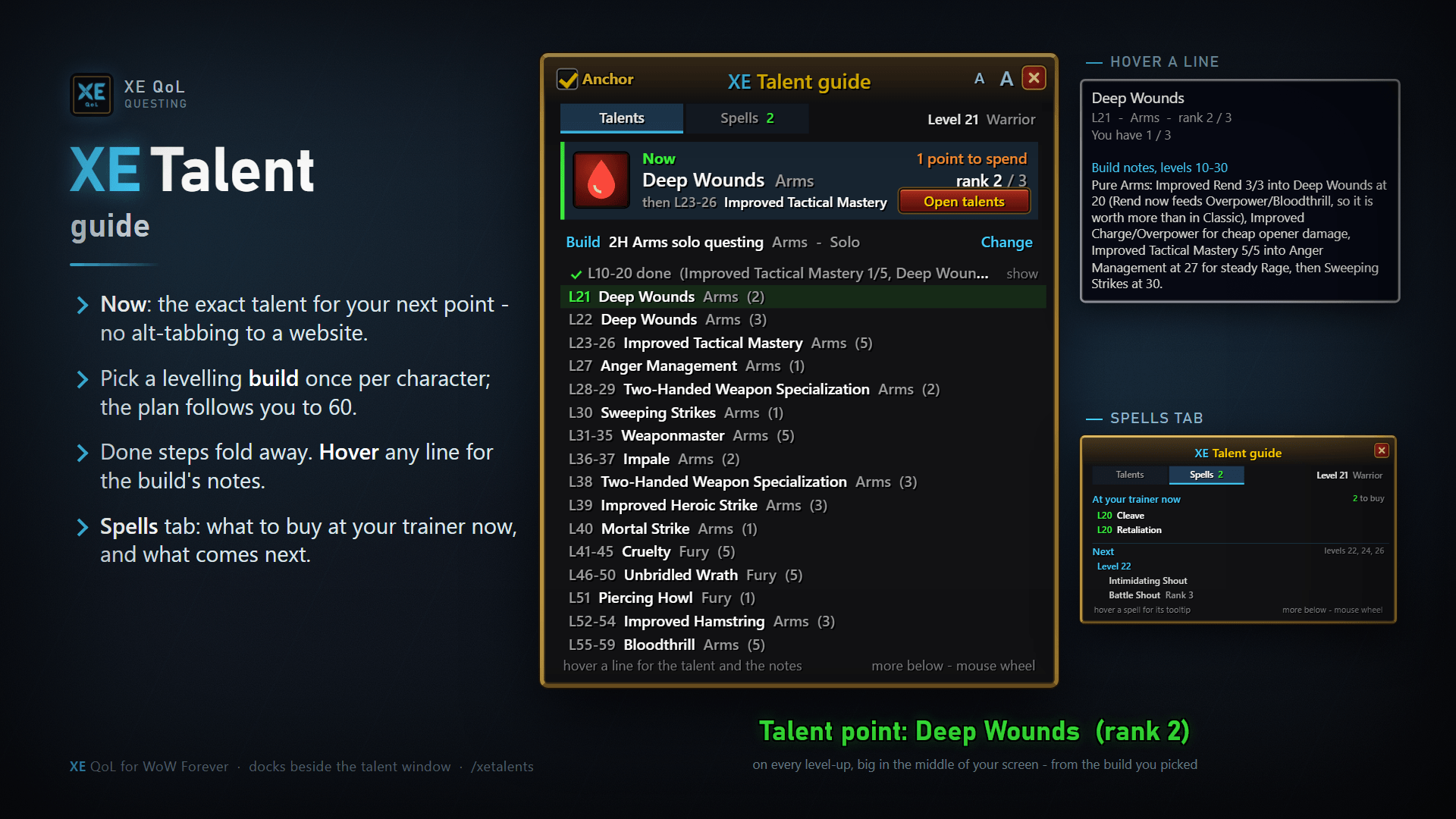
- Talent guide — pick a build once; a Now card shows your next talent, the plan is a timeline, and a Spells tab lists what your trainer has for you.
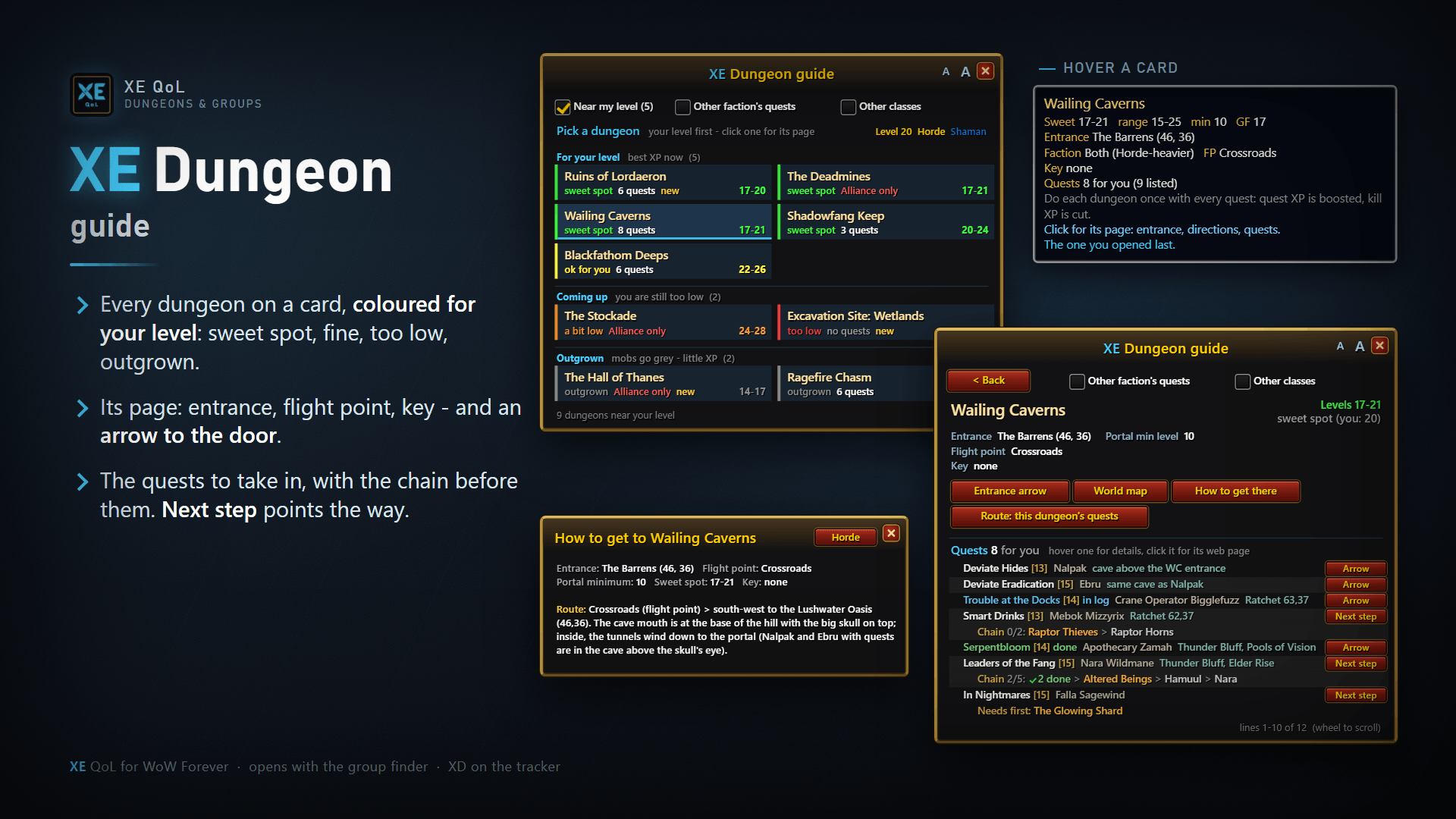
- Dungeon guide — a card per dungeon, your level first; each page has its quest chains and the next step.
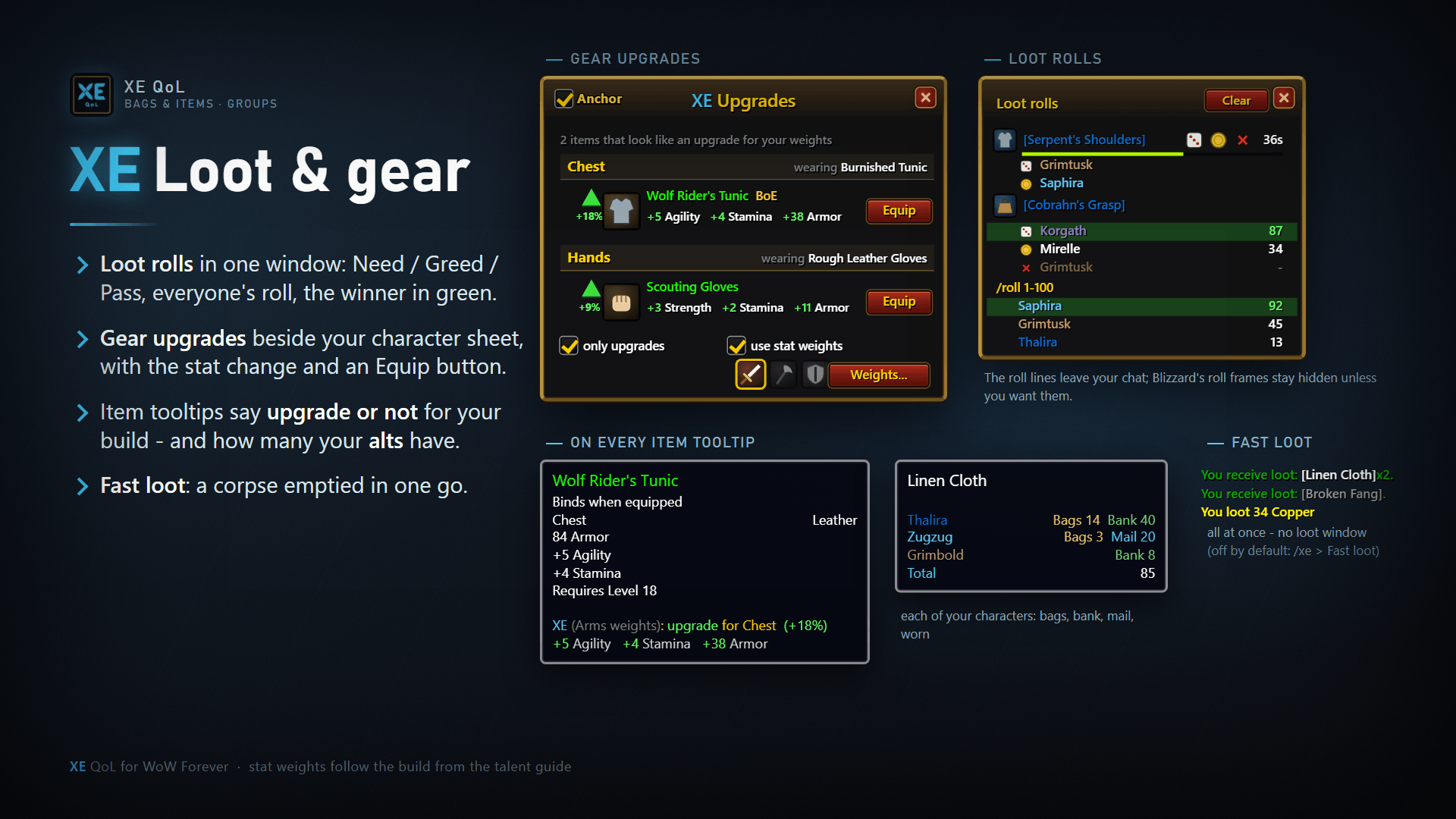
- Loot rolls window — every group roll in one place with Need / Greed / Pass, instead of the chat spam.
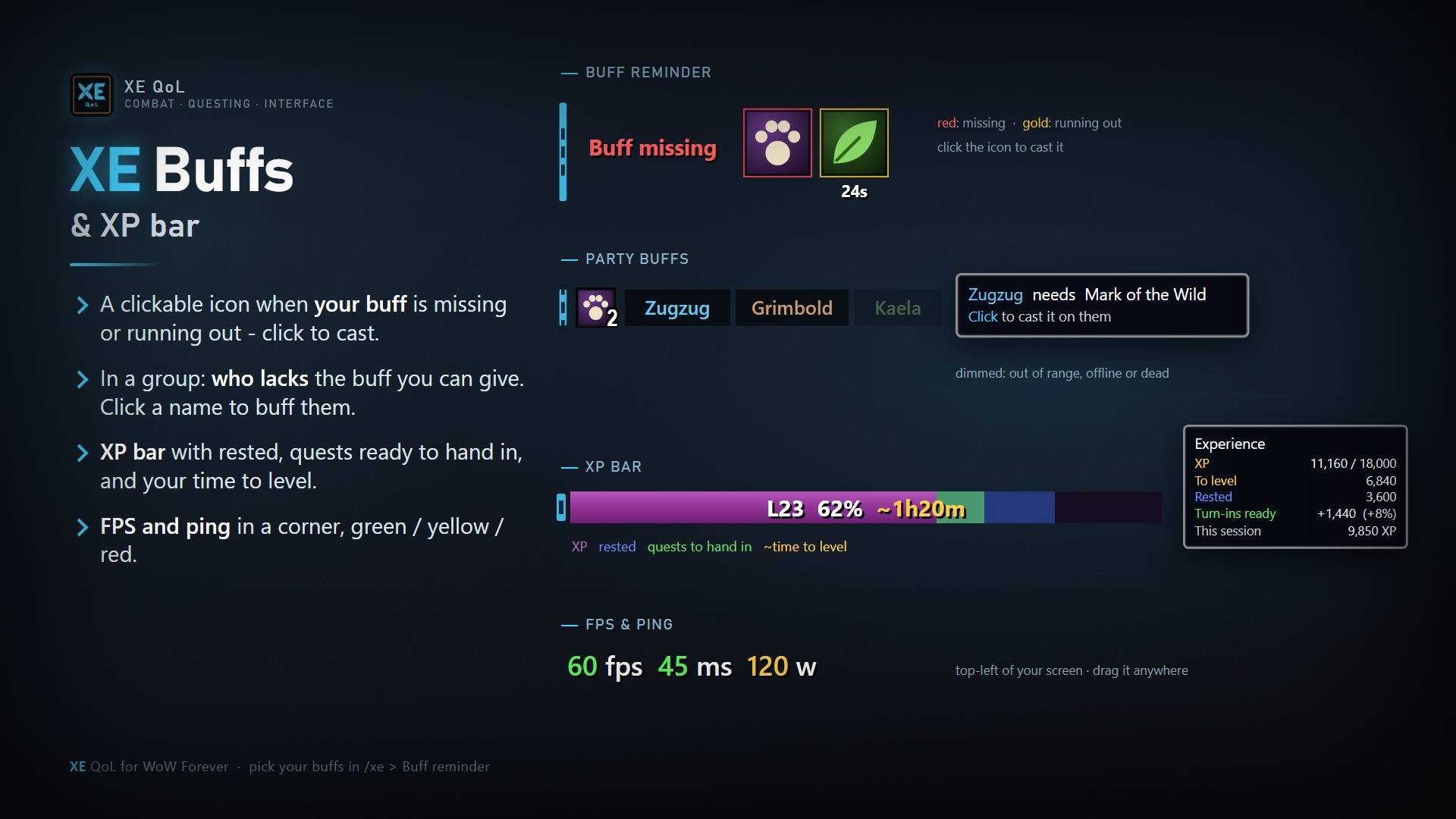
- Party buffs and range check — who is missing your buffs (click to buff); your target's range in yards, green / orange / red.
- Player cast bar — Blizzard's, or the XE cast bar: icon, "Spell (target)", 0.6/3.0 timer, latency, custom or class colour.
- Action bars — Blizzard's, or XE bars: no artwork, square icons with a thin border, opacity in and out of combat.
- Fast loot, XP bar, buff reminder, missing buffs, gear upgrades, movable windows, class-coloured tooltips, FPS & ping.
- Edit mode (
/xe edit): move every XE bar at once.
Commands
/xe— options ·/xe edit— move everything ·/xe setup— first-time setup/xe errors— a ready-to-share bug report (also the red ! above the chat)/xe selftest— XE opens every window once and reports any error ·/xe perf— memory and frame rate
Credits
The Quest Route's levelling routes up to level 30 are adapted from the RestedXP Guides (free guides, CC BY-NC-SA 4.0); that route data is shared under the same licence, non-commercial. Quest levels and some spawn points come from Questie's database (GPL-3.0).
Bugs & ideas
Found a bug or have an idea? Type /xe errors, copy the report and post it on Discord (or in the comments here).
You must be logged in to leave a comment.