

World of Tools
Waypoint arrow with NPC finder, better bags, quest sorting, chat, graphics and Edit Mode layouts for WoW Forever.
Details
Expansion
 Forever
 Developers

Having issues?
World of Tools is an all-in-one toolbox for WoW Forever, and every tool in it is brand new, written from scratch. No forks, no repackaged addons: each feature was built specifically for Forever.
Instead of installing ten different addons, you get one.
Use only what you need. Every tool can be switched off, and a tool that is off doesn't load at all.
Type /wot or click the WoT button on the minimap to get started.
What's inside
Latest update: 0.0.5, with two new tools: Gameplay + and Overlay.
Waypoint Arrow
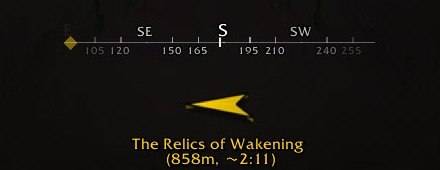
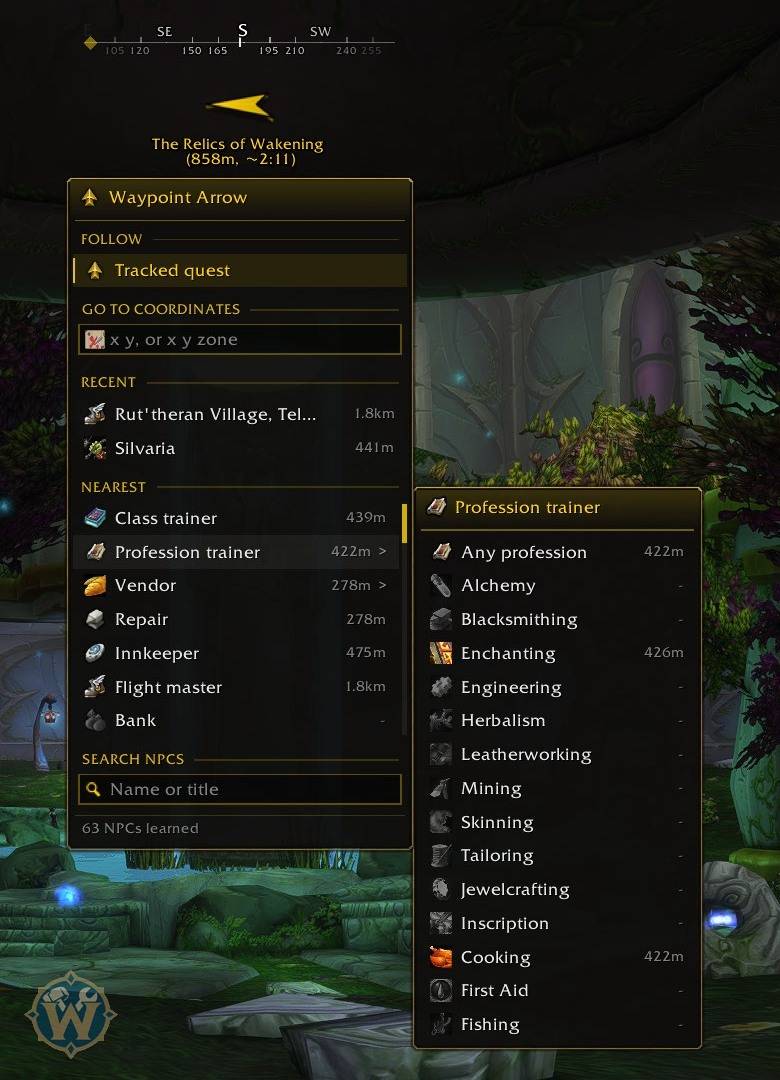
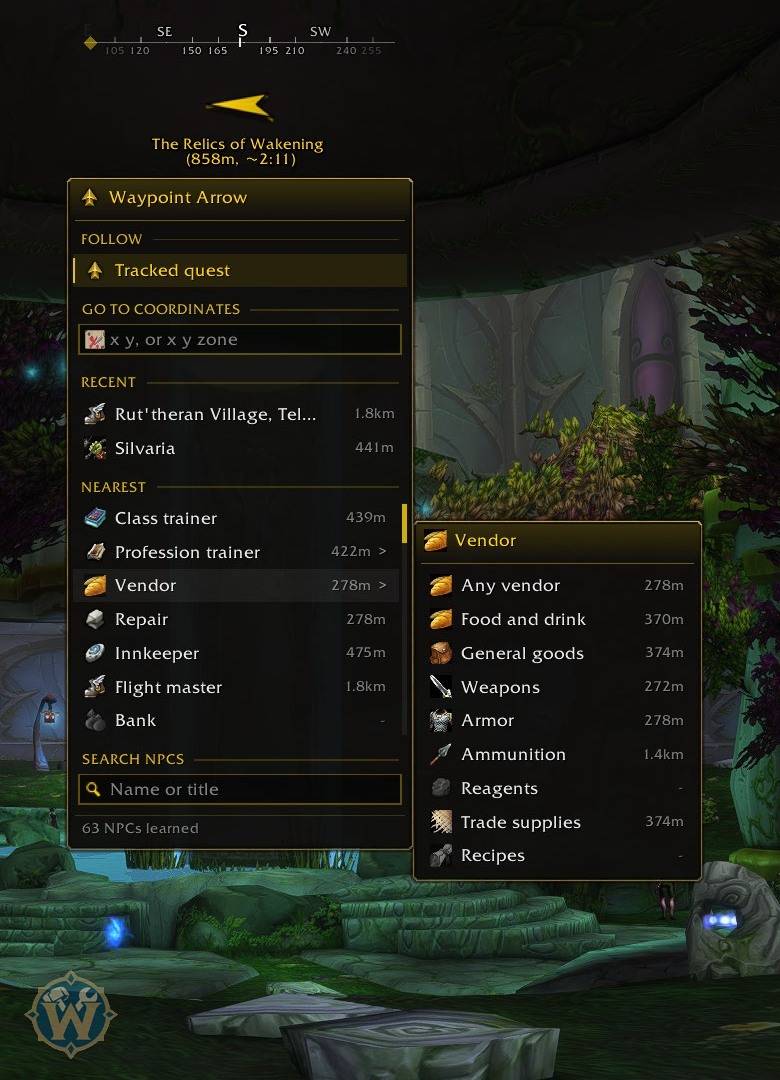
- Navigation arrow with a compass bar (letters, degrees and ticks), distance, arrival time and glow when close
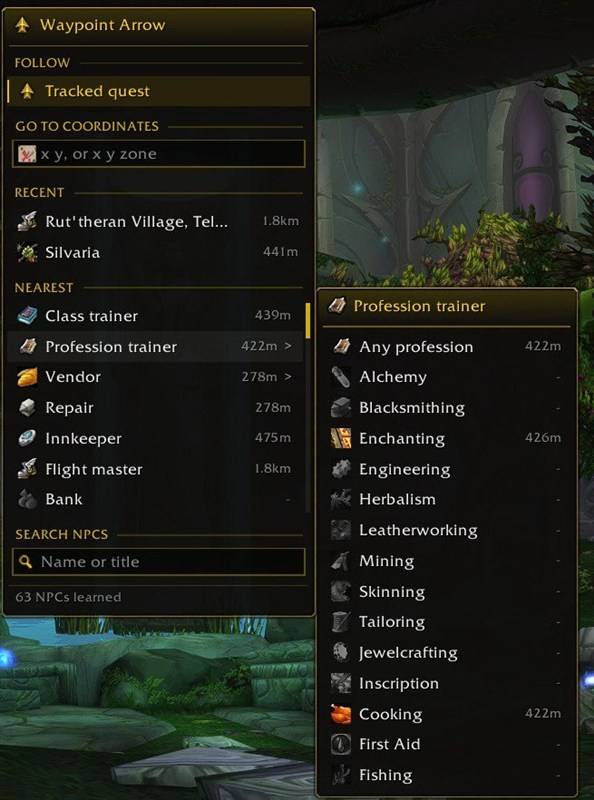
- Follows your tracked quest, any coordinate or the nearest NPC of the type you choose
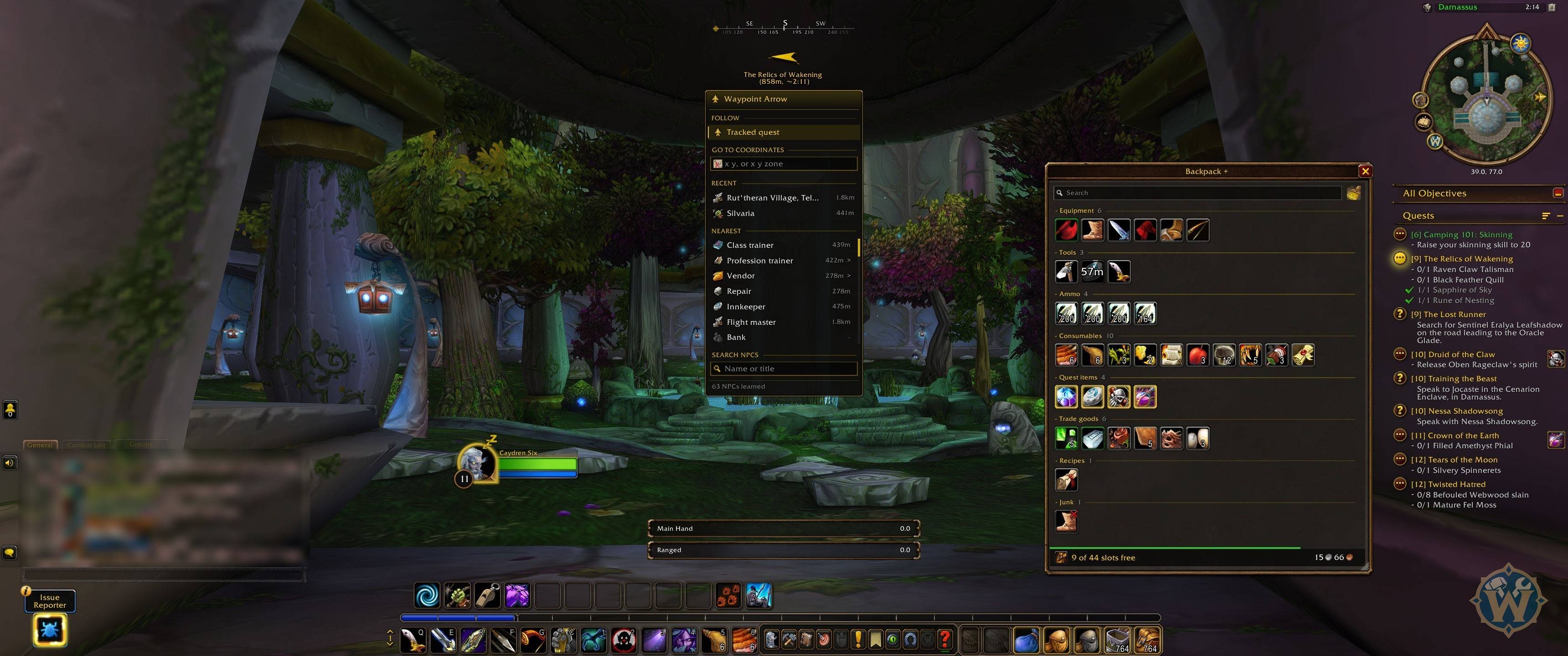
- NPC finder in the arrow menu: class and profession trainers, vendors by type, repair, innkeeper, flight master and bank, plus search by name
- Points to your corpse while you are a ghost (optional)
- Moves out of the way of the breath bar and other bars in the middle of the screen
- /way x y [zone], /wot way and Alt+click on the world map
- Arrow styles, size, colors, text lines and distance in yards, meters, feet or miles
- Use only the NPCs you met while playing, or add every NPC of a supported NPC database addon
Quests Tab +
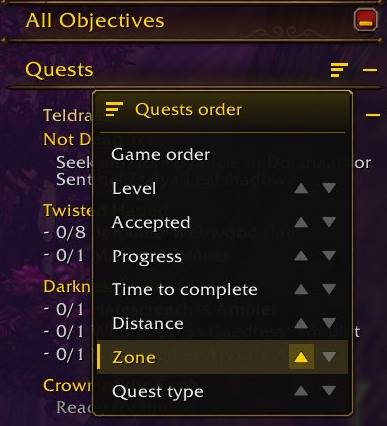
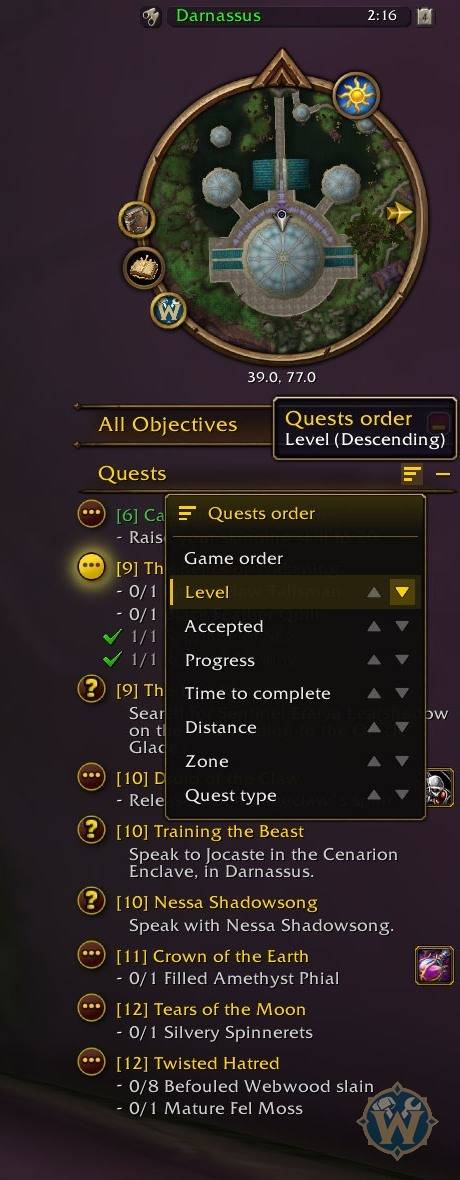
- Sort button on the quest tracker: level, zone, distance, progress, quest type and more
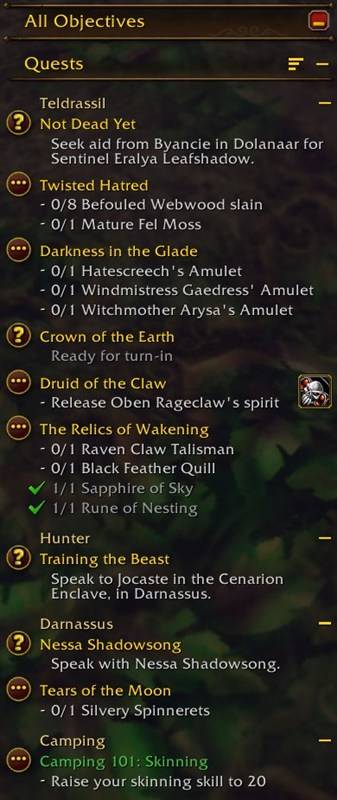
- Zone headers when sorting by zone, on the left or in the center
- Click a zone header to fold its quests, with the same +/- buttons as the tracker
Backpack +
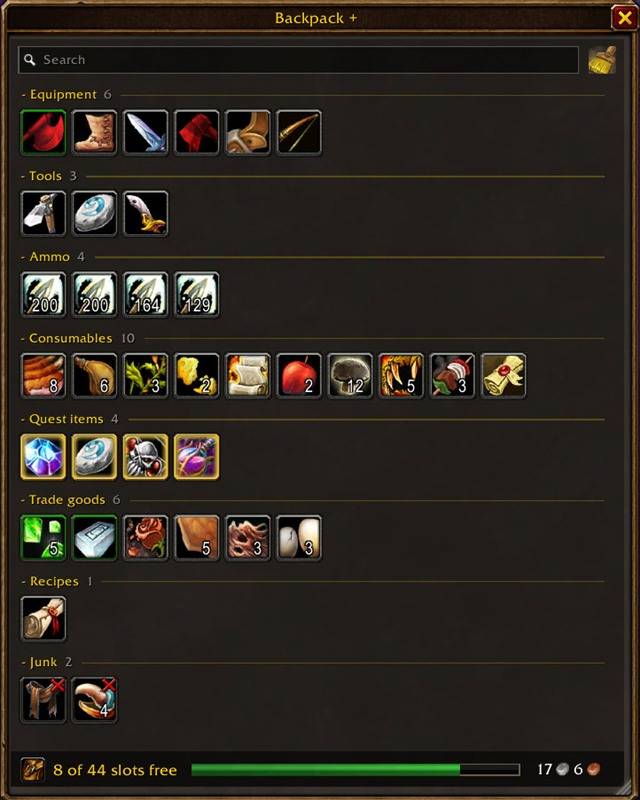
- All bags in one window, with sections, search, sort, free slots and money
- Red icon on items your class can't use, green arrow on upgrades
- Red X on junk: sells it at a vendor, otherwise asks before deleting it
- Auto sell junk, auto repair, item counts across characters and faster loot
- Fill bar in the footer, green, orange or red as your bags fill up
Chat +
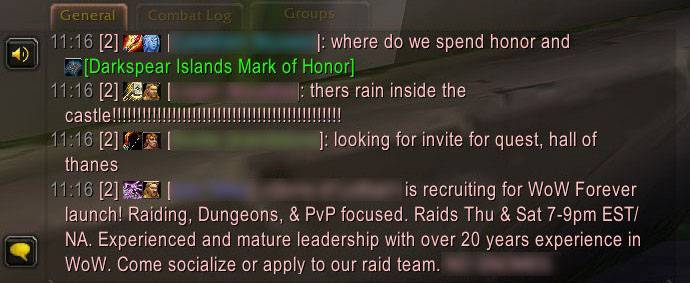
- Font, timestamps, short channel names, class colors, icons and clickable links
- Copy and search window, chat history kept after logout
- Keyword alerts, blocked words, muted players, spam and repeat filters, groups tab and whisper windows
Minimap +
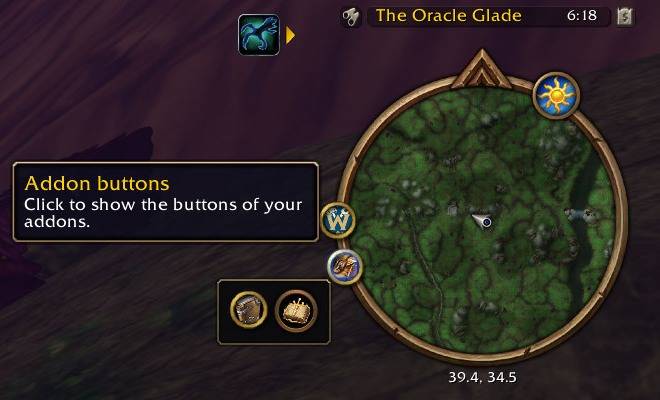
- Rotate the minimap, drawer for addon buttons with the icons per row you choose, buttons on mouseover, size, spacing and lock
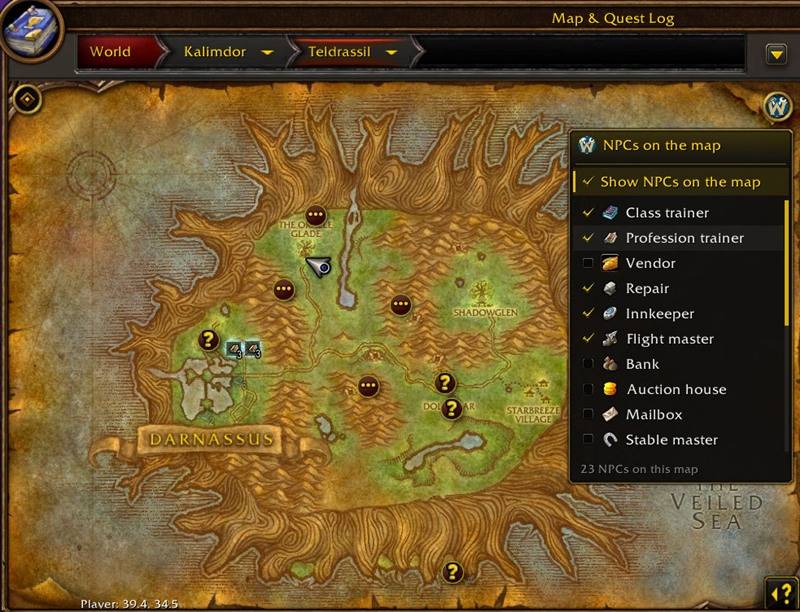
- NPCs on the world map: the NPCs you know appear with the icon of their type
- A round World of Tools button on the map opens a legend to choose the types; hover a type to light up its NPCs
- NPCs close together are grouped, click the group to pick one, click an NPC to point the arrow to it
Window +
- Move the game windows, positions are remembered, the window you click comes to the front, also above World of Tools windows
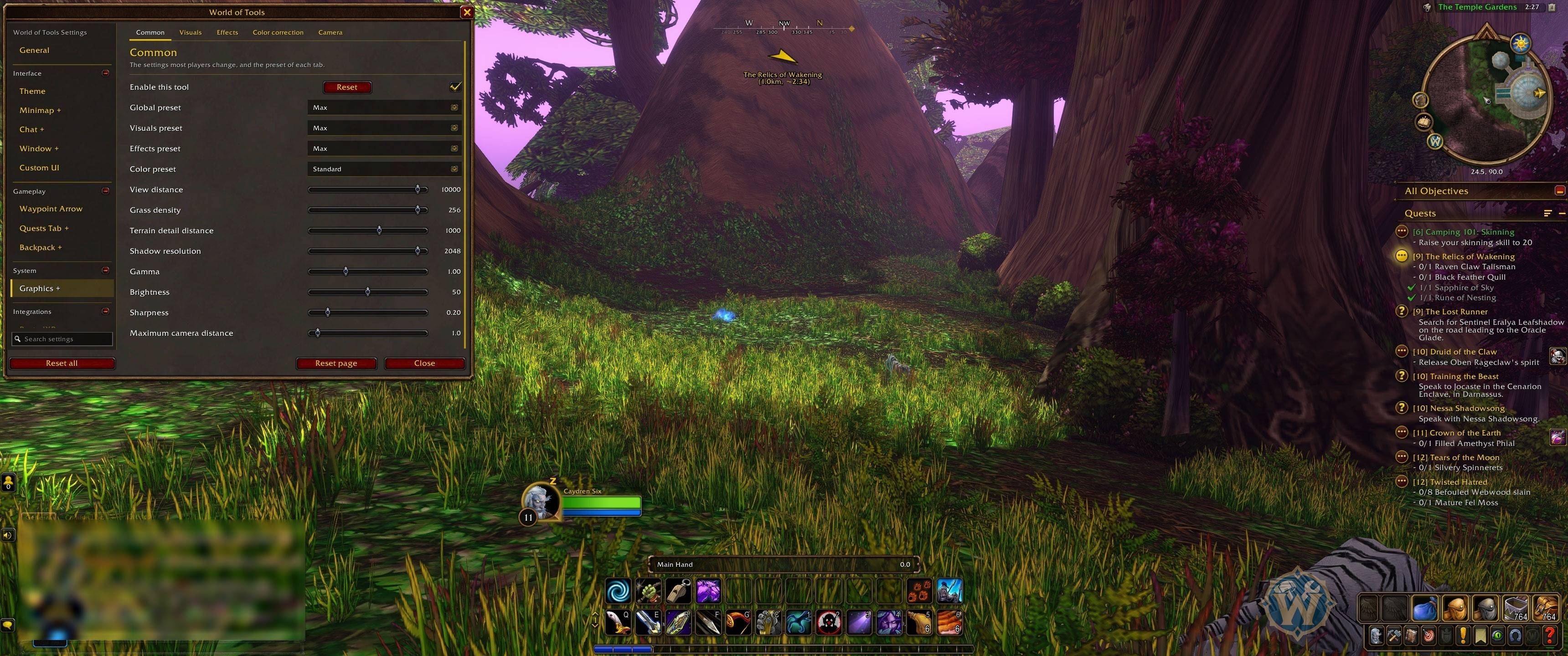
Graphics +
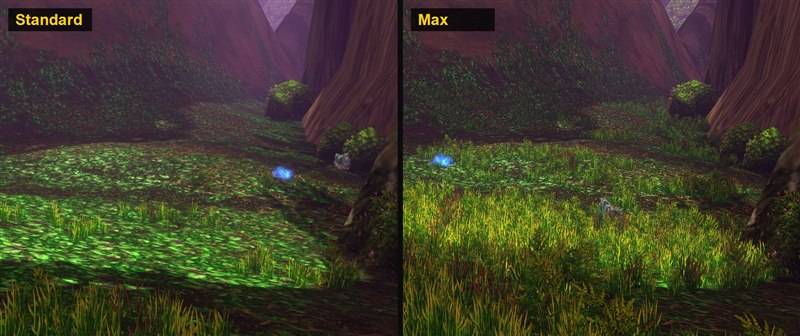
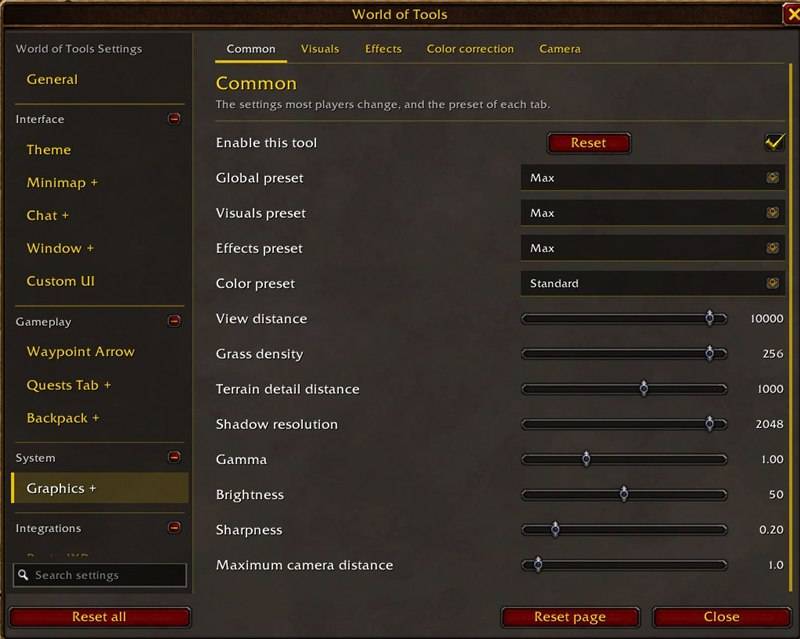
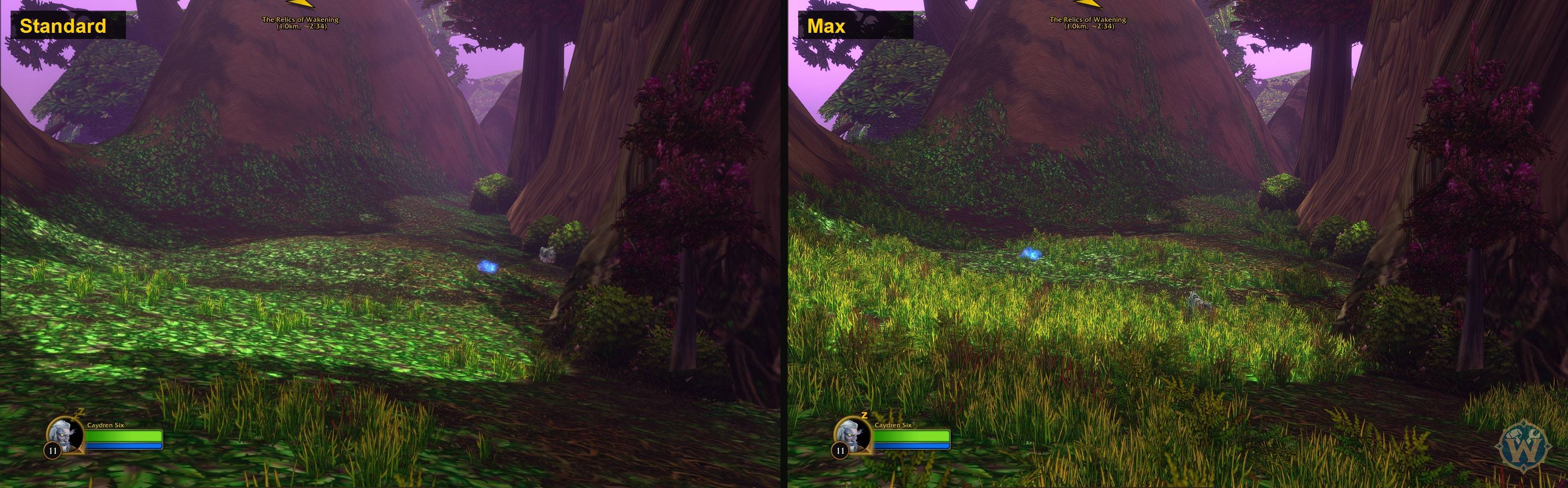
- Presets Minimum, Low, Standard, High, Ultra and Max, for visuals and effects separately or together
- Graphics settings the game menu doesn't show, with sliders limited to what the game accepts
- Color correction with presets, and camera options
[
Custom UI
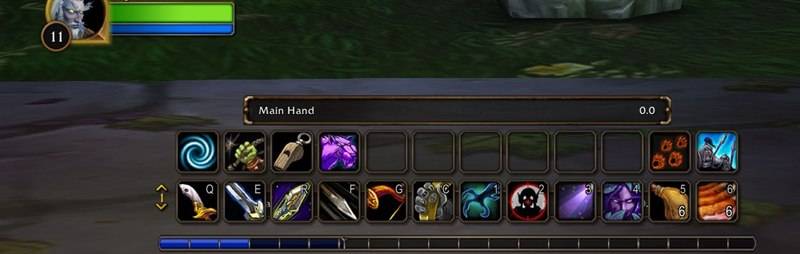
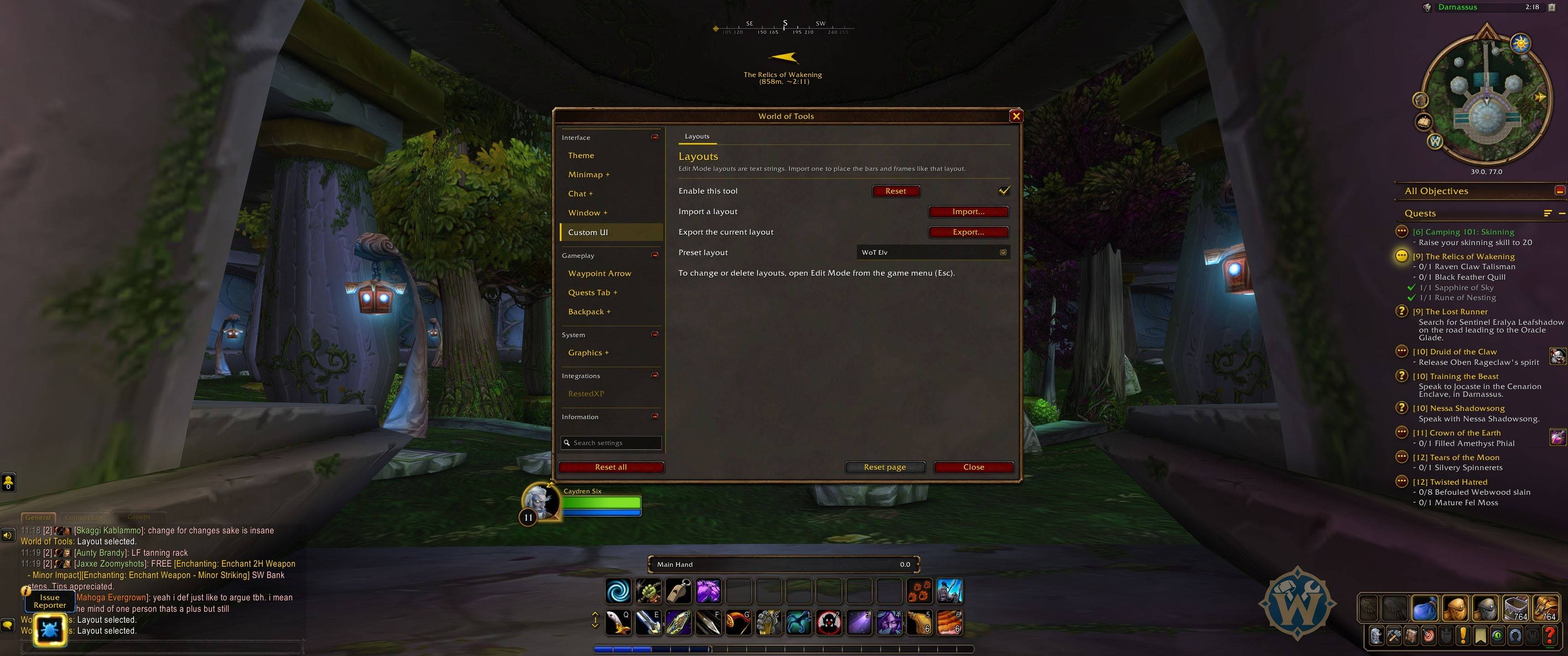
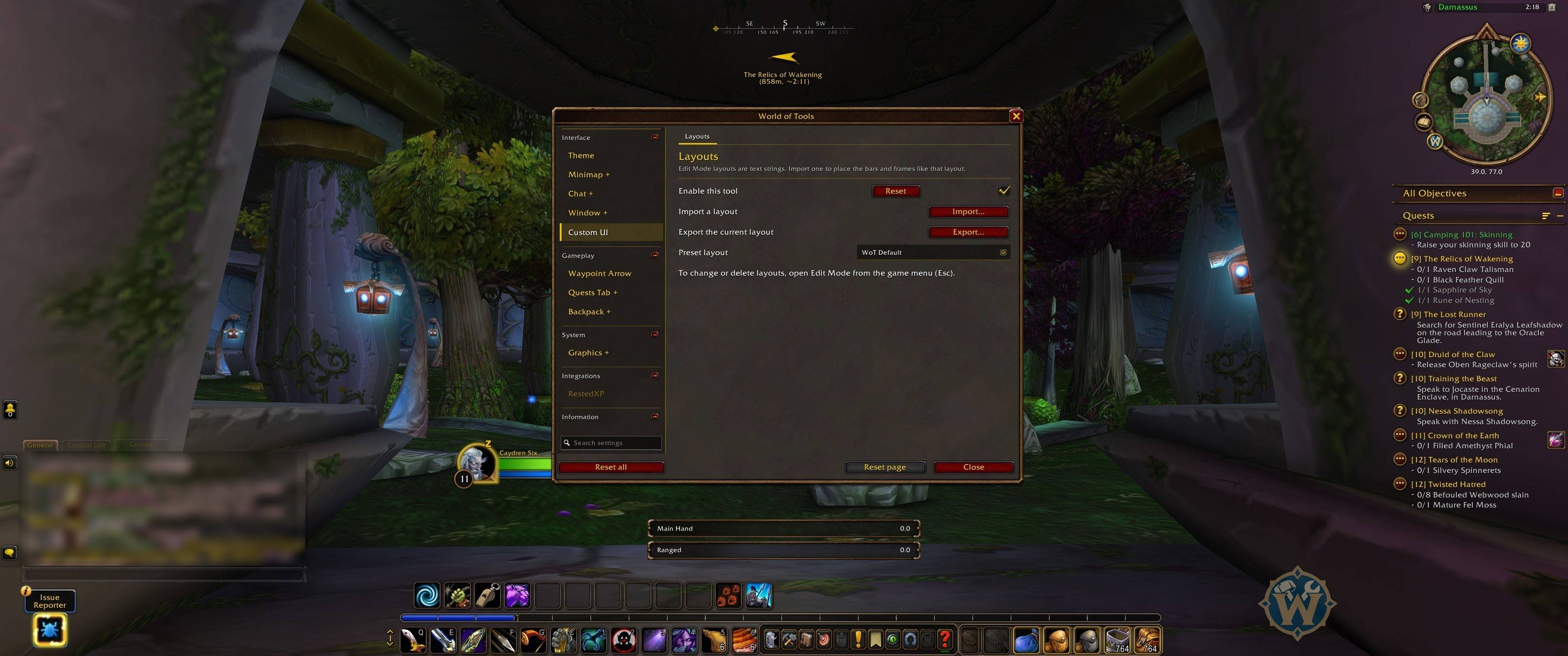
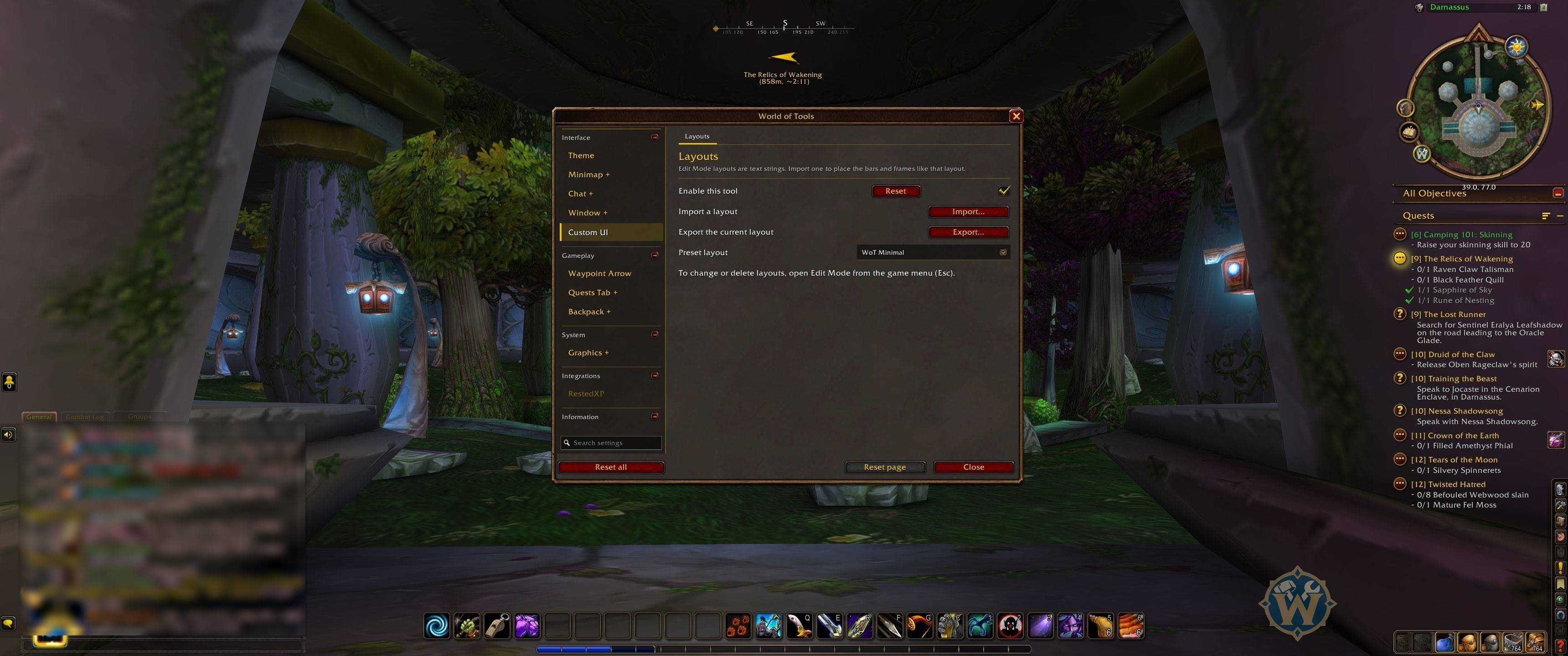
- Ready-made Edit Mode layouts like WoT Default and WoT Minimal, applied with one click
- Import and export of Edit Mode layout strings
- Asks before switching, and Back to my layout brings yours back with one click
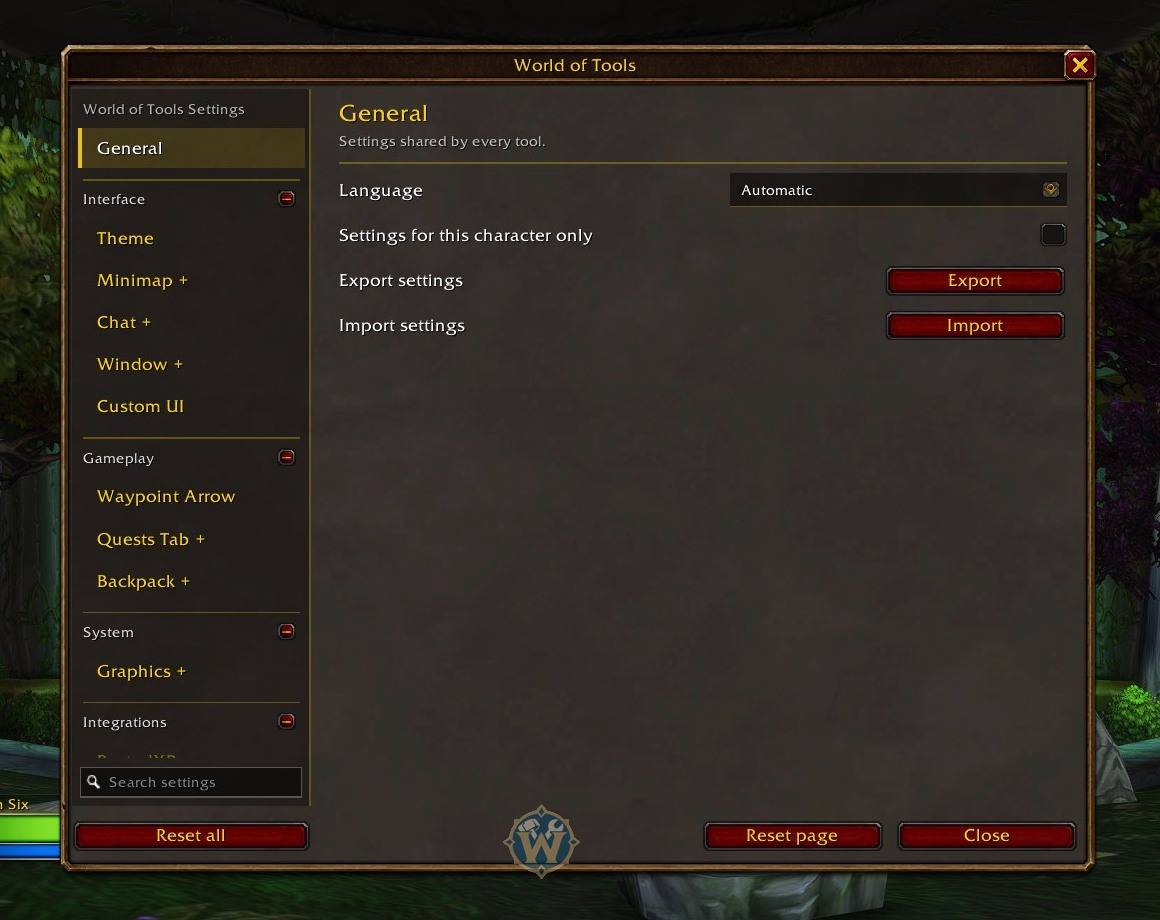
Settings
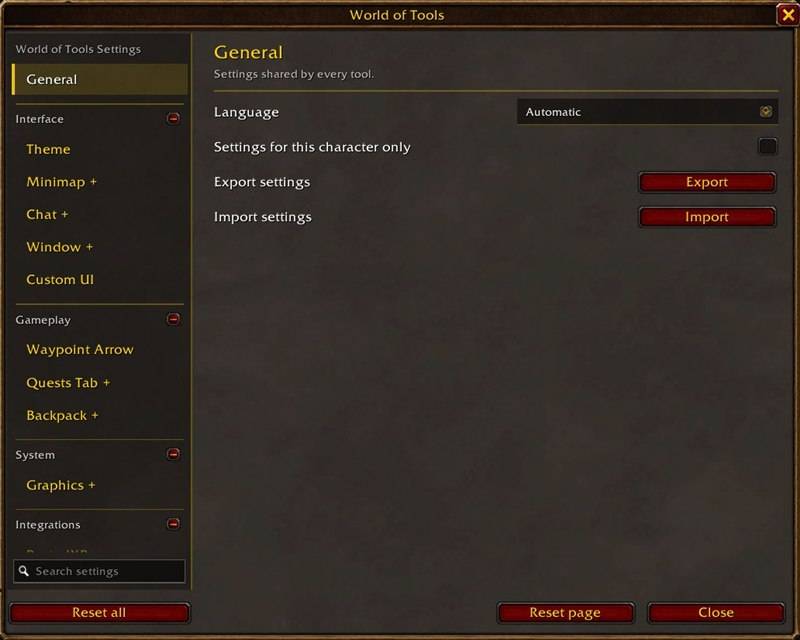
- One window with foldable categories, search and reset per page or per tool
- Export and import of settings, settings per character
- English, Italian, French, Spanish and German
Interface themes
- Forever is the only theme for now. Retail, Classic Era and Classic 2004 are already listed, greyed out, and will come in a later version
Unofficial addon, not affiliated with Blizzard Entertainment. No game art inside: everything is loaded from your game client.
Found a bug or have an idea? Leave a comment, I read them all.
You must be logged in to leave a comment.