
Waystone
Free step-by-step leveling guide for WoW Forever: the next step on screen, one key to target the right NPC or mob.
Details
Expansion
 Forever
 Categories
Developers

Having issues?
Waystone
A free buff manager and leveling guides for WoW Forever.
Two parts in one download. Use one or both: each works alone.
Buffs
One place for every buff in your party or raid, and your own buffs kept in check.
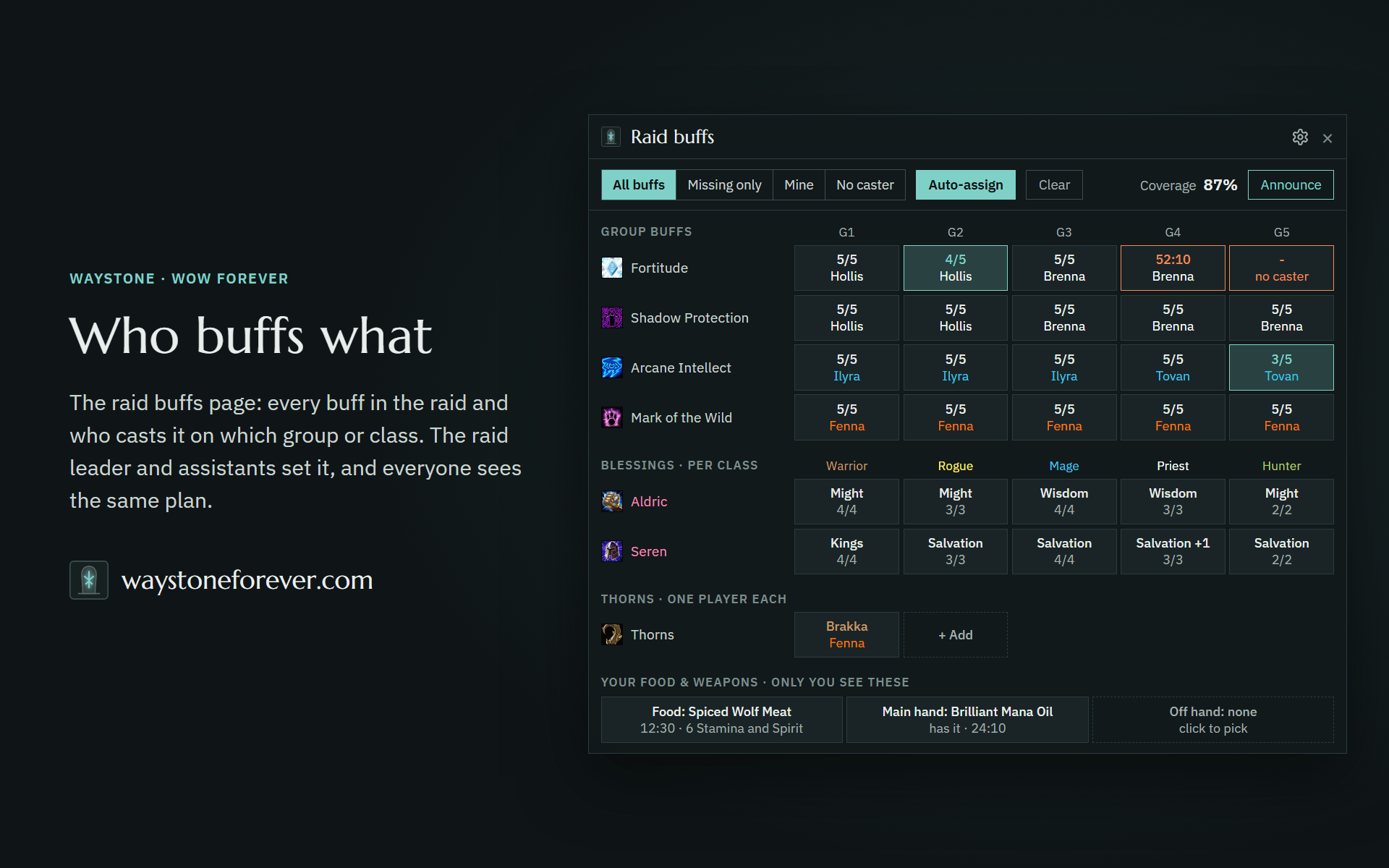
- Who buffs what. The raid buffs page shows every buff in the group and who casts it on which group, class or member. The raid leader and assistants set it (or let everyone), and everyone running Waystone Buffs sees the same plan. In a party, anyone can. Auto-assign fills it in. Open it with Buff setup in the bar menu or the minimap menu.
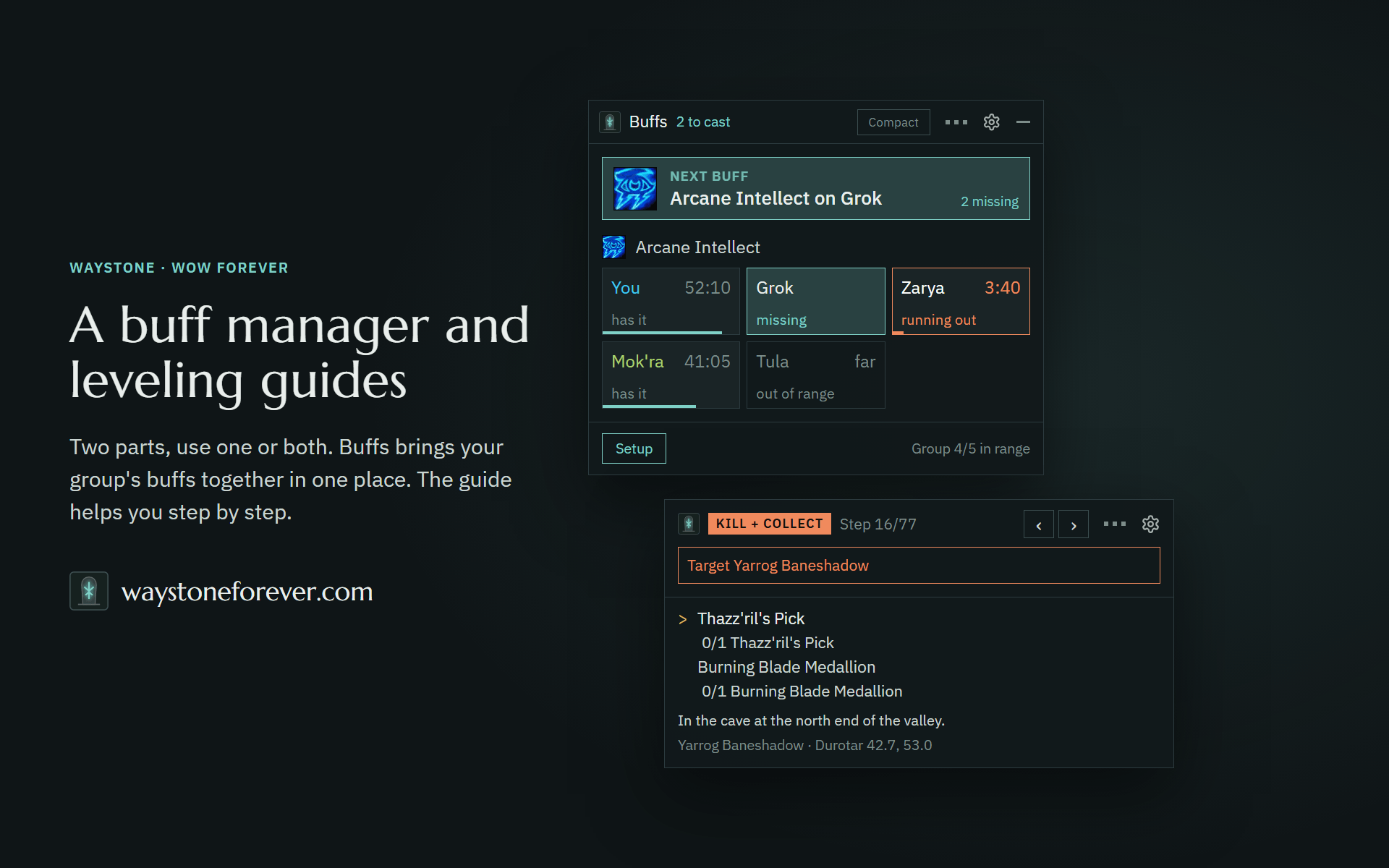
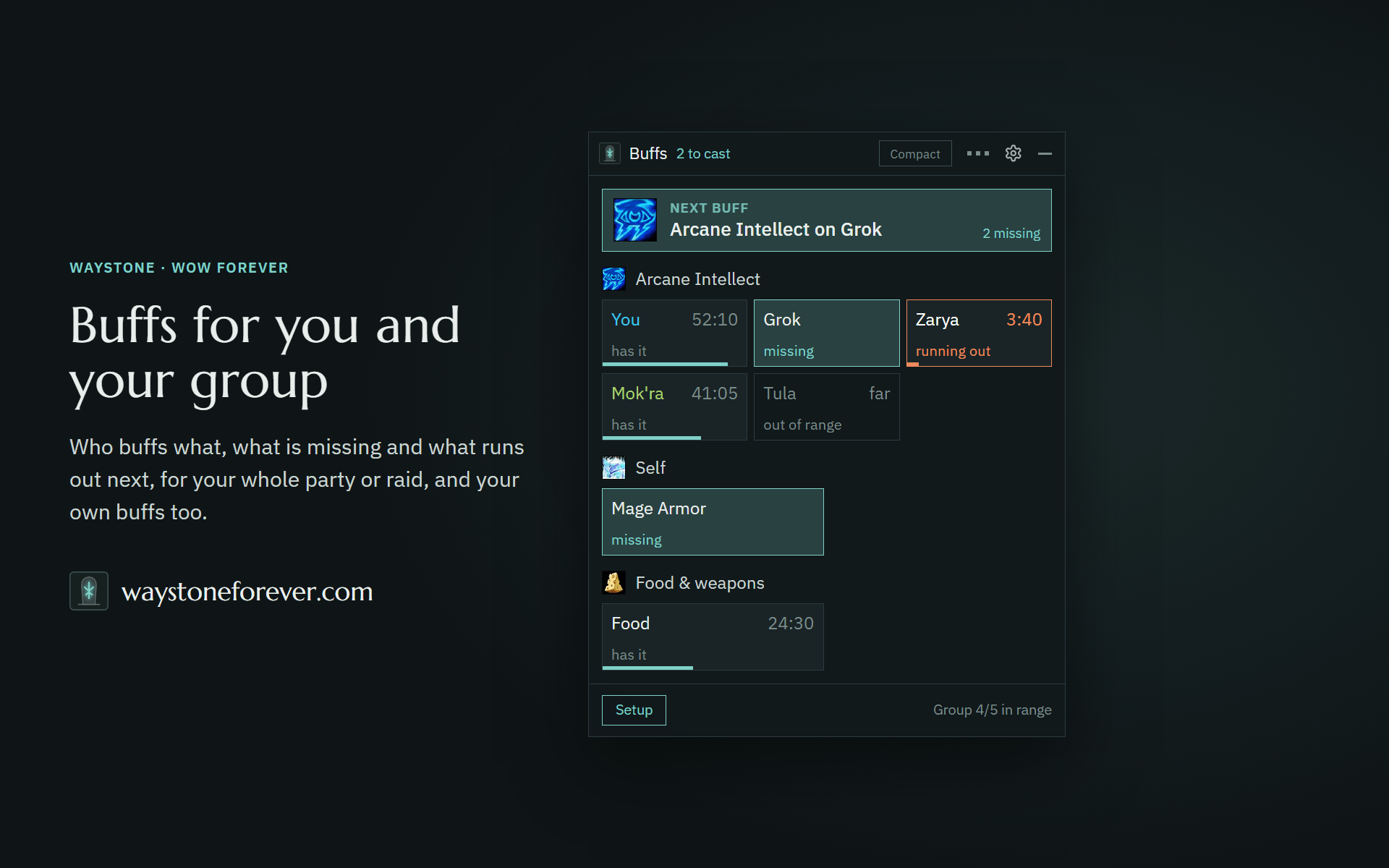
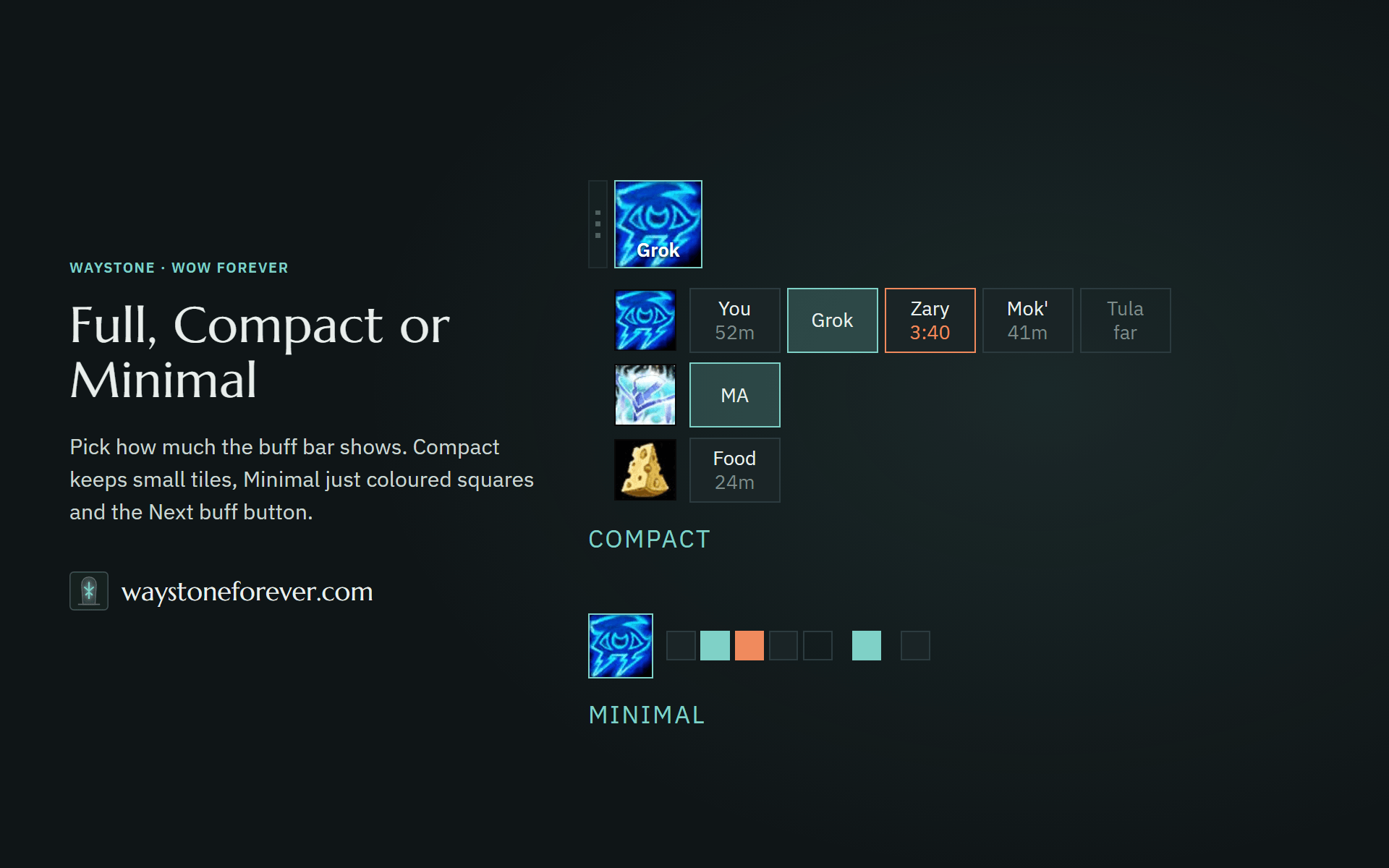
- What is missing. The buff bar shows what your party or raid is missing and what runs out next. The Next buff button lines up the most urgent one.
- Your own buffs. Self-buffs like Mage Armor, Inner Fire, auras and aspects, weapon buffs like oils, stones and poisons, and Well Fed: Waystone keeps track, and flags it when the wrong one is up.
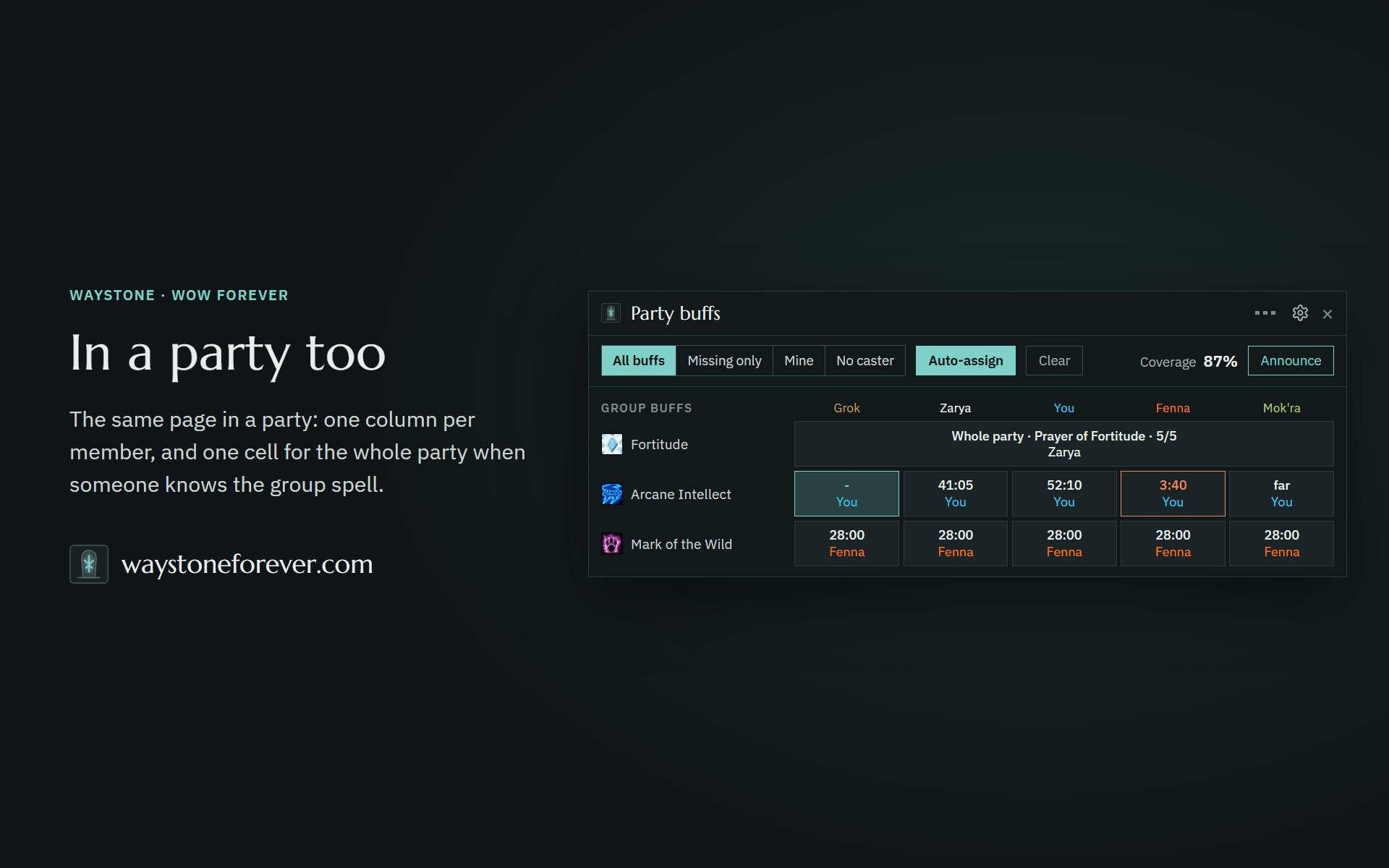
- In a party too. The Party buffs page has one column per member, and one cell for the whole party when someone knows the group spell.
- Full, Compact or Minimal, horizontal or vertical.
The leveling guide
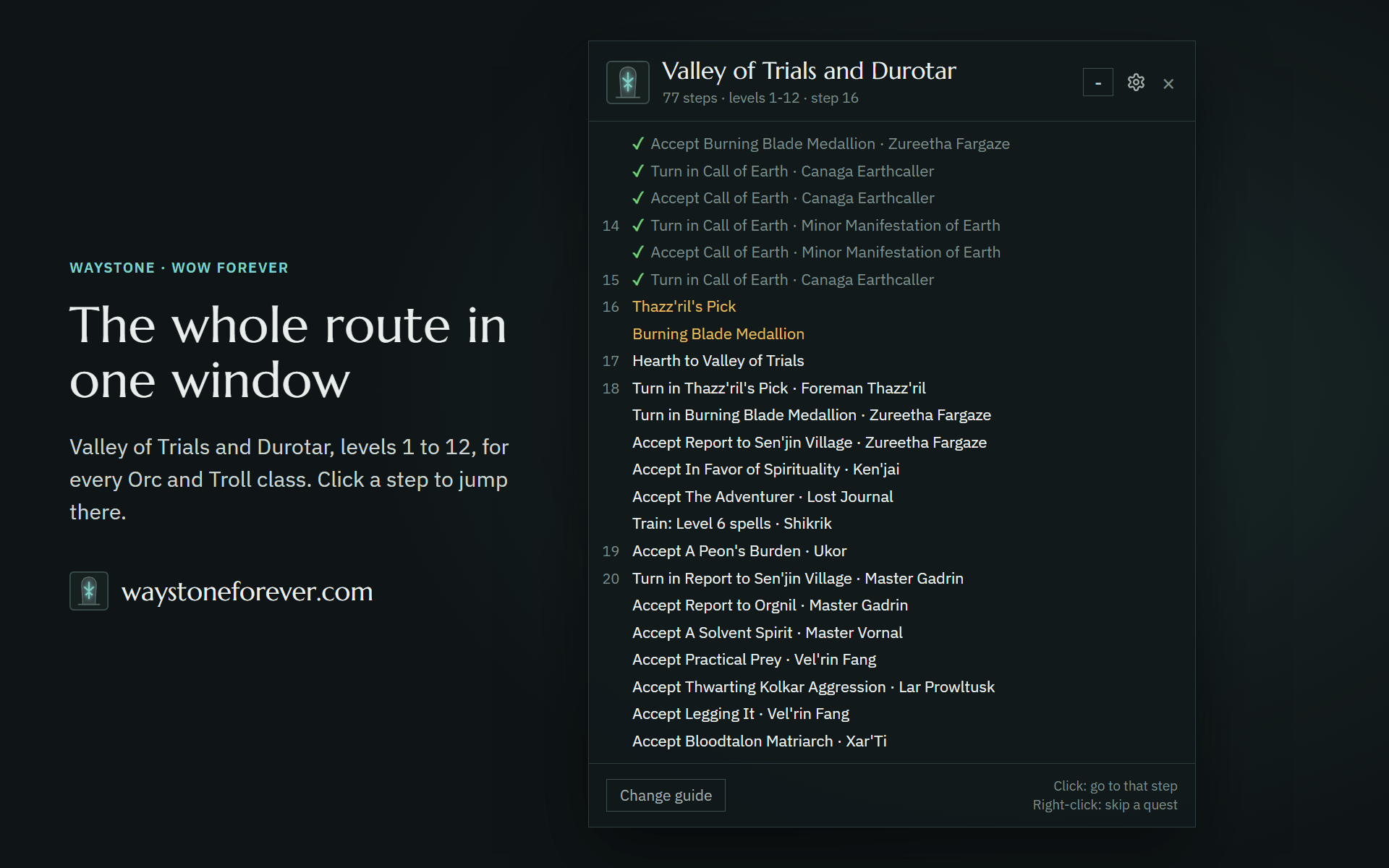
Built with the players: every run and report you share makes the routes better for everyone, and it stays free. Step-by-step routes, planned zone by zone, with the quests WoW Forever added. First route: Valley of Trials, Durotar and Orgrimmar, levels 1 to 12, for every Orc and Troll class. The Barrens and Alliance follow.
- The next step, always on screen. Kill, collect, turn in, accept, train.
- Target with a key or a click. Pick a key for the enemy the step needs and one for the NPC. Works in combat.
- Quest items on a key. A key of your choice uses the item the step asks for.
- Town stops done right. Selling, training, class and pet quests, in one walk.
- Your choices. Optional quests ask Do it or Skip. Start anywhere: the guide finds where you are.
- Accepts and turns in for you, if you switch it on.
- Points the way with the TomTom arrow, if you have TomTom.
Make it your own
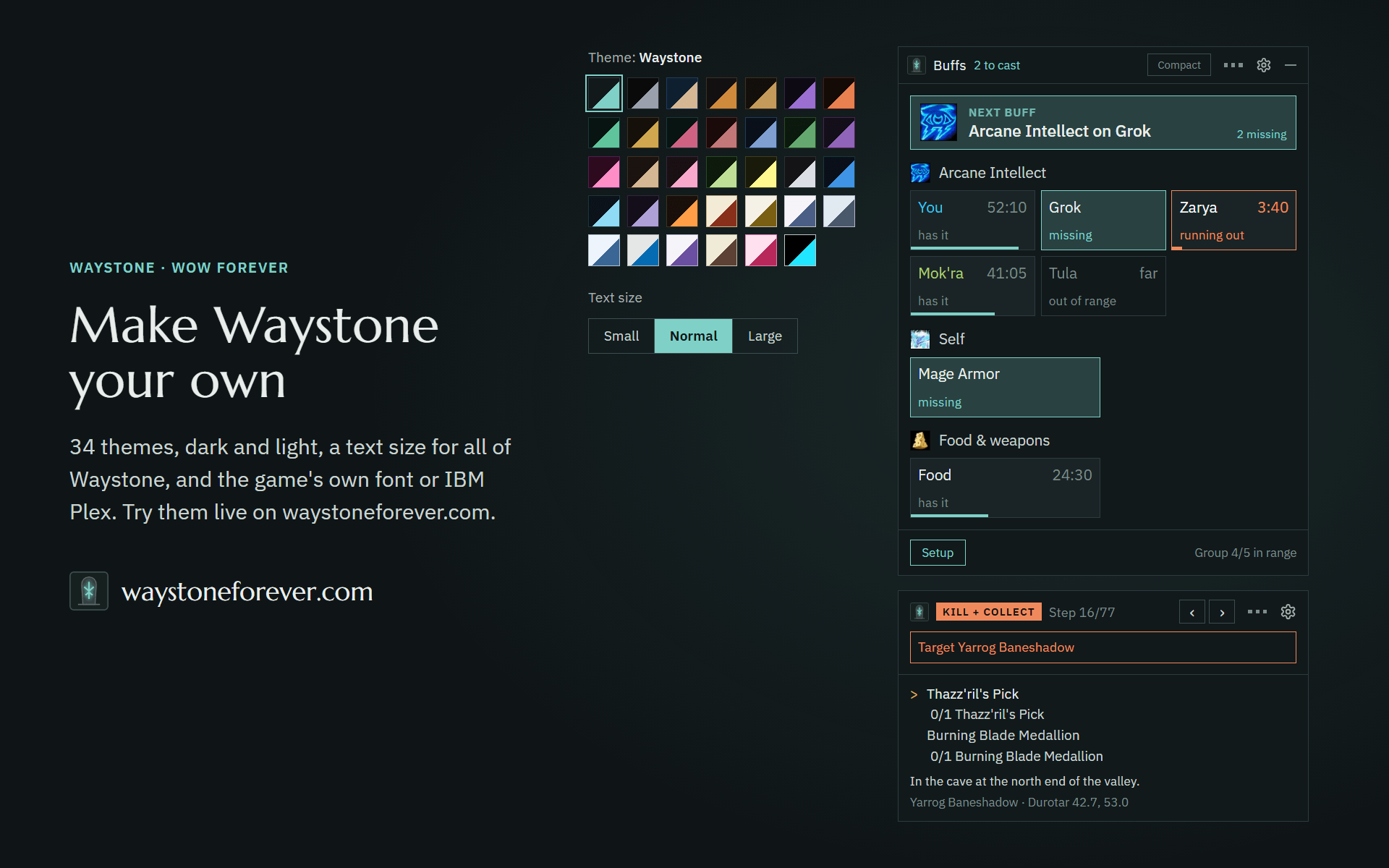
34 themes, dark and light, a text size for all of Waystone (Small, Normal or Large), and the game's own font or IBM Plex. You can also change the size of the windows and how see-through the background is. Try the themes live at waystoneforever.com.
Why one download?
Buffs and the guide share one core: settings, the look, the keys and the help. Shipping them together keeps them in step. Parts you don't pick on first start are not loaded at all, so they cost nothing.
Getting started
- Install Waystone. On first start, a Welcome to Waystone window asks which parts you want: Buffs, the guide, or both. The others are not loaded; change it any time under settings > Modules.
- Guide: open the guide window (left-click the minimap button) and pick the route.
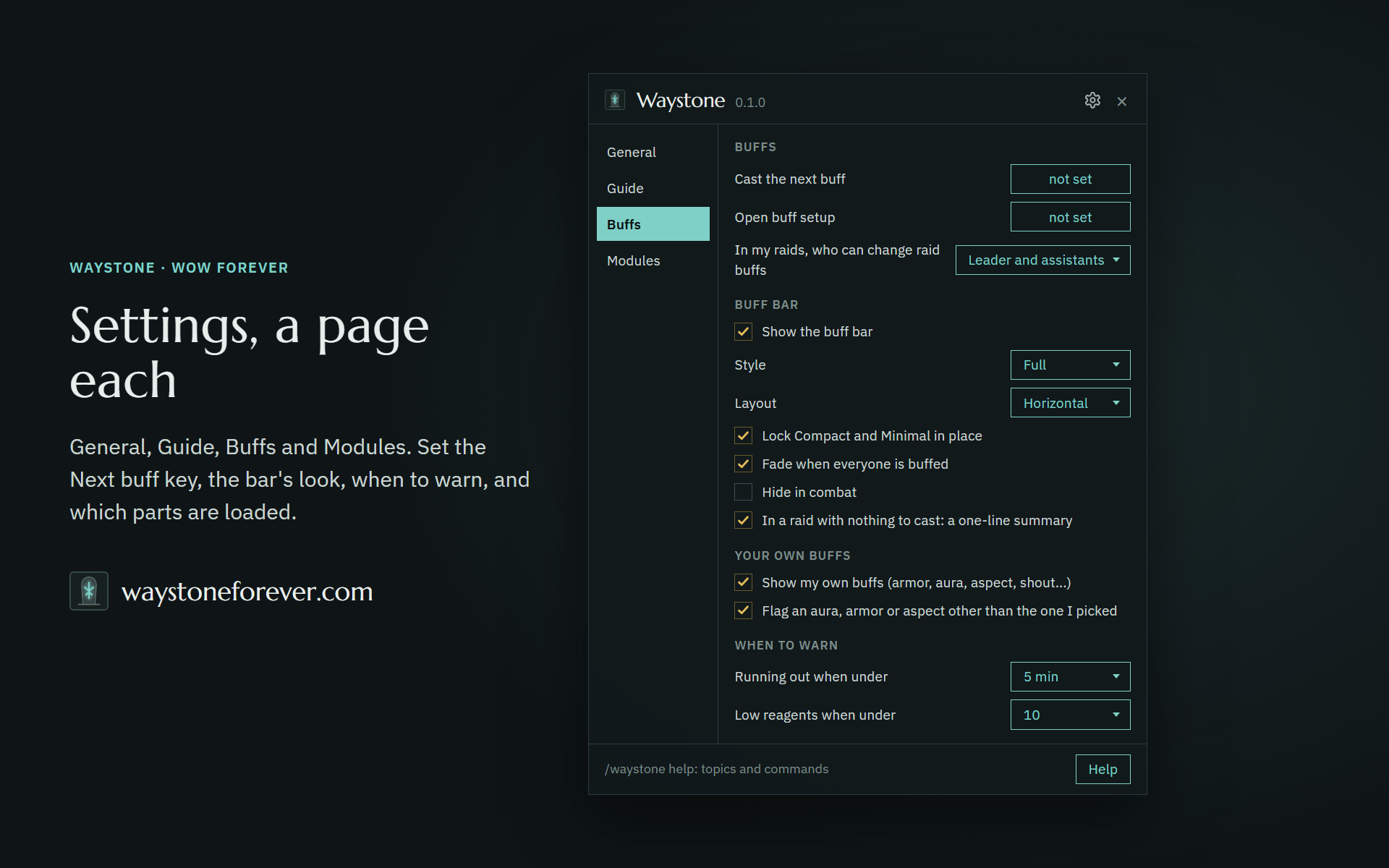
- Settings: type /waystone, and pick your keys there: none are set at first. Searchable help: /waystone help.
Made with AI
Waystone is made by one player with the help of AI. The AI helps write the code, and builds the routes from Questie's quest database and Wowhead, not from memory. We try to play-test every route in game before it ships. Your reports go to the AI too: it turns them into fixes, so the guides get better with every release.
Make Waystone better
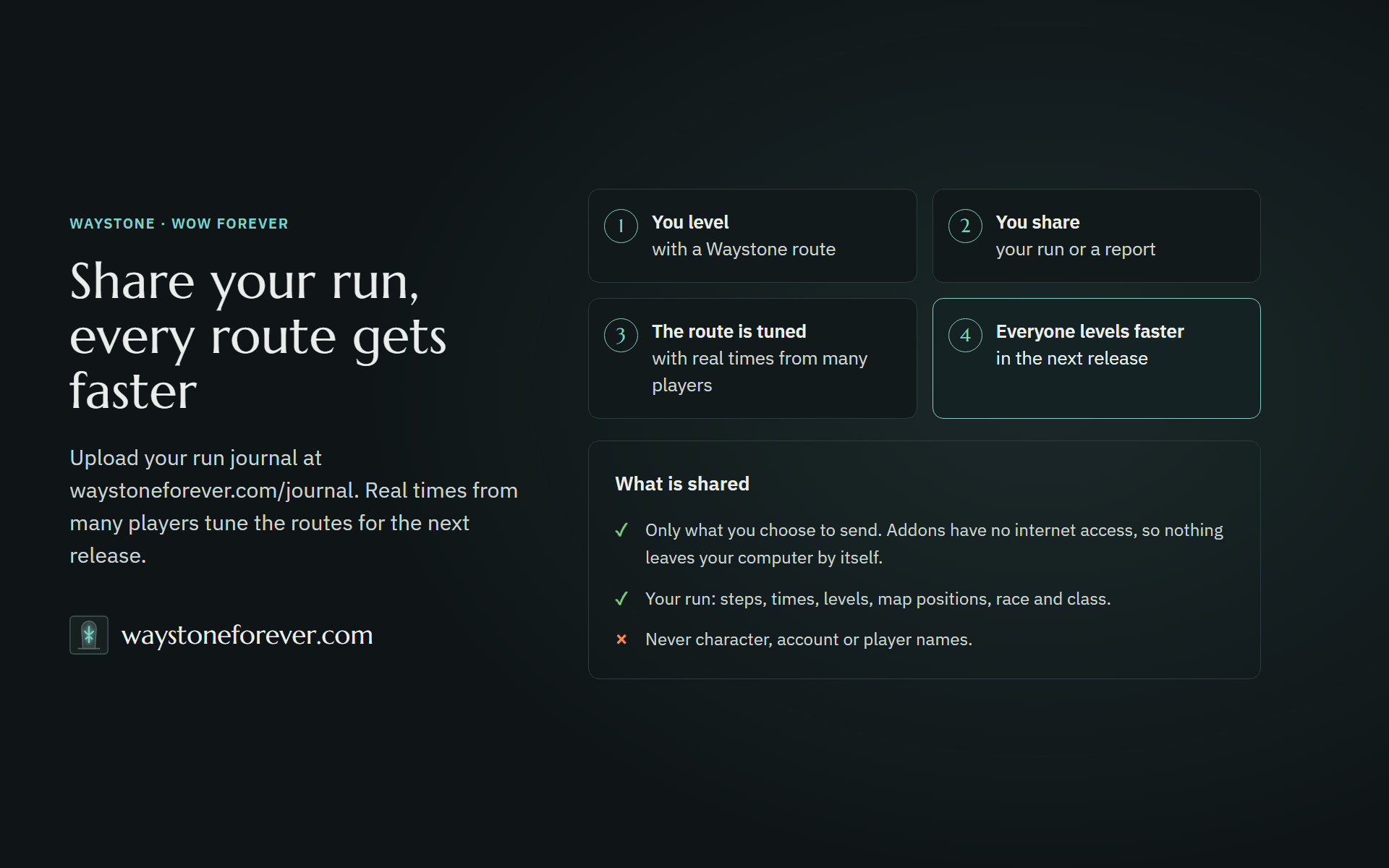
Found a wrong step, have an idea for the guide or Buffs, or want to share your run? Every report, idea and shared run is read, and it shapes the next release: Make Waystone better.
Free, and staying free
No paid tier, no account. Waystone is its own addon, written from scratch: it is not based on other addons.
If it saved you some alt-tabbing, a coffee helps keep the project free and alive.
Coming next: totem management in Buffs, for shamans solo, in a party and in a raid. Then Professions, a new module.
You must be logged in to leave a comment.