

Waypoint Tracker
A 3D waypoint arrow for WoW Forever: /way coordinates, find any quest, NPC or item, share map pins, plus new treasure alerts (beta). TomTom-compatible.
Details
Expansion
 Forever
 Categories
Developers

Having issues?

The 3D waypoint arrow and quest finder for WoW Forever
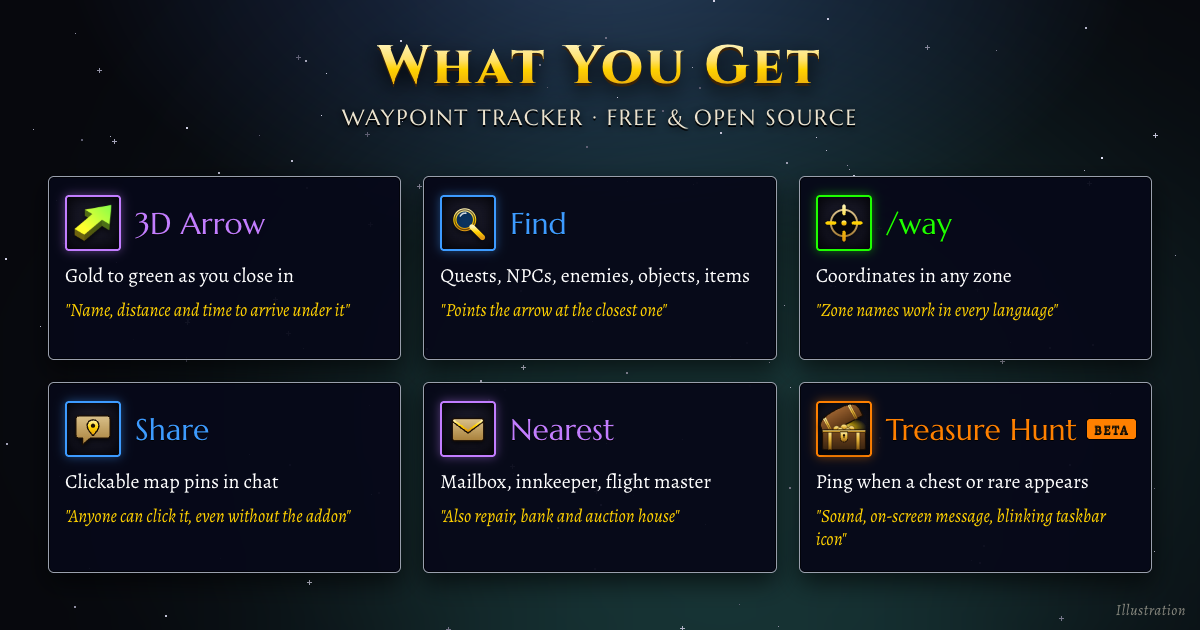
Set a waypoint. Follow the arrow. That's it. Type /way 42 65, click the world map or search a name, and a 3D arrow over your character points the way, with the distance and time to arrive. It turns from gold to green as you close in and clears itself when you arrive. Find any quest, NPC, enemy or item by name, and share any spot in chat as a clickable map pin.
Nothing to configure. Free, open source, in 9 languages. Made for World of Warcraft: Forever, and addons with "Send to TomTom" buttons work with it as-is.

Why players install it
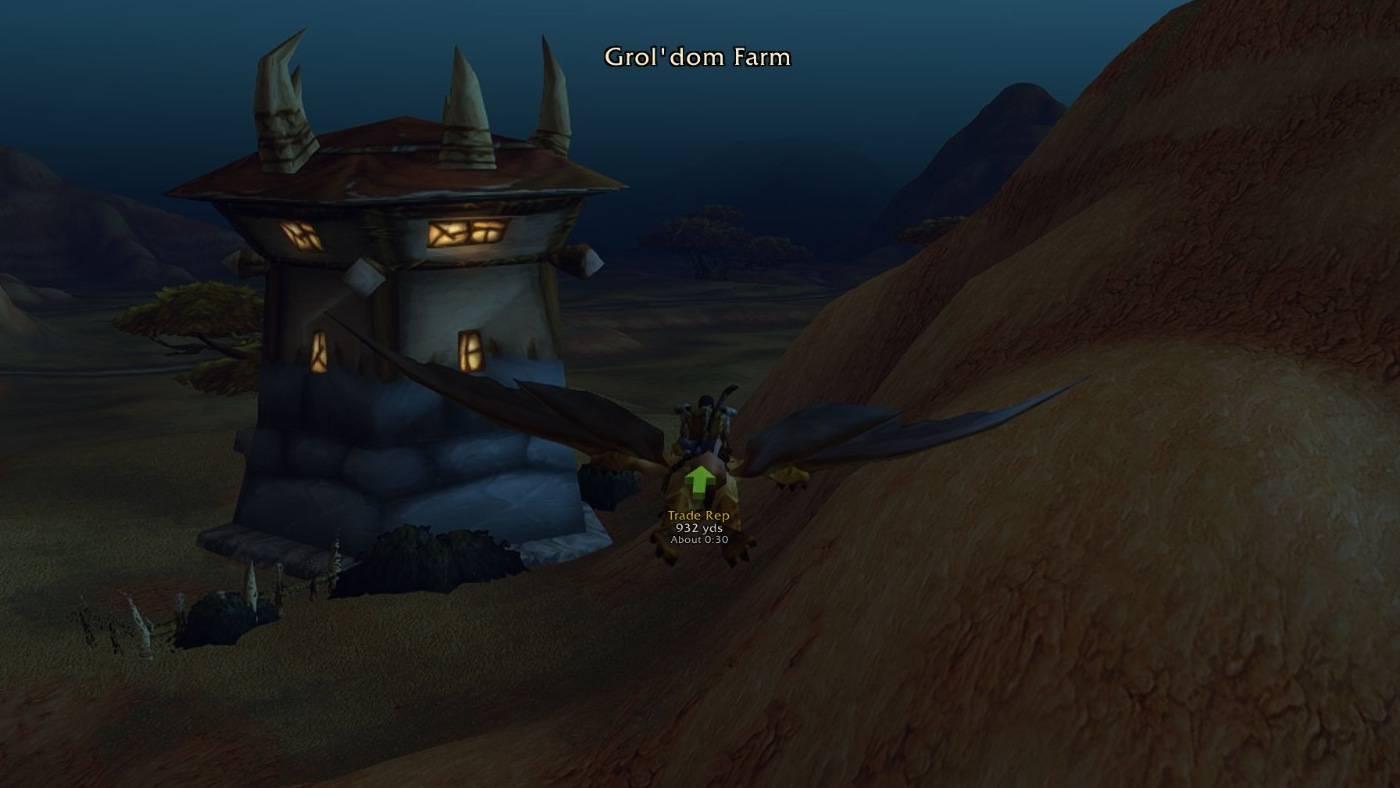
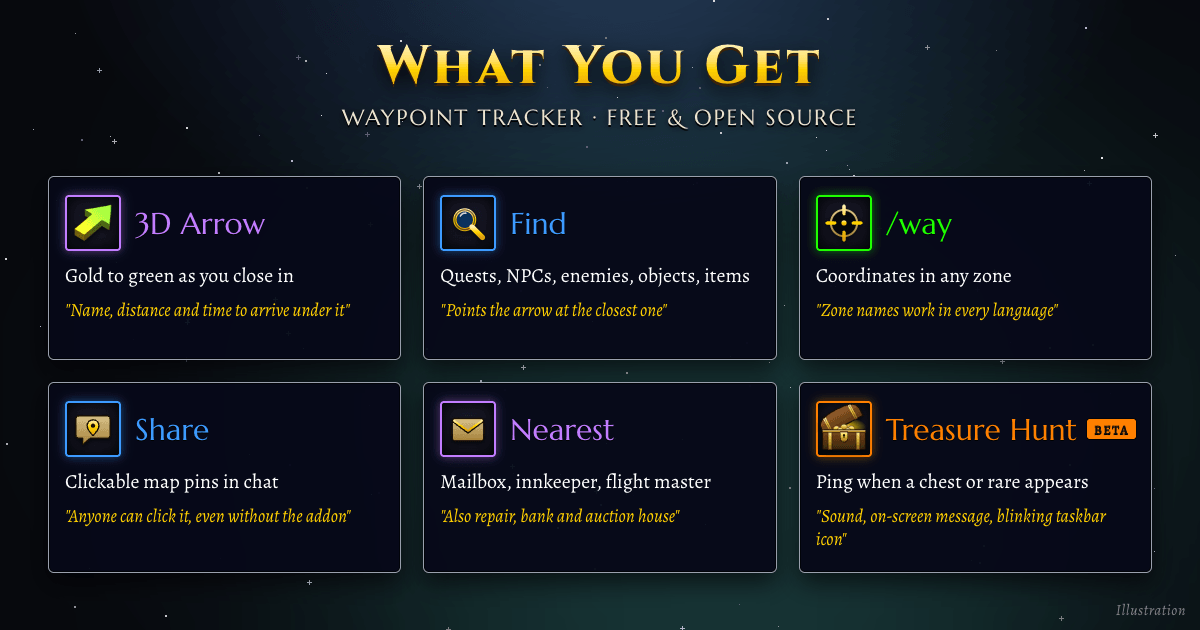
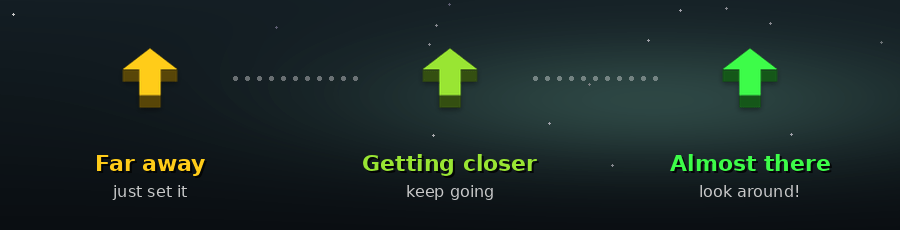
- Never run in circles again. The arrow shows which way, how far and how long. Gold means far, green means you're nearly there.
- Find anything by name. Quests, NPCs, enemies, objects and items, including WoW Forever's new zones and quests. Double-click a result and the arrow points to the closest spot.
- The
/wayyou already know./way 42 65,/way Westfall 56.3 47.1 Sentinel Hill, or Ctrl + right-click the world map. Coordinates from any guide just work. - Works with your other addons. Quest guides, treasure maps and anything with a "Send to TomTom" button send their waypoints to this arrow, with nothing to set up.
- New: treasure hunt (beta). A ping when a chest or rare appears near you, and the arrow points at it.
- Stays out of your way. The arrow never catches mouse clicks, moves with Edit Mode, and can hide in combat or on flight paths.
The arrow

Real in-game screenshot: the waypoint name, distance and time to arrive under the arrow.
- Type
/way 42 65(or open the window with/wp). - Follow the arrow. It turns from gold to green as you get closer.
- Arrive. It plays a sound, clears the waypoint and points to the next closest one.
When you die, the arrow points to your corpse, then back to your waypoint. Drag or resize it in Esc → Edit Mode, with a spot for each layout.

Find any quest, NPC, enemy or item
Press Quests, NPCs, Enemies or Objects in the window, or type /wp find hogger. Search as you type (typos are fine), then double-click a result and the arrow points to the closest spawn.
- Quests show who gives them, where the objectives are and where to hand in, with Go to quest giver / objective / hand in buttons.
- Items show what drops or sells them and which quests need them.
- Nearest buttons find the closest mailbox, innkeeper, flight master, repair vendor, bank or auction house.
Find covers the classic world and WoW Forever's new content: Mount Hyjal, Riverglades, Zephras Isle, Shen'dralas and thousands of new quests and items. It also learns while you play: the NPCs you pass and their titles (search blacksmith), vendor stock, quest givers and loot sources. What you see in the game always wins.

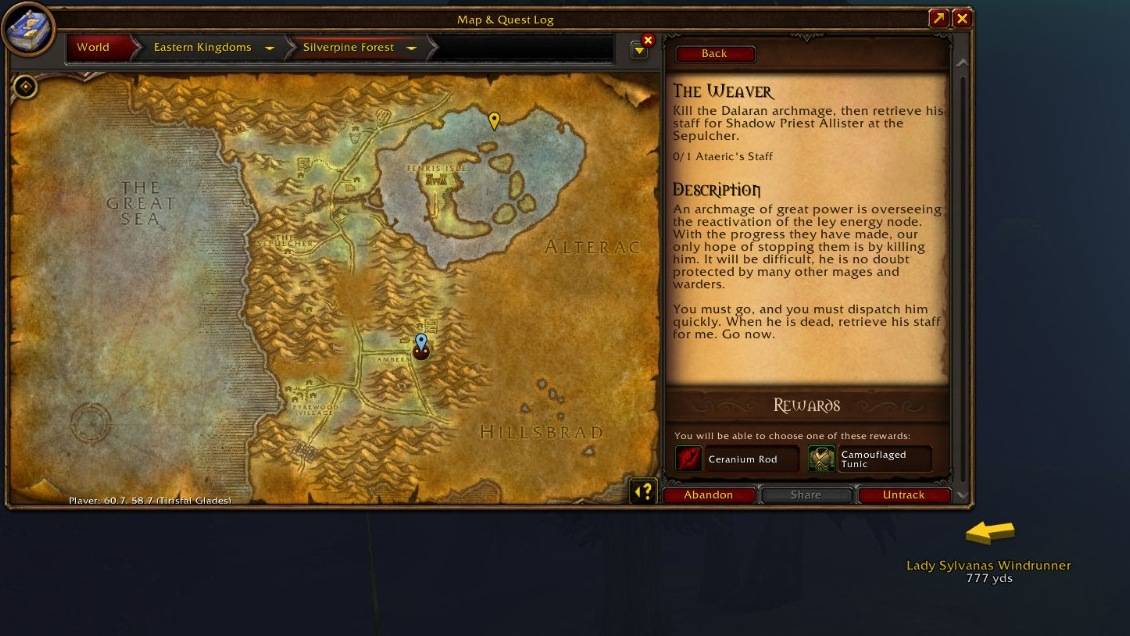
Real in-game screenshot: waypoint pins on the world map while the arrow points the way.

Share a spot with your group
Press Share beside any waypoint, or type /wp share to share where you stand. Pick Party, Raid, Guild, Say or a whisper, and your chat opens with a clickable map pin ready to send. Friends don't need the addon to use it.

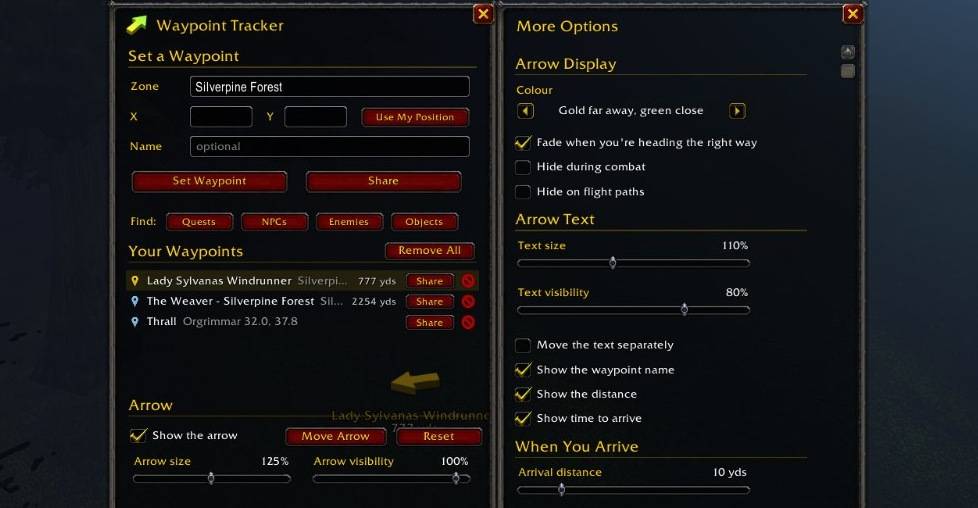
Real in-game screenshot: the window, with More Options open beside it.

New in 1.1: Treasure hunt (beta)
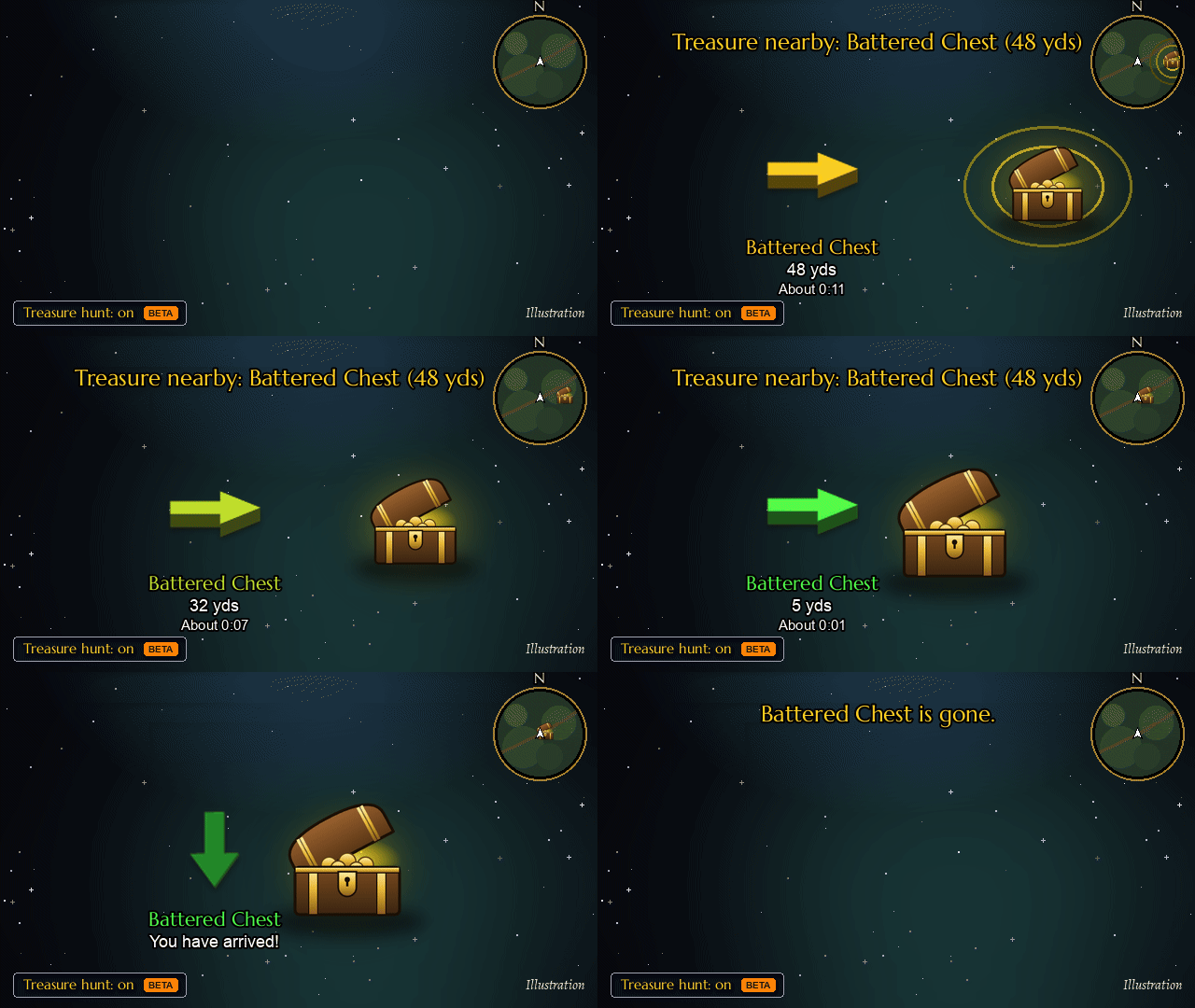
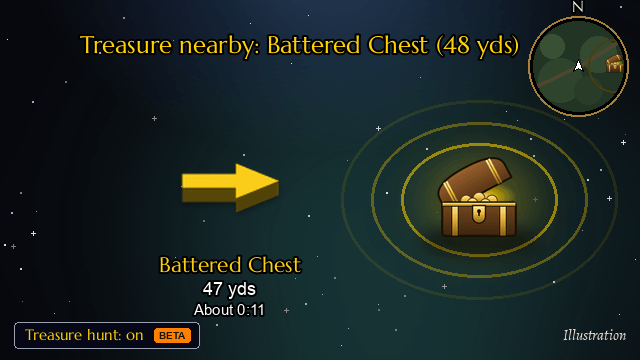
Illustration, drawn with the addon's own arrow.
Treasure hunt is new and still in beta. Tell us what it catches and what it misses on GitHub Issues.
Tick Treasure hunt in the window, type /wp treasure, or set a key binding.
- Chests and treasure the game marks on your minimap, plus a chest right in front of you.
- Rare and rare elite spawns from your minimap, nameplates and target, placed at their known spawn. A rare that's already being fought is left out.
- Events and other markers the game shows on your minimap.
The ping comes the moment one appears, and the taskbar icon blinks if you're in another window. The arrow points straight at it, follows a rare that wanders, and lets go once it's taken, killed or gone, then goes back to your own waypoint. Nothing showing yet? Turn on Lead me to known chest spots and the arrow walks you from one known chest spawn to the next. /wp treasure status shows what it sees right now and what it found recently.

Install
- In the CurseForge app, choose World of Warcraft → Forever and click Install. (By hand: unzip into
InterfaceAddOnsin your WoW Forever folder; during the beta that'sWorld of Warcraft_classic_beta_InterfaceAddOns.) - Keep both folders enabled: WaypointTracker and WaypointTracker_Data (Find's database, which loads only when you first open Find).
- In the game, type
/wp.

Commands
| Command | What it does |
|---|---|
/way 42 65 | Waypoint in your current zone |
/way Westfall 56.3 47.1 Sentinel Hill | Named waypoint in any zone |
/way hogger | Go straight to something by name |
/wp | Open or close the window |
/wp find [name] | Search quests, NPCs, enemies, objects and items |
/wp treasure | Turn treasure hunt on or off |
/wp treasure status | What treasure hunt sees now and found recently |
/wp share | Put your location in chat as a map pin |
/wp clear | Remove the current waypoint |
Every command and setting: Commands & Options.

FAQ
Is there a TomTom-style arrow for WoW Forever? Yes, this is one. Waypoint Tracker understands the same /way commands and accepts waypoints from addons built for TomTom. If you run TomTom itself, Waypoint Tracker leaves /way to it and /wp does the same things.
Can it tell me when a rare or chest spawns? Yes, with Treasure hunt (/wp treasure), new in 1.1 and still in beta. You get a ping and the arrow points at it.
Does it work with RareScanner, HandyNotes or my quest guide? Yes. Addons that offer TomTom waypoints, including "Send to TomTom" buttons, send them to this arrow, as long as TomTom itself isn't installed.
How do I find an NPC or quest giver? Type /wp find and a name, or an NPC title like blacksmith, then double-click a result.
Does it send my data anywhere? No. What it learns stays on your computer. You can share discoveries by choice to improve Find for everyone (how).
Which languages? English, Deutsch, Français, Español, Português, Русский, 한국어, 简体中文 and 繁體中文, following your game client.
Links
Website · Wiki · Source on GitHub · Report a bug or suggest an idea
Enjoying it? Tell your guild: word of mouth is how other WoW Forever players find it. You can also support development on GitHub Sponsors.

You must be logged in to leave a comment.