

TustUI – EllesmereUI Companion Tools
Make EllesmereUI your own with flexible Data Bars, customizable chat, XP and reputation tracking, and handy tools for groups, bags, and tooltips. Requires EllesmereUI.
Details
Expansion
 Forever
 Categories
Developers

Having issues?

TustUI
Your information. Your layout. Your everyday tools.
Keep the details you care about within reach. TustUI adds flexible information bars, a customizable chat experience, clearer progression tracking, and practical shortcuts to your EllesmereUI setup in Retail World of Warcraft.
Choose the features that suit the way you play, then arrange them around your UI. TustUI uses EllesmereUI's visual style, controls, and assets wherever possible, so the additions feel at home.
Before you install: TustUI requires EllesmereUI. It is a companion addon, not a standalone replacement, and does not modify EllesmereUI's files.
TustUI is independently developed and is not affiliated with, endorsed by, or maintained by the EllesmereUI team.
The EllesmereUI team does not provide any support for the TustUI addon.
Please direct TustUI questions and bug reports to the TustUI project.
Put useful information where you want it
Build your own Data Bars. Create multiple bars, choose their contents, and adjust their position, appearance, and sizing. Auto-fit lets a bar follow the information it displays.
Pick from time, FPS, latency, gold, durability, item level, XP and reputation, currencies and crests, professions, specialization and loot spec, Travel Info, travel cooldowns, Great Vault, audio, and the micro menu.
- Switch the clock to a combat timer during fights, or show both together. Its lockout tooltip includes difficulty and boss progress.
- Check total and per-addon memory usage from the FPS tooltip.
- Adjust audio from the bar, and open relevant windows through each block's available click actions.
- Enable the Durability block's repair shortcut to summon a usable repair mount, with configurable repair-item fallbacks.
Your other addons can join the bar, too.
Add information supplied by compatible addons alongside TustUI's own blocks. Addons that provide a LibDataBroker (LDB) data text can appear on the same bar. Choose EUI's Broker Plugin or TustUI's External Addon Data block; the latter offers label, icon, tooltip, and interaction controls, including an Addon Compatibility mode for an addon's own detailed tooltip.
Optional integrations are also available for AlterEgo, Northern Sky Raid Tools, and Myu's Knowledge Points Tracker when installed.
Make chat your own
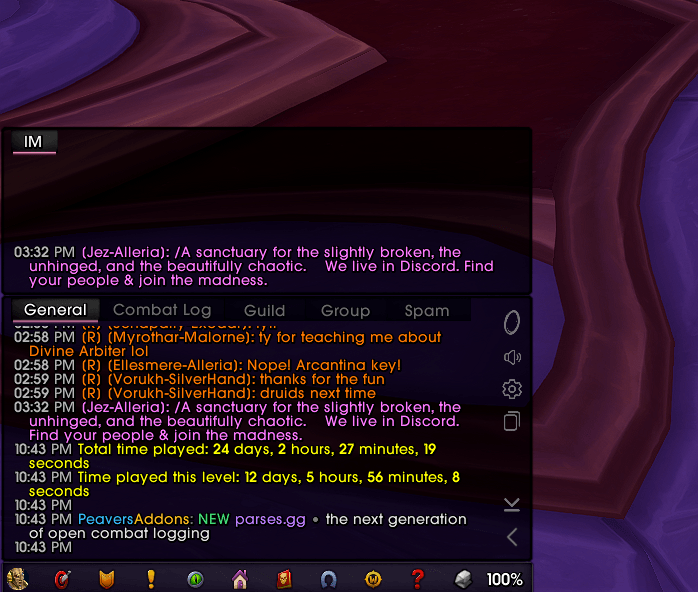
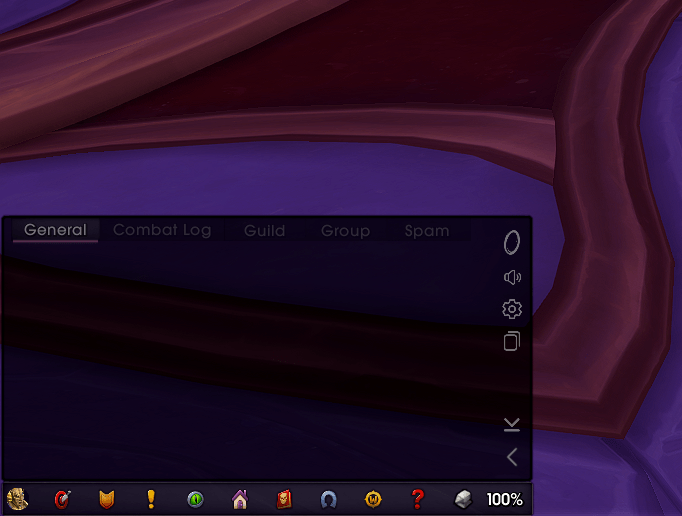
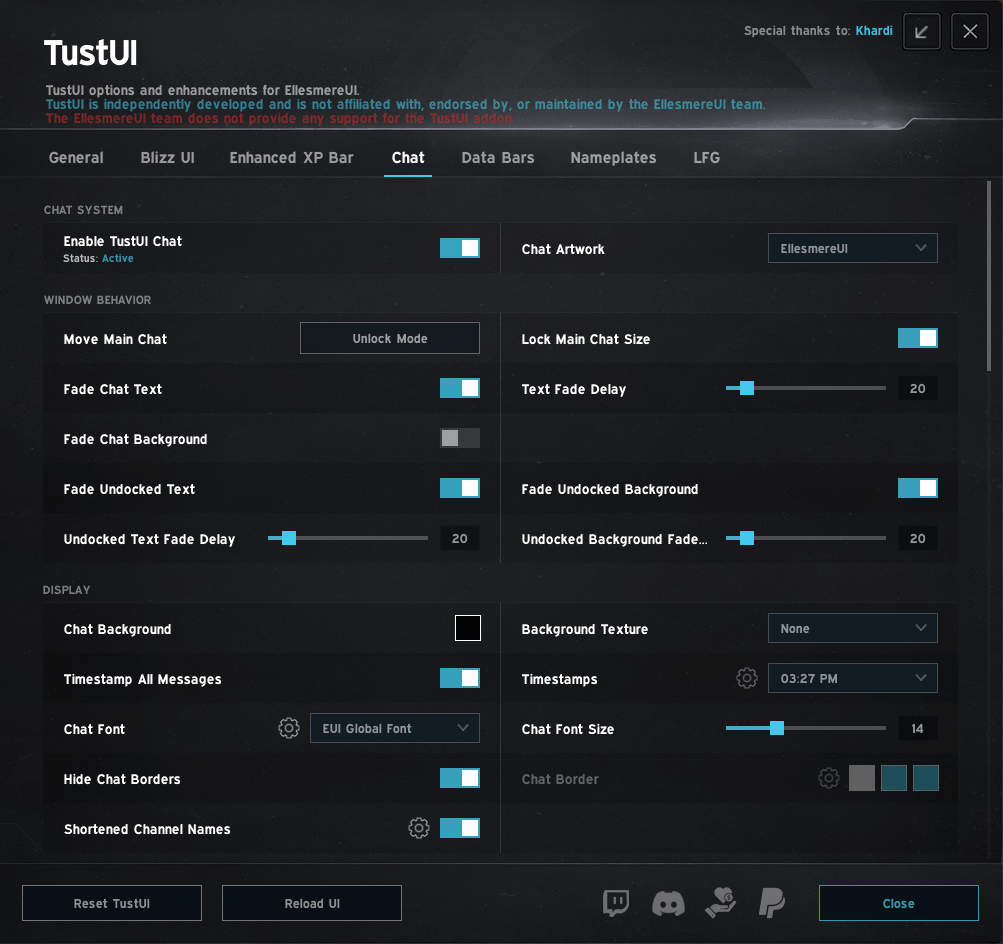
TustUI-owned Chat brings the main panel and permanent undocked windows together under one set of styling controls. Enabling it replaces the EUI Chat module rather than running two chat systems at once.
- Set backgrounds, textures, fonts, outlines, tabs, input fields, and sidebar appearance.
- Choose custom, class, or EUI-accent border colors, with separate border visibility controls.
- Move the main panel through EUI Unlock Mode; drag, dock, and resize permanent undocked windows.
- Tune text and background fading, including independent undocked-window delays and waking on new chat activity.
- Choose sidebar shortcuts for Friends, Guild, Durability, Copy Chat, Portals, Voice Chat, Settings, and scrolling.
- Select which message types enter saved history, retain clickable links and sender information, and browse previous typed messages.
- Pick from six timestamp formats and apply timestamps to player messages or all chat output.
- Set keyword and channel sound alerts, including custom entries and optional combat muting.
- Chat bubbles, styled to match. Choose which channels to customize, then adjust the background, border, text color, font size, spacing, width, and vertical position. Bubble customization is off by default. It works outside instances; inside, you can keep Blizzard's bubbles or hide them.
See the progress behind the next level
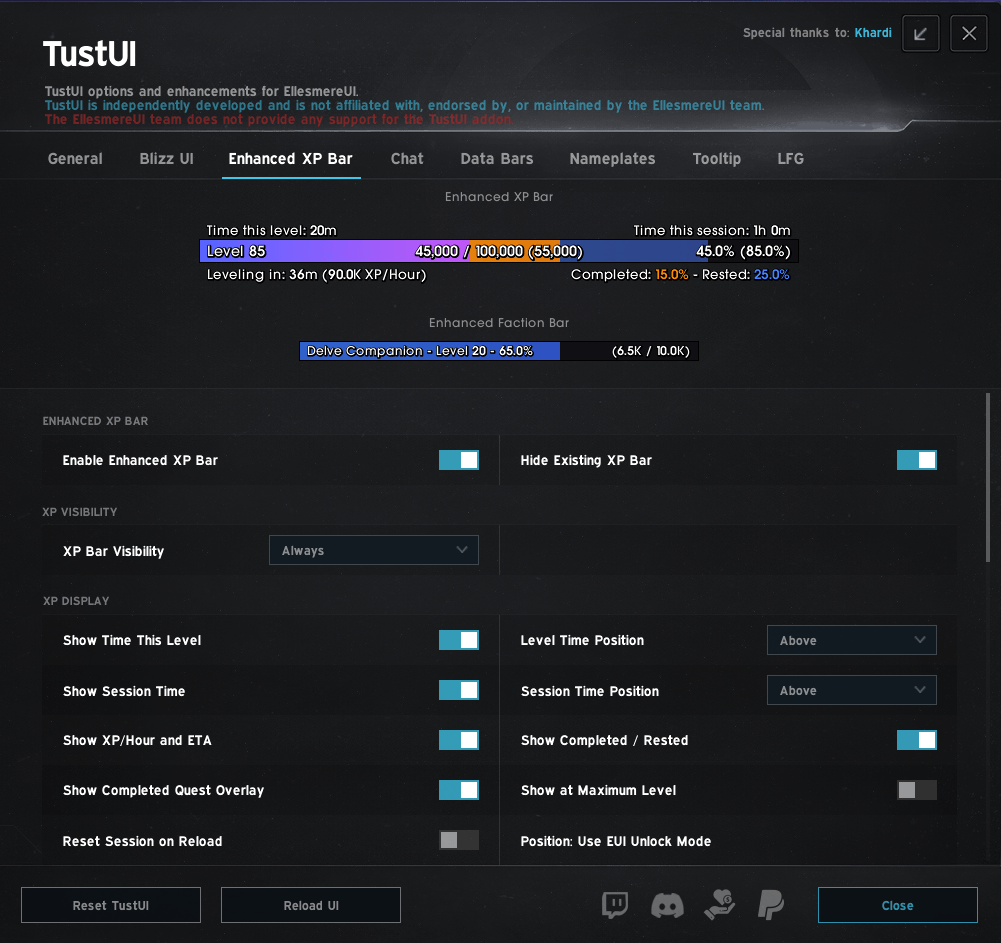
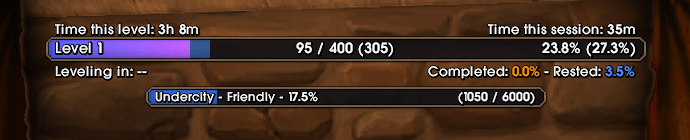
- The Enhanced XP and Faction Bars are separate displays, with their own EUI Unlock Mode movers and resizing.
- Track XP, standard reputation, renown, friendship, paragon rewards, and companion progression. Follow your watched faction or pin one through a searchable selection menu.
- For leveling, add rested XP, completed-quest progress, XP per hour, estimated time to level, session time, and time spent at your current level. Reset-on-reload controls let you choose how session tracking behaves.
Keep your group tools close
- Social: View friends and online guild members from a Data Bar popup. Favorites appear first, with alphabetical ordering within each group. Choose compact rows, alternating row shading, class icons, and optional friend, guild, and officer notes.
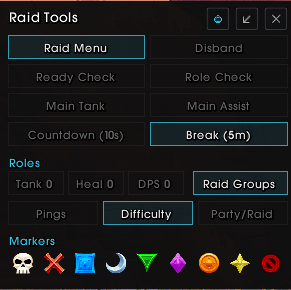
- Raid Tools: Open a movable panel from your Data Bar for ready and role checks, countdowns, break timers, target and world markers, main tank/assist controls, group conversion, difficulty, pings, and Everyone Assist. Minimize it in stages when you only need the essentials. Available and unavailable buttons stay visually distinct; Disband is highlighted as a danger action and requires Shift-click.
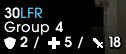
- Group Finder: Add region tags and Mythic+ ratings to listings and applicants, sort by rating, and filter listings by role availability. Optional quick-signup controls include a Shift bypass and automatic-confirm settings. An Exchange Keystone reminder is also available.
- Optional M+ messages: Send a greeting after joining a Mythic+ Group Finder party or a closing message after completing a run. Choose random presets, a fixed message, or your own text. Both features are off by default and send after a short delay, only out of combat and when chat is safe to use.
Group Finder enhancements respect combat and Blizzard's restricted-data rules.
Spend less time checking every item
- Equipment-aware upgrade arrows: Consider your class, specialization, primary stats, armor, and weapon use instead of item level alone. Supported across bags, the character bank, Warband Bank, and Guild Bank.
- A cleaner merchant list: Optionally hide fully collected mounts, toys, arsenals, and ensembles in EUI's merchant view. Use Show All when you want to see the hidden entries.
- Finer character-sheet borders: Use one-pixel gear and socket borders without losing item-quality or gem colors.
Add context without adding clutter
- Tooltips can show player specialization with role colors, colored item levels, EUI Hover Cast / Click Cast bindings, mount sources for mounts you do not own, and a unit's current target. Optional ID lines cover NPCs, quests, currencies, mounts, achievements/categories, and factions.
- Simple Nameplates reduce selected minor enemies, minions, and normal dungeon enemies while retaining EUI's target, cast, hitbox, and stacking behavior. Adjust scale, names, classification details, and raid markers. A separate option colors an enemy's name while it casts a spell targeting you.
Smooth out the small tasks
Choose from Auto Loot and Quick Loot controls, loot-warning suppression, yellow or blue cursor indicators, and automatic latency-based Spell Queue Window adjustment.
Other conveniences include transmog deletion-confirmation autofill, search-field focus, current-expansion helpers for Crafting Orders and Auctionator, and single-option or approved-choice gossip automation with per-NPC exclusions and a Shift bypass.
Start with one feature
Install and enable EllesmereUI and TustUI for Retail WoW, then open EllesmereUI settings → TustUI. If installing manually, place each addon folder in your Retail Interface/AddOns directory.
Pick something useful - a Data Bar, a progression display, or a chat adjustment - and build from there. You do not need to configure everything at once.



You must be logged in to leave a comment.