

SystematicGuild
A Guild Management Addon for ForeverWoW - Additional Exclusive Features for Systematic
Details
Expansion
 Forever
 Categories
Developers

Having issues?

Systematic Guild
Your guild's roster with roles, its raid teams, a raid builder, bounties on enemy players and an excommunication list — kept in step between your guildmates' addons, with no server and no officer notes.
Built for World of Warcraft: Forever, where addons cannot write to officer notes or the guild information text. Systematic Guild does not need them: every member running the addon keeps a copy of the guild's data, the copies stay in sync over the guild's addon channel, and every change is checked against the guild roster before any client accepts it.
What it does
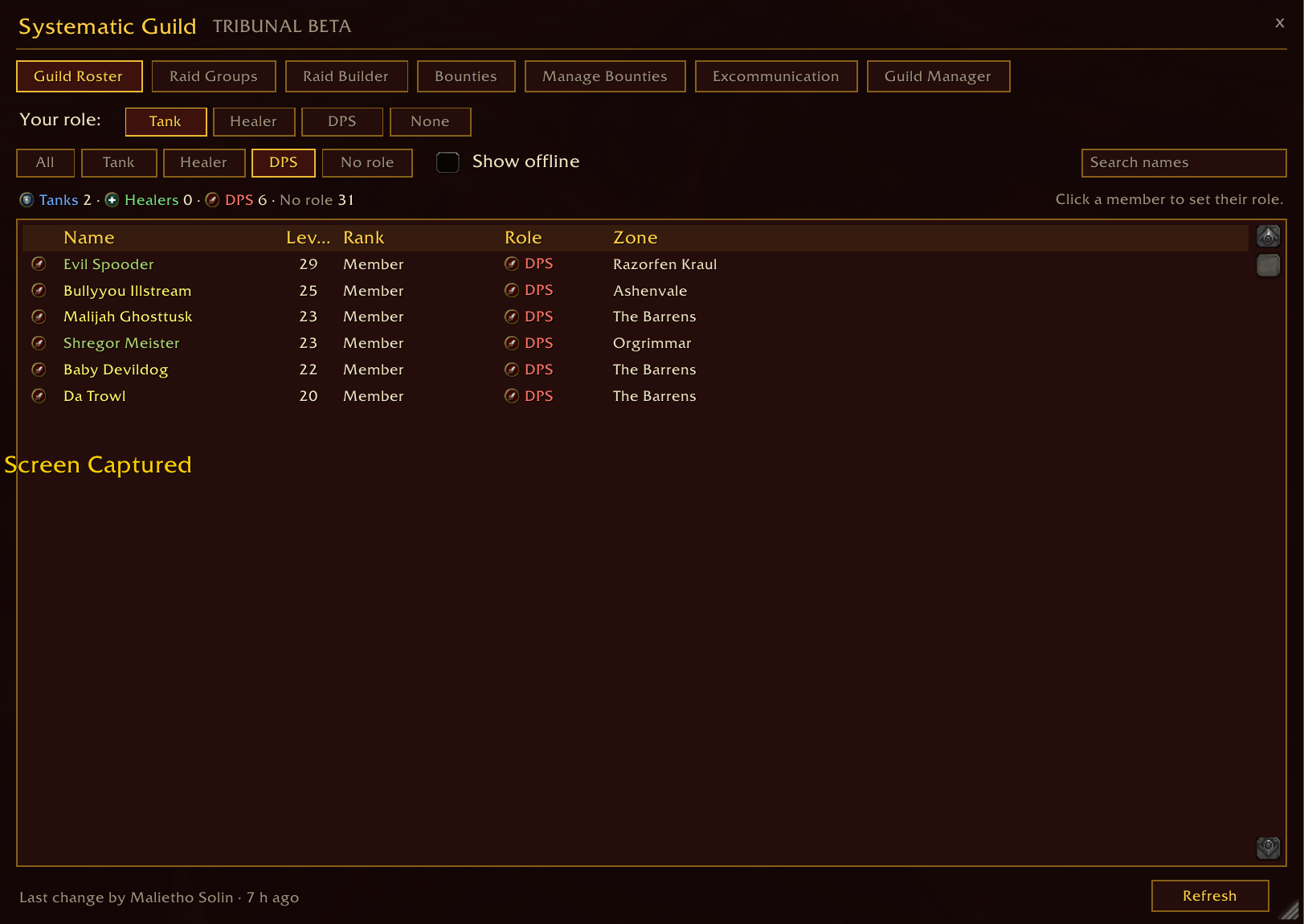
Guild Roster
Every guild member with a Tank, Healer or DPS icon beside their name. Set your own role in one click. Filter by role, show or hide offline members, search by name, and see how many tanks, healers and DPS the guild has. Sort by Name, Level, Rank or Zone (click again to reverse; your choice is remembered). Right-click a member to invite or whisper them — role editors can set their role from the same menu.
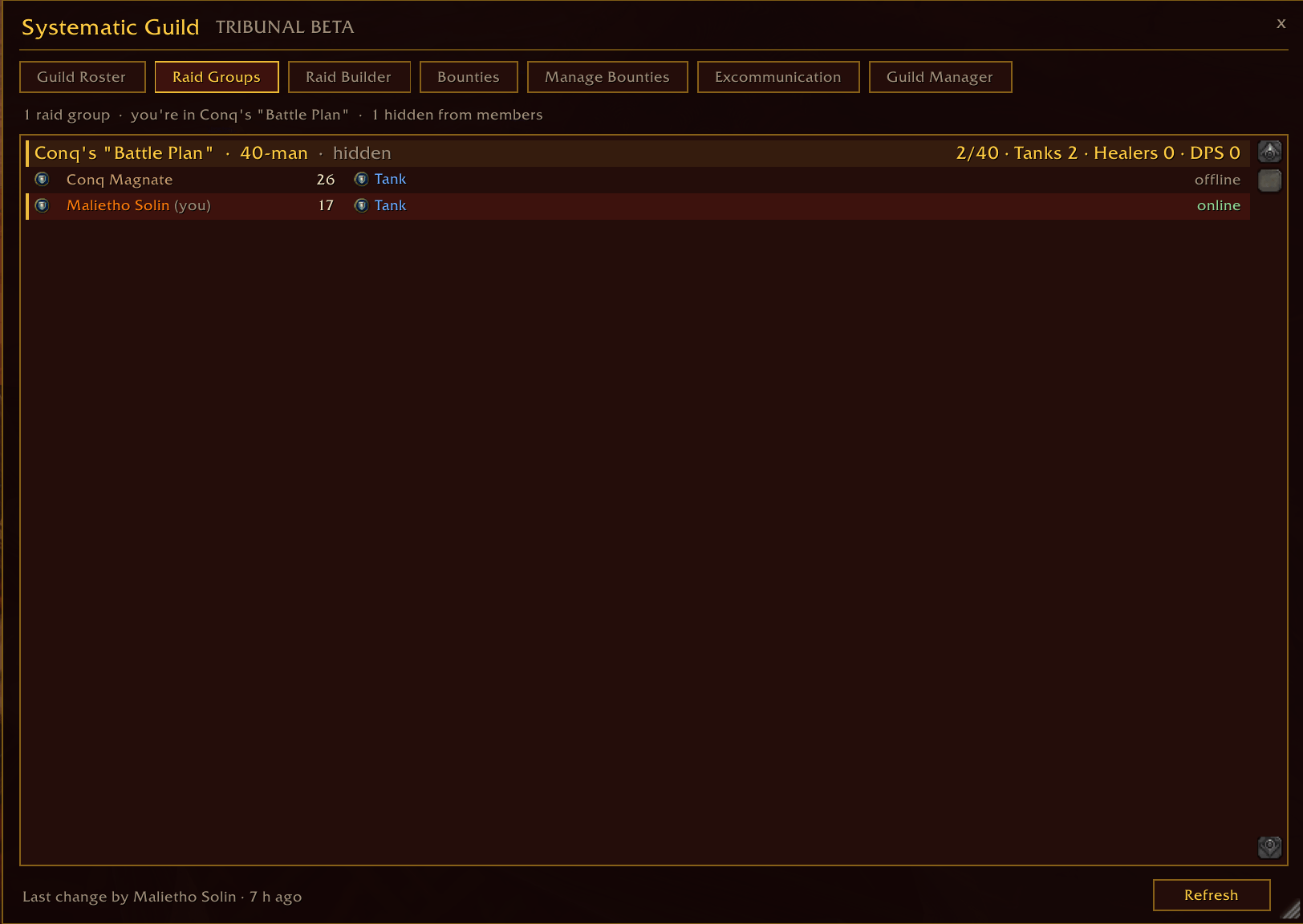
Raid Groups
The raid teams and who is on each, grouped by role, with counts against each team's size. The teams you are in are marked. Teams a builder is still working on are hidden from everyone but builders. Raid builders can right-click a team to invite everyone on it who is online — more than five turns the party into a raid as soon as the first person joins — and guild chat is told that invites are going out.
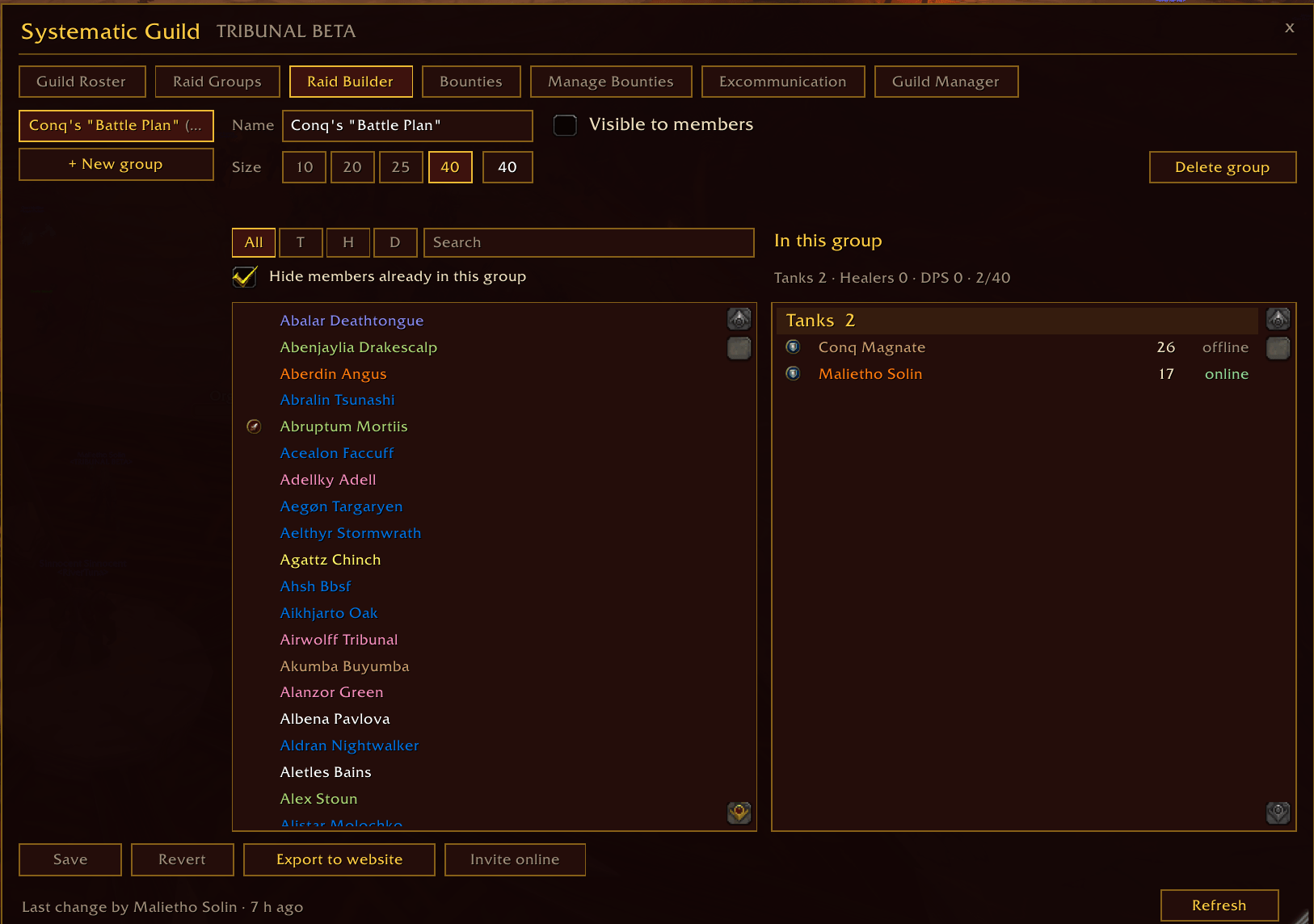
Raid Builder (raid builders)
Create up to nine raid groups, name them, set their size (1 to 40), and choose whether members can see them. Pick members from the roster. Every click edits a draft; nothing is saved until Save, and Revert drops the edits. Two builders can work at once: Save only writes what you changed, so another builder's edits to a group you left alone are kept. Invite online and Export to website live here too.
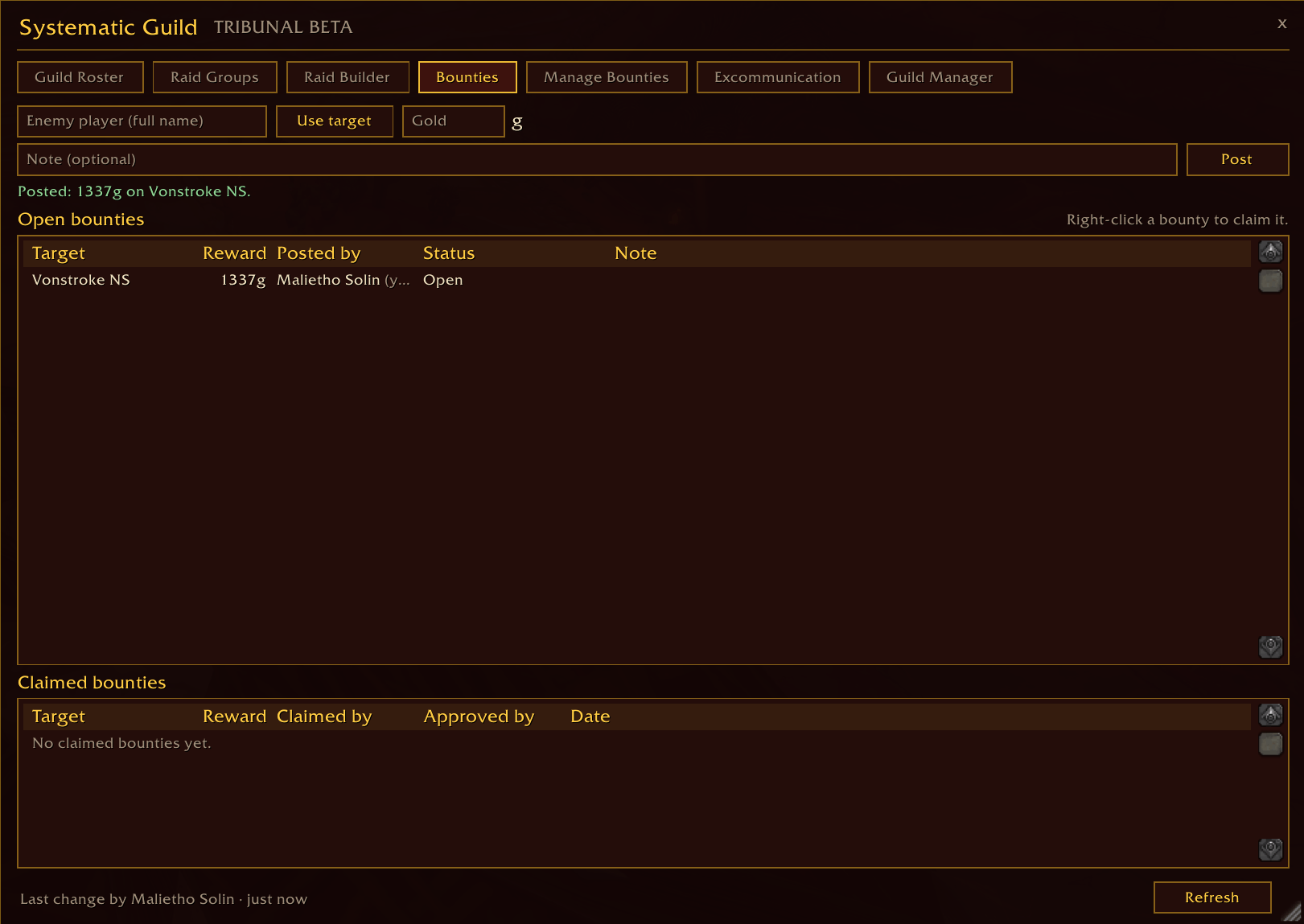
Bounties (everyone)
Officers the Guild Master chooses post a bounty on an enemy player: their name (Use target fills it in from your current target), a reward in gold and a note. Open bounties are listed biggest reward first. Right-click a bounty to claim it, then post a screenshot of the kill in the guild's bounty channel on Discord. While your claim waits, the tab says so; you can withdraw it, and claim again after a rejection. Under the open bounties sits the claimed history: who claimed each one and who approved it. Targeting an enemy player with a bounty on them reminds you to take the screenshot.
Manage Bounties (bounty managers)
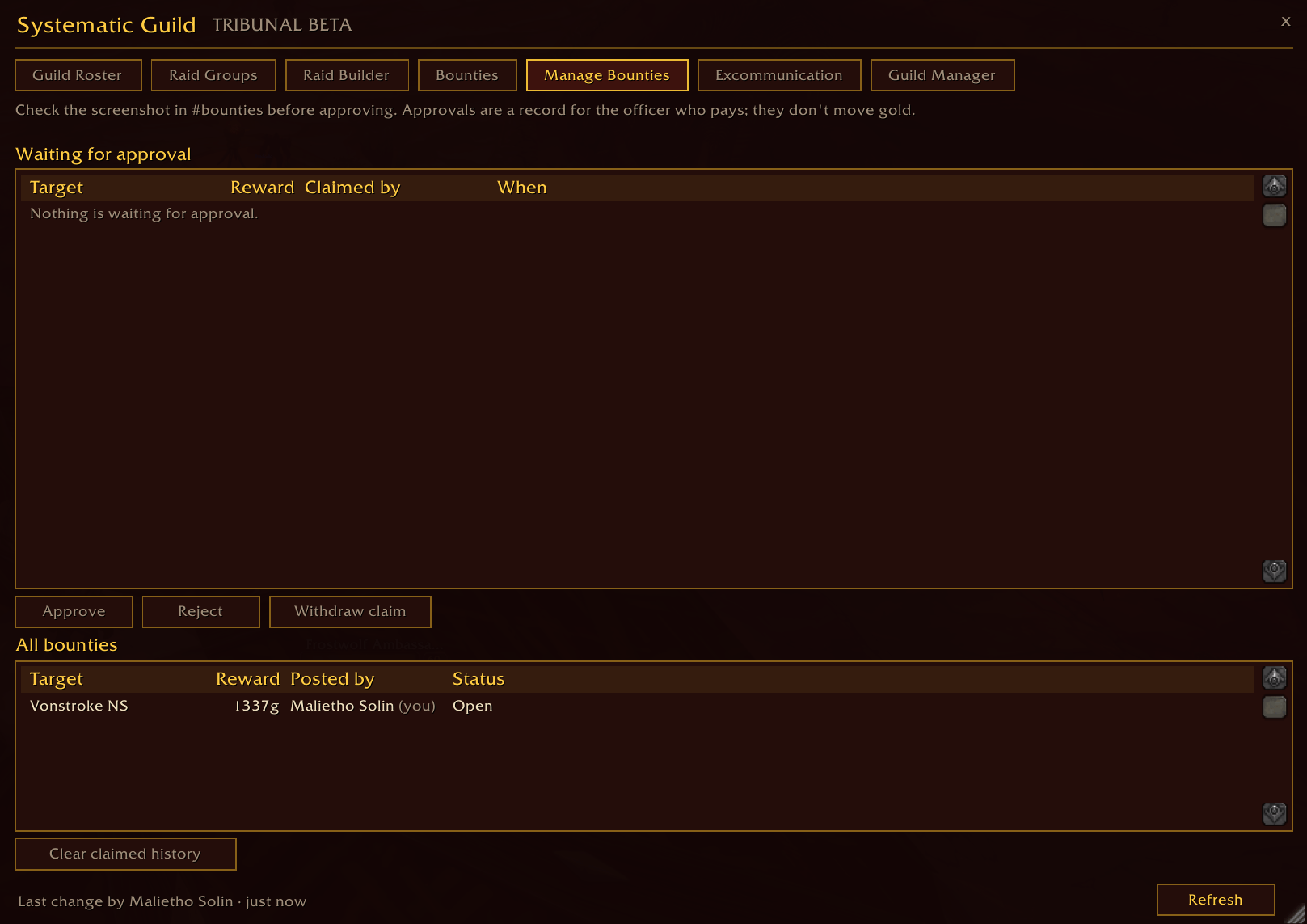
The claims waiting for a verdict, longest waiting first. Check the screenshot in Discord, then Approve or Reject the claim, or withdraw it. Remove any bounty, and Clear claimed history once the rewards have been paid. Nobody approves their own claim except the Guild Master.
Excommunication (those the Guild Master allows)
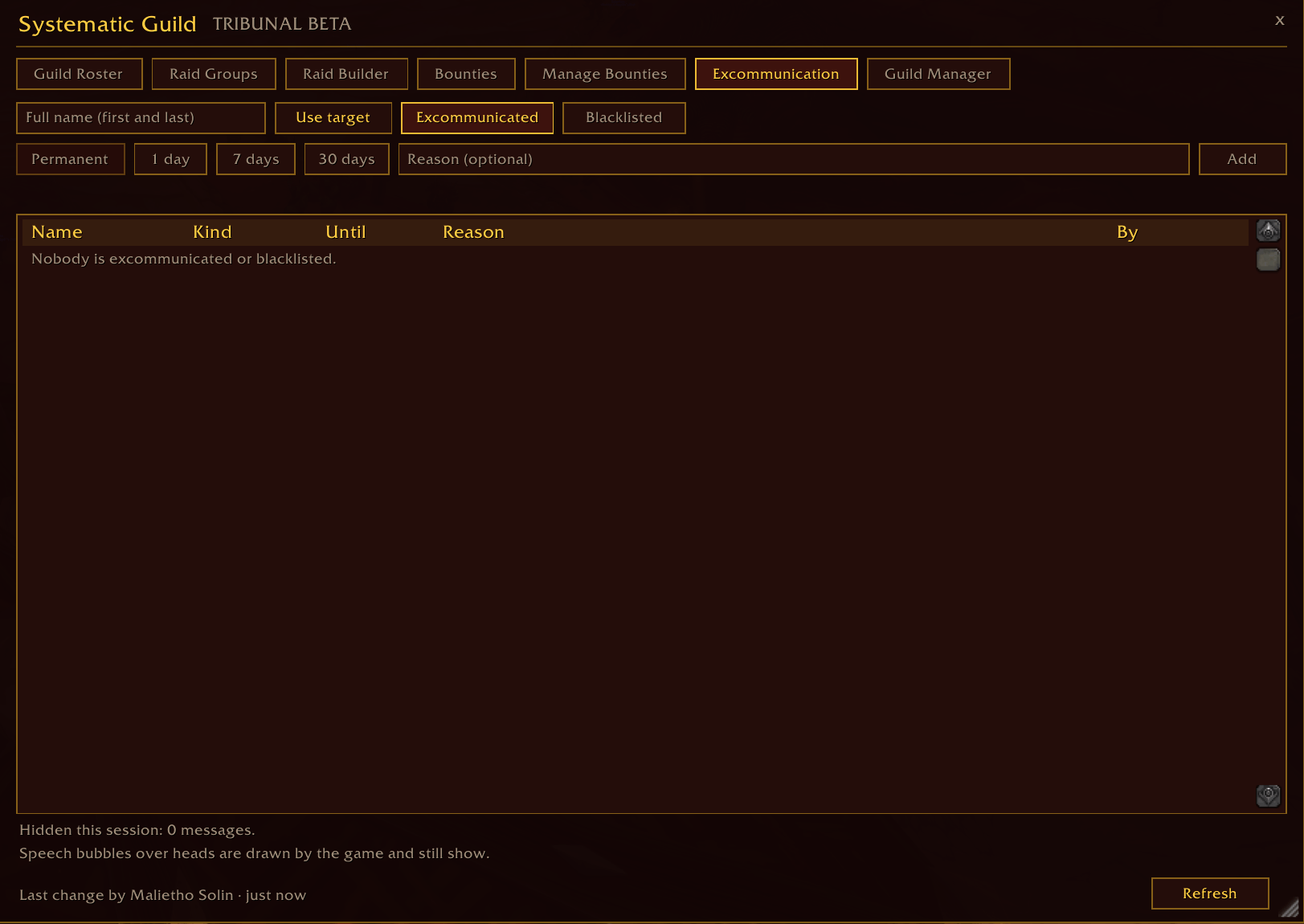
A list of players who are excommunicated for good, or blacklisted for good or for 1, 7 or 30 days, with a reason. They need not be guild members. Type the name or use Use target, which also records the character so they are matched whatever name they show. On every guildmate's client with the option on, their chat is hidden and their group invites are declined. Right-click an entry to lift it. The tab counts how many messages it hid this session.
Guild Manager
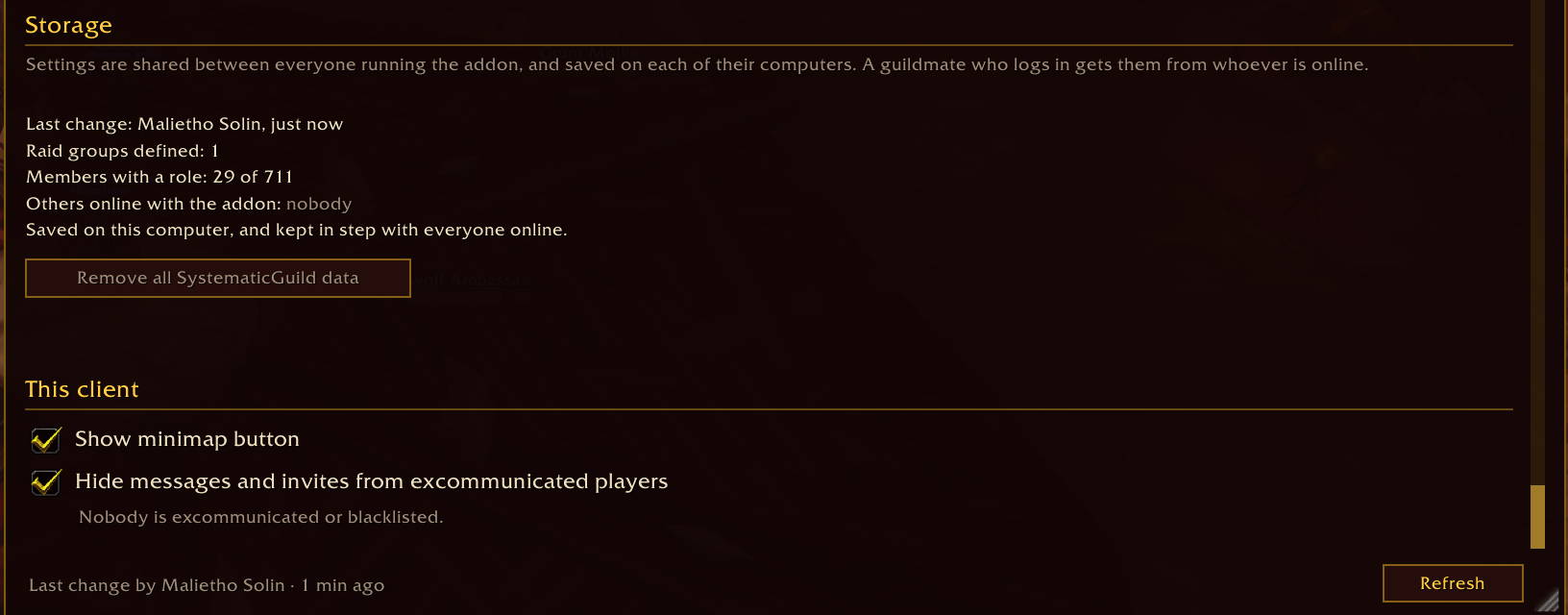
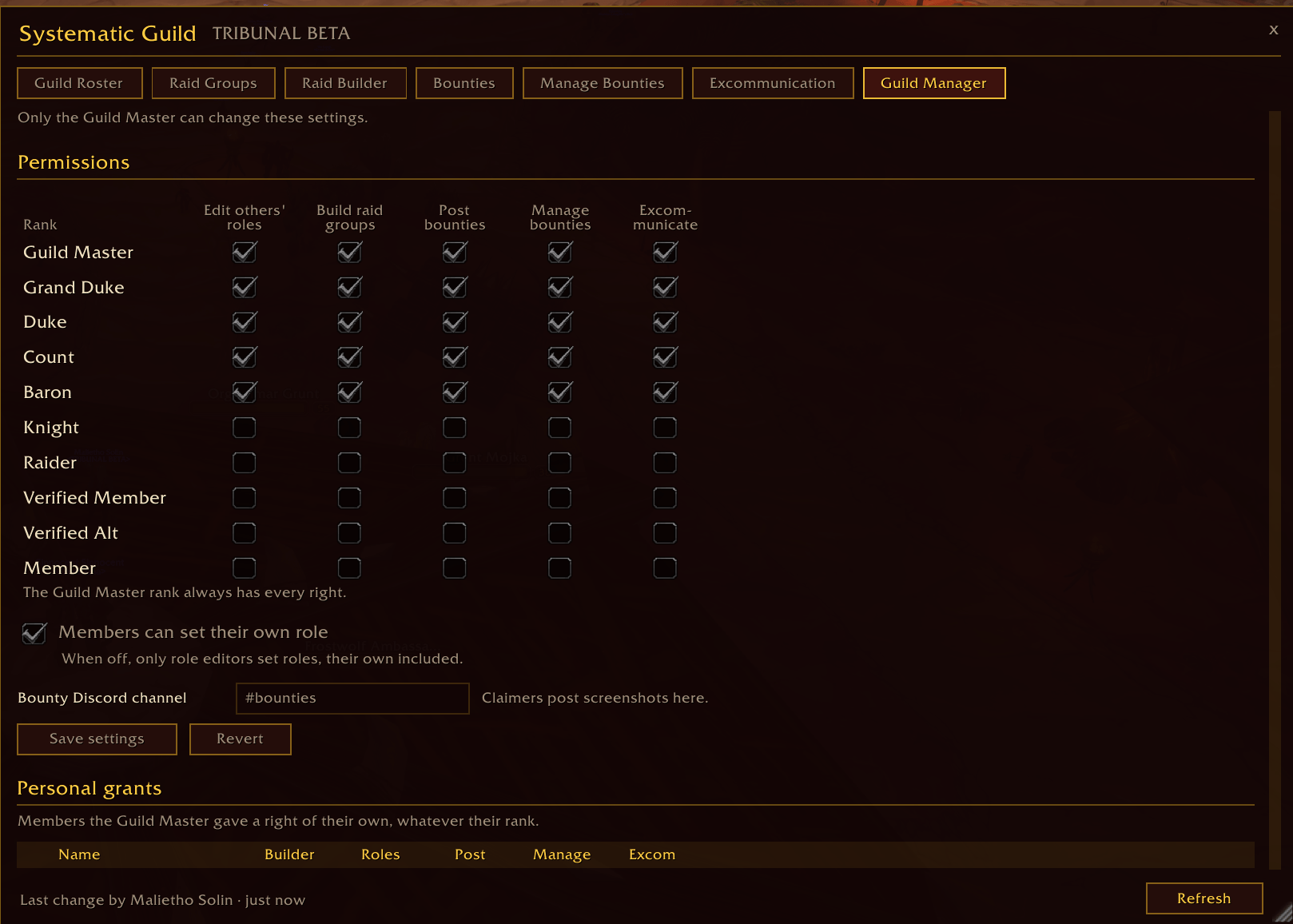
Everyone can read it (so "why can't I set my role?" is answered there); only the Guild Master can change it. The Guild Master sets which ranks may set other members' roles, build raid groups, post bounties, manage bounties and excommunicate; whether members may set their own role; and the name of the Discord bounty channel (#bounties unless changed). Grant… gives any one member any of the five rights, whatever their rank; click a grant to take it back. The tab also shows who last changed something and who else is online with the addon, and can remove all of the addon's data for a guild that is done with it.
Under This client, for this computer only: the minimap button, and Hide messages and invites from excommunicated players (on unless you turn it off).
Minimap button and addon compartment
Left-click opens the window, right-click opens Guild Manager, drag moves it round the rim. The tooltip answers the questions people open the window for: your role, your raid groups, how many bounties are open and — for bounty managers — how many claims are waiting. On clients with an addon compartment, the addon is there too.
Notices in chat
A new bounty (everyone), a new claim (bounty managers), and the verdict on your claim — even if it was given while you were offline. When a guildmate runs a newer version, you are told, and Update available appears in the window and the tooltip.
How it works
- Nothing is stored in the guild itself. Forever keeps the Retail add-on restrictions: no writes to officer notes or the guild information. So every member running the addon keeps a copy of everything it shares — the Guild Master's permissions and grants, the raid groups, every member's role, the bounties with their claims and verdicts, and the excommunication list — in their own saved variables.
- Changes save instantly and reach everyone online at once. Nobody else has to be online for a change to count. When you log in, your copy is compared with everyone online running the addon and you are sent whatever you missed. With nobody else online, the addon works from the copy it saved last time.
- Every change is checked by every client. Before taking a change into its copy, each addon checks who made it against its own read of the guild roster: settings only from the Guild Master, a raid group only from a builder, a role only from the member themselves (while the Guild Master allows that) or from a role editor, a bounty only from a poster or manager, a claim only from the claimer, a verdict only from another manager, and the excommunication list only from those allowed to keep it.
- Only the guild channel is used. Nothing is whispered. Messages are queued and paced to the client's addon-message throttle, and long ones travel in chunks, so nothing is dropped and "forgotten".
- The more of the guild runs it, the better. It still works with one copy, but a change made while only its author was online waits in that copy until someone else logs in to receive it.
Who may do what
| Who | |
|---|---|
| Set your own role | Everyone, unless the Guild Master turns it off — then role editors only |
| Set someone else's role | The Guild Master, ranks ticked Edit others' roles, and members granted it personally |
| Build raid groups | The Guild Master, ranks ticked Build raid groups, and members granted it personally |
| Claim a bounty | Every member, on anyone's bounty but their own |
| Post bounties | The Guild Master, ranks ticked Post bounties, members granted it personally, and every bounty manager |
| Approve or reject claims, remove any bounty, clear history | The Guild Master, ranks ticked Manage bounties, and members granted it personally — never on their own claim (the Guild Master excepted) |
| Keep the excommunication list | The Guild Master, ranks ticked Excommunicate, and members granted it personally. Nobody can put the Guild Master on it |
Tabs you cannot use are hidden: Raid Builder, Manage Bounties and Excommunication appear only for players who hold the right. Opening one you cannot use tells you why.
Commands
| Command | |
|---|---|
/sguild | Open or close the window |
/sguild roster | Guild Roster |
/sguild groups | Raid Groups |
/sguild builder | Raid Builder (raid builders) |
/sguild bounties | Bounties |
/sguild claims | Manage Bounties (bounty managers) |
/sguild excom | Excommunication (those allowed to keep it) |
/sguild manager | Guild Manager |
/sguild export | The raid groups as text for systematic.gg |
/sguild invite N | Invite raid group N's online members (raid builders) |
/sguild refresh | Re-read the roster and ask the guild for fresh data |
/sguild comms | What the addon has sent and heard, and anything it is holding back |
/sguild minimap | Show or hide the minimap button |
/systematicguild works too.
Supported clients
| Client | Interface |
|---|---|
| World of Warcraft: Forever (game 1.60.1) | 16001 |
| Classic Era | 11507 |
| TBC Anniversary | 20504 |
| Mists of Pandaria Classic | 50500 |
No Retail version, on purpose: Retail has a working guild roster API and none of Forever's restrictions.
Good to know
- Approvals don't pay anyone. An approval tells whoever pays out who earned the reward. The addon moves no gold — check the screenshot before paying.
- Speech bubbles still show. The game draws them itself; no addon can hide them. Chat lines and invites from excommunicated players are hidden.
- The excommunication list isn't secret. Every member running the addon has a copy, names and reasons included.
- Everyone needs the same major version. 1.1.0 speaks protocol 3 and can't sync with 1.0.x; players on 1.0.x are told an update is available.
- Logging in during an encounter. While the game holds addon messages back, claiming and approving wait ("Still checking the guild's bounties") until the addon has compared its copy with the guild.
- Screenshots, because there is no combat log. Forever gives addons no combat log, so a bounty kill is proven with a screenshot, not detected by the addon.
- Export to website writes the saved raid groups and roles as text for systematic.gg. The site's import is still being built; the format is fixed so it will read what the addon writes today.
What it stores
Only what the guild shares: member names, roles and raid groups; bounties (target names, rewards, notes, claims and verdicts); the excommunication list (names, reasons, durations); the Guild Master's settings; and this client's own options. It lives in your saved variables and travels only over the guild's addon channel — addons cannot make network requests, so nothing leaves the game. The Guild Master can remove all of it from Guild Manager → Remove all.
Changelog highlights
1.1.0 — Bounties, Manage Bounties and bounty notices; the Excommunication list with hidden chat and invites; three new rights (post bounties, manage bounties, excommunicate) and a single Grant… menu; tabs you can't use are hidden; protocol 3; an officer's changes no longer vanish when they leave while the Guild Master is offline.
1.0.2 — Sort the roster; right-click a member to invite or whisper; invite a whole raid group.
1.0.1 — Players matched by name whatever the realm is called, fixing sync between some players on Forever; /sguild comms.
1.0.0 — Guild Roster with roles, Raid Groups, Raid Builder, Guild Manager, Export to website, minimap button, update notice.
The full changelog ships with the addon.
Made by Malietho Solin for the Systematic community — systematic.gg. Found a bug or an error popup? Tell Malietho on the Systematic Discord, with /sguild comms output if the problem is a change that did not reach someone.
You must be logged in to leave a comment.