

Spoken Subtitles
Subtitles for the Spoken voice player: what NPCs say in quests, books and zone lore, on screen and timed to the recording. Keep Spoken's window or switch to a cinematic band you can pause, skip and queue from.
Details
Expansion
 Forever
 Categories
Developers

Having issues?

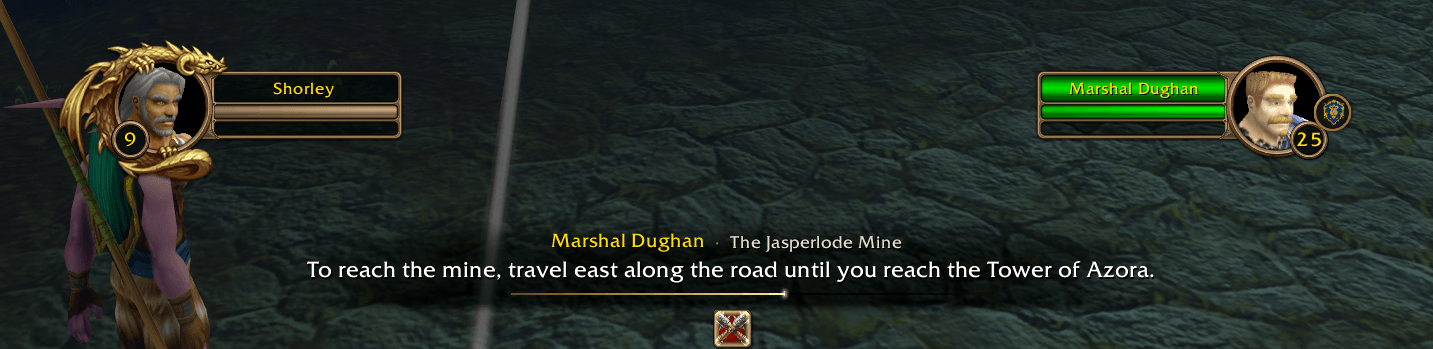
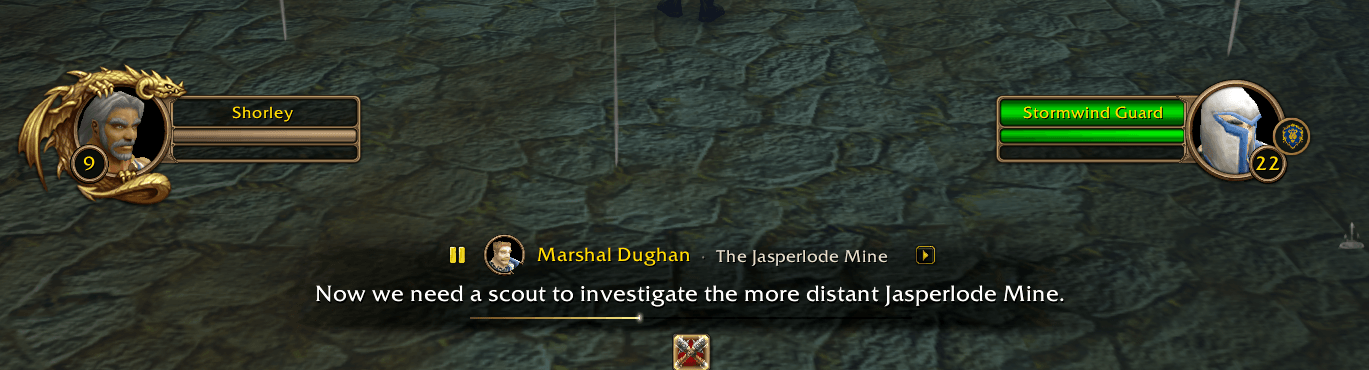
Spoken Subtitles puts on screen what the NPC is saying, timed to the voice from Spoken.
- Quests, books and zones: subtitles for Spoken Quests (accept, progress, complete, gossip), Spoken Books (any page you've had open) and Spoken Zones (zone lore).
- Two looks: keep Spoken's own window with the words below it or at the bottom of the screen, or switch to the cinematic band. The band sits above your action bars and shows the speaker's name, the quest title, the words and a progress line.
- The band is a full player: click it to pause, hover to pause or skip, open the waiting lines with
+N, and right-click for stop, the queue, Report and settings. - No extra portrait: the target frame already shows the speaker, so a small face appears only when the speaker isn't your target.
- Your client's language: the text comes from your client, and the timing is estimated from the length of the recording.
Settings are under Spoken Player → Subtitles, or type /spsub.
Requires Spoken Player and at least one of Spoken Quests, Spoken Books or Spoken Zones.
Credits
This addon only exists because of Spoken by Rusty Key. Spoken Player, Spoken Quests, Spoken Books and Spoken Zones do all the real work: the voices, the queue, the playback and the lore. Spoken Subtitles just writes the words underneath.
It runs on Spoken Player's public API, so it changes nothing in Spoken itself. It also reuses Spoken's pause and play glyphs and its settings layout helper, both under the MIT license. If you enjoy the voices, go give Spoken some love:
This is an independent addon, not made or maintained by the Spoken team. Please report subtitle bugs here, not to Spoken.
You must be logged in to leave a comment.