
SpellbookLevels
This addon will tell you what level and price certain skills/abilities are available and how much it costs.
Details
Expansion
 Forever
 Categories
Developers

Having issues?
Spellbook Levels
Know what you can train, and when.
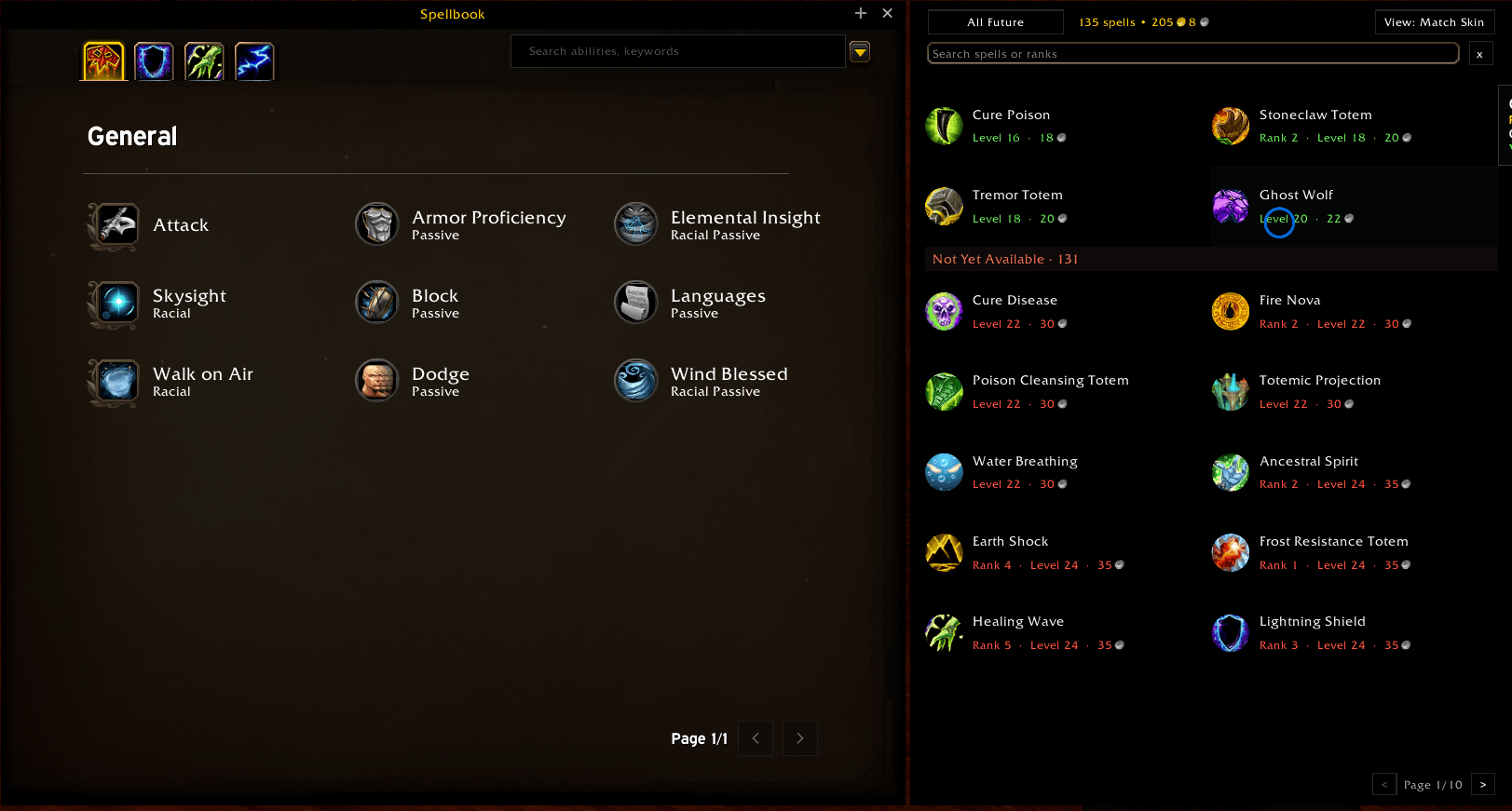
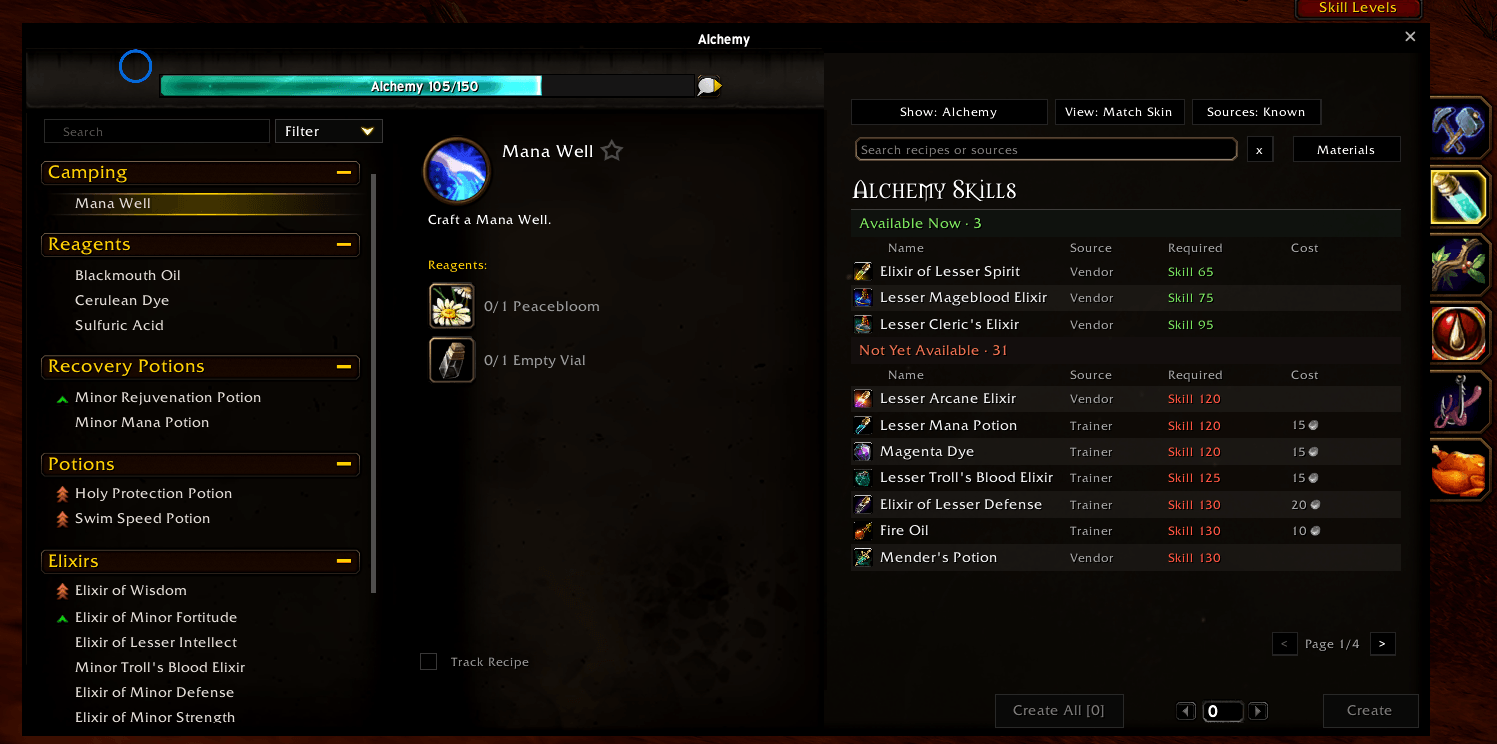
Spellbook Levels adds a spellbook-style list of everything your class trainer teaches, with the level each spell unlocks, its rank and its cost. It does the same for your professions, one profession at a time. The lists open right beside the game's own spellbook and profession window, so you can see what's coming without walking back to a trainer.
Built for World of Warcraft: Forever.
What it does
Class spells
- Lists every spell your trainer offers, sorted by level, with rank and training cost.
- Color-coded at a glance: green = you can train it now, red = not high enough level yet, gray = already learned.
- Opens beside the game's spellbook. A Spell Levels button appears on the spellbook to show or hide it.
Professions
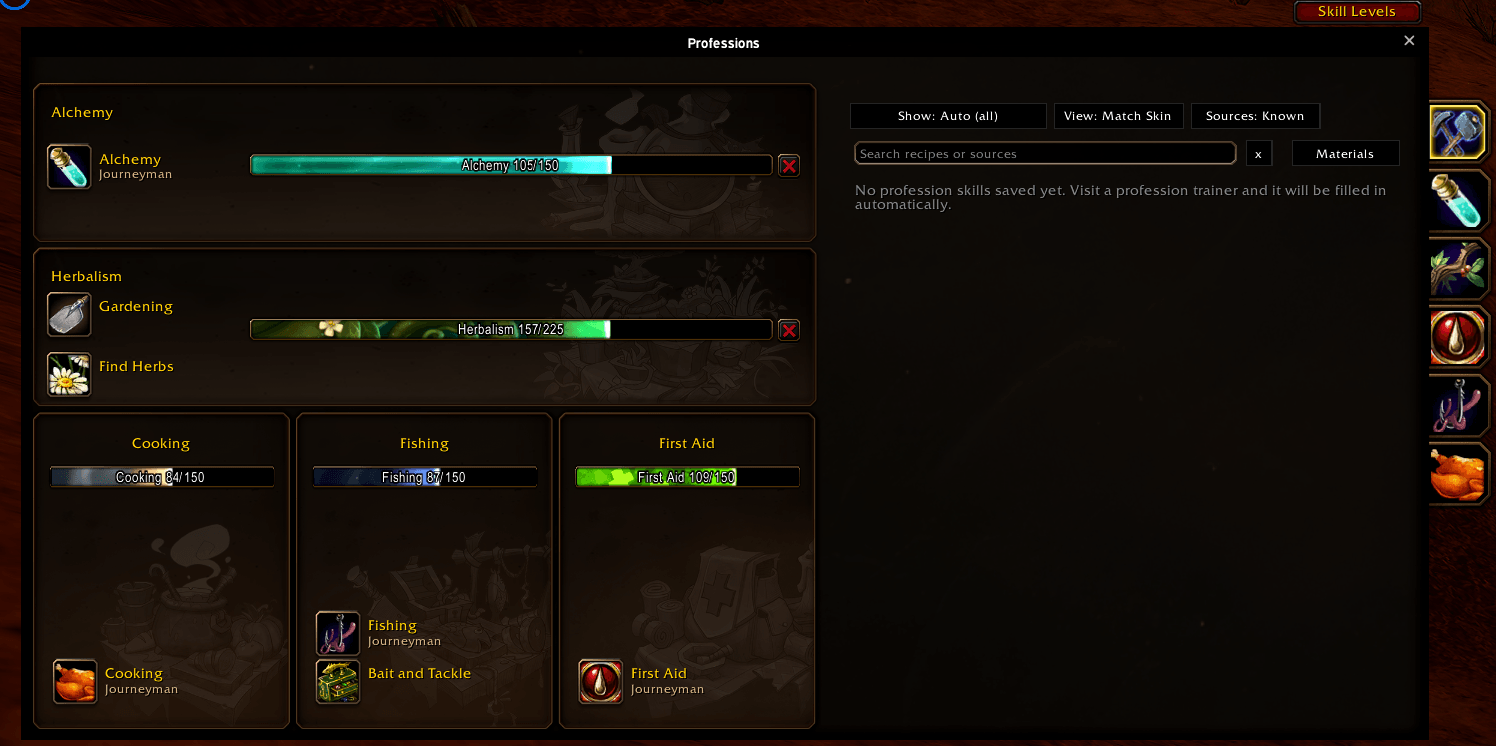
- A separate list for profession skills, kept apart from your class spells.
- Follows your profession tab. Select First Aid and you see First Aid skills; select Cooking and the list switches to Cooking. Or choose All / a specific profession from the filter button.
- Shows what your current skill level and character level allow you to train.
- Opens beside the profession window. A Skill Levels button appears on it.
- Optional: moves the game's profession tabs from the right side of the window to the top (experimental, see below).
Looks and layout
- Three styles, switched with the Style button on each window: Themed (your class color and icon; each profession gets its own color and icon), Dark (a simple flat dark look) and Classic (the game's own gold-and-brown look).
- Pin button: pin each list to its game window so the two move together as one. Drag either one.
- The game's spellbook and profession window can be dragged anywhere, and remember where you put them.
- A shortcut button you can drag anywhere on screen: left-click for class spells, right-click for professions.
- Each list closes when you close its game window.
How to use it
- Install the addon and log in.
- Visit your class trainer. The addon reads the trainer's list and saves it. It will say so in chat.
- Do the same at profession trainers to fill in the profession lists.
- Open your spellbook or profession window, or use the shortcut button, and click Spell Levels / Skill Levels.
The more trainers you visit, the more complete the lists get. What's saved is remembered between sessions.
Commands
| Command | What it does |
|---|---|
/sbl | Show / hide the class spell list |
/sbl prof | Show / hide the profession list |
/sbl prof auto | all | <name> | Follow the open profession tab, show everything, or pick one profession, e.g. /sbl prof first aid |
/sbl style themed | dark | classic | Change the look of the windows |
/sbl pin on | off | Pin the lists to their game windows |
/sbl tabs top | side | scan | Move the profession tabs to the top, put them back, or list what was detected |
/sbl icon | Show / hide the shortcut button |
/sbl reset | Reset window and button positions |
/sbl export | export prof | Print your saved data as text |
/sbl wipe | wipe prof | Clear saved data |
/sbl probe, /sbl trainerdump, /sbl profdump | Diagnostics for bug reports |
Good to know
- Lists fill in as you visit trainers. The addon reads what the game shows you, so a list is only as complete as the trainers you've visited so far.
- Moving the profession tabs is experimental. It works by finding the tab buttons next to the window. If your tabs don't move, or the wrong things move, run
/sbl tabs scanand post the output in the comments, or use/sbl tabs sideto put everything back. - Because Forever is in beta, parts of the game's interface may change and break something. Please report it if they do.
Feedback and bug reports
Found a problem or have an idea? Leave a comment on this page. For bugs, it helps a lot to include:
- what you did, and what you expected to happen,
- any error message (turn errors on with
/console scriptErrors 1), - the output of
/sbl probe.
Made by Exordiums. World of Warcraft is a trademark of Blizzard Entertainment, Inc. This addon is not affiliated with or endorsed by Blizzard Entertainment.
You must be logged in to leave a comment.