
S’more Skills
Find WoW Forever campsites on the zone map. Use a Basic Campfire Kit to host, then click Find so others can see the fire, the three camping-item slots, and whether your trade is useful there. Same faction, opt-in.
Details
Expansion
 Forever
 Developers

Having issues?
Disclaimer
Due to the success of GearQuest Forever, I've decided to stop any further developments of this addon, for now.
S'more Skills is a campsite finder for World of Warcraft: Forever.
Blizzard will tell you a fire is near — the Campfire Nearby buff — but it does not put a pin on the map. This addon does. Same-faction players share a wilderness camp so you can sit down, cook, and place camping objects (one per player). A Basic fire has three sockets; Journeyman and Expert kits have five and ten.
You choose when to share. Nothing is dumped on login. Guild chat is not used — a small G on a pin only means a guildie is at that camp.
How Forever camping works
- Prepare a Campfire Kit (Basic, Journeyman, or Expert).
- Use the kit in the wilderness. That is the fire. Camps cannot be placed within 100 yards of another fire. A live fire lasts about 15 minutes.
- Sit or craft nearby for about a minute to get the feature benefits. Sit /
/sitat someone else's fire does not make you the host. - Each profession has camping recipes (skill 20, then 140, then 300). Those objects are the sockets — a Sharpening Wheel, Mana Well, Camp Chair, Camp Tent, and so on — not the fire itself.
How the addon works
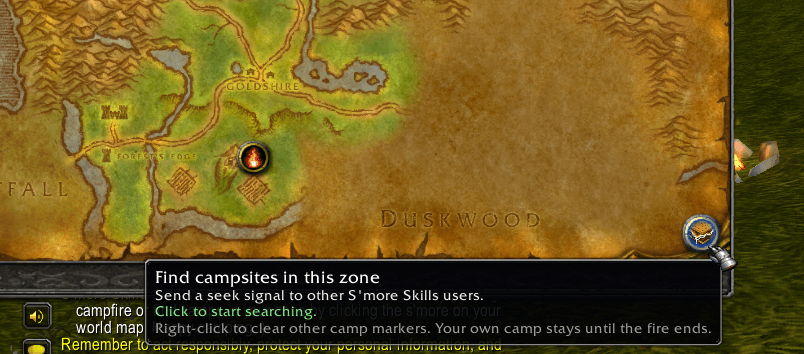
Seek — click Find campsites in this zone on the world map (or /smores find). That looks for open camps in your zone.
Host — Use a Campfire Kit with Auto host on. That drops your pin and opens the camp panel. Other addon users only see it after they click Find. You host one camp at a time. A new fire packs the old pin. Walk away and the pin stays on that fire until the 15 minutes run out or if all slots are filled or you pack up, or you light another campfire. /reload keeps your pin and your settings.
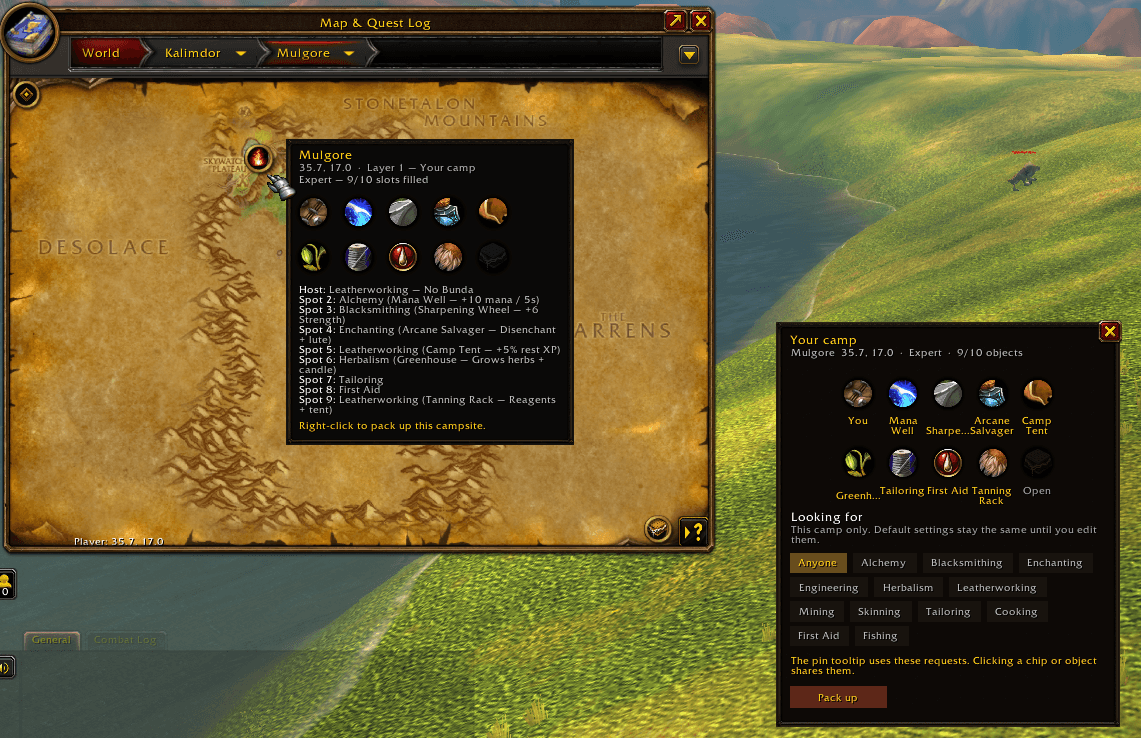
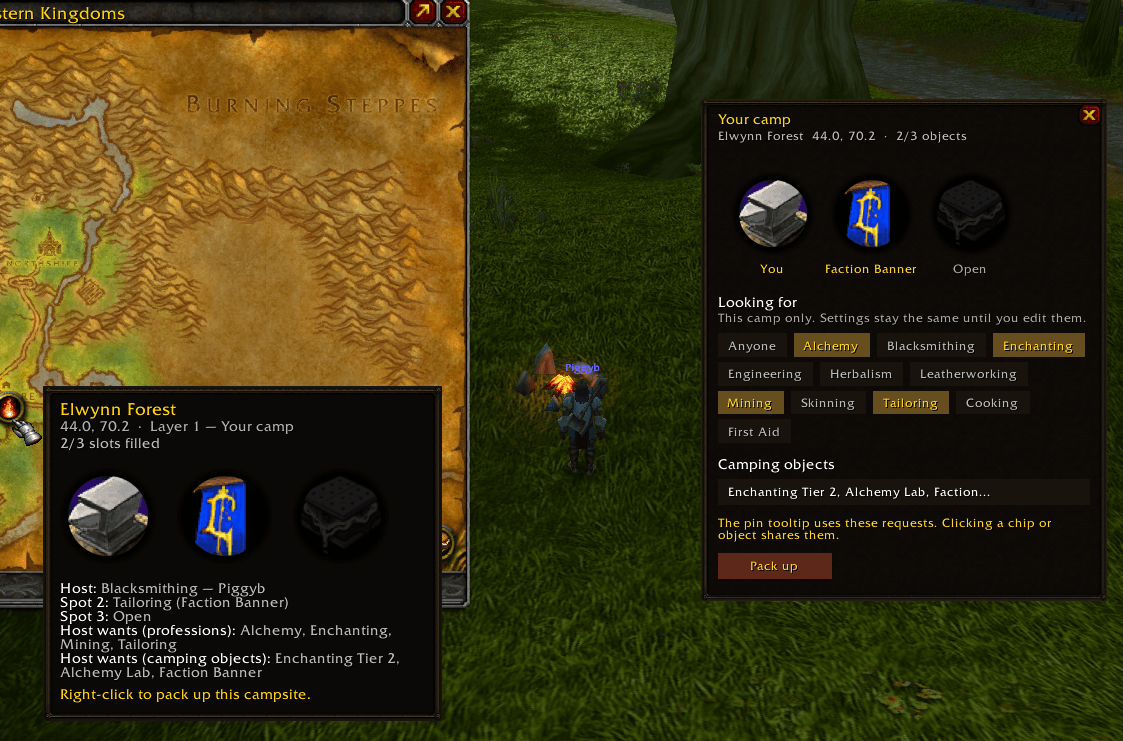
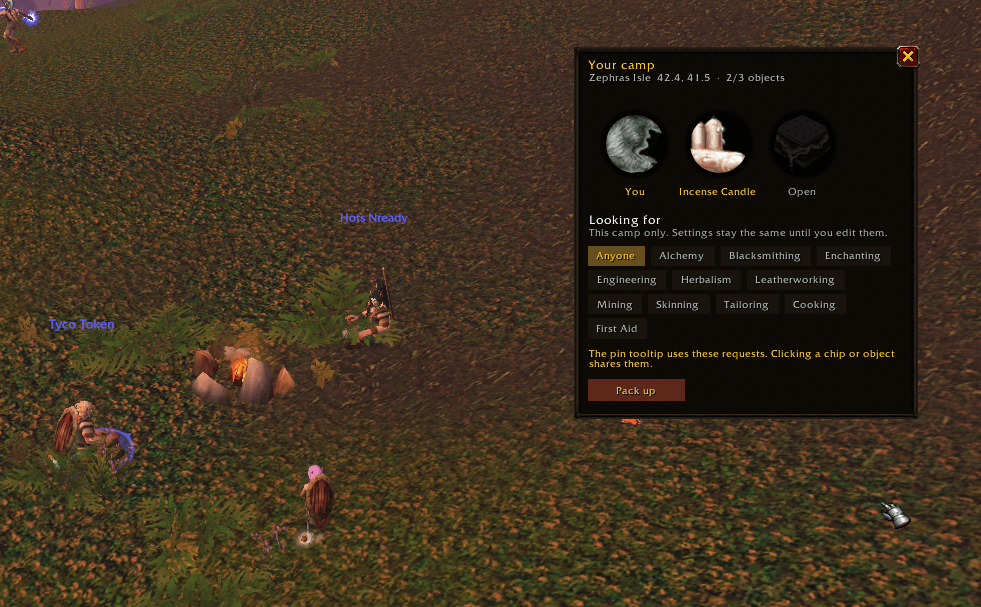
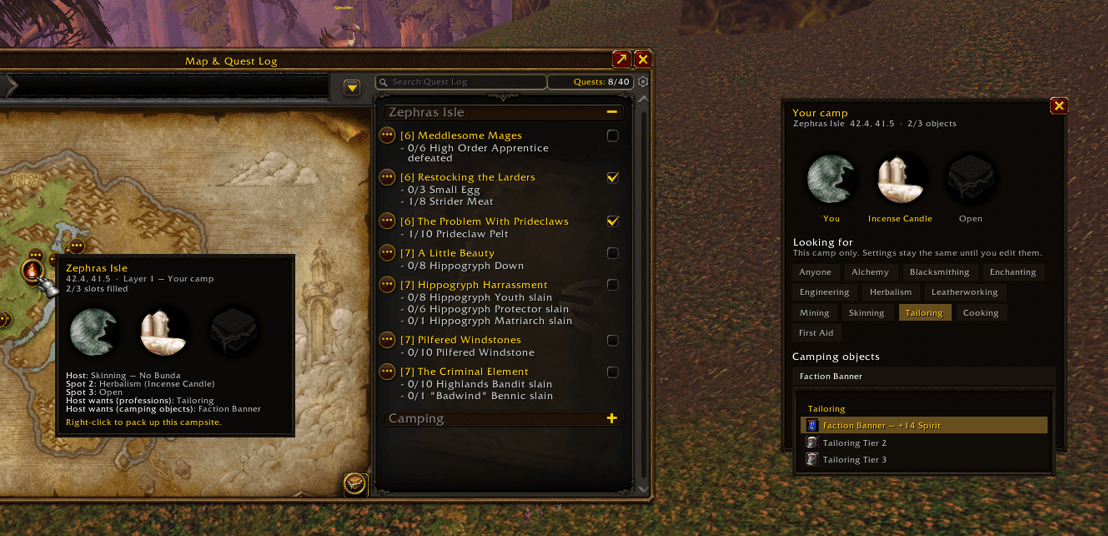
After you host, the Your camp panel opens (also /smores camp or left-click your map pin):
- Three sockets on a Basic fire (five / ten on Journeyman / Expert). Yours is the either one of your professions or specifically a camping object *you have learned.
- Empty sockets pulse the faded S'more logo so you know they still need a mark.
- Looking for chips and the camping-objects dropdown are this fire only. Default Host settings stay put until you edit them.
- Pack up (bottom left), or right-click your pin.
- Announce camp in General (bottom right) posts one public
/1line when you click it — fire type, your object (or profession), coords, layer, who you want, time left. Hover the button to read that exact line first. Nothing else sends/1(not placing the kit, not the fire landing, not Find).
The addon reads your character's professions. If you have Leatherworking, hosts who asked for leatherworkers can find you — you do not have to tick it yourself.
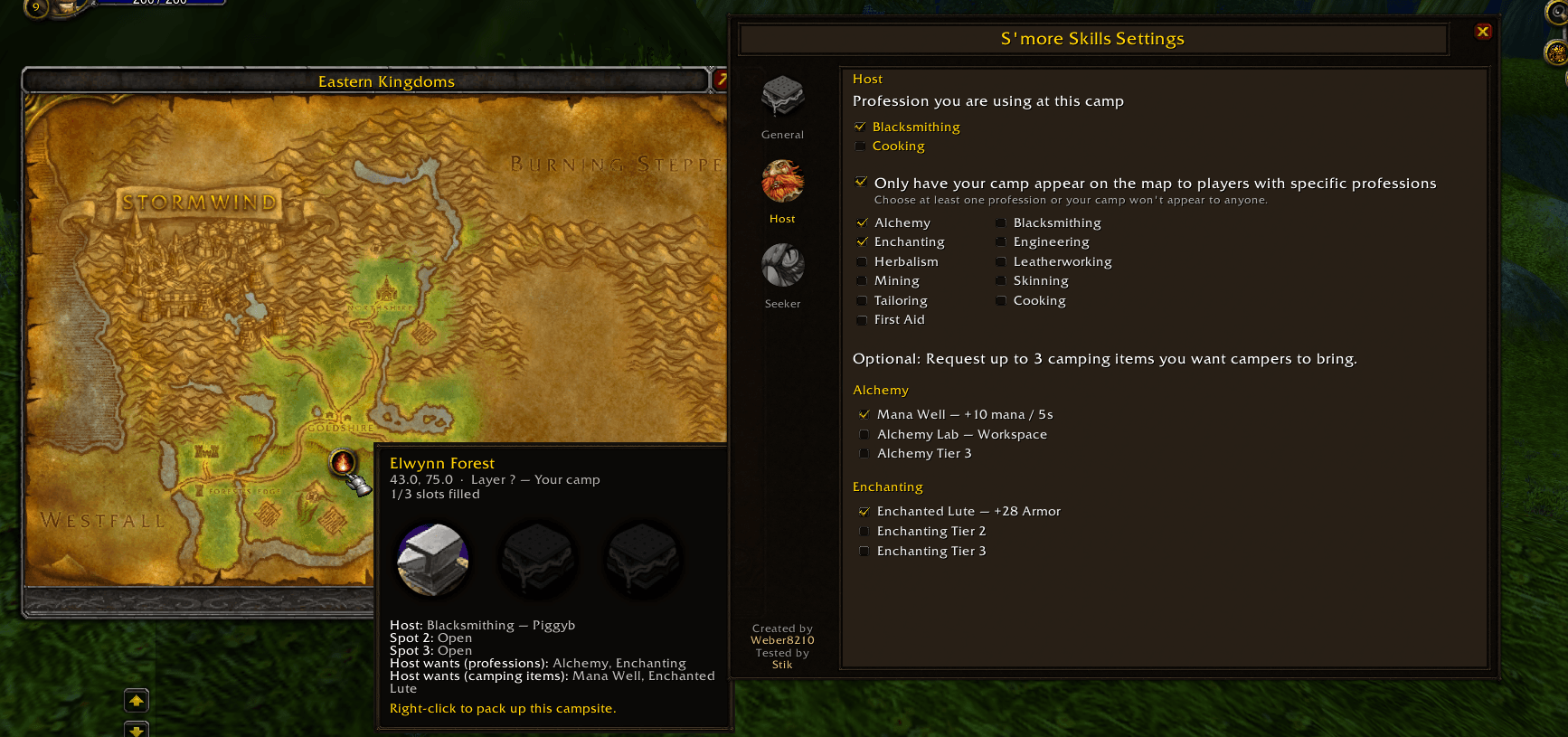
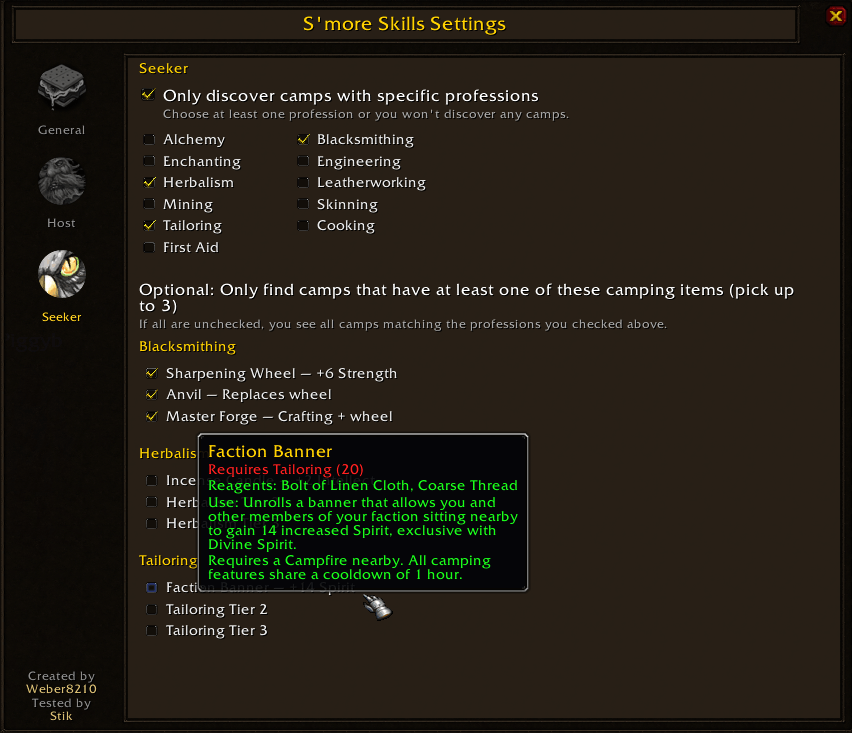
A host can optionally limit who sees the camp (specific professions, and optionally camping objects). Filter on with nothing ticked means nobody sees you. Object picks left empty still mean any object.
What you see
- A bonfire pin on the zone map — hosts only. Seekers do not get a pin of their own. Nearby hosted fires also show on the minimap.
- How full the fire is (
1/3,2/3,3/3— or 5 / 10 on larger kits) - Sockets: camping object when named (your faction’s banner, not a generic Alliance flag), or a faded S'more if empty
- Host name, coords, layer, and a guild mark if a guildie is there
Hover a pin for the full tooltip (coords, layer, slots, objects the host wants). Left-click your pin (or /smores camp) for the host camp panel. Left-click another player's pin to whisper them. Right-click your pin to pack up (you will be asked to confirm). Right-click Find to clear other people's markers; your hosted pin stays.
Camping objects
Confirmed Forever objects (Wowhead shared cooldown + Mana Well). Filters and the camp panel list only these — no placeholder names.
| Profession | Skill 20 | Skill 140 | Skill 300 |
|---|---|---|---|
| Alchemy | Mana Well (+10 mana / 5s) | Fermenter | Alchemy Laboratory |
| Blacksmithing | Sharpening Wheel (+6 Strength) | Anvil | Master Forge |
| Enchanting | Enchanted Lute (+28 Armor) | Arcane Salvager | Arcane Forge |
| Engineering | Reagent Bot | Repair Bot | Anarchist's Workbench |
| Herbalism | Incense Candle (+2 Intellect) | Greenhouse | Seed Hybridizer |
| Leatherworking | Camp Tent (+5% rest XP) | Tanning Rack | Sewing Machine |
| Mining | Lodestone (+12 melee AP) | Rock Garden | Molten Foundry |
| Skinning | Camp Chair (+2% crit) | Field Guide | Trapper's Workbench |
| Tailoring | Faction Banner (+14 Spirit, your faction) | Spinning Wheel | Loom |
| Cooking | (the kit is the fire) | Cookie's Feast | Iron Oven |
| First Aid | First Aid Kit (+3 Stamina) | Toxin Study | Plague Doctor's Laboratory |
| Fishing | Fish Bowl (+8% stats) | Fishing Rack | Fishing Hut |
Sit nearby for the buff. Skill-20 objects are exclusive with a class buff (Blessing of Wisdom, Strength of Earth, and so on).
Settings
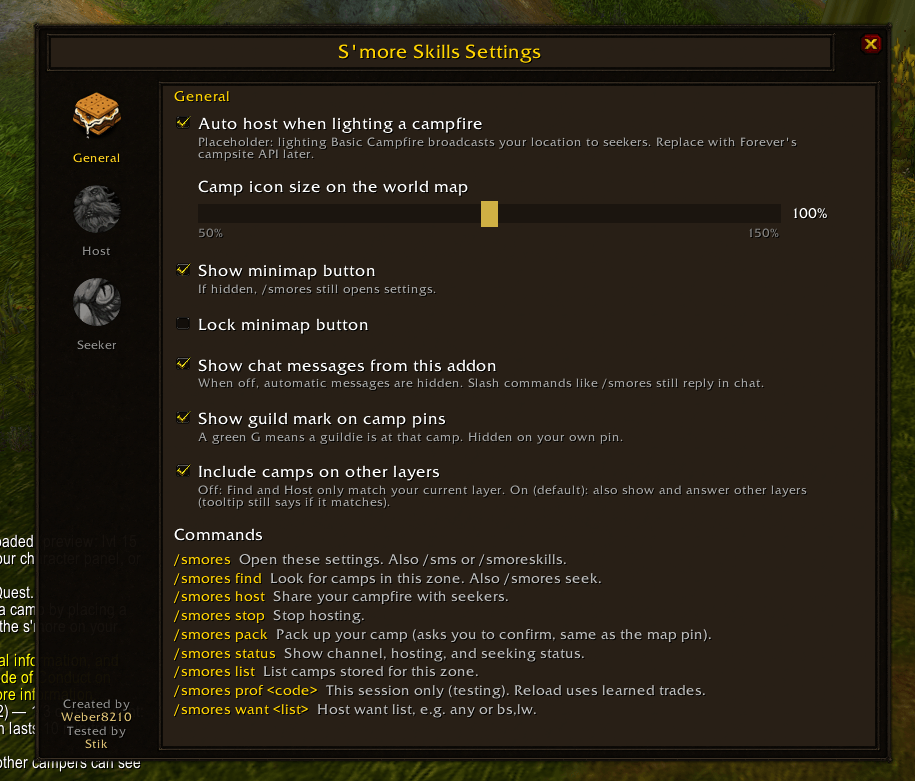
/smores (also /sms or /smoreskills) opens settings. These survive /reload.
- General — auto-host when you place a Campfire Kit, pin size, minimap button, chat messages, guild mark, camps on other layers
- Host — defaults when you host (profession, learned camping object, who may see you, optional objects). The camp panel can override this fire only.
- Seeker — which camps you want to find (professions and optional objects)
The minimap S'more opens the world map (left-click) and settings (right-click). Drag to move it (or lock it in General).
Commands
| Command | Action |
|---|---|
/smores, /sms, /smoreskills | Open settings |
/smores find | Look for camps in this zone |
/smores host | Share your campfire with seekers |
/smores host basic / journeyman / expert | Test 3 / 5 / 10 sockets (jm / exp) |
/smores camp | Open the host camp panel |
/smores stop | Stop hosting |
/smores pack | Pack up your camp (same confirm as the map pin) |
/smores status | Channel, hosting, and seeking status |
/smores list | List visible hosted camps in this zone |
Notes
- Same faction only
- Map pins are hosted camps only
- After you place a kit, other players need to click Find (or you click Find /
/smores hostonce) so they can see the pin - One camp at a time — a new fire replaces the old pin
- A live fire is 15 minutes.
/reloaddoes not drop your pin or reset your settings - All opt-in. No login dump of stored camps
You must be logged in to leave a comment.