
Shortest Path Forever
The fastest way anywhere in WoW: Forever, joining walks, flight paths, boats, zeppelins, lifts, the tram and portals into one guided journey.
Details
Expansion
 Forever
 Categories
Developers

Having issues?
I wanted a proper "get me there" for WoW: Forever, so Shortest Path Forever finds the fastest way across the world. Shift-click a destination on the map, or pick a quest, and it joins walking paths, flight paths, boats, zeppelins, lifts, the Deeprun Tram, portals and your hearthstone or class teleports into one journey. Directions use the game's own waypoint marker, map pins and objective tracker, so it looks like it came with the game. Walking maps for Eastern Kingdoms, Kalimdor and Zephras Isle come in the same download.
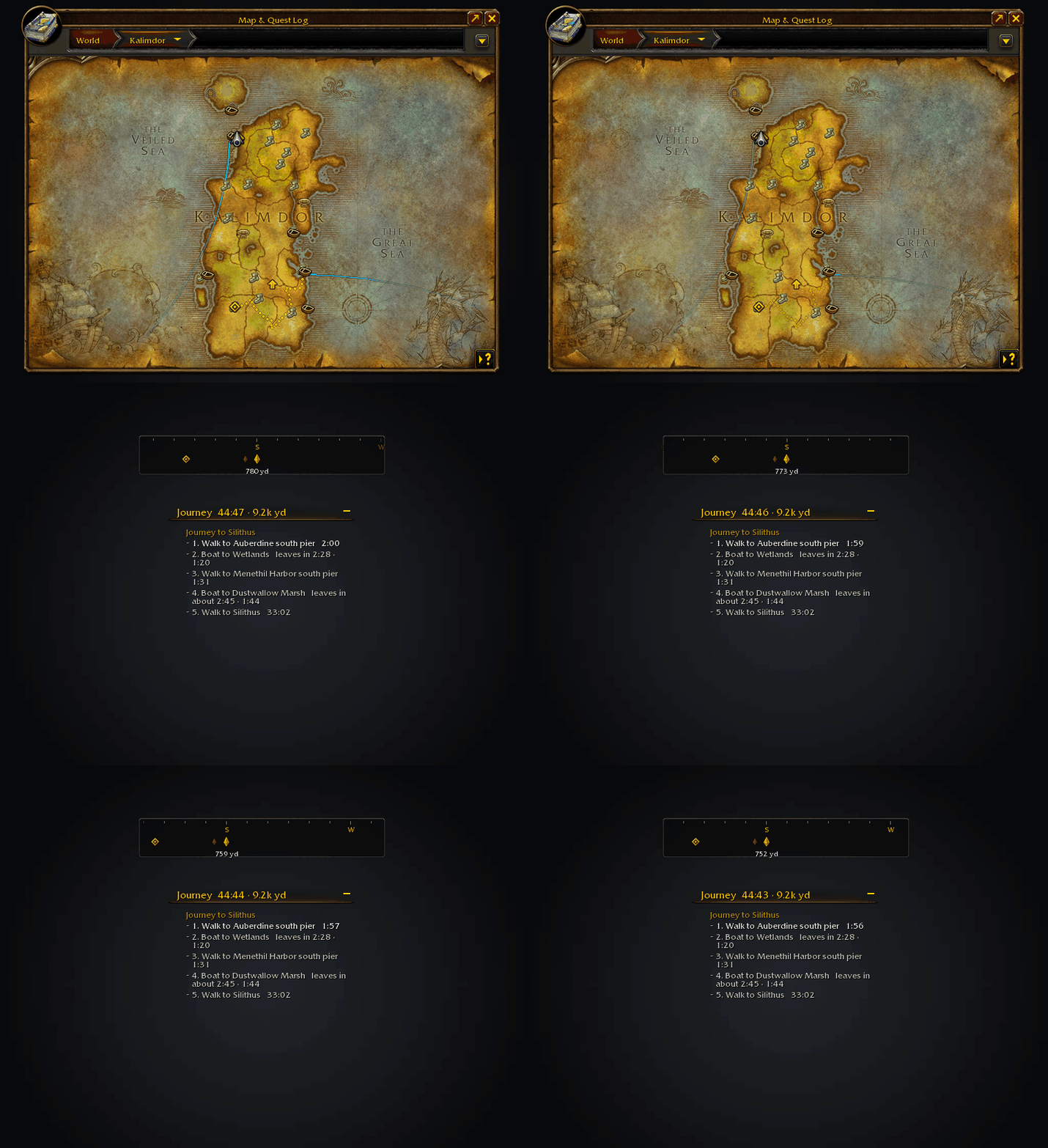
Planning a journey from the map: the route settles, the next boat counts down in the tracker and the compass turns with you.
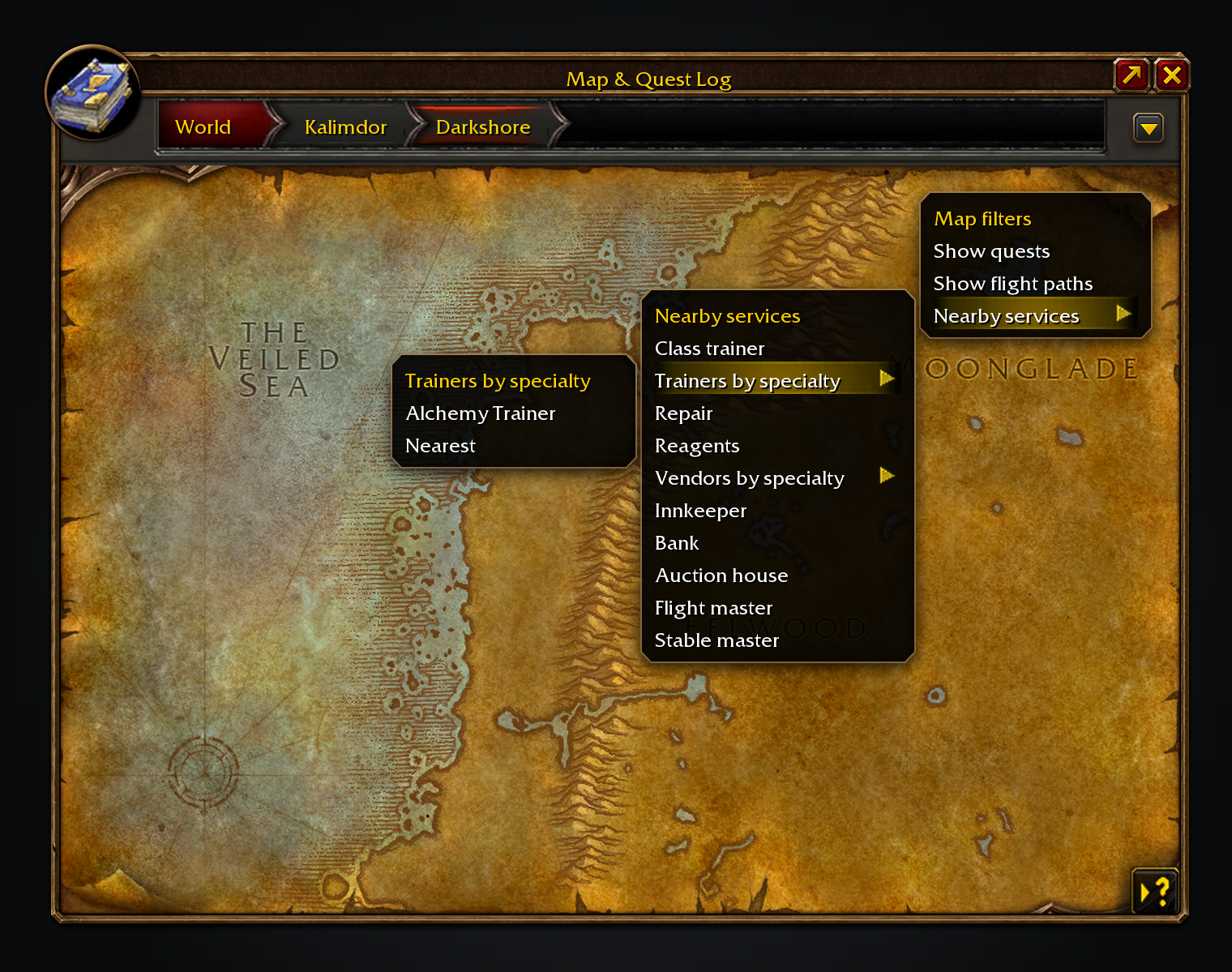
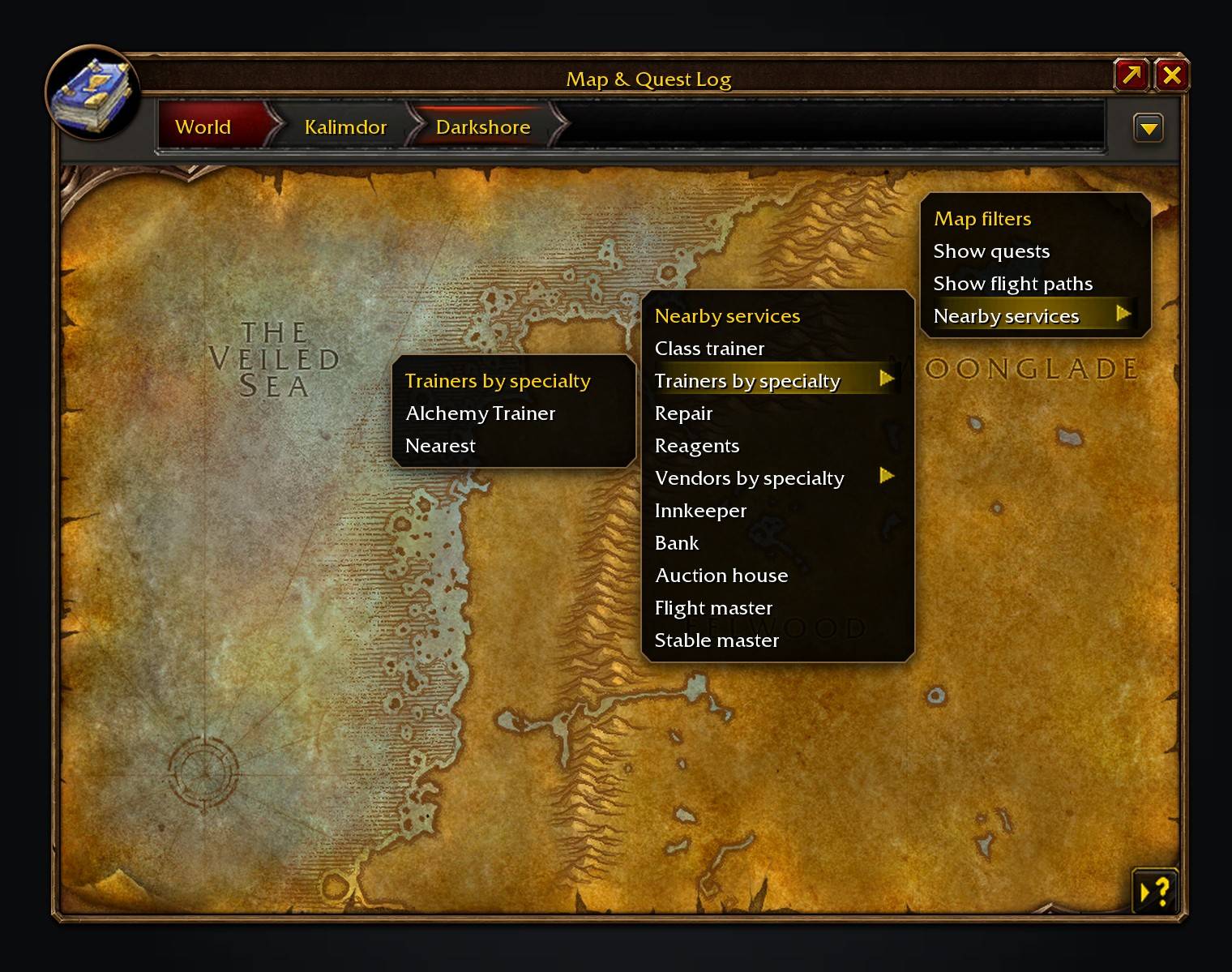
Nearby services sits in the minimap's tracking menu and the world map's.
Features
- A journey from where you stand. Walking paths go around walls, hills and water, and through tunnels. The planner uses the flight points you know and can walk you to an undiscovered flight master when that saves time. Boat waits count towards the arrival time. Walking maps are compressed inside the addon and decoded as a journey reaches them.
- Journeys from your guides. With TomTom not installed, Questie and other guides that set a TomTom waypoint start a journey here instead, carrying the guide's title. Turn it off with Let guides set TomTom waypoints in
/path. - Quest areas the game draws itself. A stop that marks a quest's area is drawn by the client while you are inside it: the game's own area for that quest turns gold on the minimap and is drawn in gold on the world map, instead of a pin and a line.
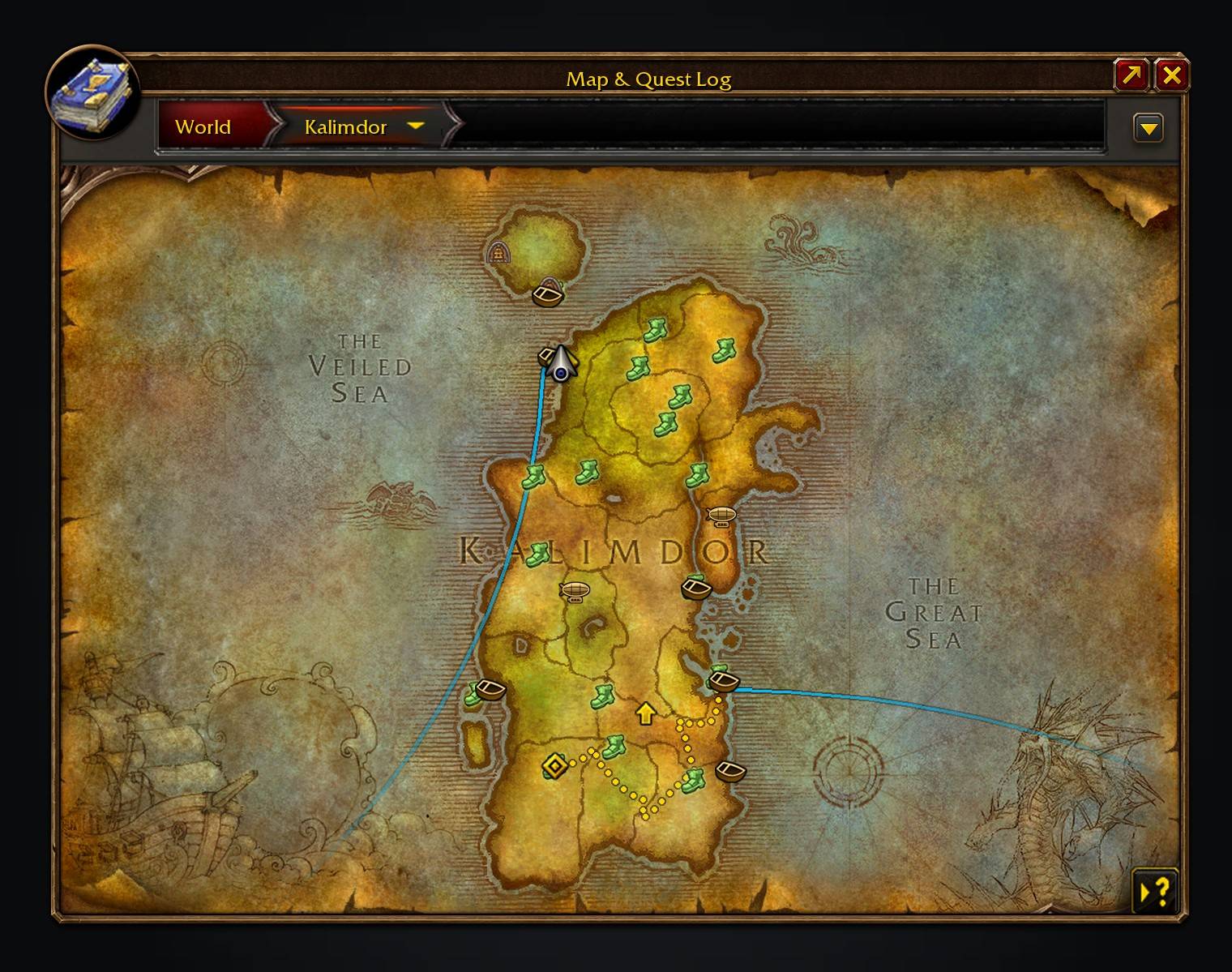
- Directions on the map and minimap. Walking legs are round breadcrumb dots, transport legs have their own colours, and a waypoint pin marks your destination. The Group Finder spinner turns while a new journey is checked.
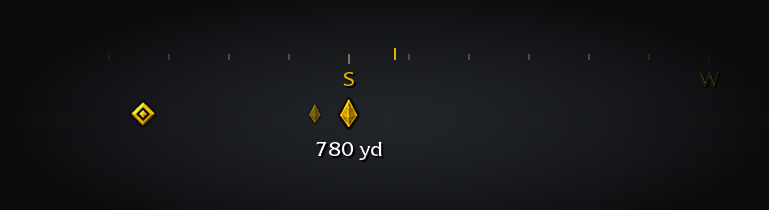
- Guide, on with every journey. The game's own waypoint marker leads you to the next boat, lift, flight master or your destination, or round each turn if you prefer. Click the Journey header to toggle it; right-click for Guide me, Show on map or Clear journey. A compass in the game's own parchment gold marks your next turns, stop and destination.
- Nearby services. Open the minimap's tracking menu or the world map's and pick Nearby services for trainers, repairs, reagents and other services. Choose trainers and vendors by specialty. Uses installed QuestieDB and Tweaks Forever for your class trainers.
- Back to your corpse. As a ghost, a red dotted path in your tombstone's colour leads back to your body, and your journey picks up again once you are alive.
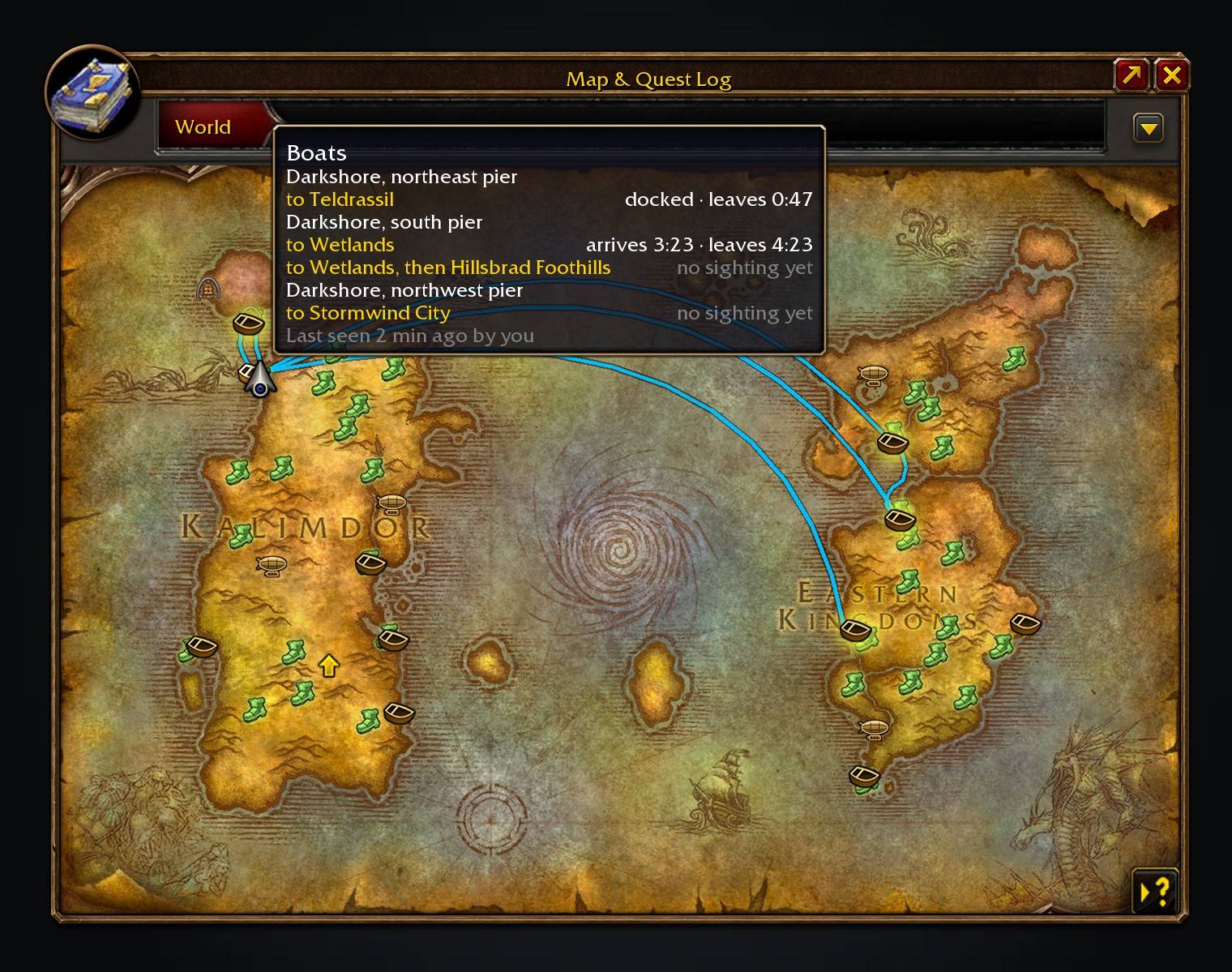
- Live departures. Hover a dock on the world map or minimap to see where its boats go, and when they arrive and leave. Destination docks light up; click one to open the map at the other end. Nearby departures appear in the objective tracker; aboard a timed boat, it shows the next stop.
- Lifts, trams and portals. Landings and stations have their own countdowns. Portals show where they lead, and clicking one opens that map.
- Schedules learned from real rides. Ride once to sync a transport. A flight is timed from take-off to landing, so the next journey plans it from your own ride. Sightings are shared quietly with your guild, party and nearby players. Unsynced services say “no sighting yet”, and a journey shows their guessed wait as “leaves in about”.
- Arrival alerts. A banner, the ship's own bell and a flashing taskbar icon warn when your boat is due, for when you're AFK. Zeppelins sound their horn instead.
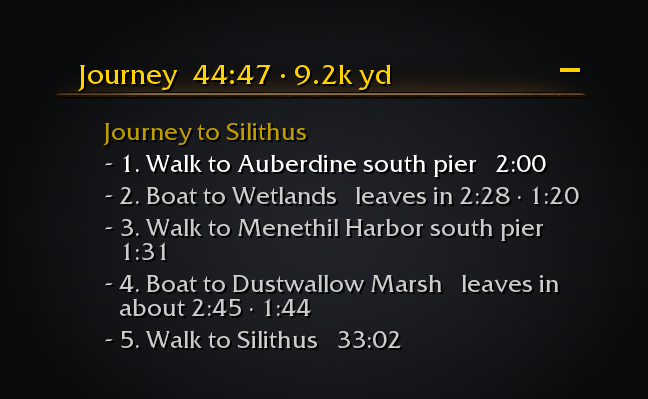
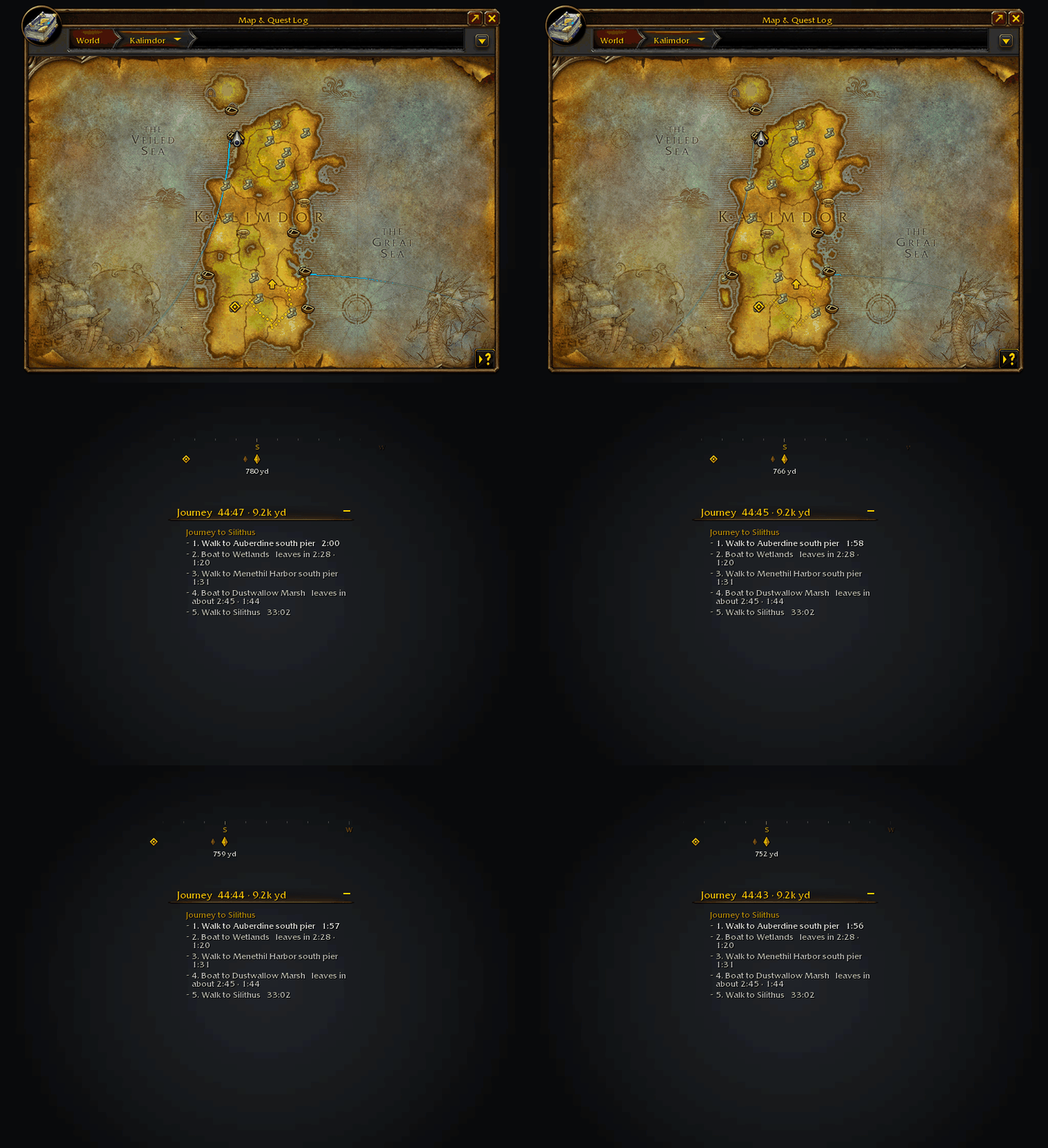
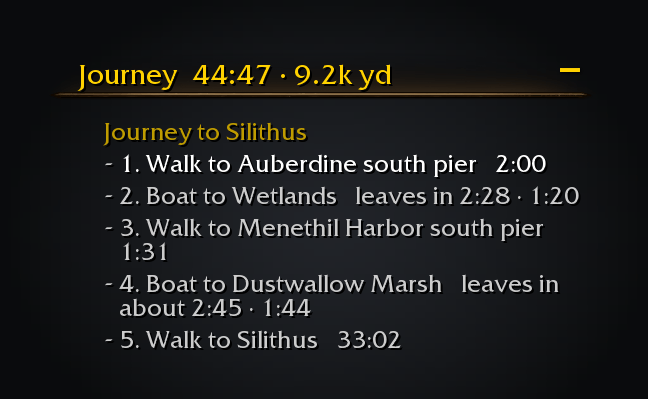
The journey in the objective tracker, step by step, with time and distance left.
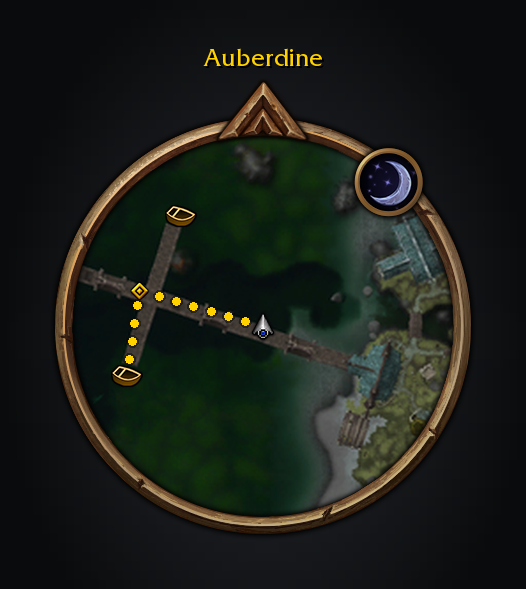
The route on the minimap in dots, with Guide's waypoint.
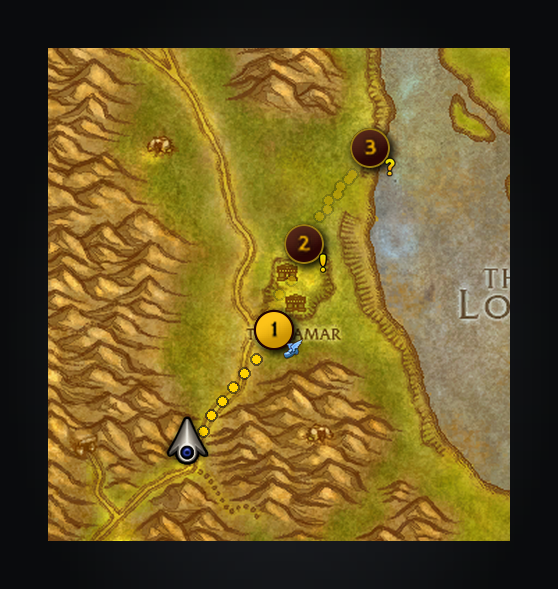
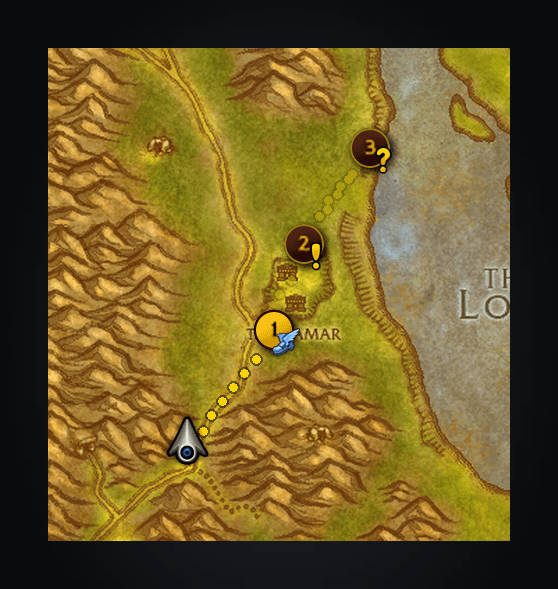
A route another addon handed over: three places through Thelsamar, the stop you are travelling to lit like the tracked quest.
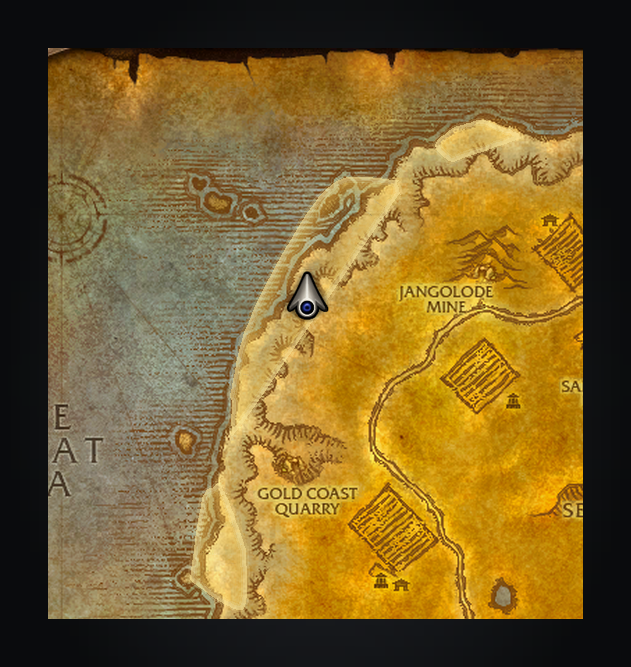
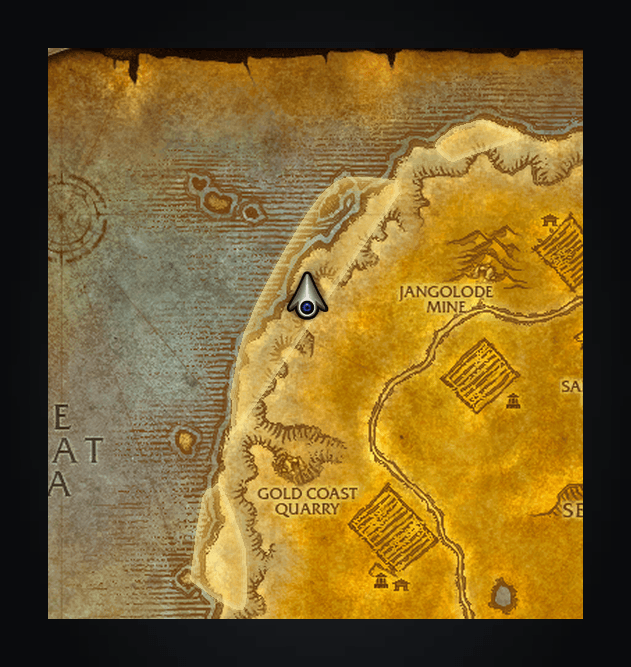
Standing in a quest's area: the world map draws the game's own area in gold, in place of the stop's pin and its line.
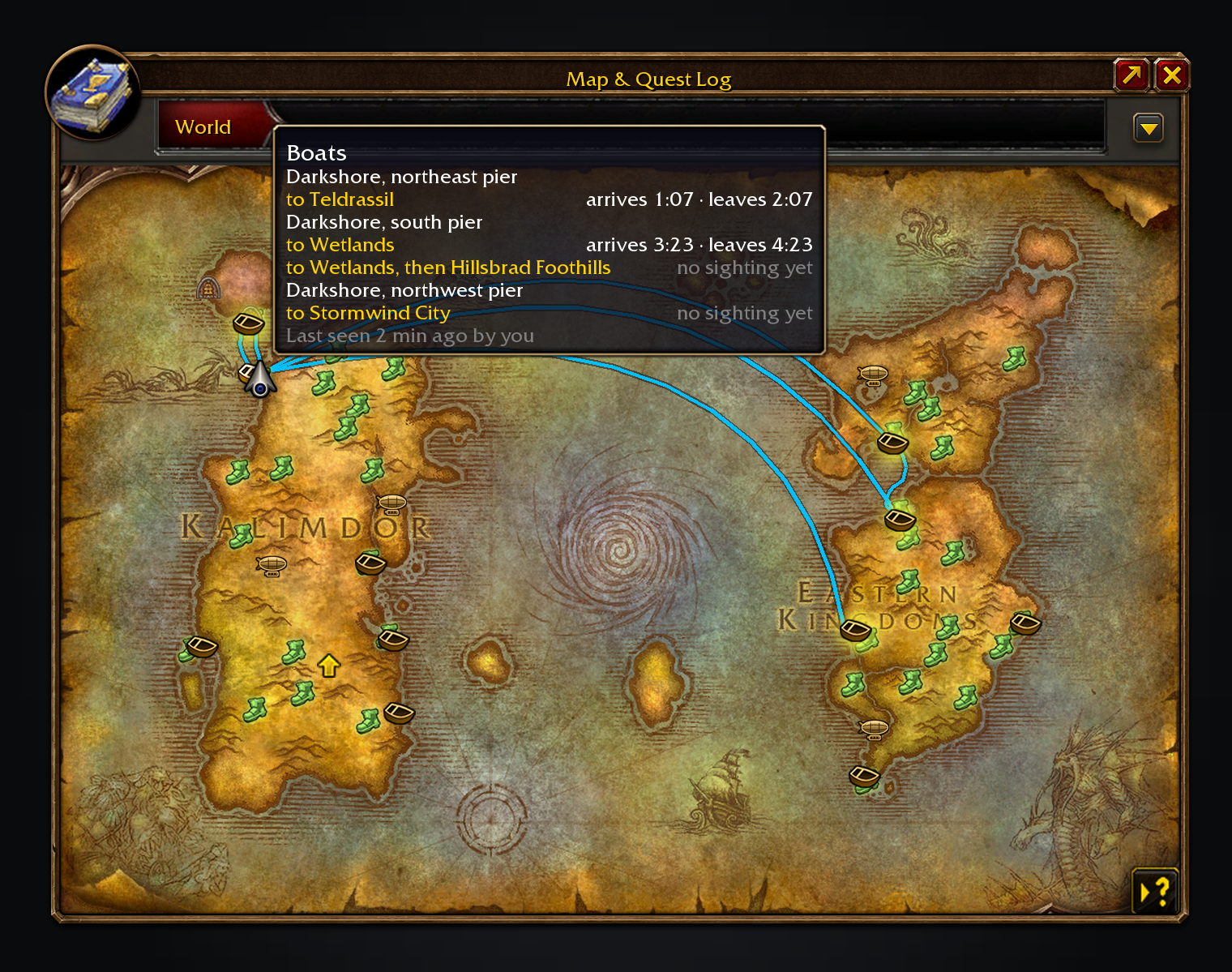
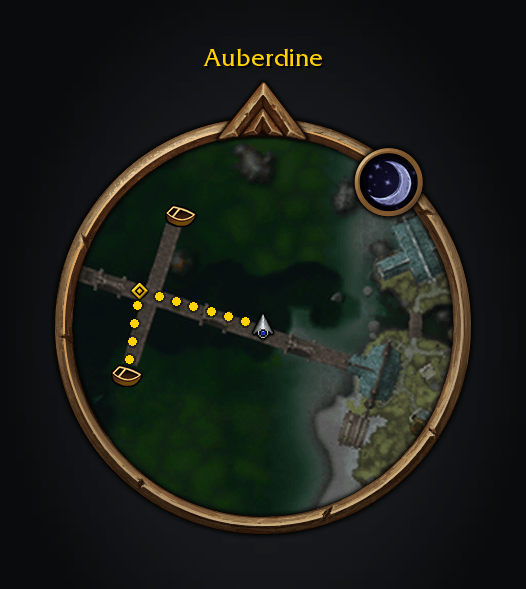
Auberdine's piers and their departures.
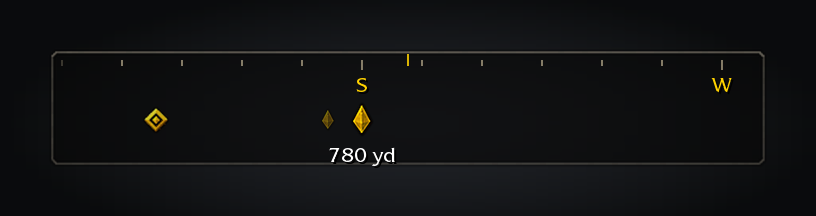
The compass: the game's own ticks, gold letters and waypoint pin, no panel.
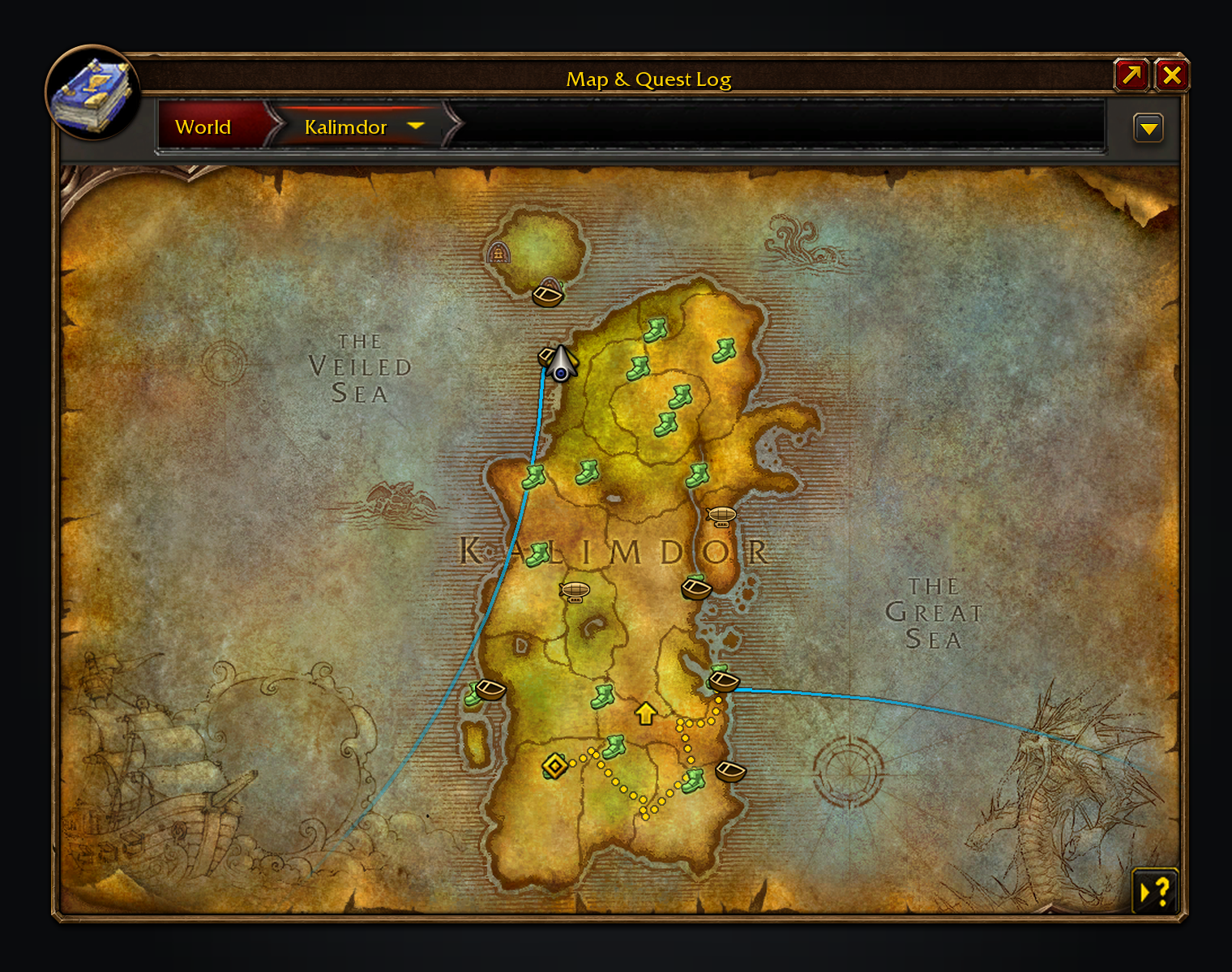
A longer trip: Auberdine to Menethil, then Theramore, then Silithus.
Usage
Settings → Guidance has Minimum Hearthstone saving, from zero to ten minutes. Zero keeps the current fastest-route behaviour; higher values reserve the Hearthstone for bigger savings.
Shift-click the world map or minimap to plan a journey. Shift-click a flight master or another map icon to travel there; the destination tag sits at its lower right. For a quest, choose Plan journey from its right-click menu in the quest log or objective tracker, or Shift-click its map marker. Completed quests route to their turn-in.
/pathopens settings, also under Options → AddOns → Shortest Path Forever./path perfprints the addon's CPU time and memory use, terrain included./path debugenables a saved trace for reporting a ride that did not sync./spfnearopens the nearby-services menu on the world map, or routes to the nearest class trainer, trainer, repair, reagent vendor, vendor, innkeeper, bank, auction house, flight master or stable you name.
Every feature has its own switch in the settings; the world map's filter menu and the minimap's tracking menu hide each kind of mark, and the other faction's routes are hidden until you ask for them.
It's in English for now; translations are welcome on GitHub.
Used by my other Forever addons when both are installed: Adventure Guide Forever, SkillUp Forever, Legacy Forever and Tweaks Forever.
Source code and issues: github.com/cjber/shortest-path-forever (GPL-3.0).
Developed with AI assistance. Changes are reviewed and checked with automated tests, linting and type checks. Live verification is ongoing.
You must be logged in to leave a comment.