

SameSame
Save your main's setup, then give it to any new character in one click: action bars, key bindings, macros, Edit Mode, chat and interface options.
Details
Expansion
 Forever
 Categories
Developers

Having issues?
SameSame
Your main's setup on every new character, in one click.
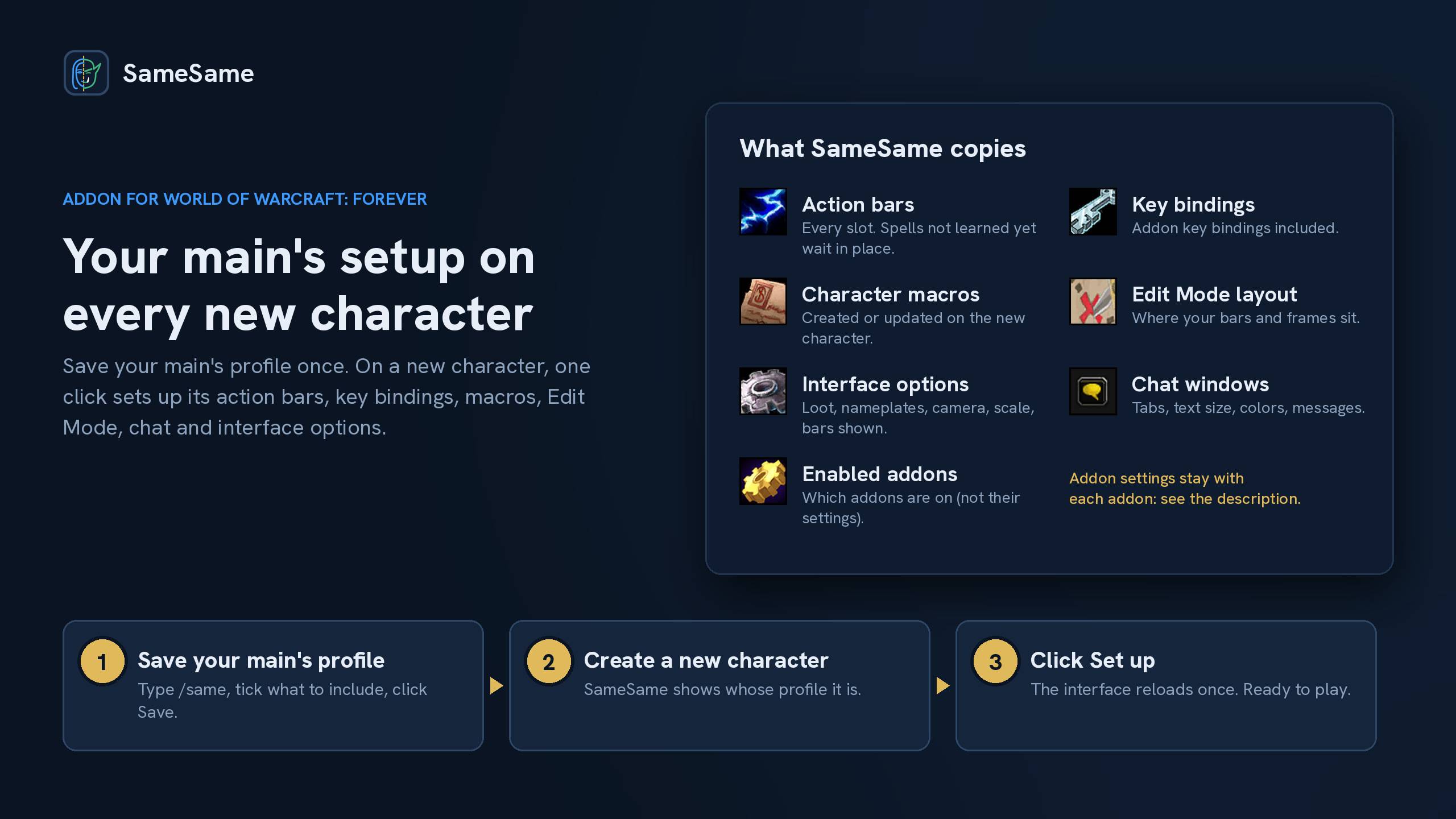
Save your main character's profile once. The first time you log in with a new character, SameSame offers to set it up the same way: action bars, key bindings, macros, Edit Mode layout, chat windows and interface options. One click, one reload, and you're ready to play.
How it works
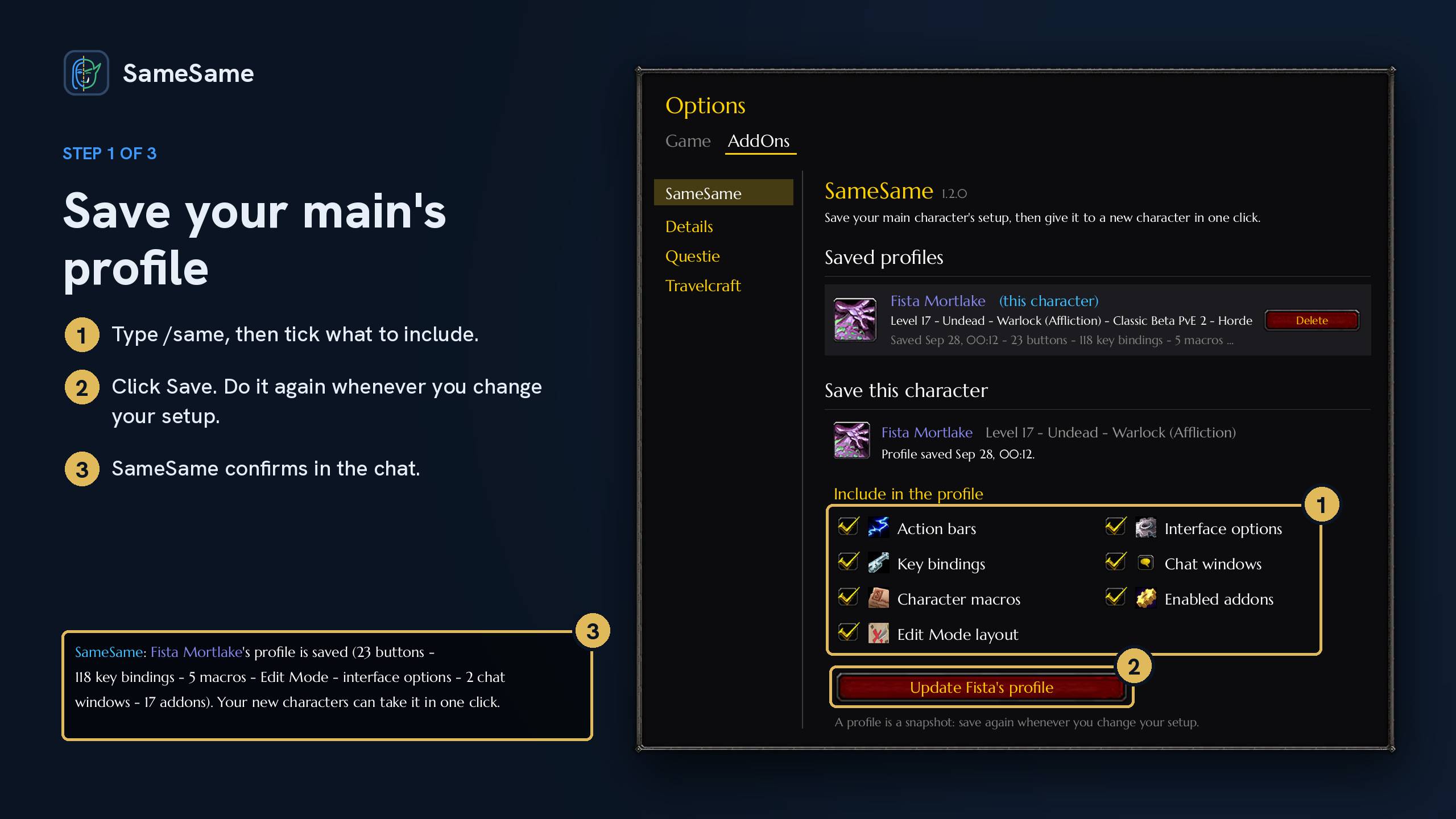
- Save your main's profile. Type
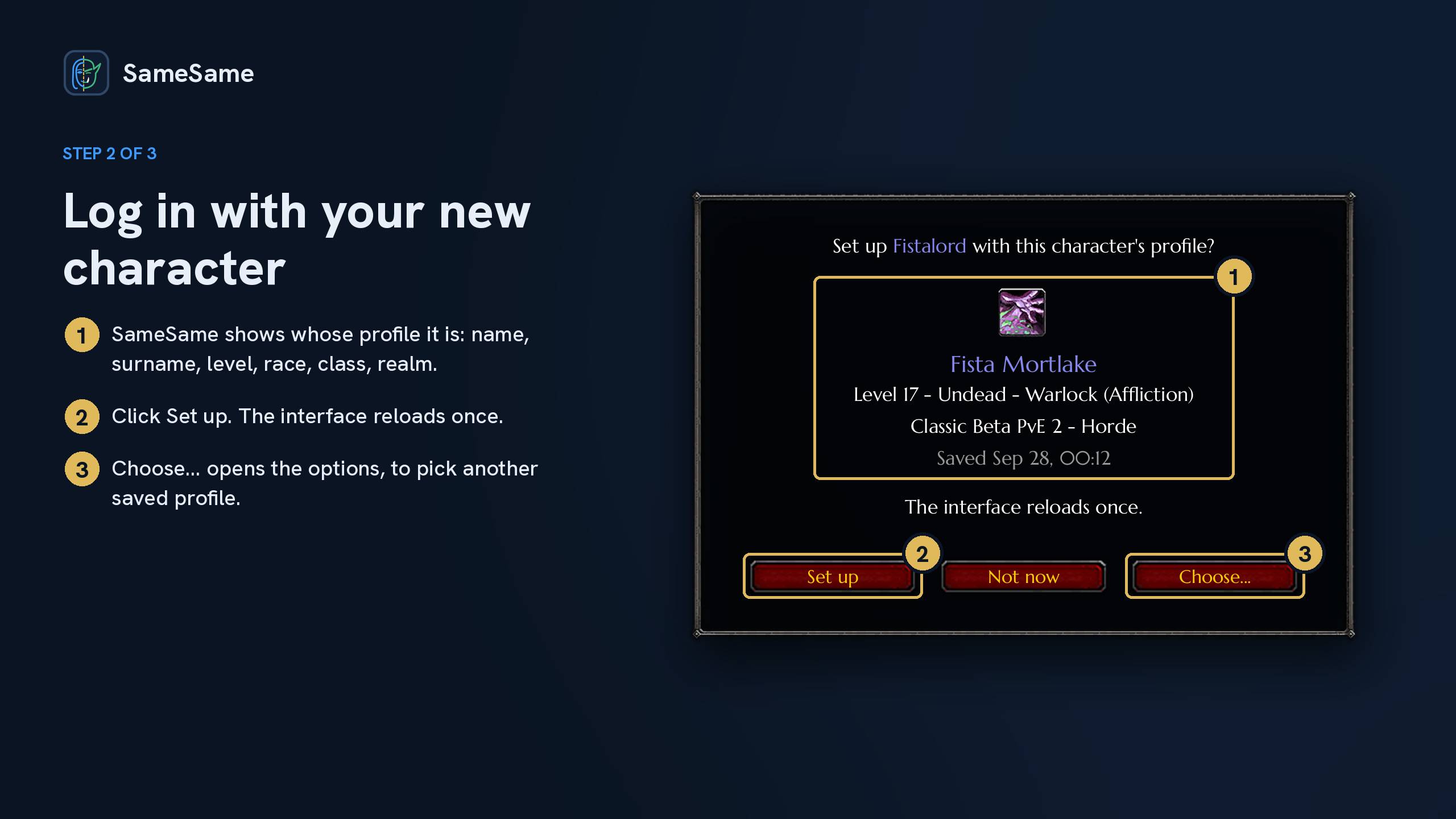
/same, tick what to include, and click Save. SameSame confirms in the chat. Save again whenever you change your setup: a profile is a snapshot. - Log in with your new character. SameSame shows whose profile it is (name, surname, level, race, class, spec, realm), so you can't pick the wrong one.
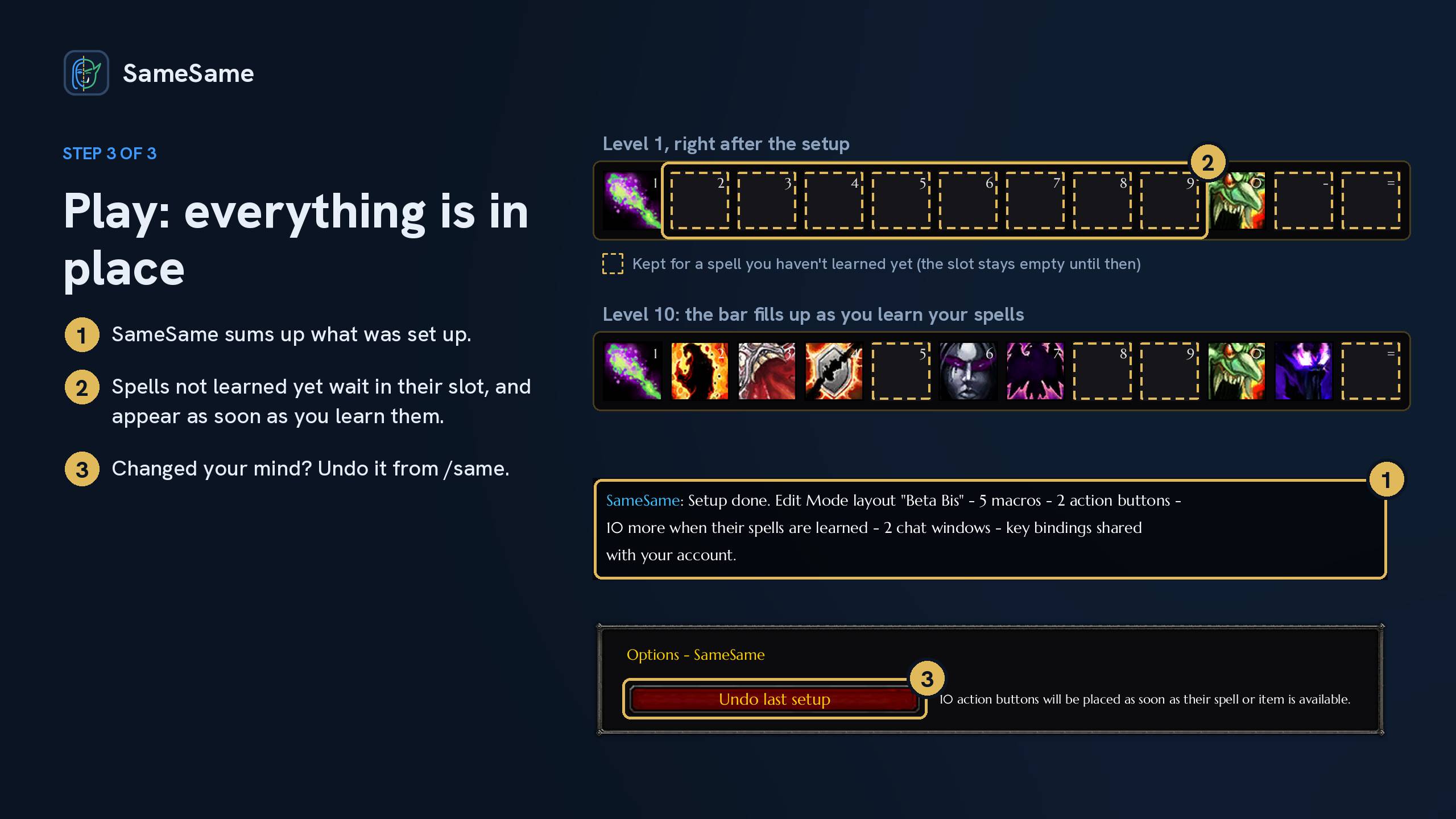
- Click Set up. The interface reloads once, and a short summary in the chat tells you what was set up.
Changed your mind? Undo last setup in /same puts the character back as it was.
What SameSame copies
- Action bars: every slot, with the same spells, macros and items. Spells your new character hasn't learned yet keep their slot and appear as soon as it learns them. Action bars are only copied between two characters of the same class.
- Key bindings: all of them, addon key bindings included. If your characters use the account's key bindings, they are already shared and nothing changes.
- Character macros: created on the new character, or updated if it already has one with the same name. General macros are already shared by all your characters.
- Edit Mode layout: where your bars, frames and windows sit.
- Interface options: loot, names and nameplates, combat text, camera, minimap, interface scale, which action bars are shown. Graphics and sound are not touched.
- Chat windows: tabs, text size, colors, and the messages shown in each window.
- Enabled addons: the same addons are turned on and off.
You choose what goes into each profile, and you can keep several profiles (one per character).
What SameSame can't copy: your addons' own settings
SameSame turns on the same addons as on your main, but it can't copy how each addon is configured. Here is why:
- Each addon stores its settings in its own way, under its own names, and the game does not tell other addons where those settings are.
- Reading and rewriting another addon's saved data blindly could break it, and would need to be redone every time that addon updates.
In practice:
- Many addons already keep their settings for the whole account: they are the same on every character, there is nothing to copy.
- Addons with profiles usually let you pick an existing profile in their own options: choose your main's profile there once.
- The rest start with their default settings on a new character.
Good to know
- SameSame never changes anything in combat.
- The offer shows up for new characters up to level 10. You can turn it off in the options, and apply a profile at any time from
/same. - Profiles are shared by all characters of the same game account, on every realm.
- Character macros are limited by the game (18 per character). Those that don't fit are listed in the summary.
Commands
/same: open the options/same save: save this character's profile/same status: list the saved profiles
Languages
English and French. The addon follows your game client's language (English for every other language).
Made by Fistao, also the author of Travelcraft. Bugs or ideas: leave a comment here.
You must be logged in to leave a comment.