

Saga
Records your character's story as you play: sessions, levels, skills, loot, deaths, Mythic+ keys and PvP. A ledger in game, plus your gear vs the top players of your spec. Forever and Retail. No network access: it stays on your PC.
Details
Expansion
 Forever
 Developers

Having issues?
Saga
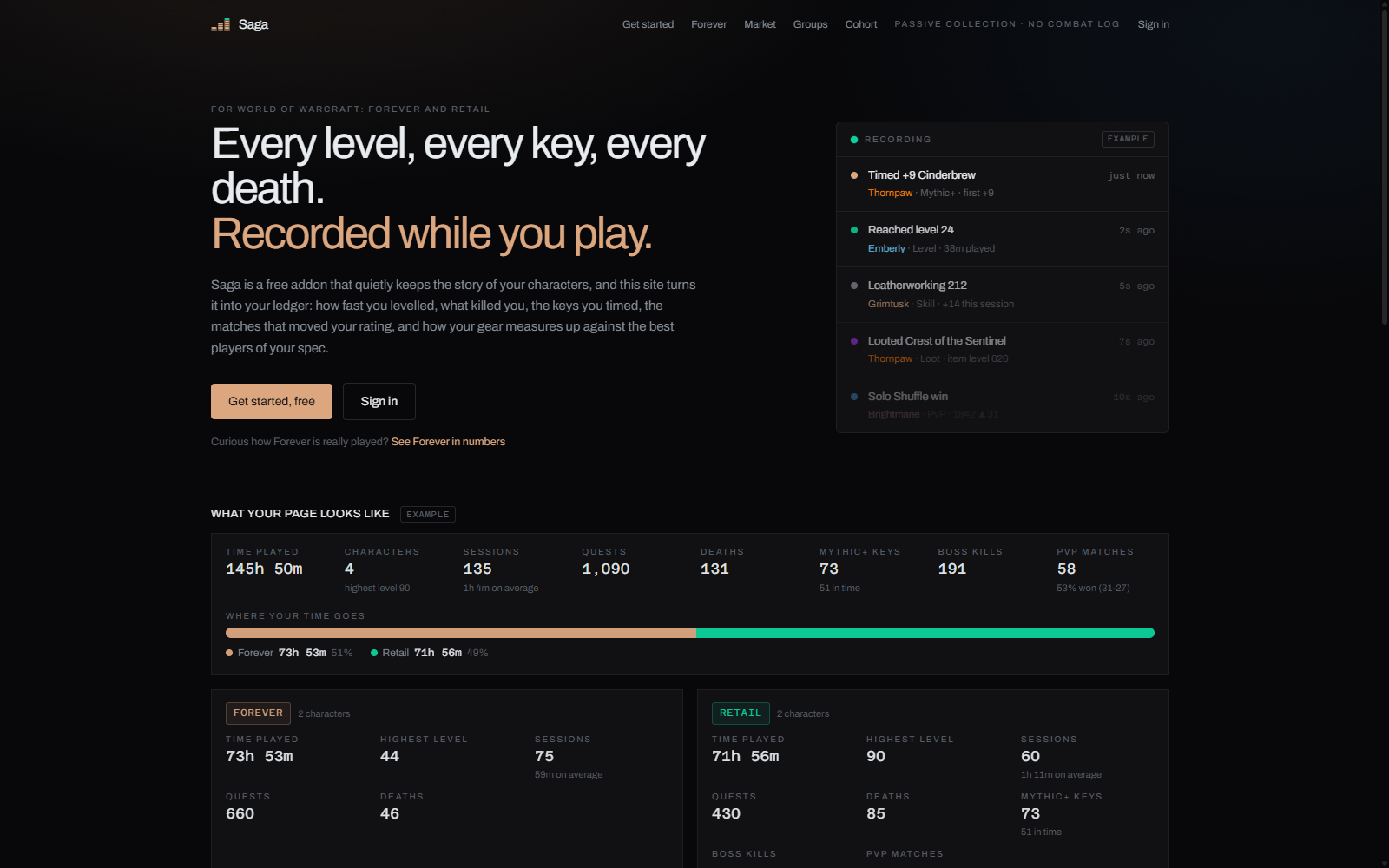
Every character has a story. Saga writes it down while you play.
Saga keeps a record of your own character: your sessions, levels, skills, loot, deaths, keys and matches. Saga Companion shows that record in game. Both addons come in this one download. They work in World of Warcraft: Forever and in Retail.
A passive journal: no combat data and no edge in play, so Midnight's addon restrictions don't touch it, and one addon instead of six.
🌐 Optional: see your ledger on the web at sagaledger.com
In game
Type /saga ledger, click the minimap button, or bind a key (Options > Keybindings > AddOns > Saga).
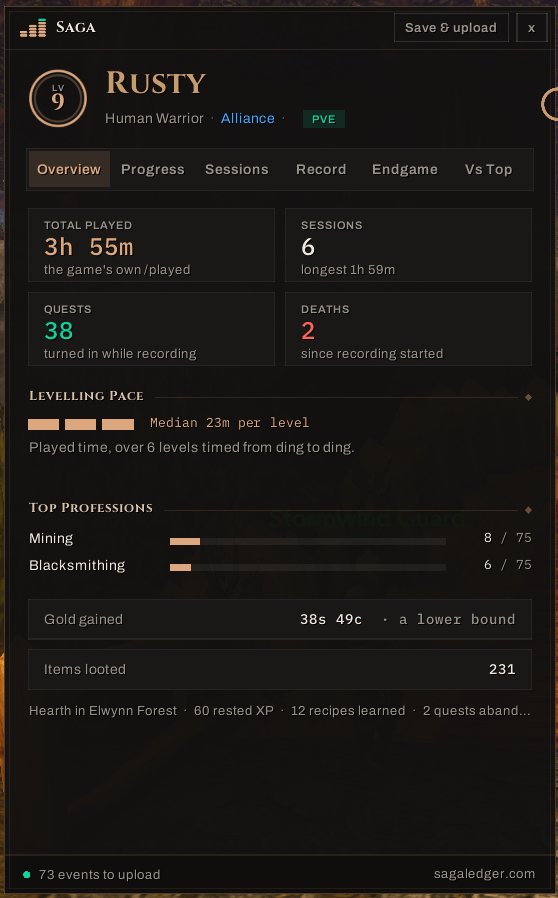
- Overview: leads with today's highlights (a new record, your pace to the next level, the week's best key), then time played, sessions, quests, deaths, and your gold over time
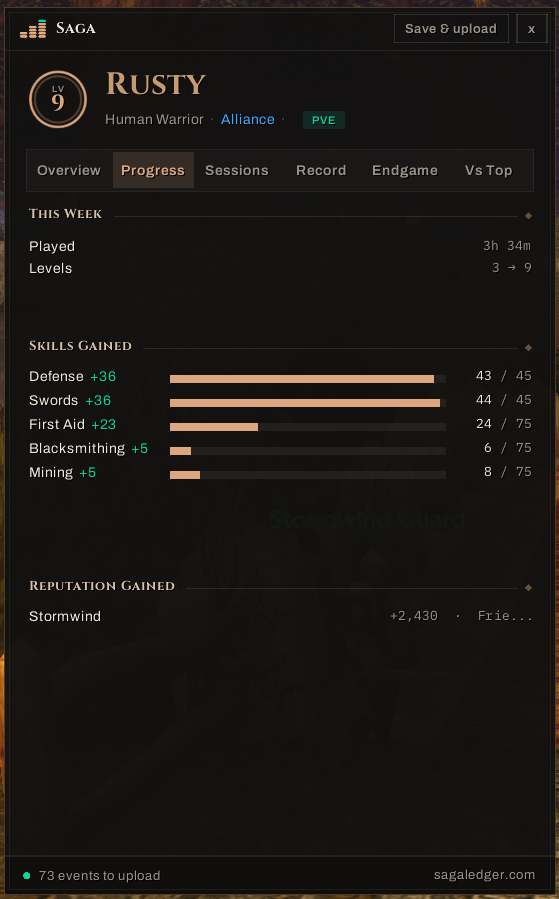
- Progress: this week against last week, with an arrow on each number; time per level against your own median; levels, professions, weapon skills, reputation and mounts as they rise
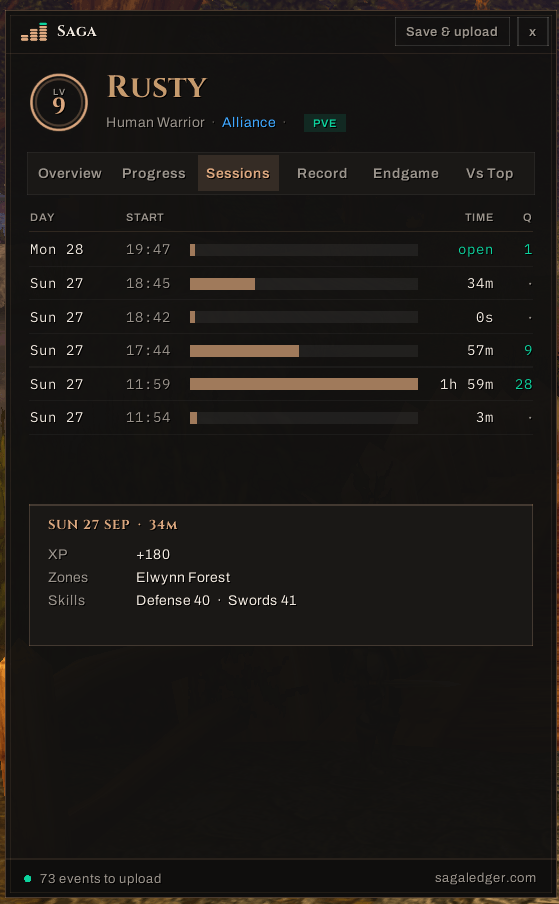
- Sessions: every session you played, with its XP, zones, skills and best moment, and a map of when you play
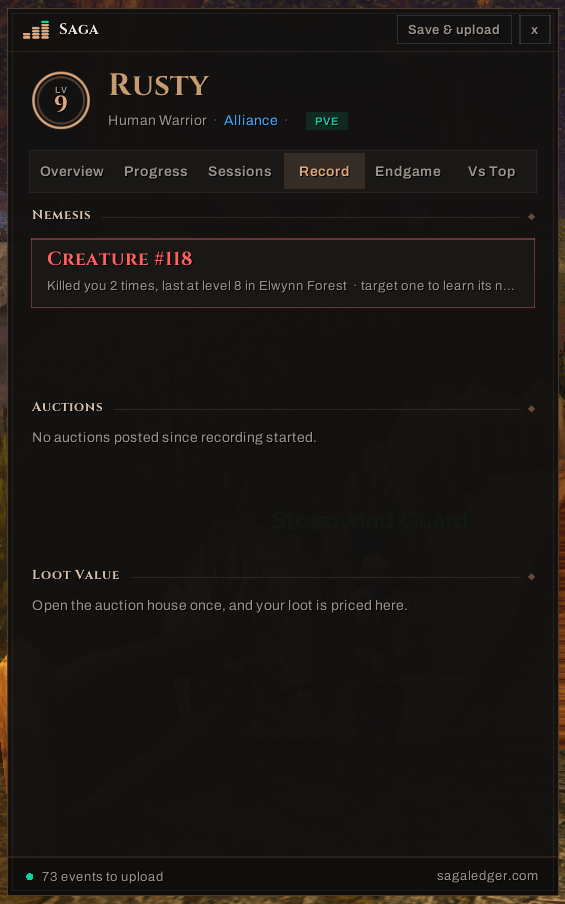
- Record: what killed you most, where you die and when you tend to, your personal records (fastest level, longest session, best gold session, highest key and rating), and the loot that dropped for you with what it is worth at your auction house
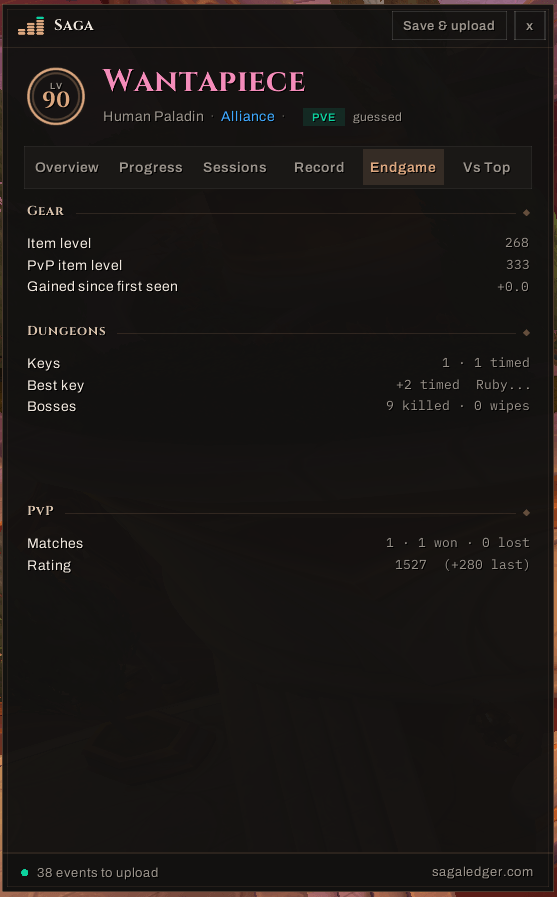
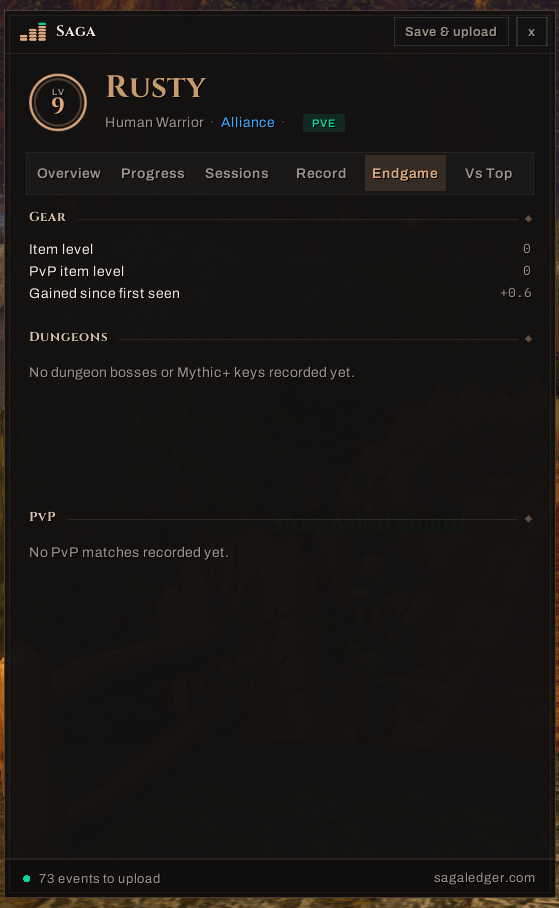
- Endgame (Retail): item level, Mythic+ keys and boss kills, PvP ratings, with charts of your key levels and rating
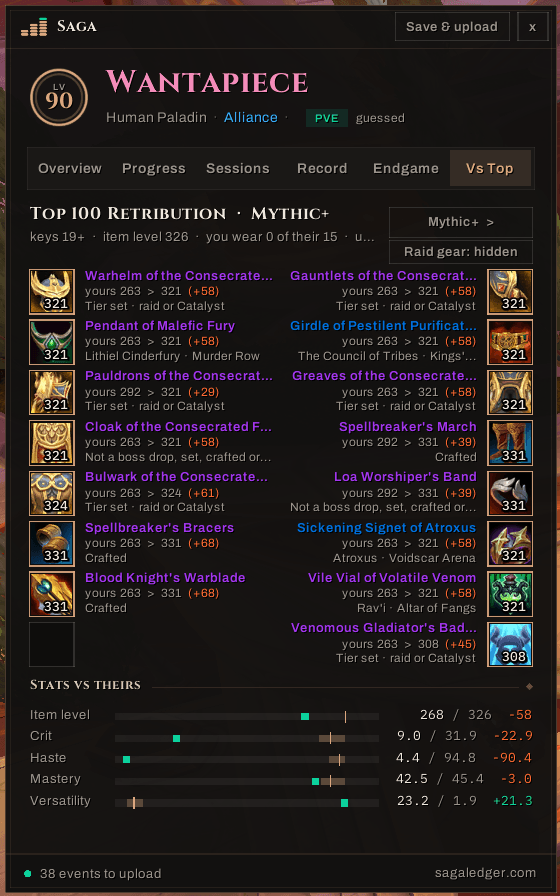
- Vs Top (Retail): your gear against the top 100 players of your spec, for Mythic+ and each PvP bracket, in three views:
- Gear: your biggest upgrades first, with where to get each one; slots you already match fold away. It shows the gear they actually wear together (their usual tier pieces and at most two embellishments) and never calls a slot an upgrade when swapping would break your set bonus.
- Stats: your crit, haste, mastery and versatility against theirs, with a sentence on your biggest gap.
- Build: their gems, embellishments and races, with icons and the game's own tooltips.
- Characters: every character on the account on one screen; click one to open its ledger.
You also get:
- a recap card of your last session when you log in
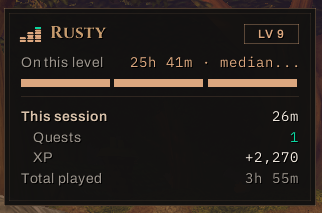
- a pace strip: time on this level, XP per hour, time to level, and a ghost run against your fastest character (or your median, or your best per level), with your last five level splits when you hover it
- moment cards: a small card, never in combat, when you level up, time a key, set a new rating high, kill a boss for the first time, get a new mount, or reach a profession tier or a new reputation standing
- tooltip lines: hover a creature that has killed you for a warning, or an item for how many you have looted and, on Forever, its auction price from your own scans
- upgrade markers on Retail's character sheet, where the top players of your spec wear better
- an options panel (Options > AddOns > Saga or
/saga options): every card, hint and marker can be switched off, and the text size changed - plays well with others: with Pawn, the sheet markers can step aside for its arrows; with Auctionator, item prices can be left to it; with a data-broker bar (Titan Panel, ChocolateBar), a Saga launcher plus Saga pace and Saga gold feeds
- hover any term in the ledger (median pace, middle half, lower bound) for a one-line explanation
What it records
- Sessions: when you played, and for how long
- Levelling: level-ups, XP, quests completed and time per level
- Skills and professions, reputation and mounts, as they rise
- Loot: items that dropped for you, and what they dropped from
- Gold gained, and your own deaths, with where they happened
- Retail: your gear and stats, Mythic+ keys, boss encounters and PvP matches
Privacy
- Everything is saved in your own SavedVariables on your PC. The addon has no network access and sends nothing. Blizzard gives addons no way to send data, and Saga doesn't try to.
- Saga never records other players' names, chat, trades or mail partners.
- It never reads the combat log.
/sagarec export offstops recording at any time, and/sagarec statusshows what has been recorded.
Optional: the website
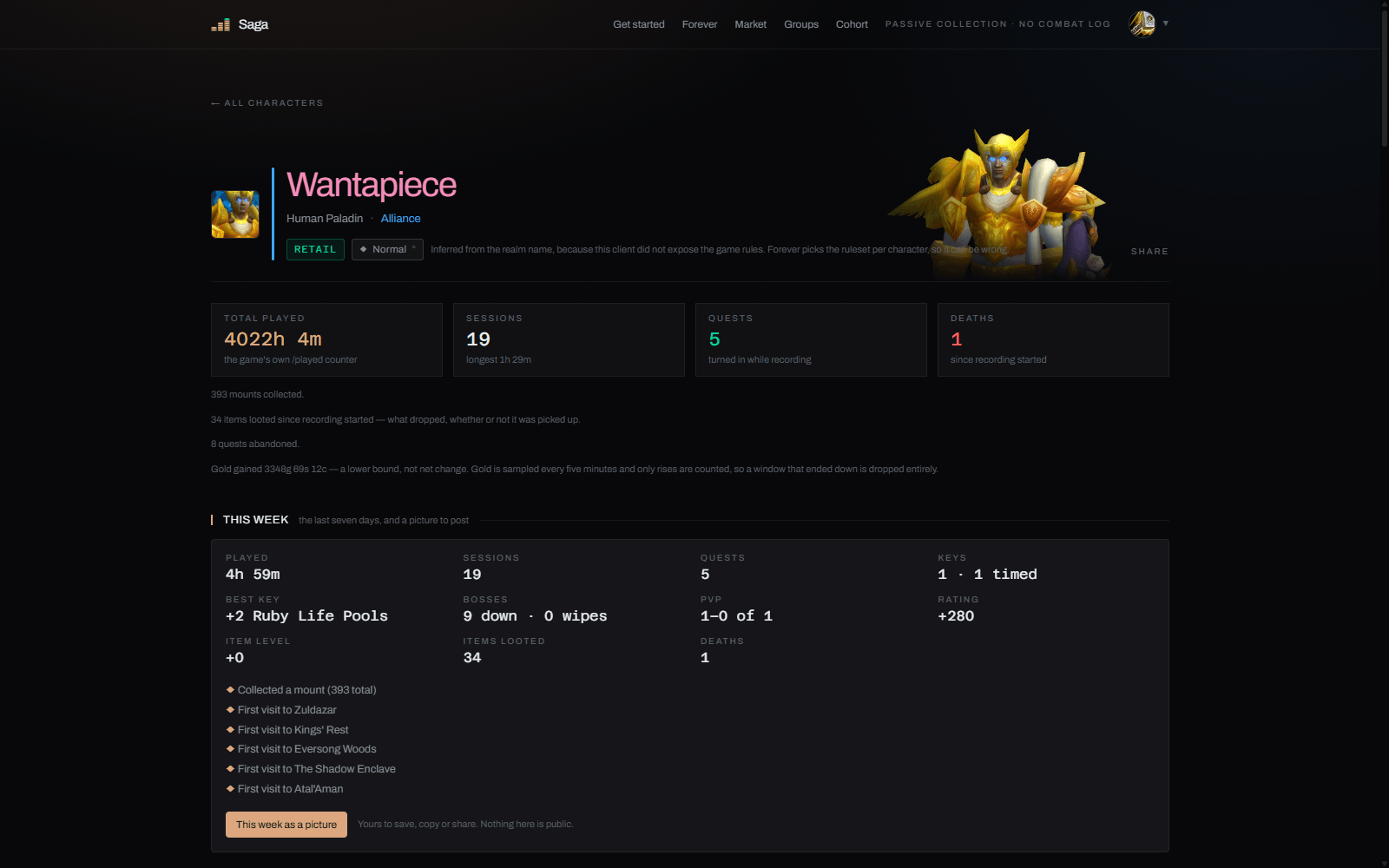
If you want to, the free SagaUploader for Windows publishes your ledger to sagaledger.com. There you can:
- follow your characters over time, with no limit on history
- compare them with friends and guilds
- get Discord posts for your milestones
- share a picture of your week
The uploader is also how Vs Top gets the latest top-player data. Download it from sagaledger.com/start. It is signed and updates itself.
Nothing on the website is required: both addons work fully on their own.
Support
Saga is free and stays free; nothing is locked behind a tip. If you'd like to help cover what it costs to run (servers, the domain, the signed uploader), you can support Saga on Ko-fi.
Commands
| Command | What it does |
|---|---|
/saga ledger | open the ledger |
/saga chars | open the ledger on the Characters list |
/saga options | the options panel |
/saga recap | your last session |
/saga pace | show or hide the pace strip |
/saga ghost fastest / median / best / off | what the pace strip races against |
/saga minimap | show or hide the minimap button |
/saga toast <kind> | preview a card: key, rating, boss, mount, skill or rep (no kind: the level-up card) |
/saga sheet on / off / pawn | the character-sheet markers, or leave upgrades to Pawn |
/saga prices saga / auctionator / off | whose auction price item tooltips show |
/saga recaplink off / on | hide or show the recap card's sagaledger.com line |
/saga welcome | the first-install welcome card again |
/sagarec status | what has been recorded |
/sagarec export on / off | start or stop recording |
Saga was called FCollector / FCompanion before 0.4. Your old records carry over automatically, and the old slash commands still work.
You must be logged in to leave a comment.