

RikUI
A flat, dark interface replacement with a setup wizard that fills your action bars, keybinds and layout for your class.
Details
Expansion
 Forever
 Developers

Having issues?
RikUI
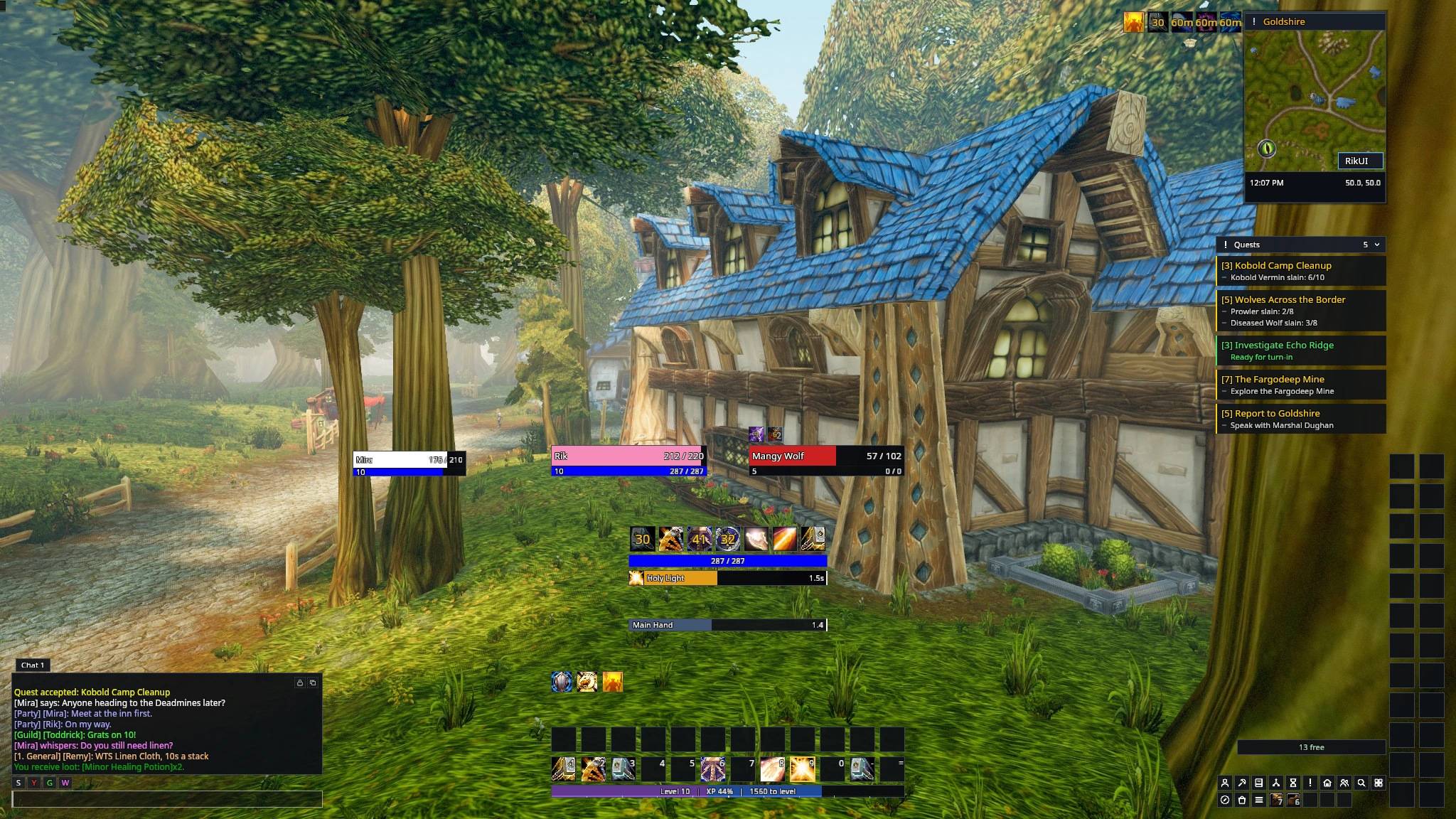
A full interface replacement for WoW: Forever. Flat dark frames, class colours, everything in one addon, no libraries or other addons needed.
This is a beta. It works, I play with it, but there will be bugs. If something breaks, please report it (Issues link on this page, or the comments) and tell me what you were doing when it happened.
Restart the game after installing or updating. A /reload won't pick up new fonts or textures.
What you get
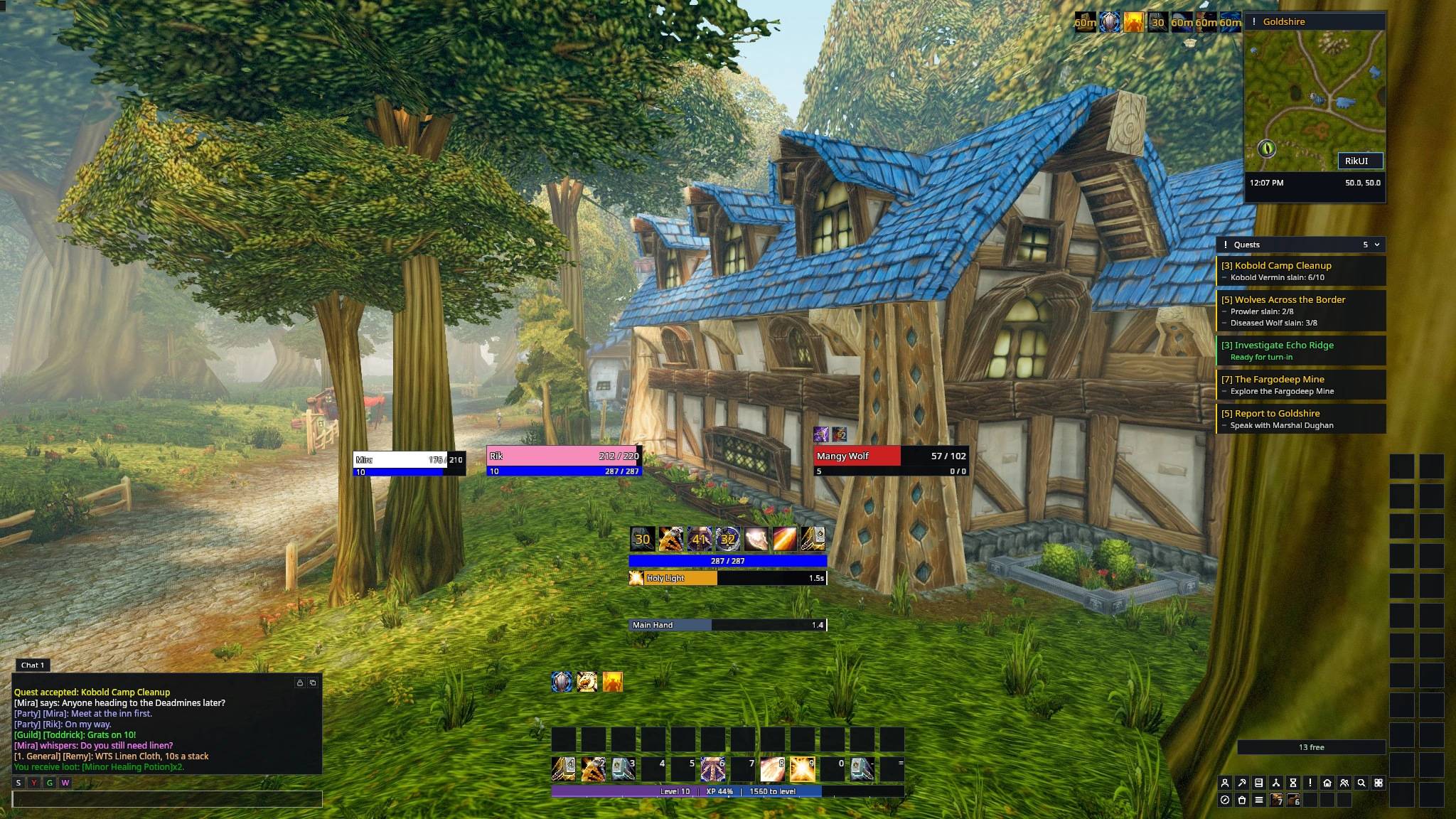
- Unit frames: player, target, target of target, focus, pet, party and raid
- Action bars with stance paging, a pet bar, and cooldown numbers on the buttons
- Cast bars for you, your target, focus and pet
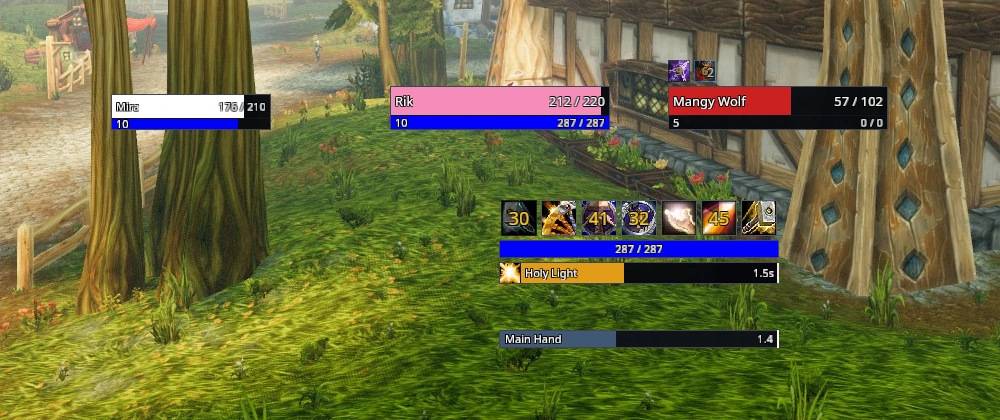
- A combat HUD in the middle of the screen: cooldowns, your resource, your cast bar and swing timers stacked where you're already looking
- Buffs and debuffs with timers, plus class effect rows (seals, poisons, HoTs and so on)
- Nameplates
- One big bag with search and filters
- Chat with history, copyable text and search
- Square minimap with clock and coordinates
- Quest tracker and quest timers
- Tooltips, loot and roll frames, XP and reputation bars, the micro menu
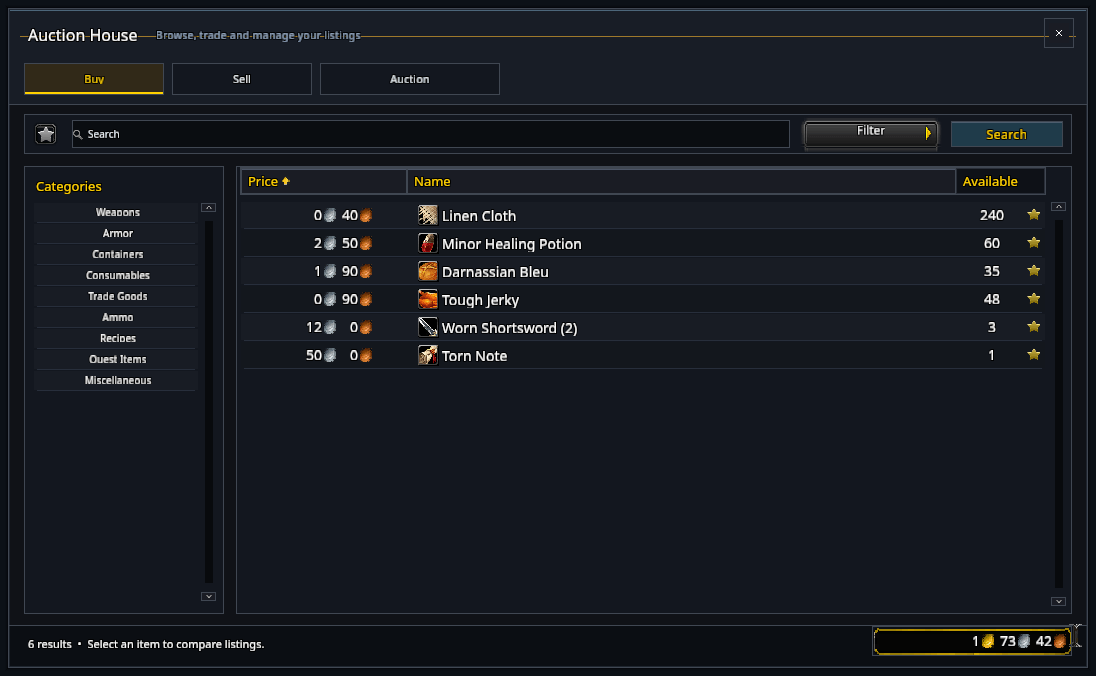
- A matching dark skin over Blizzard's own windows: character, spellbook, auction house, mail, merchant and the rest
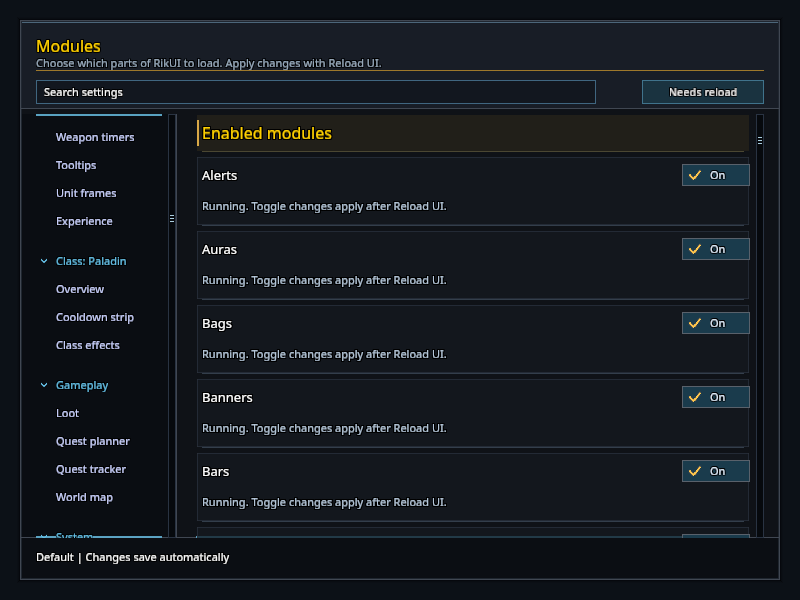
Every piece is a module. If you only want the unit frames and the bags, turn the rest off.
The setup wizard
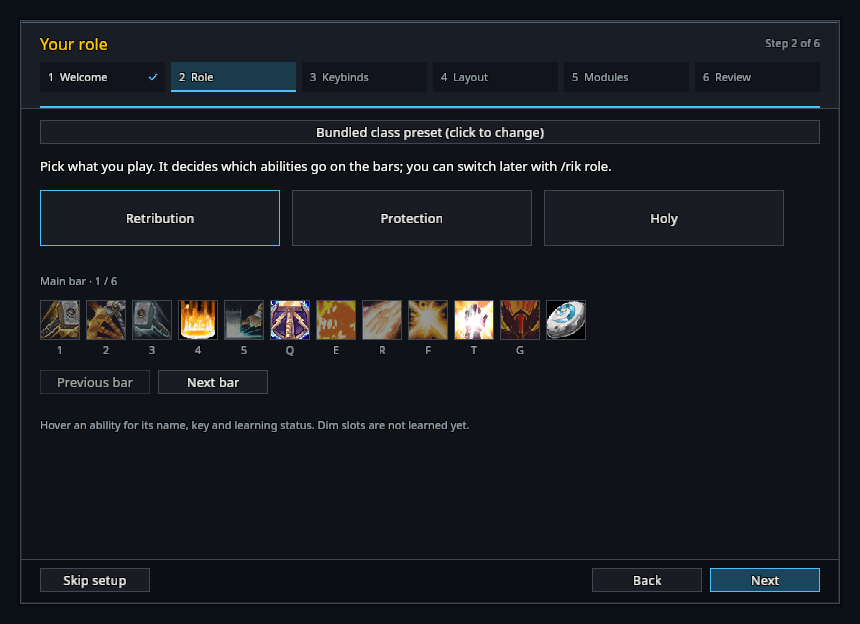
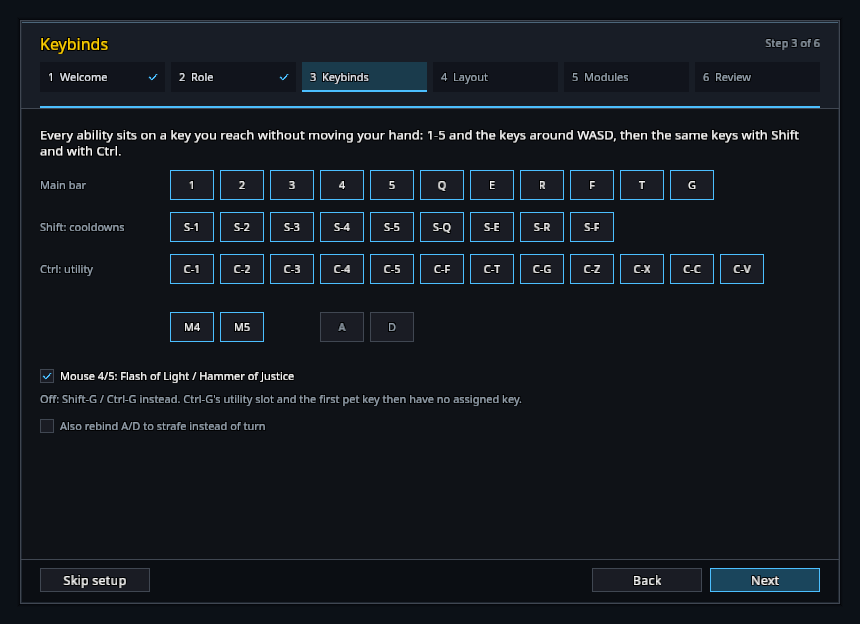
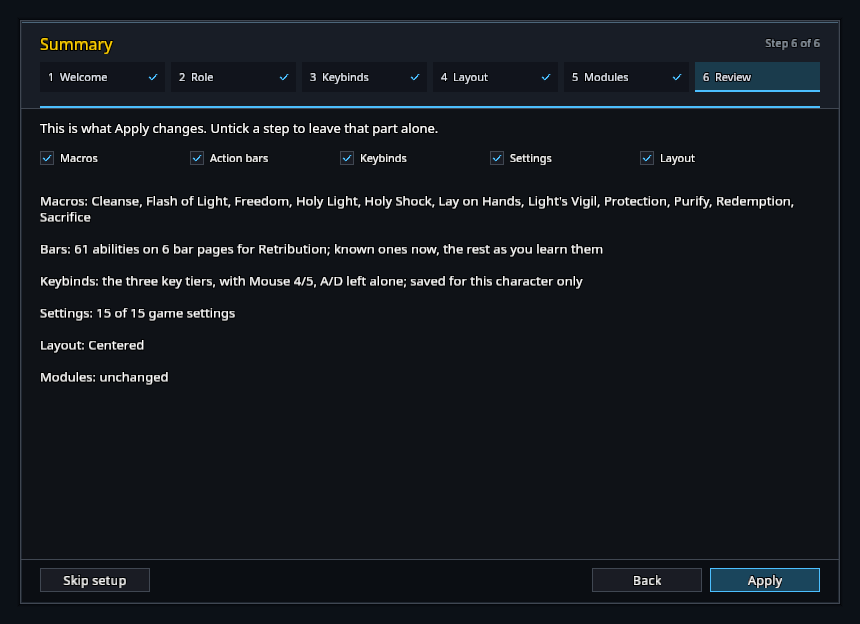
This is the part I built the addon for. The first time you log in on a character, a wizard offers to set that character up for you:
- fills your action bars with your class's spells in sensible slots
- sets keybinds
- creates a few macros
- applies some game settings
- places all the frames
There are presets for all nine classes. Every step is optional and nothing happens until you click Apply. If you don't like the result, /rik undo puts back what you had.
As you level, newly trained spells and higher ranks go into their slots on their own. Slots you rearranged yourself are left alone.
Installing RikUI does not touch your keybinds or bars. Only the wizard does, and only the parts you tick.
Layouts
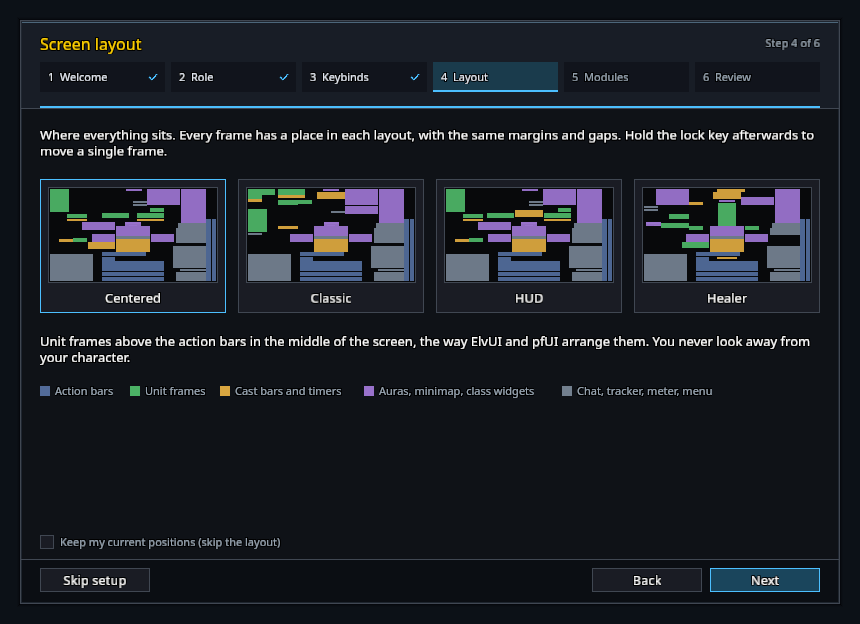
Four whole-screen layouts to pick from:
- Centered: unit frames above the action bars, like ElvUI or pfUI
- Classic: Blizzard's corners, player and target top left
- HUD: player and target spread either side of the cooldown column
- Healer: party and raid frames over the bars
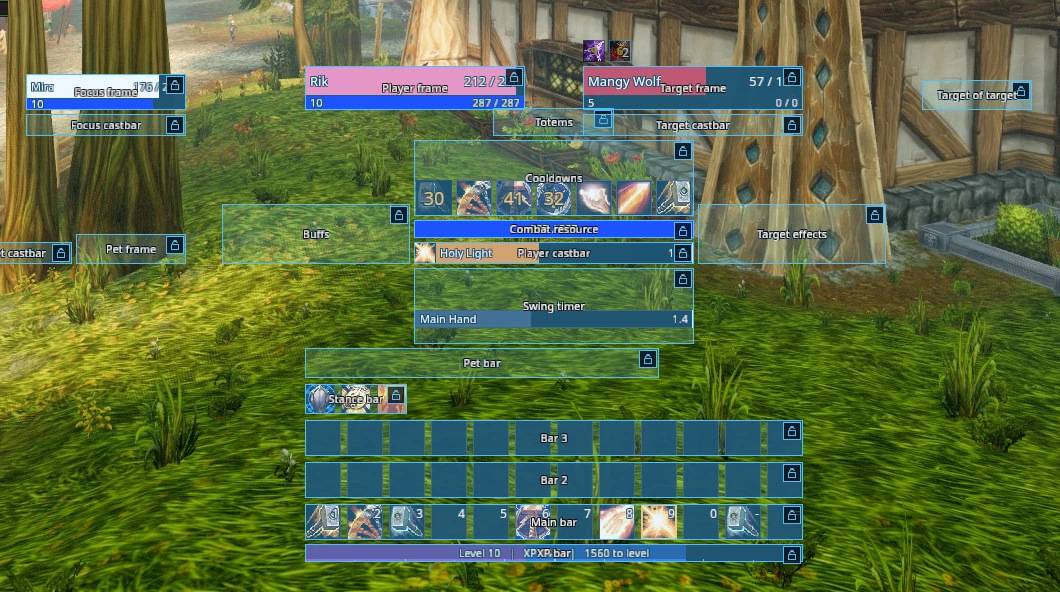
After that you can move anything. Hold the lock key or use /rik move, drag frames around, and they snap to each other and won't overlap.
Commands
| Command | What it does |
|---|---|
/rik setup | Open the setup wizard |
/rik config | Settings |
/rik move | Unlock frames so you can drag them |
/rik undo | Undo the last setup |
/rik hud | Rearrange just the combat HUD |
/rik layout centered | Switch layout (also classic, hud, healer) |
/rik layout undo | Undo the last layout change |
/rik profileexport | Export your profile to share or back up |
Known limits
- The quest planner has no data in this download. RikUI has a quest planner with route guidance, but the quest and road data it runs on isn't in the ZIP yet because I'm still sorting out the licensing for it. The quest tracker works fine without it. The planner just won't have routes to show.
- Built and checked against the Forever beta, client 1.60.1. If Blizzard patches the beta, things may break until I catch up.
- Small screens (1366x768, 1280x800) are tight. Your own frame, the target and the cooldowns keep their places, but smaller things like the breath bar or debuffs get moved to wherever there's room. Drag them where you want them.
- No Windows installer yet. Just the ZIP for now.
Installing by hand
- Close the game.
- Unzip, and put the
RikUIfolder intoInterface/AddOnsin your Forever beta install. - Check the file ends up at
Interface/AddOns/RikUI/RikUI.toc, with no extra folder in between. - Start the game and enable RikUI in the AddOns list.
MIT licensed. RikUI is a fan project and isn't affiliated with or endorsed by Blizzard.
Links
- Source code and bug reports: github.com/rik-wow/RikUI
- Guides: rikwow.com
You must be logged in to leave a comment.