

Raidify | Raid Roster, Signups & Attendance for Classic, TBC & MoP
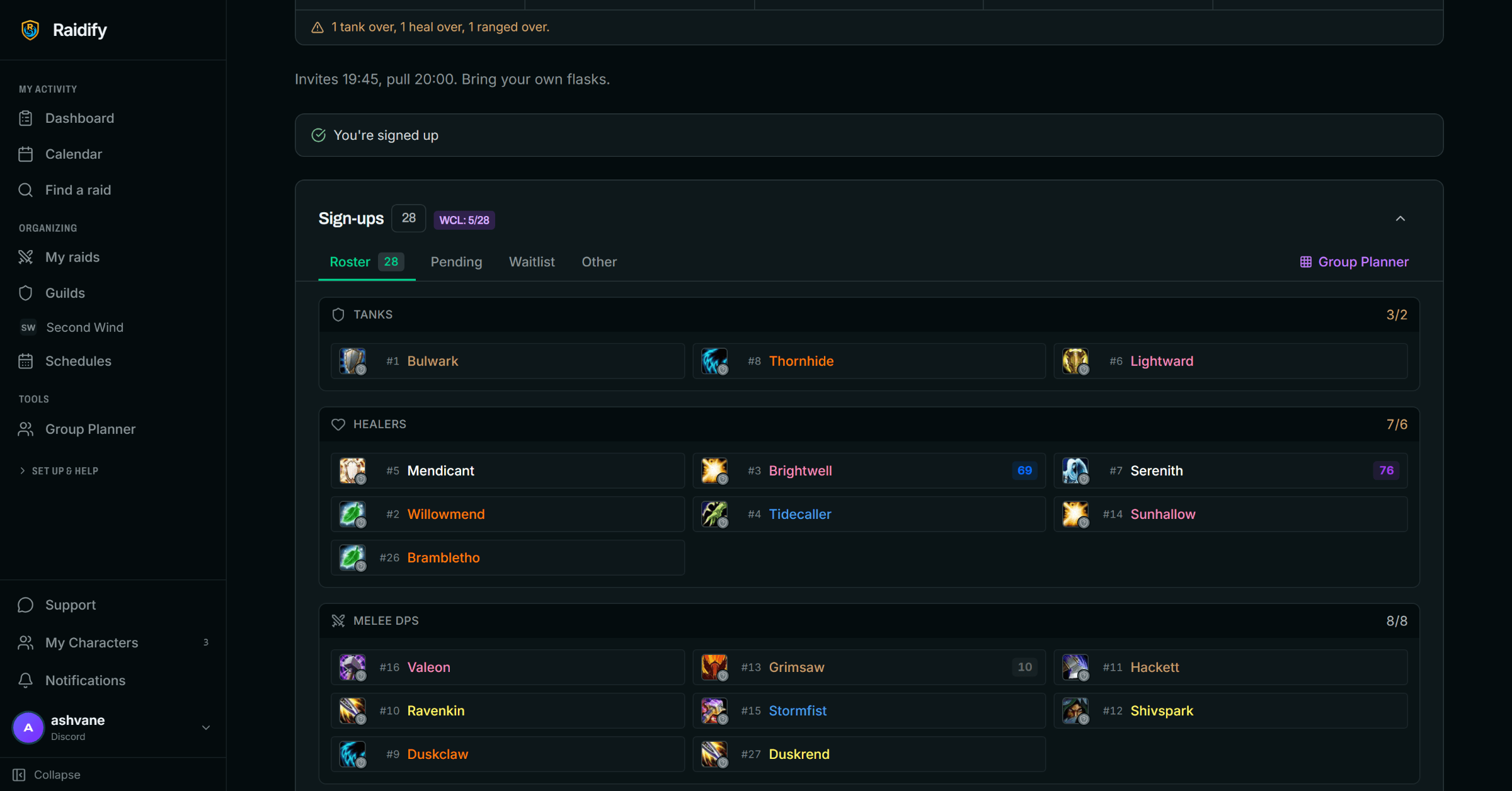
Invite and organize a 40-player raid in under two minutes. Import your roster and groups, auto-invite from Discord signups, assign roles, and track attendance — for Classic Era, TBC Anniversary, MoP, and soon Future.
Details
Expansion
 Forever
 Developers

Having issues?
Invite and organise your raid in under two minutes
Raid night always starts the same way: forty people to invite, groups to sort, assignments to hand out, and someone always missing. Raidify turns that into a few clicks. Plan on the web, sign up in Discord, then run the raid in-game. Full documentation: raidify.app/addon/docs Web app: raidify.app
Works on Classic Era, TBC Anniversary, and MoP Classic. Free to use.
Getting the raid in
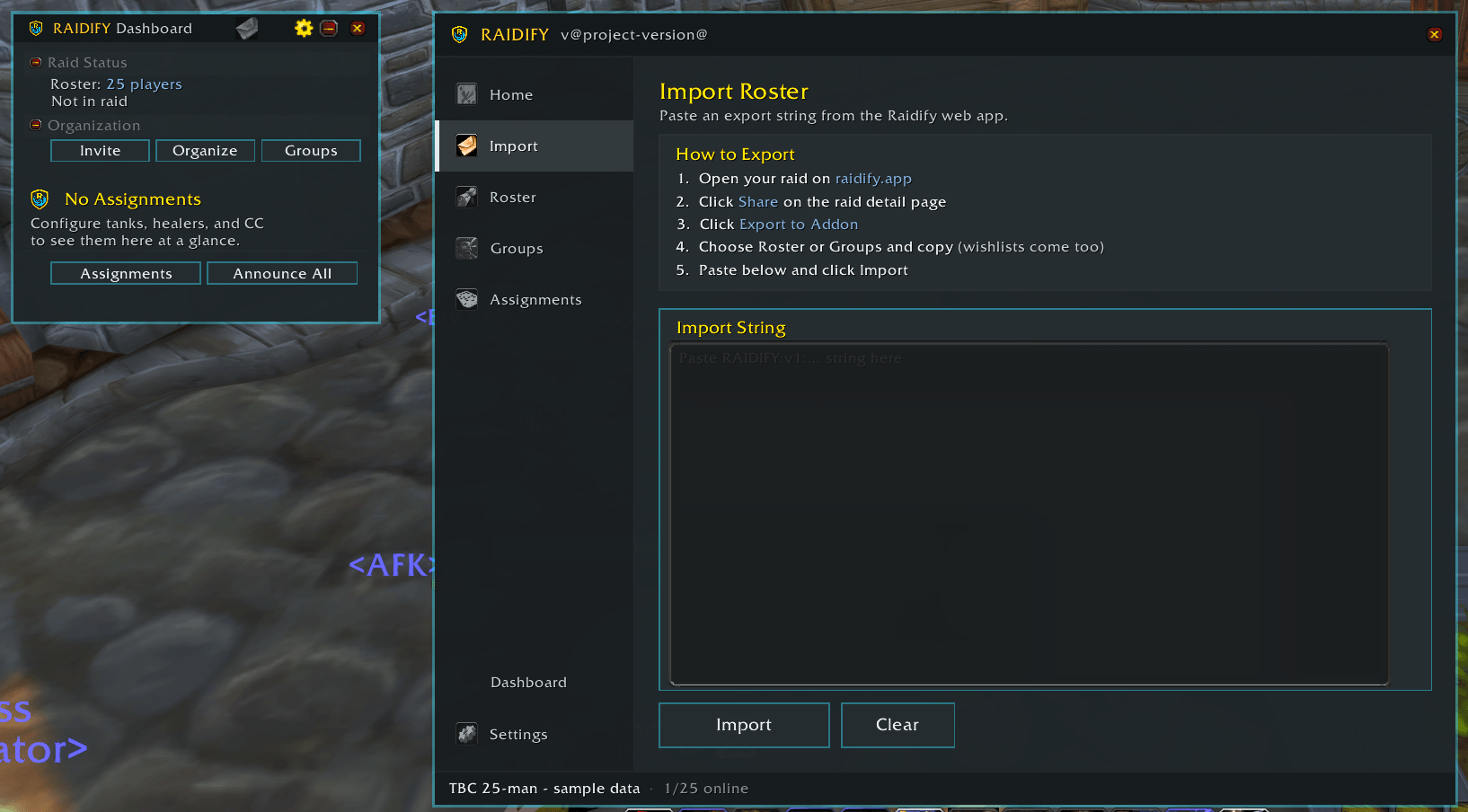
Import roster and groups — Paste one string from the web app and your whole raid,
with its planned group layout, is loaded in-game.
Invite All — One button invites every online player on your roster.
Auto-invite on whisper — Players whisper inv and get invited automatically.
Roster-gated by default, with fuzzy name matching so a small typo between the sign-up
name and the character name still works.
Repeating invites — /rf invite auto keeps sweeping for stragglers so you aren't
re-inviting the same four people every ten minutes.
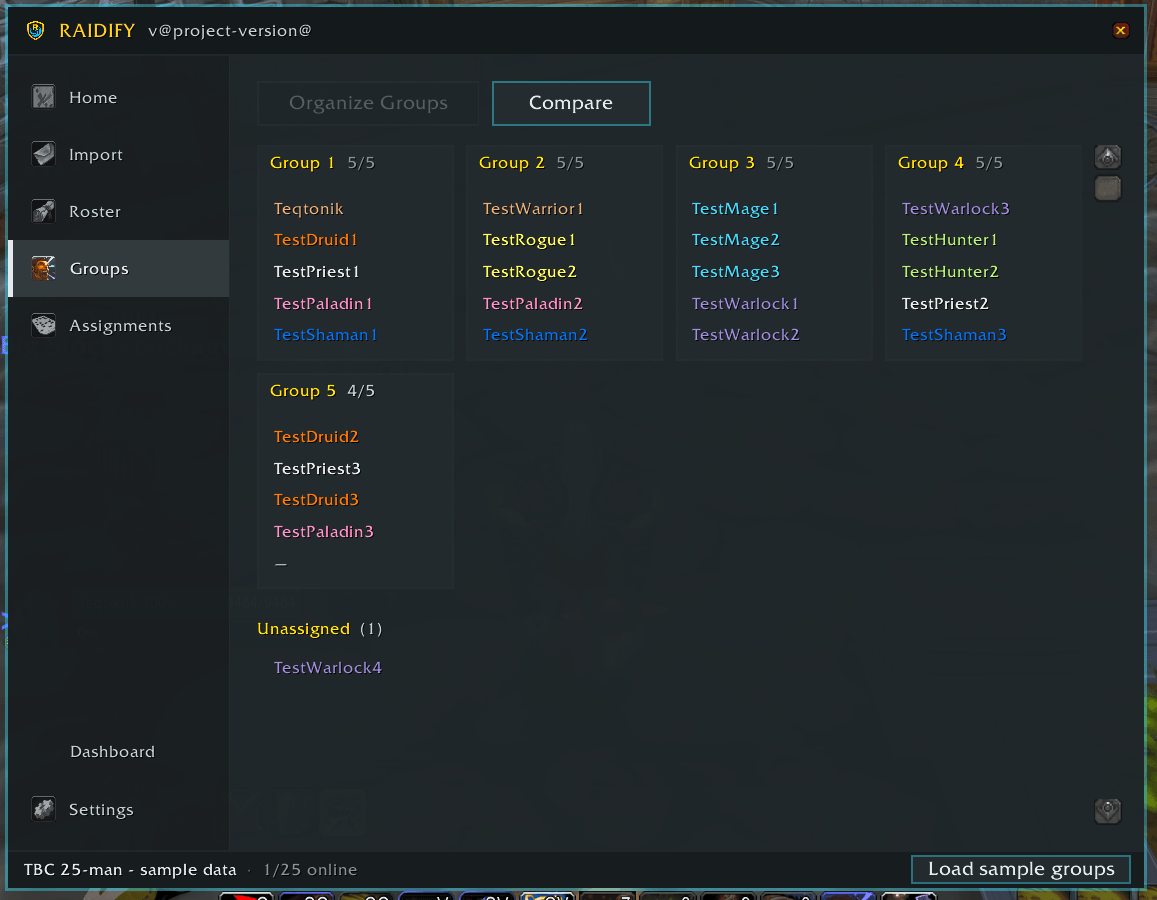
Auto-organise — Moves everyone into their planned group in one action.
Group editor — Drag players between groups, or click two players to swap them,
then apply the layout to the live raid.
Untracked players — Anyone in the raid who isn't on the roster is detected and
can be added on the spot, so pugs and last-minute swaps don't break your layout.
Assignments
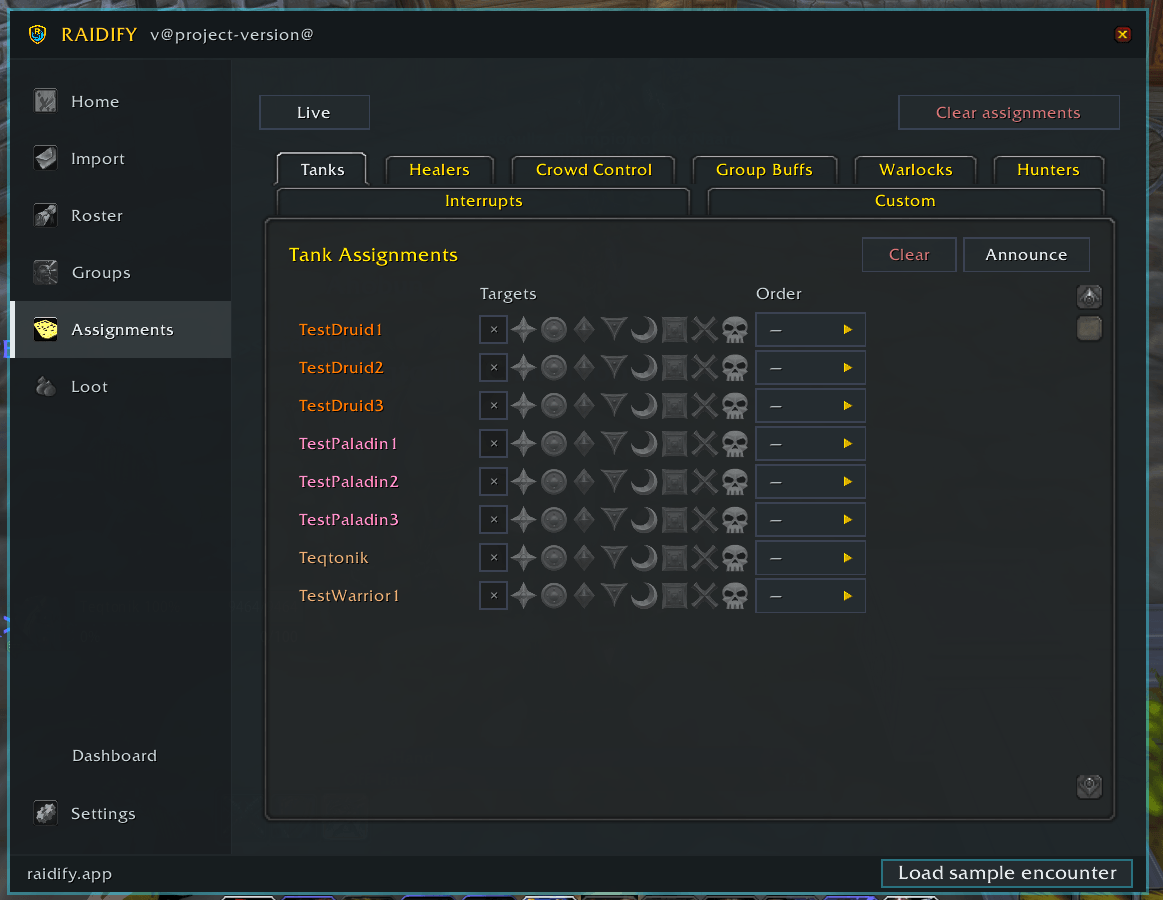
Set assignments in-game or import them, then push them where people will actually read them.
- Warlock — soulstones and curse assignments
- Tanks — tank targets and tank rotations
- Healers — healing assignments per target
- Hunters — pull targets and tranq rotation
- Crowd control — multi-class CC, per target
- Interrupts — player to target, with the specific enemy spell
- Group buffs — Fortitude, Arcane Intellect, Gift of the Wild
Announce to raid chat, raid warning, party, say, or a custom channel — all at
once or one category at a time.
Players whisper for their own —
!raidify(or!rf) whispers a player their personal assignments, so you aren't answering "what am I on?" during a pull. Officer sync — Assignments and notes sync between officers running Raidify. Any
officer can request a full sync or broadcast theirs to the group.
During the raid
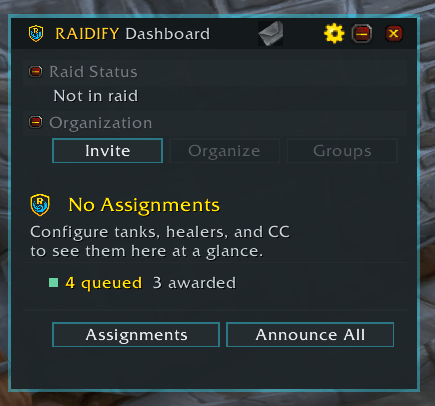
Raid leader dashboard — A compact floating panel showing every assignment at a
glance, with per-section announce buttons. Draggable, position remembered, minimises
when you need the screen.
Notes window — A floating, resizable, MRT-style notes display you can dock for
the whole night. Renders raid target icons, spell links, and class-coloured player
names, with an encounter dropdown to switch between fights. Turn on the personal
filter and each player sees only the lines addressed to them.
Interrupt tracker — Live interrupt cooldowns for your assigned interrupters.
Soulstone tracking — Detects soulstone application and use from the combat log
and shows current status, so you know what's up before the pull.
Command palette — /rfp opens a searchable palette of every Raidify action, in
the style of a code editor. Bindable under Key Bindings > AddOns > Raidify.
Attendance
Tracking is automatic. Once a roster is imported, Raidify records join and leave
times whenever you're in a raid or party. There is no button to remember to press,
and a fresh import starts a clean session for the next night.
Bench credit — /rf bench <name> marks a player you asked to sit. They keep full
attendance credit, which matters when attendance drives loot priority.
Sweep — /rf sweep tells you who sat and who never made it in.
Export — Send the night's attendance back to the web app to keep roster history
and reliability up to date.
Loot
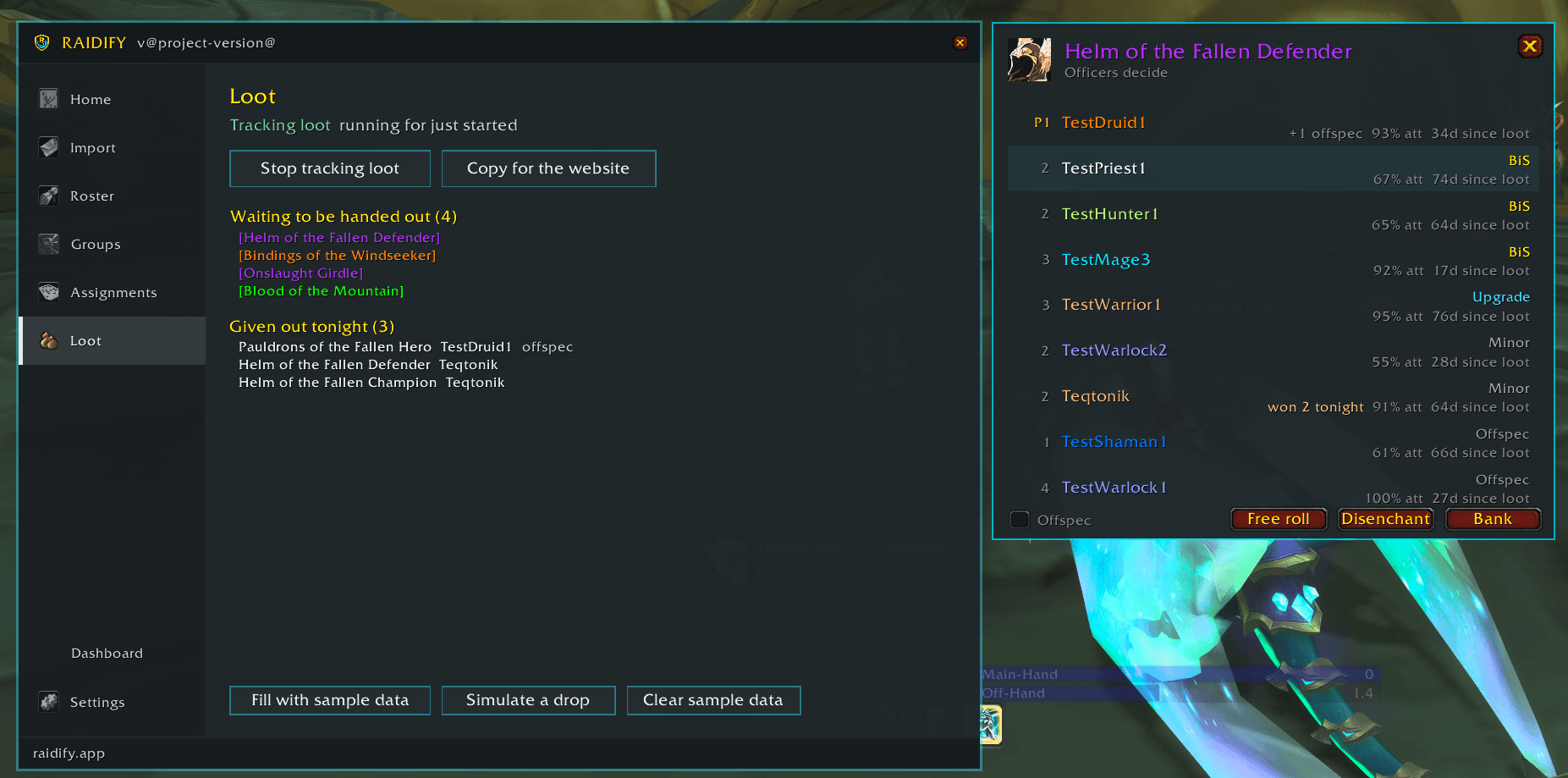
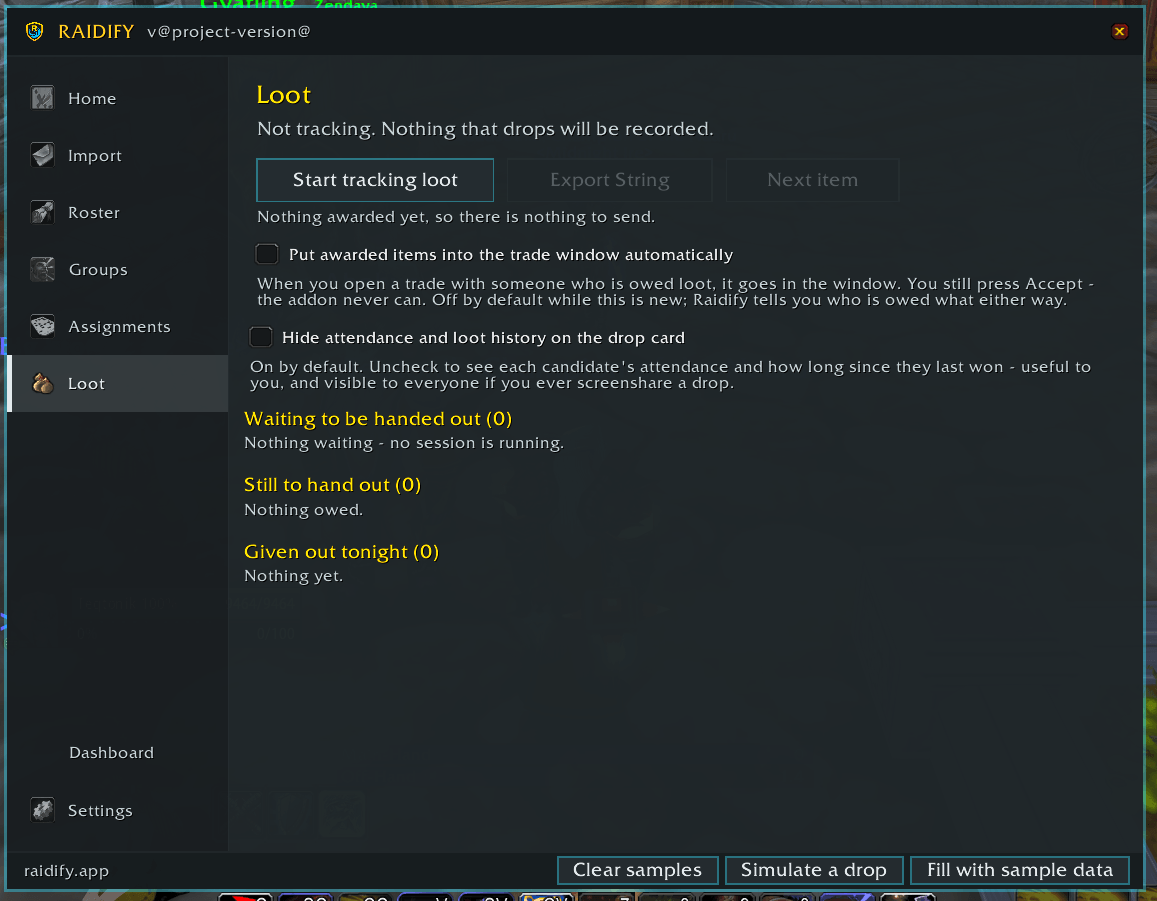
The companion Raidify Loot addon adds loot council sessions: automatic drop detection, candidate cards showing who wants what, and a session record you can send back to the web app.
/rf softres shares your soft-reserve link in raid chat for the raid to fill in.
Try it without a raid
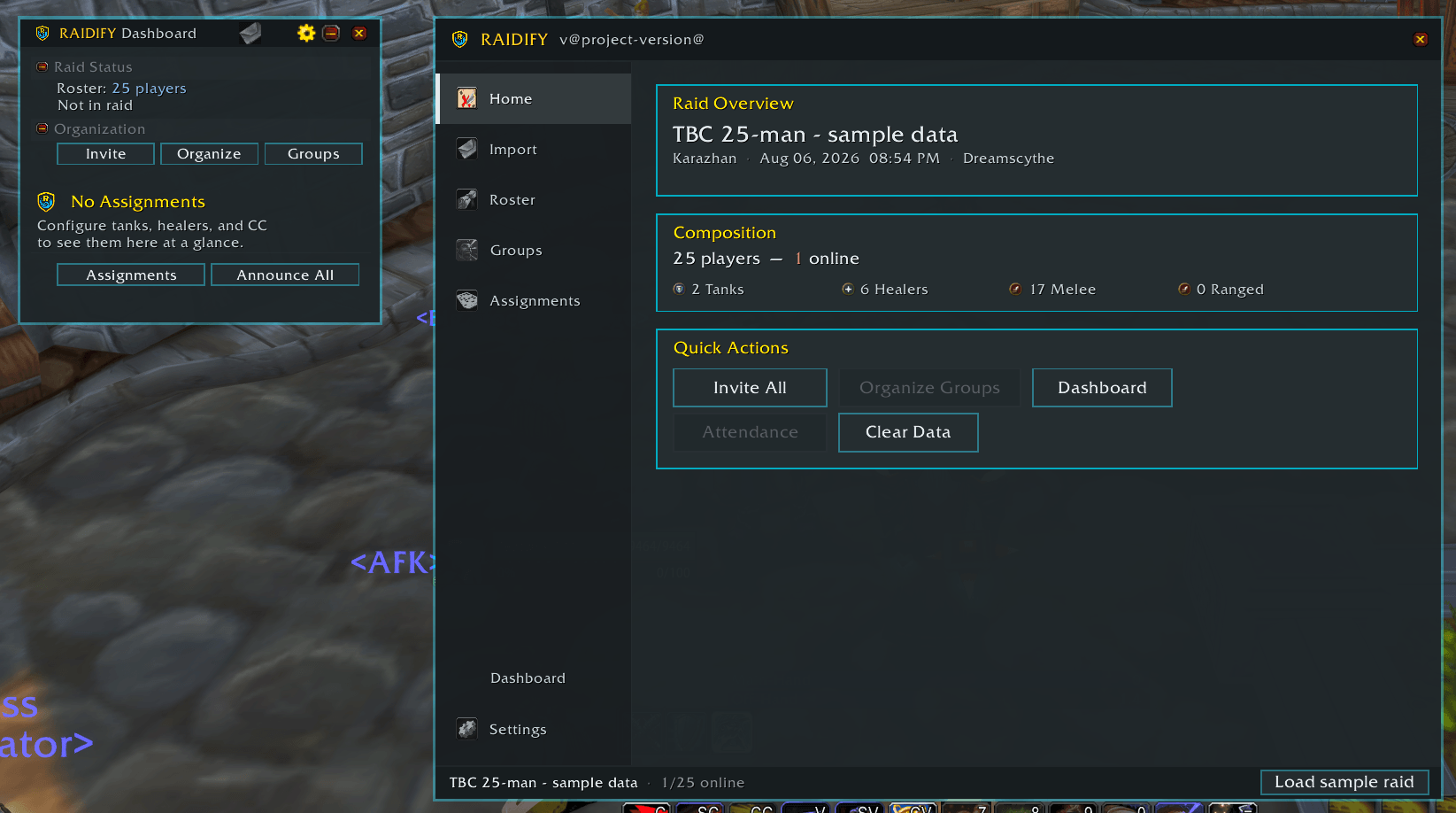
/rf test loads a mock raid so you can set up assignments, lay out the dashboard,
and preview the notes window on your own, before raid night. Inviting, organising and
attendance need a real raid and aren't simulated.
Commands
| Command | What it does |
|---|---|
/raidify or /rf | Open the main window |
/rfp | Command palette |
/rf import | Import roster and groups from the web app |
/rf roster | Show imported roster status |
/rf groups | Show and edit the group layout |
/rf invite | Invite all online roster members |
/rf invite auto | Keep sweeping for stragglers |
/rf autoinvite | Toggle auto-invite on whisper |
/rf organize | Organise the raid into imported groups |
/rf assignments | Open the assignments window |
/rf note | Toggle the floating notes window |
/rf dashboard | Toggle the raid leader dashboard |
/rf interrupts | Toggle the interrupt tracker |
/rf announce | Announce assignments |
/rf sync | Request an assignment sync |
/rf attendance | Export attendance |
/rf bench <name> | Mark a player as benched (keeps full credit) |
/rf unbench <name> | Remove a bench mark |
/rf sweep | Report who sat and who never got in |
/rf softres | Share the soft-reserve link in raid chat |
/rf loot | Loot council (requires Raidify Loot) |
/rf test | Toggle test mode |
/rf status | Show current import status |
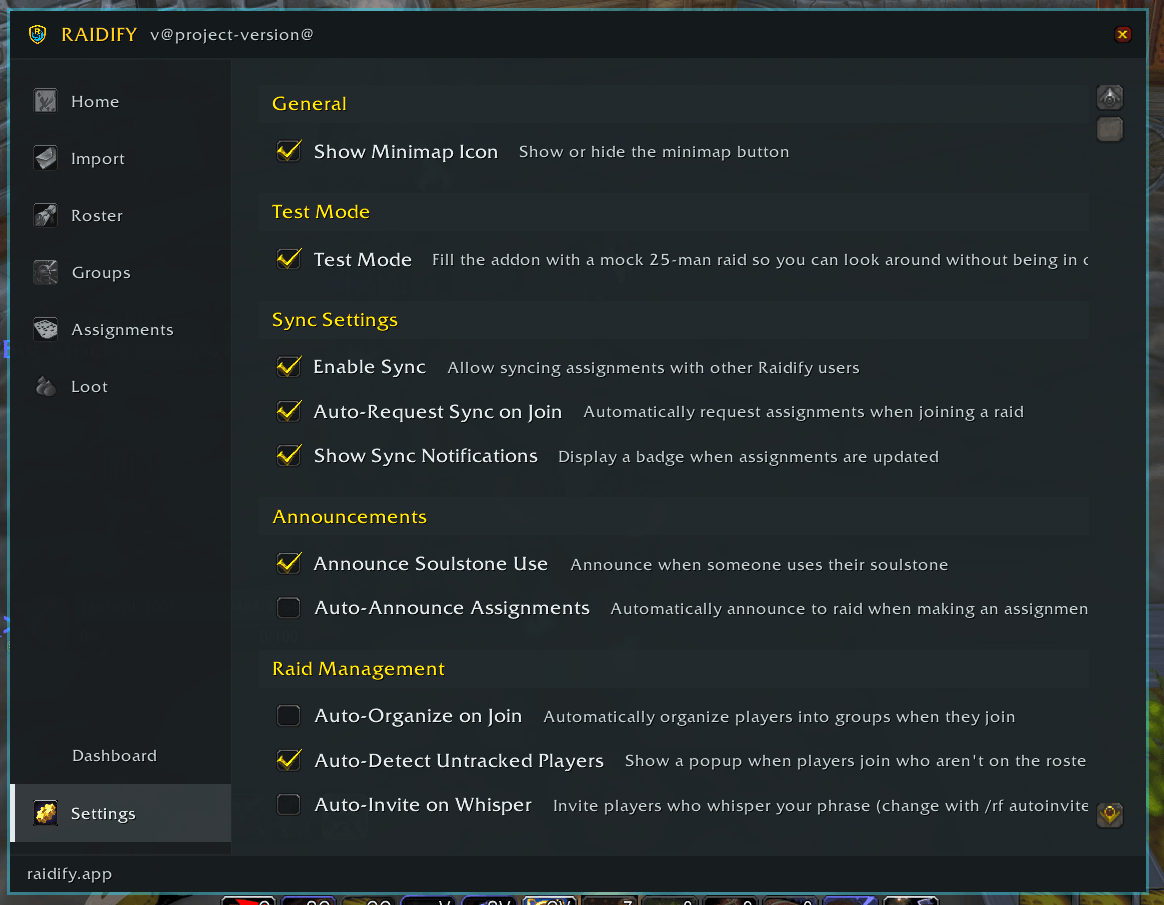
/rf options | Settings |
/rf clear | Clear imported data |
/rf help | Full command list in-game |
Whisper commands — players can whisper the raid leader !raidify, !rf, or | |
!assignments to get their own assignments. | |
| Minimap button — left-click opens the main window, shift+left-click toggles the |
dashboard, drag to reposition.
Roster status icons
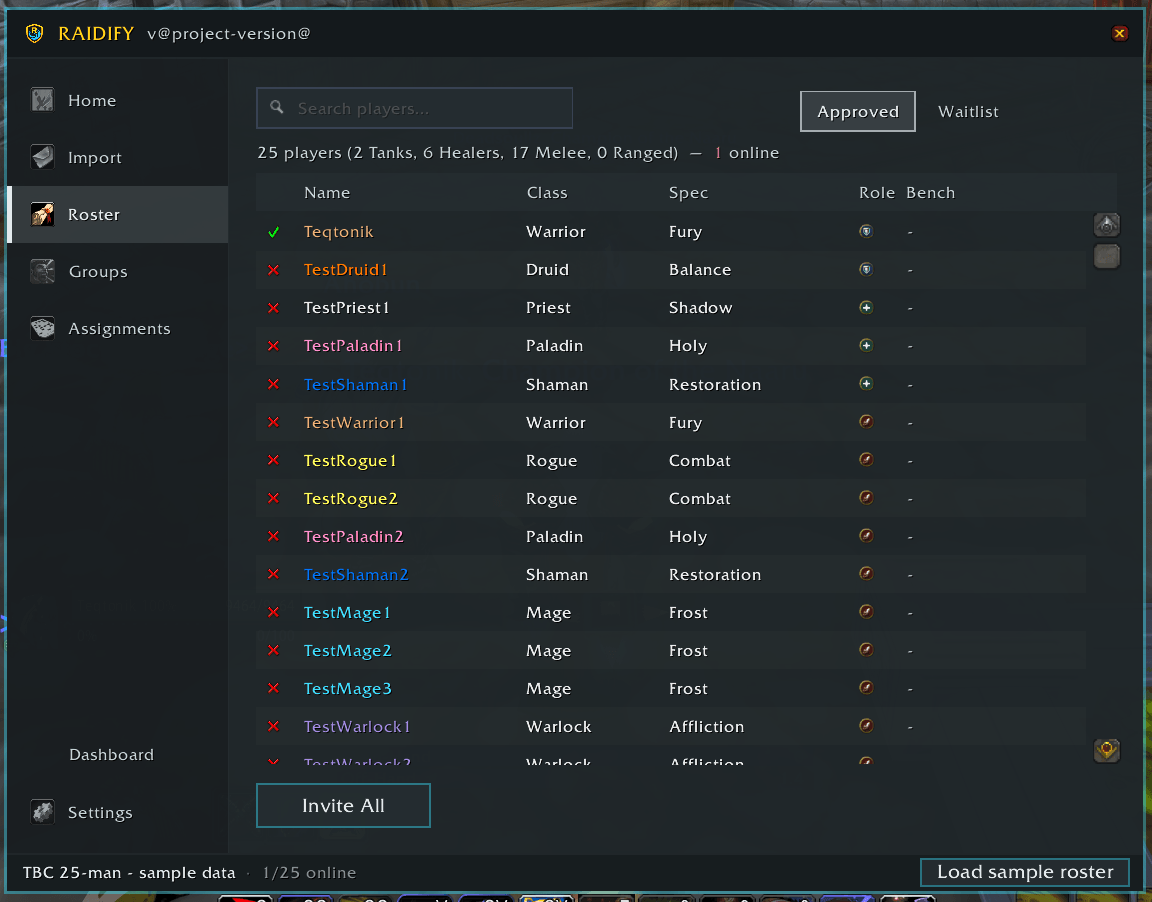
The roster view shows invite status, not online status:
- ✅ Invite accepted
- ❓ Invite pending
- ❌ Invite failed — offline, or the character name doesn't match
You must be logged in to leave a comment.