
Quick Emotes
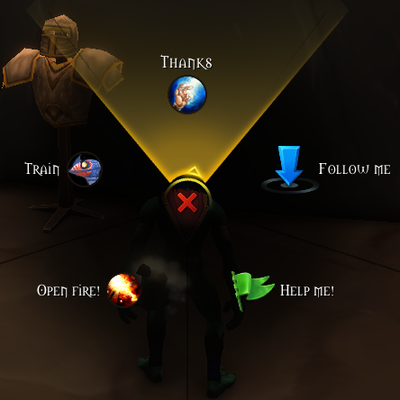
Radial wheel of voice emotes on one key, styled like the game's ping wheel. Up to 8 emotes.
Details
Addon ID:
26494
Addon Version:
1.0.1
Expansion:
1.60
Upload date:
Oct 06, 2026
Last Updated:
Oct 06, 2026
Downloads:
Less than 100
Website:
Source Link
Expansion
 Forever
 Categories
Developers

Phantomaz
Creator
Having issues?
Quick Emotes
A radial wheel of voice emotes on a single key — styled like the game's own ping wheel.
Hold the key, point at an emote, release — your character shouts "Charge!", "Help me!", "Heal me!" and more. No macros, no action bar slots.
Features
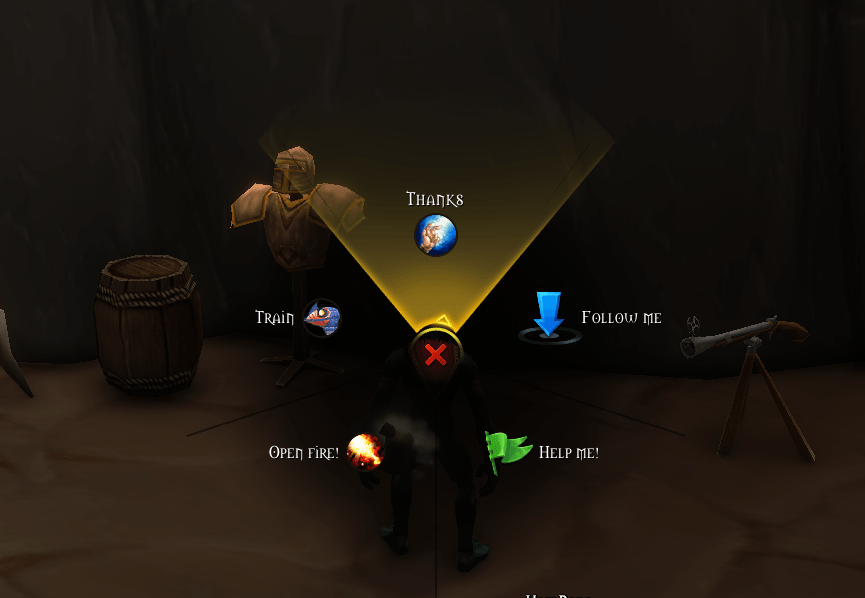
- Ping-wheel look — uses the game's own ping wheel art: highlighted sector, pointer that follows the mouse, cancel button in the center.
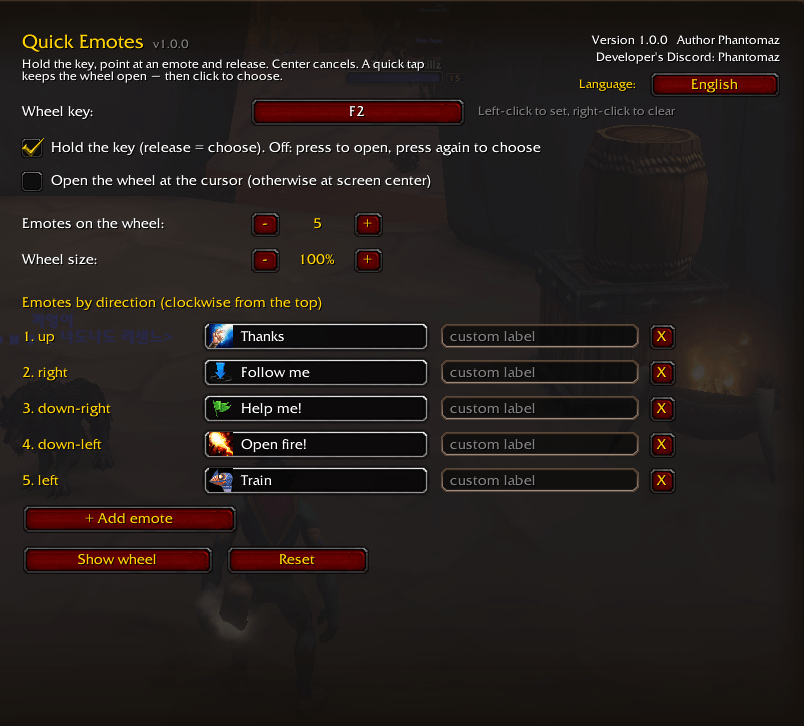
- 2 to 8 emotes on the wheel, placed clockwise from the top.
- ~30 built-in emotes — combat voice lines (Charge, Incoming, Help me, Heal me, Out of mana, Flee, Wait, Open fire…), social ones (Hello, Thanks, Yes, No, Cheer, Laugh…) and animations.
- Any custom emote — type any
/commandthat isn't in the list. - Custom labels for every slot.
- Two modes: hold and release, or press to open and press again to choose. A quick tap keeps the wheel open so you can pick with a click.
- Wheel at screen center or at the cursor, size from 50% to 160%.
- English and Russian, following your game client by default; switchable right in the settings.
- Set the key right in the addon settings, including mouse buttons 3–5 and Shift/Ctrl/Alt combos.
Usage
- The wheel is bound to G on first login if that key is free. Otherwise set a key in the settings.
- Center, right-click or Esc cancel.
- Settings: Options → AddOns → Quick Emotes, or type
/qe.
| Command | What it does |
|---|---|
/qe | open settings |
/qe show | show the wheel |
/qe check | list catalog emotes your client doesn't know |
/qe test CHARGE | try a single emote |
/qe version | version and author |
/qe reset | reset settings |
Feedback
Bugs and ideas: Discord Phantomaz (developer).
You must be logged in to leave a comment.