

PurpleNote
Notes on players, notes list, players history. (Like "Spy" but for both sides)
Details
Expansion
 Forever
 Categories
Developers

Having issues?
Purple Note
Remember the people you play with.
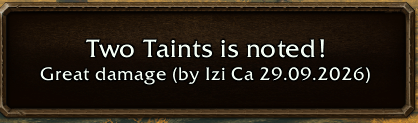
Met a great healer in last night's dungeon? A stranger who helped you with an elite quest? An honest trader, a crafter with the recipe you need, a friend's alt? Purple Note lets you write a short note on any player in WoW Forever, and shows it the next time you meet them: above their nameplate, in their tooltip and right next to their chat messages.
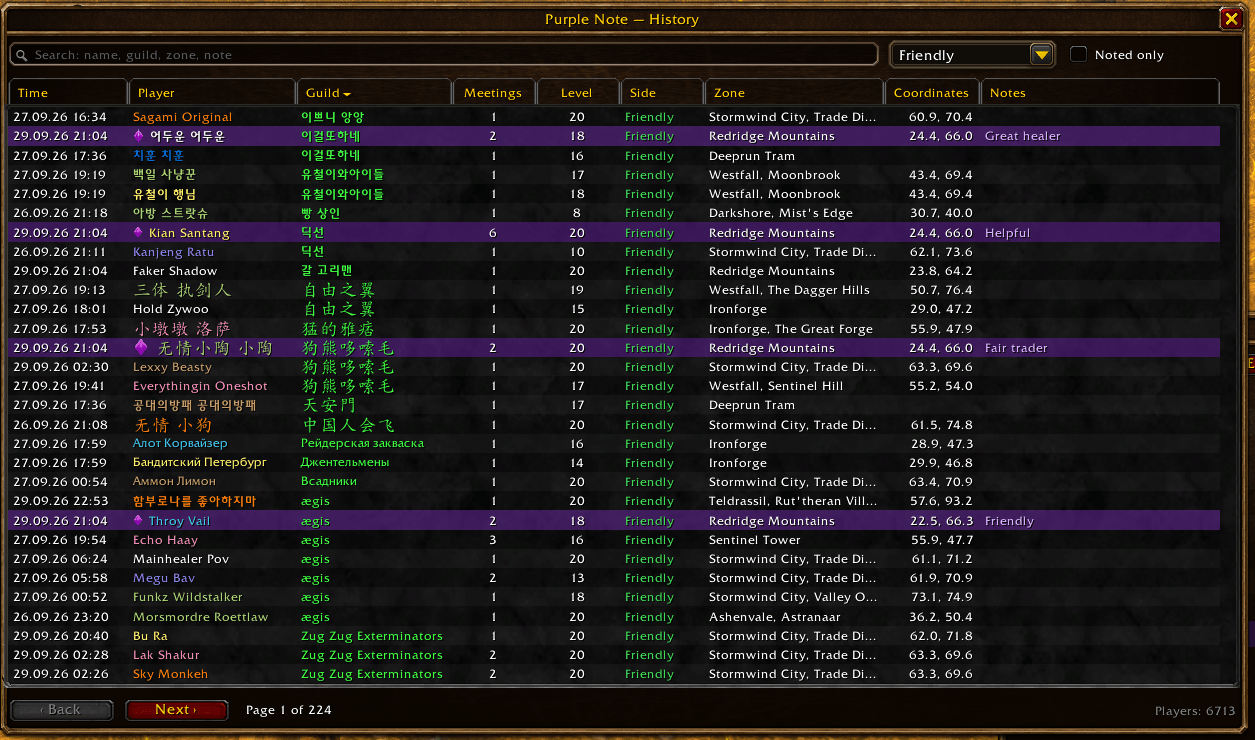
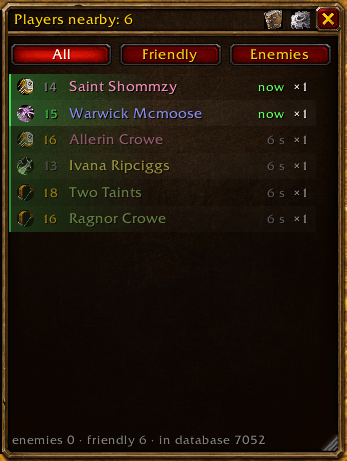
It also shows who is around you right now, and keeps a history of everyone you have met.
Features
Notes on players
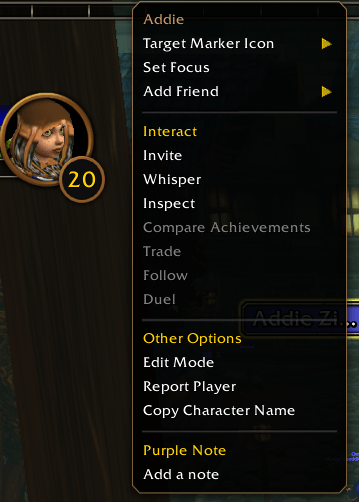
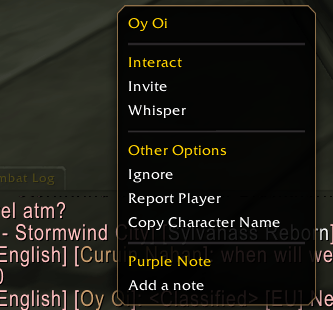
- Write a note on anyone: from the nearby list, the history, the target frame menu, the chat name menu, or with
/pn Name note. - Pick a ready-made note with one click: Great healer, Great tank, Great damage, Helpful, Friendly, Fair trader, Friend, Invite to guild, Quested together, Dungeon together, Raider, PvP player, Trader, Crafter, Someone's alt. Your own recent notes are one click away too.
- Every note is signed by the character who wrote it and dated. Several of your characters, and your guildmates, can each write their own note on the same player.
- Noted players stand out in purple in every list.
See your notes in game
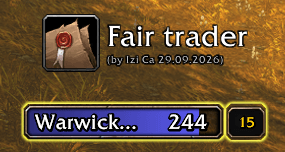
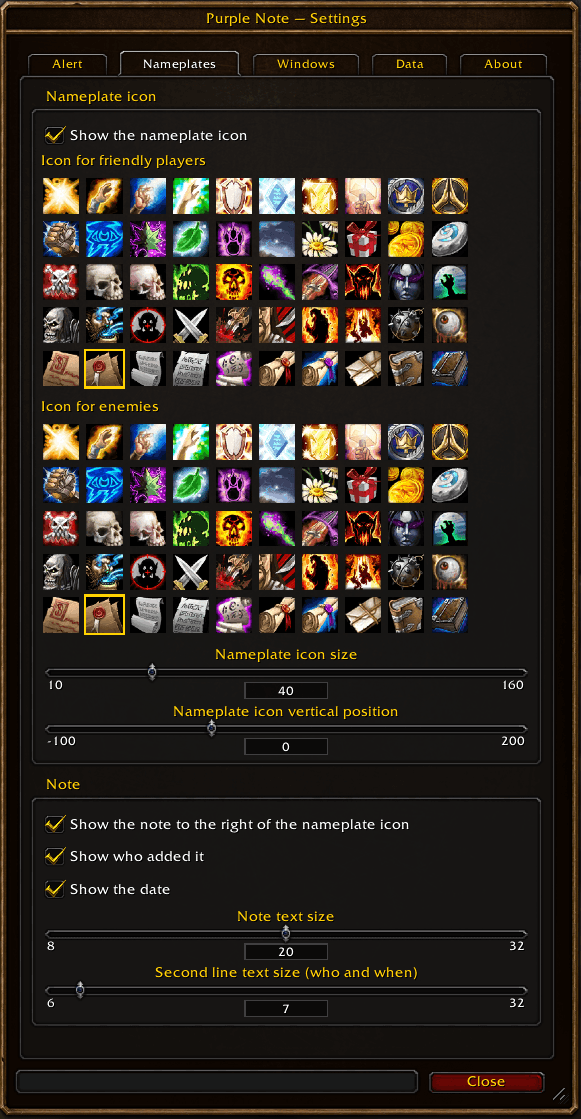
- An icon above the nameplate with the note and "(by Author, date)" next to it. Pick from 50 icons, separately for friendly and enemy players; size, position and text size are configurable.
- In chat: a noted player's messages start with their note, in purple:
[Name]: [Great healer] lfg? - In the tooltip of the player in any of the addon's lists.
- An optional on-screen reminder with a sound when a noted player shows up nearby: for friendly players, enemy players or everyone. Sound, volume channel, text size, color and position are configurable.
Players nearby
A compact, resizable window with every player around you.
- Class icon, level colored by the difference to yours, name in class color, and a green or red edge for the faction side.
- Players you see right now are on top; players who left fade out below and stay for up to 10 minutes (configurable).
- Filter: All / Friendly / Enemies. Left click a player to target them (out of combat), right click for the menu.
- Can fade out while the mouse is away.
Players are picked up from nameplates, your target and its target, mouseover, focus, party and raid members, and their targets.
Meeting history
Every player you have met, with the zone, time and coordinates of each meeting.
- Search by name, guild, zone or note; sort by any column.
- Filters by side and "Noted only".
- Delete single players, or clear the whole history. Players with notes are always kept.
Guild sync
Share notes with your guild. Everyone who runs the addon takes part.
- Sync with guild asks your guild for their notes. Only you save the answers, together with when and where each player was last seen.
- Autosync syncs at login and takes your guildmates' changes as they happen.
- Your own notes are never changed by anyone else. You can hide someone else's note for yourself only, and a later sync will not bring it back.
Look and feel
Windows in the game's own style: bronze frames, the game's search box and scroll bars, open and close sounds. Everything is set up in a tabbed settings window. English and Russian.
Usage
- Minimap button: left click opens "Players nearby", right click opens the menu (Players nearby, History, Settings).
- Right click a player in a list, or use the target frame menu, to add, edit or remove a note.
- Key bindings: Options → Key Bindings → AddOns → Purple Note.
Commands
| Command | What it does |
|---|---|
/pn | Show or hide the "Players nearby" window |
/pn Name [note] | Write a note on a player, or change yours |
/pn remove Name | Remove your note |
/pn dismiss Name [author] | Hide someone else's note for yourself only |
/pn history | Open the meeting history |
/pn config | Open the settings |
/pn sync | Sync notes with your guild |
/pn find Name | Find a player in the database |
/pn stats | Database statistics |
/pn reset | Put the window back in the center at its default size |
/pn help | All commands |

You must be logged in to leave a comment.