

Profession Atlas
Plan profession leveling, find farming materials, preview crafts, and track supplies across your characters.
Details
Expansion
 Forever
 Developers

Having issues?
Profession Atlas
Plan your profession leveling, find materials, preview crafts, and check supplies across your characters—all in one window.
Built for WoW Forever. The current build targets client 1.60.1.70009, interface 16001. Compatibility with other WoW versions has not been established.
Five pages for your professions
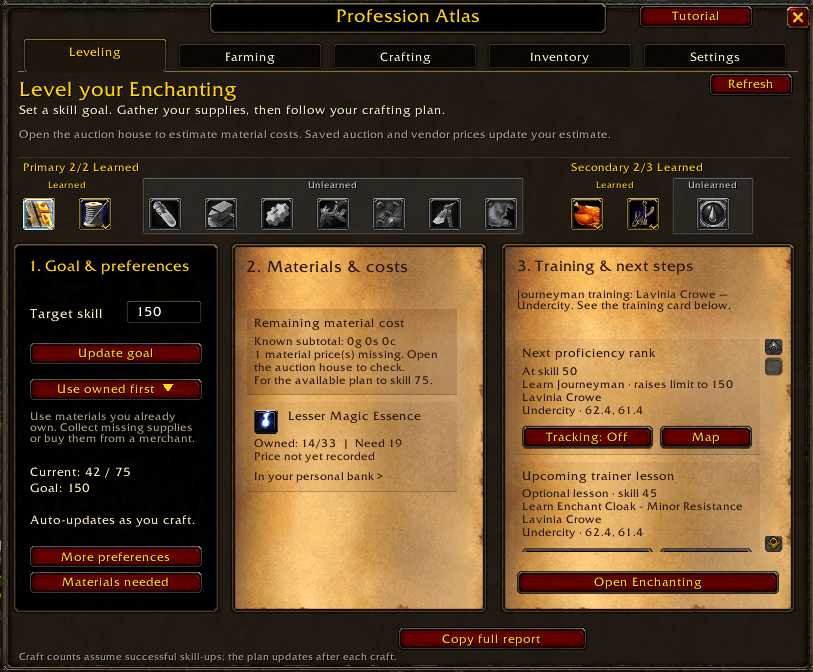
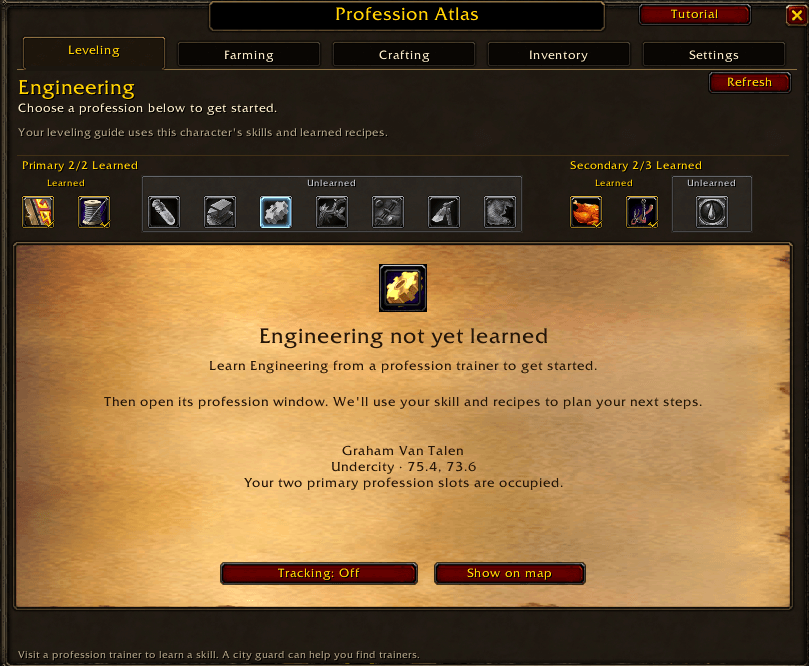
- Leveling: select a Primary or Secondary profession icon, choose a skill goal, and follow an ordered plan for your logged-in character. See remaining material costs, owned/required quantities, and supplies recorded on other characters. Trainer guidance shows who to visit, where to go and when to learn your next rank or planned recipe. Gathering professions have their own gathering guidance.
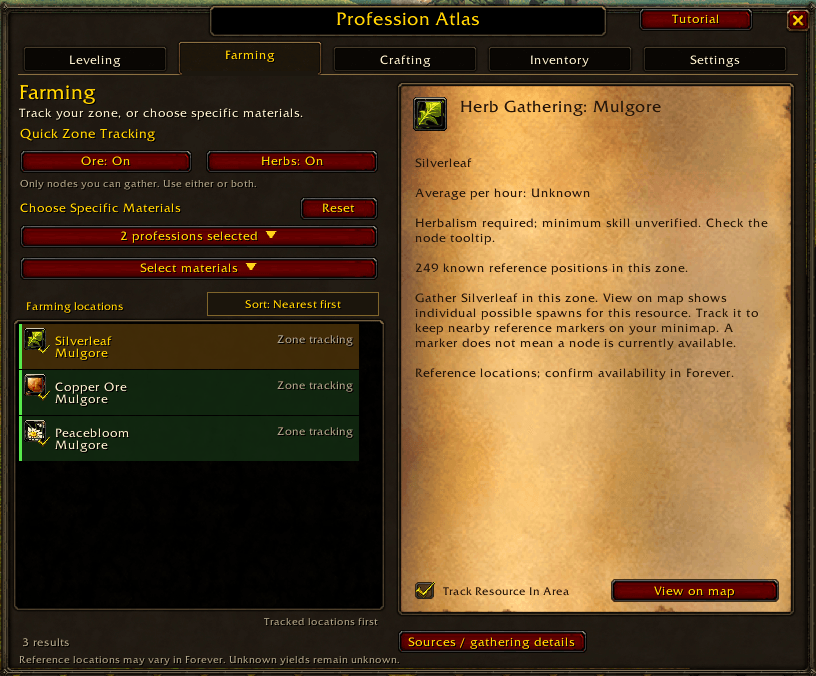
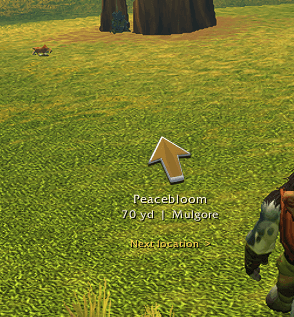
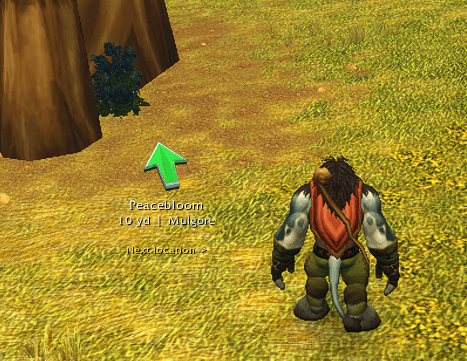
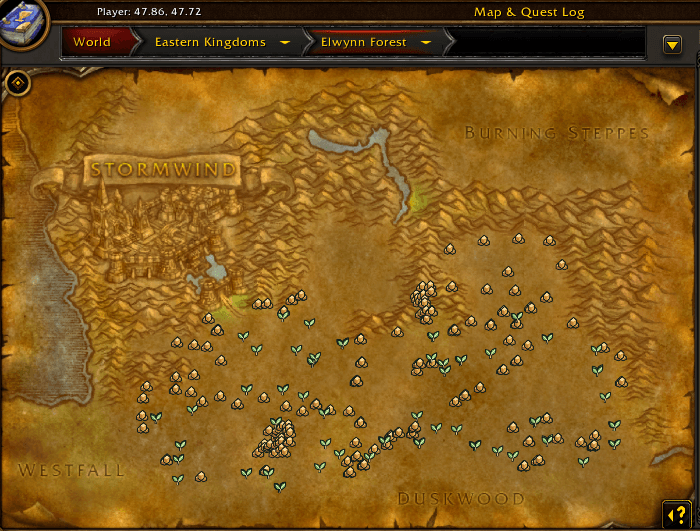
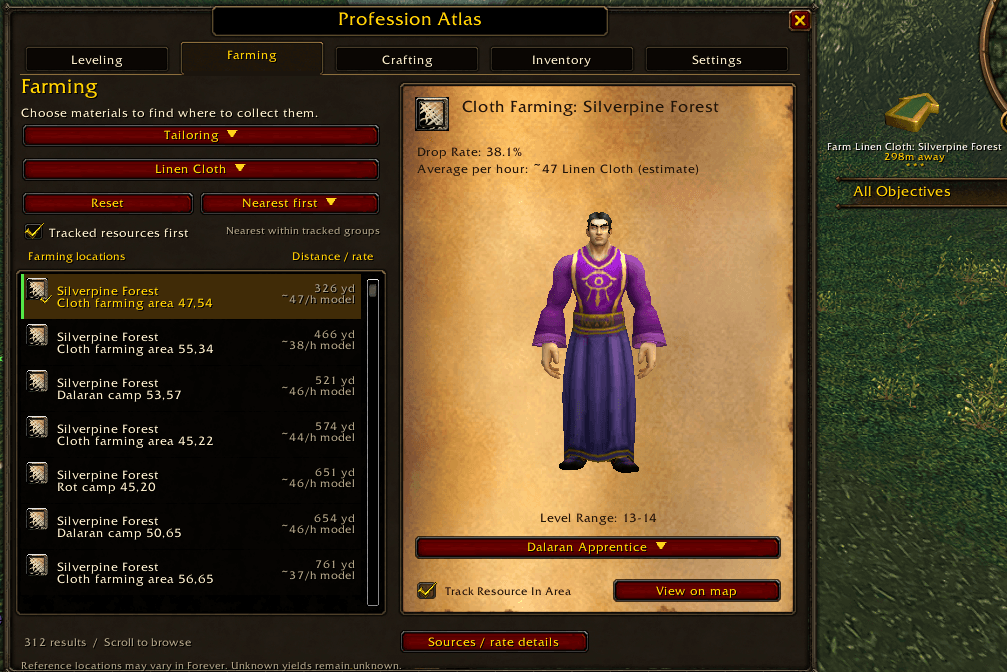
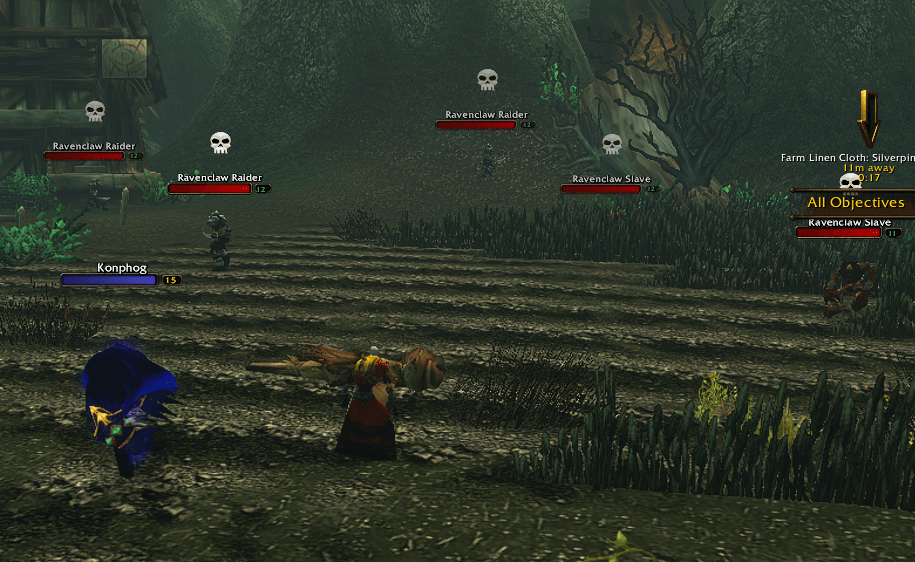
- Farming: search for materials and find gathering locations or creatures that can drop them. Quick Zone Tracking lets you toggle Ore, Herbs, or both, filtered by your current gathering skill. Track several resources, view possible spawn locations, and preview supported creatures in 3D. The built-in arrow follows the nearest eligible tracked location as you move; Next location skips an empty spot. New gathering spots can be learned locally and retained through normal addon updates.
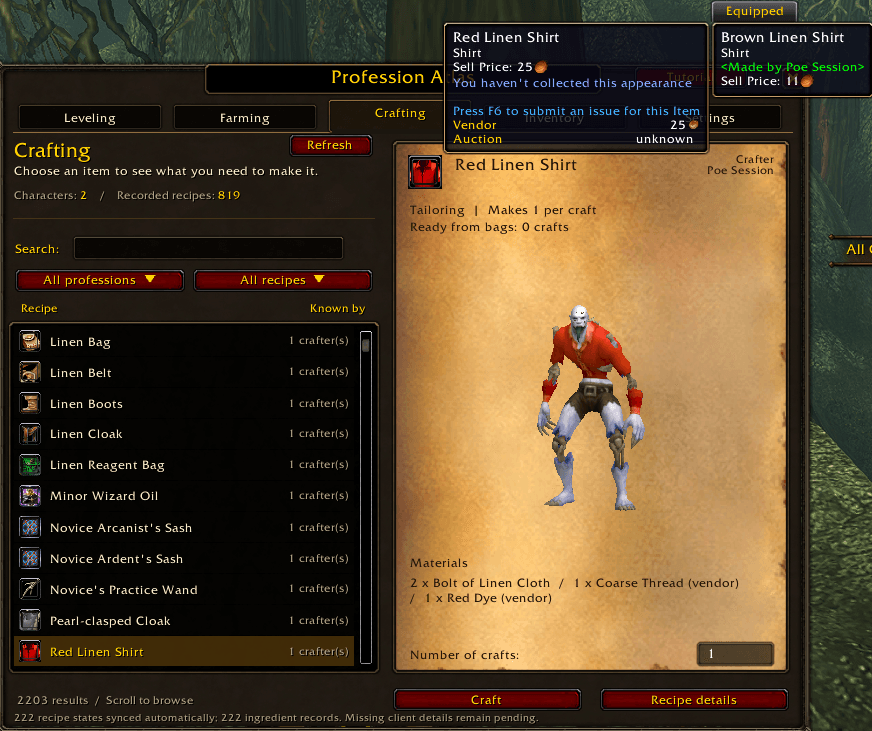
- Crafting: browse recipes, see which recorded characters know them, check ingredients, and preview wearable items on your character. Start supported crafts with the Craft button.
- Inventory: search recorded crafting materials across your characters' bags and personal banks. Guild banks and account banks are not included.
- Settings: adjust the window, resource symbols, marker sizes, arrow appearance, and planning preferences. Open Recent Change Logs to browse the complete published version history.
The catalogue covers Alchemy, Blacksmithing, Cooking, Enchanting, Engineering, First Aid, Fishing, Herbalism, Leatherworking, Mining, Skinning, and Tailoring.
Find the right trainer
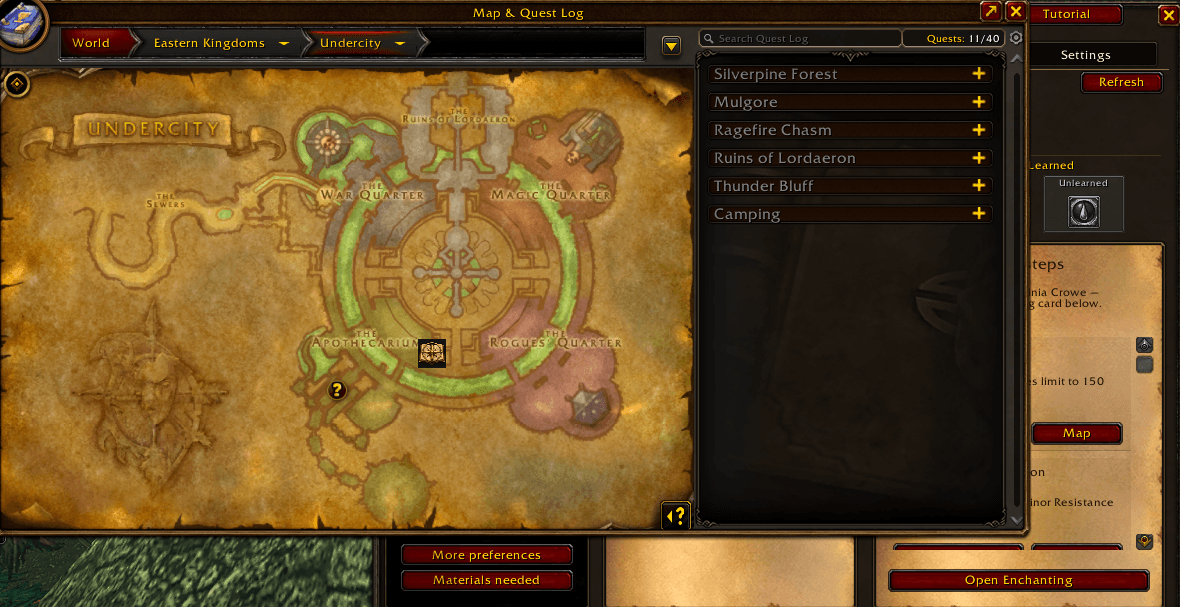
See the name and recorded location of a suitable trainer for your selected profession, next proficiency rank or planned recipe. Recommendations check the required lesson and faction access, then use your current location to choose the nearest eligible recorded destination. Recommendations and active tracking update as you move or change zones. Use Tracking: On/Off to start or stop directions, or Show on map to view the destination.
Rank guidance covers Apprentice through Artisan (300), including book vendors and rank quests where required. Trainer tracking pauses farming directions and restores them when stopped or completed. Locations and teaching records are references that may change during the Forever beta; directions use straight-line distance rather than roads or travel routes. Missing coordinates and Classic-only references remain clearly identified.
Browse previous updates
Open Settings > Recent Change Logs to browse the release history. The newest version starts expanded at the top, with older versions collapsed beneath it, newest to oldest. Click any version to expand or collapse its notes independently.
Returning users receive update notes once per account after updating. Fresh installations open Atlas with the welcome tutorial instead. The changelog window waits through combat or an open welcome tutorial.
Getting started
- Open the addon using its minimap button or type
/professionatlas(also available as/pa). - Open your profession windows so it can record your skills and learned recipes.
- Choose a profession and target skill on Leveling, or search directly on Farming or Crafting.
- Open your bank to refresh its recorded materials. Log into other characters and open their professions and banks to update their records.
- Visit the auction house to collect prices for relevant profession materials. Auctioneer and Auctionator are not required for the built-in scan.
Closing and reopening returns to your last page. /reload also preserves your last page and Farming selections and tracking. A fresh login starts on Leveling and clears temporary Farming selections and tracking, while keeping recorded inventory, recipes, prices, goals, and display preferences.
Know what you still need
The material checklist shows how much you own and how much you need for the available plan. Completed entries are dimmed and checked off, making missing supplies easier to find. Hover the storage indicator to see recorded supplies on other characters and in personal banks. Eligible, transferable supplies on characters of the same realm and faction can count toward your plan.
Open the auction house to collect material prices with the built-in scan. Saved auction prices and vendor prices estimate the cost of supplies you still need. The estimate shows price age; missing prices remain clearly marked, and reference vendor prices are labelled when used. Prices can change, so an estimate is not a guaranteed purchase total.
Optional integrations
TomTom adds a destination arrow and supplies a compatible mapping library. Resource pins also have native map/minimap fallbacks; minimap placement depends on the positioning APIs available in your client. Auctionator can supply additional price estimates when installed. Neither addon is a required dependency.
What to expect
- Map markers show possible resource locations, not a live scan of available nodes.
- Locally learned gathering positions are approximate player gathering coordinates. They stay on your computer and are preserved through normal addon updates. Last-farmed check-back timers are estimates, not guaranteed respawn times.
- Farming yields are estimates or recorded observations; unknown rates stay labelled as unknown.
- Leveling plans depend on recorded recipes, materials, and prices. They cannot guarantee a skill point from every craft.
- Other characters and closed banks show their last recorded contents.
- Crafting requires the logged-in character, the necessary materials and tools, and any required station. Direct equipment enchants use the game's normal Enchanting window.
- This is an early testing build. Some professions still await complete in-game testing on a character with that profession.
Feedback
Found a bug or have a suggestion? Leave a comment on this project page. For bugs, include your addon version, game version, profession, what you clicked, and what happened. A screenshot or the report from Settings → Diagnostics / copy report can help; review the report for character names before posting it publicly.
Licence
Original Profession Atlas code is All Rights Reserved. Players may download and use the addon free of charge, inspect its code, and make personal local modifications. Redistribution or reuse of the author's protected code requires permission. Third-party material retains its own applicable terms; see the included licence and credits.
Credits
Thank you to the Questie team and QuestieDB contributors for NPC and gathering reference data; Wuild and GatherLite contributors for herb/ore coordinates from GatherLite 8.1.7 and retained fishing references from 8.0.4, distributed with its MIT notice; Milenkas / WoW Forever Talents for recipe catalogue information; ClassicDB.ch for loot and related references; Wago.Tools for access to Blizzard client-table exports; and Classic WoW Forever for gathering reference information. GatherLite identifies Wowhead as an upstream data source; this acknowledgement does not claim a separate permission grant from Wowhead. GatherLite does not need to be installed.
World of Warcraft and its game assets belong to Blizzard Entertainment. Profession Atlas is independently developed; these acknowledgements do not imply endorsement.
You must be logged in to leave a comment.