
PlayerNotes & KoS
Keep notes on other players and get warned when someone on your Kill on Sight list shows up in the world.
Details
Expansion
 Forever
 Categories
Developers

Having issues?
# PlayerNotes & KoS
Keep notes on other players and get warned when someone on your Kill on Sight list shows up in the world.
## Features
**Player notes**
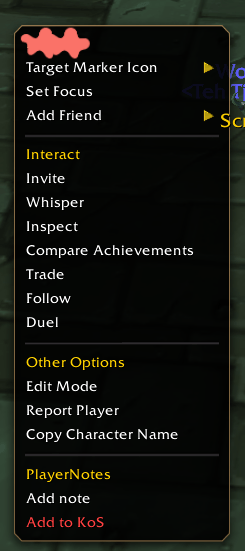
- Right-click any player (target frame, party/raid frames, chat name) → **Add note**
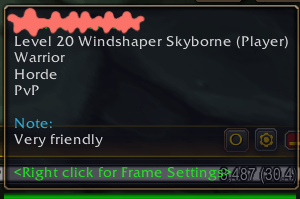
- Your note appears in the tooltip whenever you mouse over that player
**Kill on Sight list**
- Right-click a player → **Add to KoS**, with an optional reason
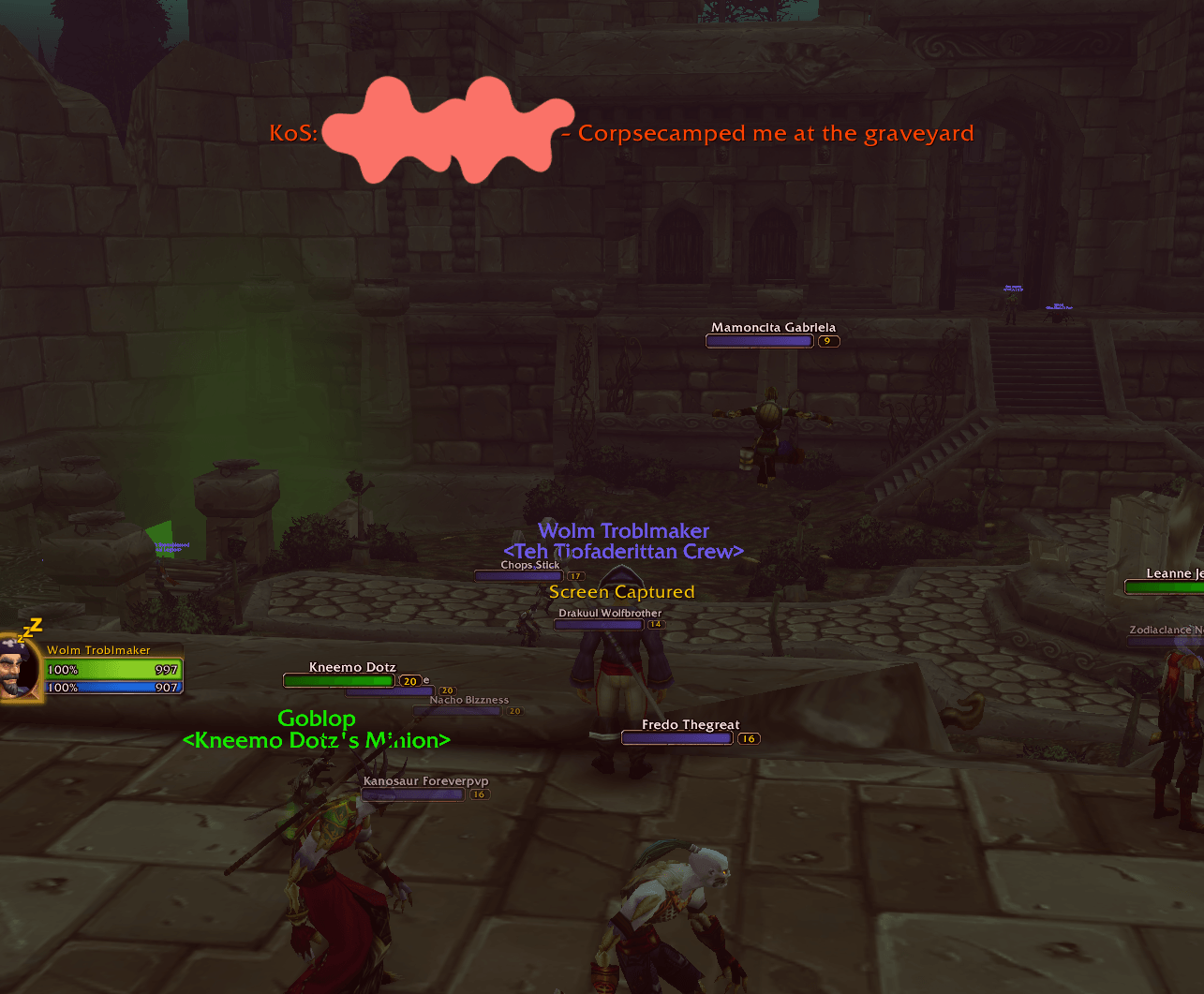
- When a KoS player is spotted in the open world you get:
- A big raid-warning style message in the middle of the screen
- A warning sound and a red screen flash
- A chat line with name, level, class and zone
- Detection via nameplates, mouseover, target, focus and the combat log
- "KILL ON SIGHT" and the reason are shown in the player's tooltip
- Remembers when and where each KoS player was last seen
**List window**
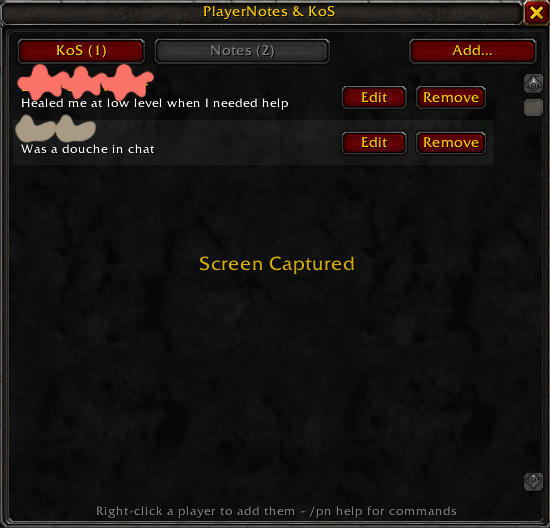
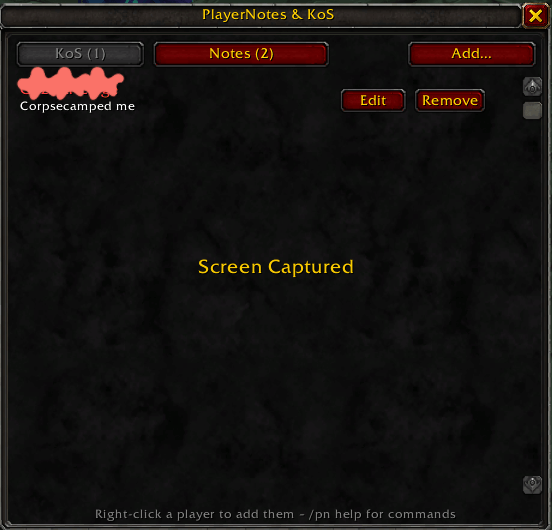
- `/pn` opens a window with KoS and Notes tabs where you can add, edit and remove entries
## Commands
| Command | Description |
|---|---|
| `/pn` | Open/close the window |
| `/pn note [name]` | Add or edit a note (uses your target if no name) |
| `/pn del [name]` | Delete a note |
| `/pn kos [name]` | Add to KoS (uses your target if no name) |
| `/pn unkos [name]` | Remove from KoS |
| `/pn list` | Print the KoS list to chat |
| `/pn cd <seconds>` | Time between alerts for the same player (default 60) |
| `/pn sound` / `flash` / `rw` / `world` | Toggle sound, screen flash, raid warning text, open-world-only alerts |
| `/pn test` | Show a test alert |
## Notes
- Works with WoW Forever character names that include a surname
- Alerts are off in dungeons, raids and battlegrounds by default (`/pn world` to change)
- Enable enemy nameplates (default key **V**) for the earliest warnings
- Data is saved account-wide, so all your characters share the same lists
You must be logged in to leave a comment.