
PlateSmith Nameplates
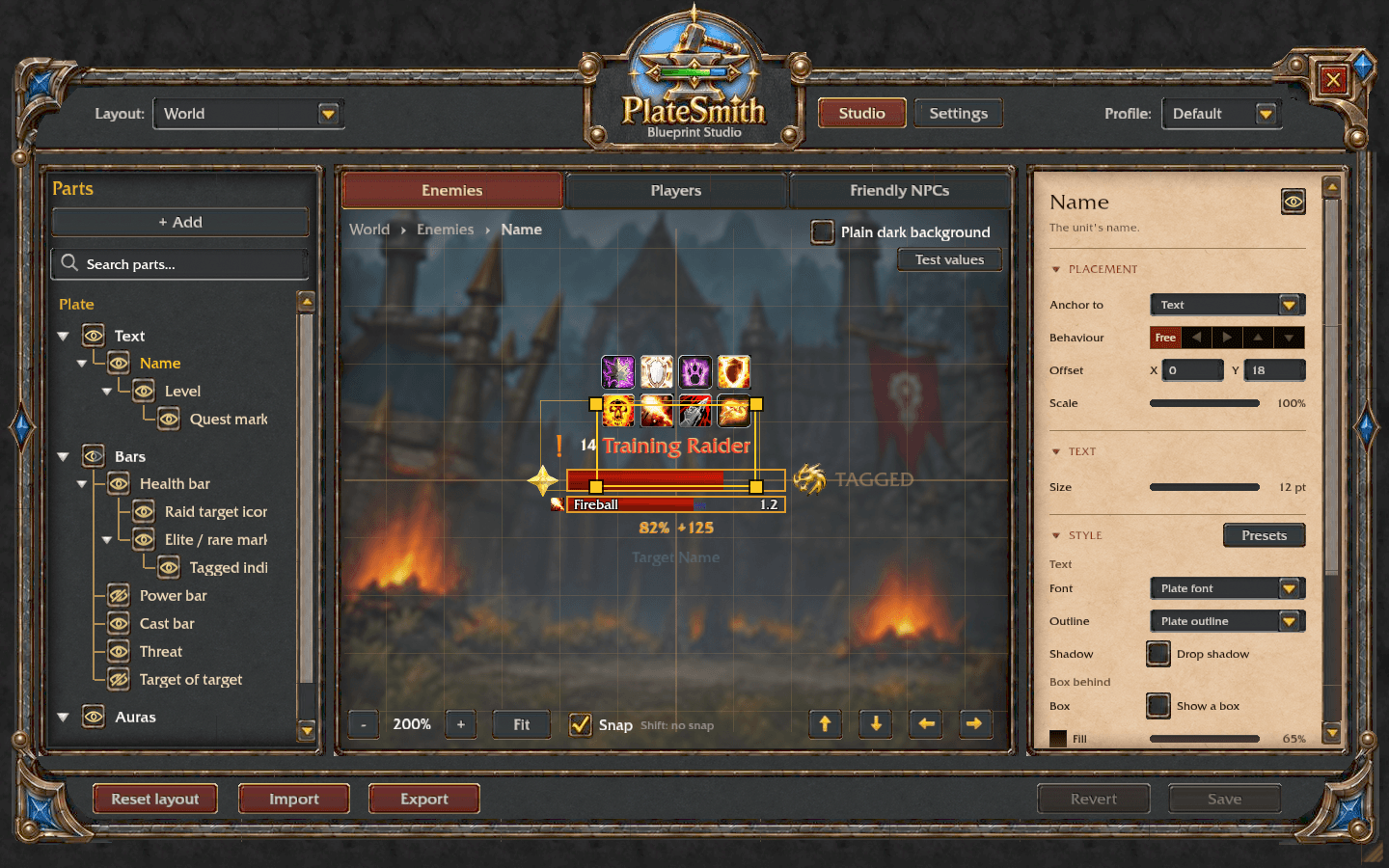
Design your own nameplates in a live visual editor: drag parts into place, style them and add colour rules. Threat on every plate for tanks and DPS, cast bars, buffs and debuffs, quest markers, preset looks and threat windows.
Details
Expansion
 Forever
 Categories
Developers

Having issues?
PlateSmith Nameplates
Clear, lightweight nameplates for WoW Forever that you design yourself. PlateSmith draws its own enemy and friendly plates, marks quest mobs, shows your threat on every plate and lets you shape every part in Blueprint Studio, a live editor with a preview of the plate. Give dungeons, battlegrounds and cities a look of their own, colour plates by threat, and share your whole setup with one code or a chat link. It needs no other addon.
What's new in 1.2.0
- A design for each kind of place: World, Dungeons & raids, Battlegrounds & arenas, Cities & inns
- An Enemy players tab, so hostile players can look different from NPCs
- Where plates show: hide a plate type in cities, dungeons or battlegrounds with one tick
- A soft glow behind your target, with its own look for each plate type
- Combo point styles: coins, squares, diamonds, bar segments or Blizzard's art
- Colour by threat with one tick box, no rules needed
- Blueprint chat links, and a review of what an import will change before it does
- A short first-run setup and a new Blizzard look
Features
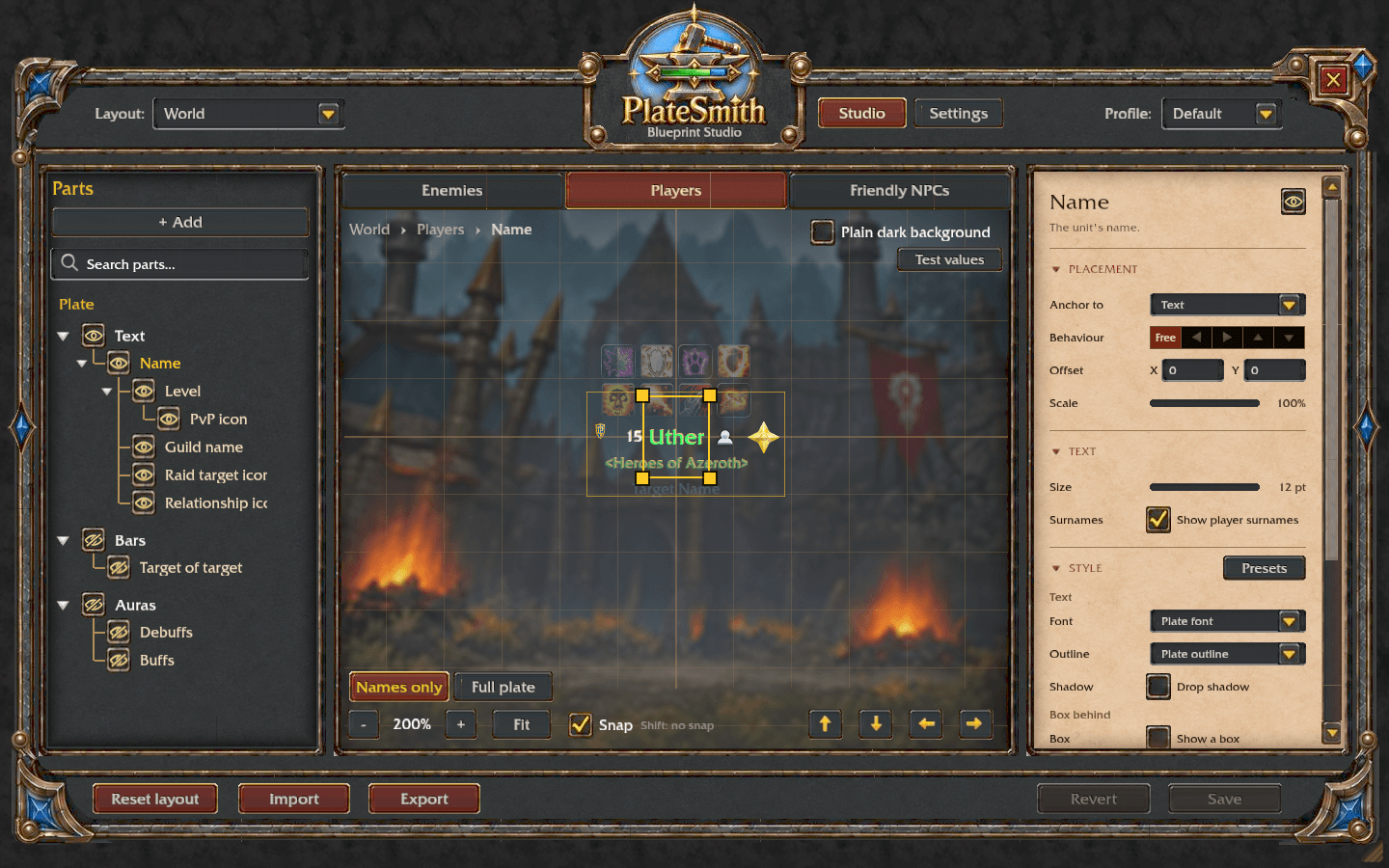
Blueprint Studio
- Type
/psto open it. Click a part in the preview or the parts tree, change it in the inspector, and drag it into place; parts snap to the plate and to each other. - Pin parts to each other, stack them, style text, bars and boxes, and write your own text such as
{health} / {health.max}. - Rules change a part while something is true: grey when tagged, red at low health, fade non-targets.
- Test values let you preview a tagged, casting or elite mob before you meet one.
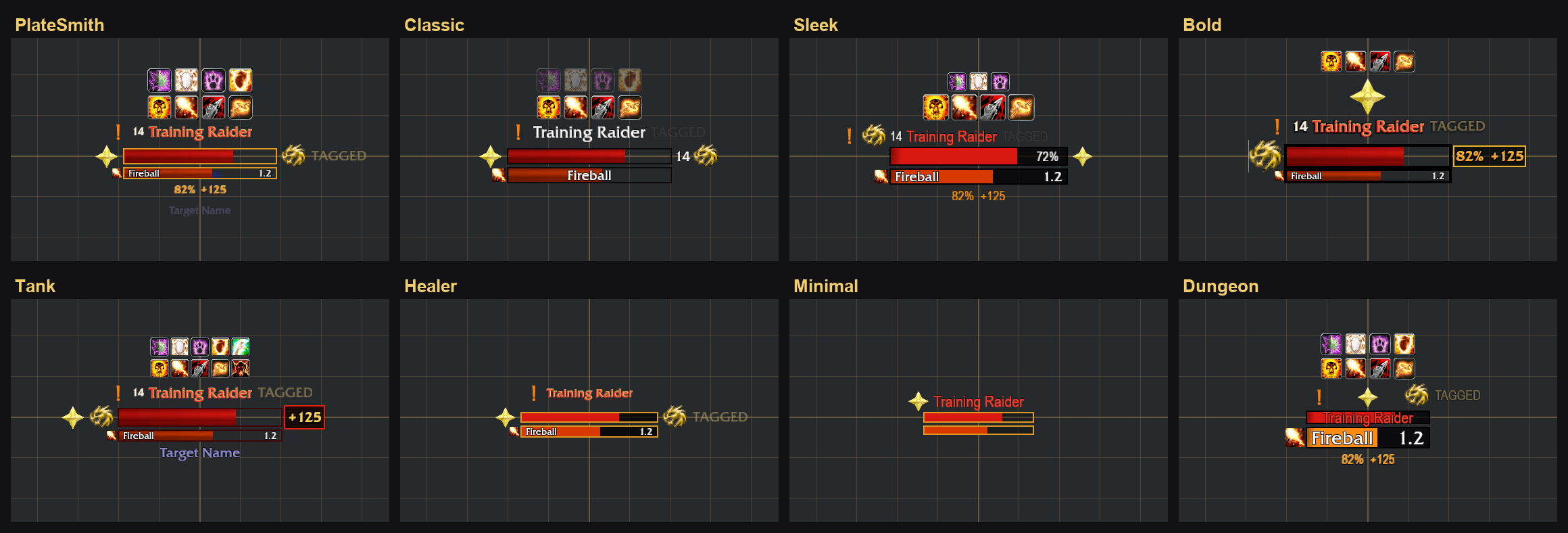
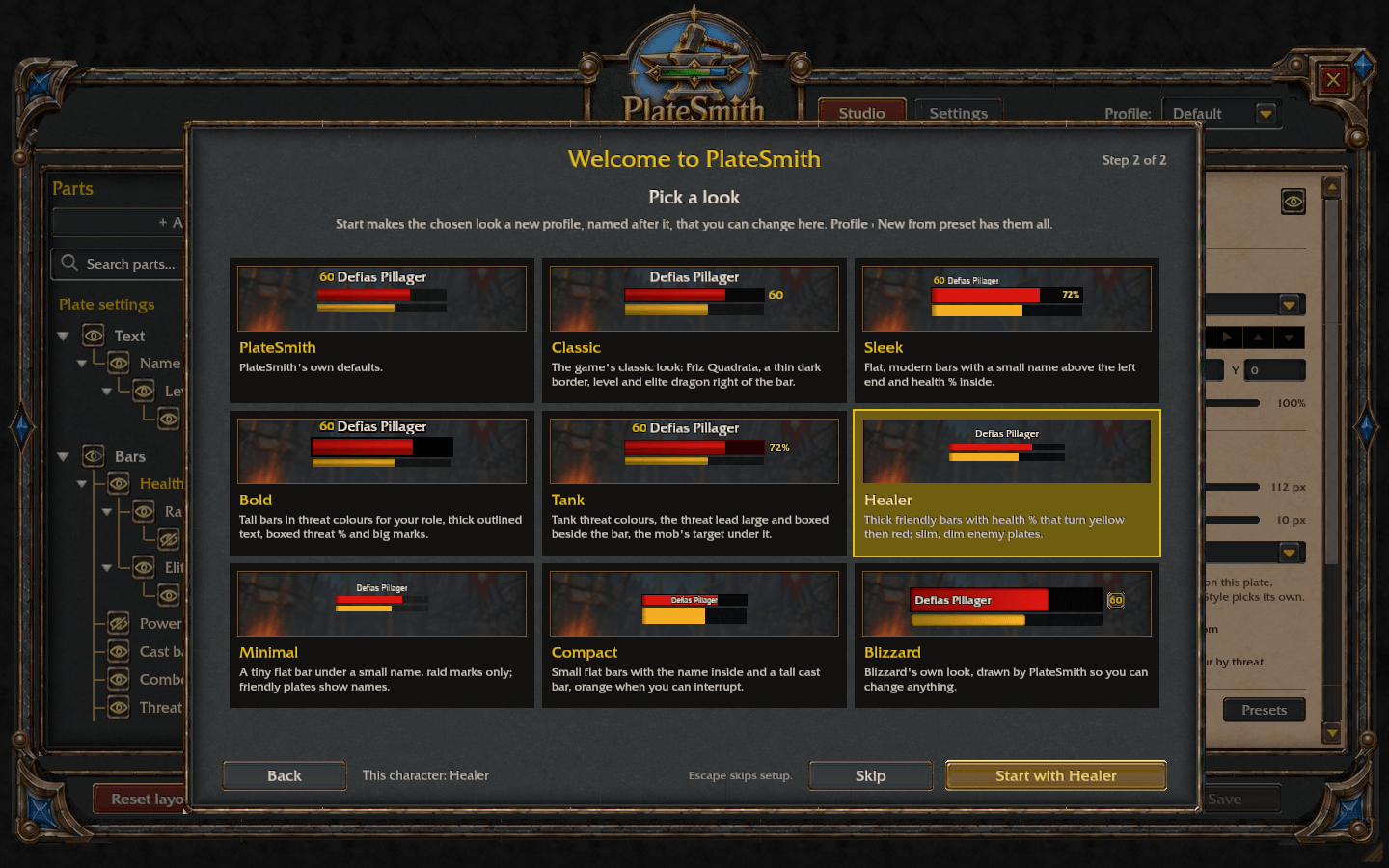
Nine looks to start from
PlateSmith, Classic, Sleek, Bold, Tank, Healer, Minimal, Compact and Blizzard. Each makes a new profile that you can change freely.
Designs for each place
- World is the look every place starts from. Add a separate design for Dungeons & raids, Battlegrounds & arenas or Cities & inns, and your plates switch as you enter and leave.
- A design follows World except what you change in it, and a gold mark shows each change.
Enemy players
Hostile players use your enemy plates until you customise them on their own tab, for example with larger names or their buffs shown.
Where plates show
Pick which plate types show in each kind of place, such as no enemy plates in cities. It uses Blizzard's own switches and puts them back when you log out.
Target highlight and glow
Light up your target with a gold edge or a soft glow behind its plate, in your own colour, its class or reaction colour, or your threat colour on it. Each plate type can have its own.
Combo points
Your combo points on your target's plate, in the shape, size and colour you choose, as wide as the health bar if you like, and shown always, in combat or only when you have points.
Threat
- Your threat on every plate: your threat percent and the gap to the next player.
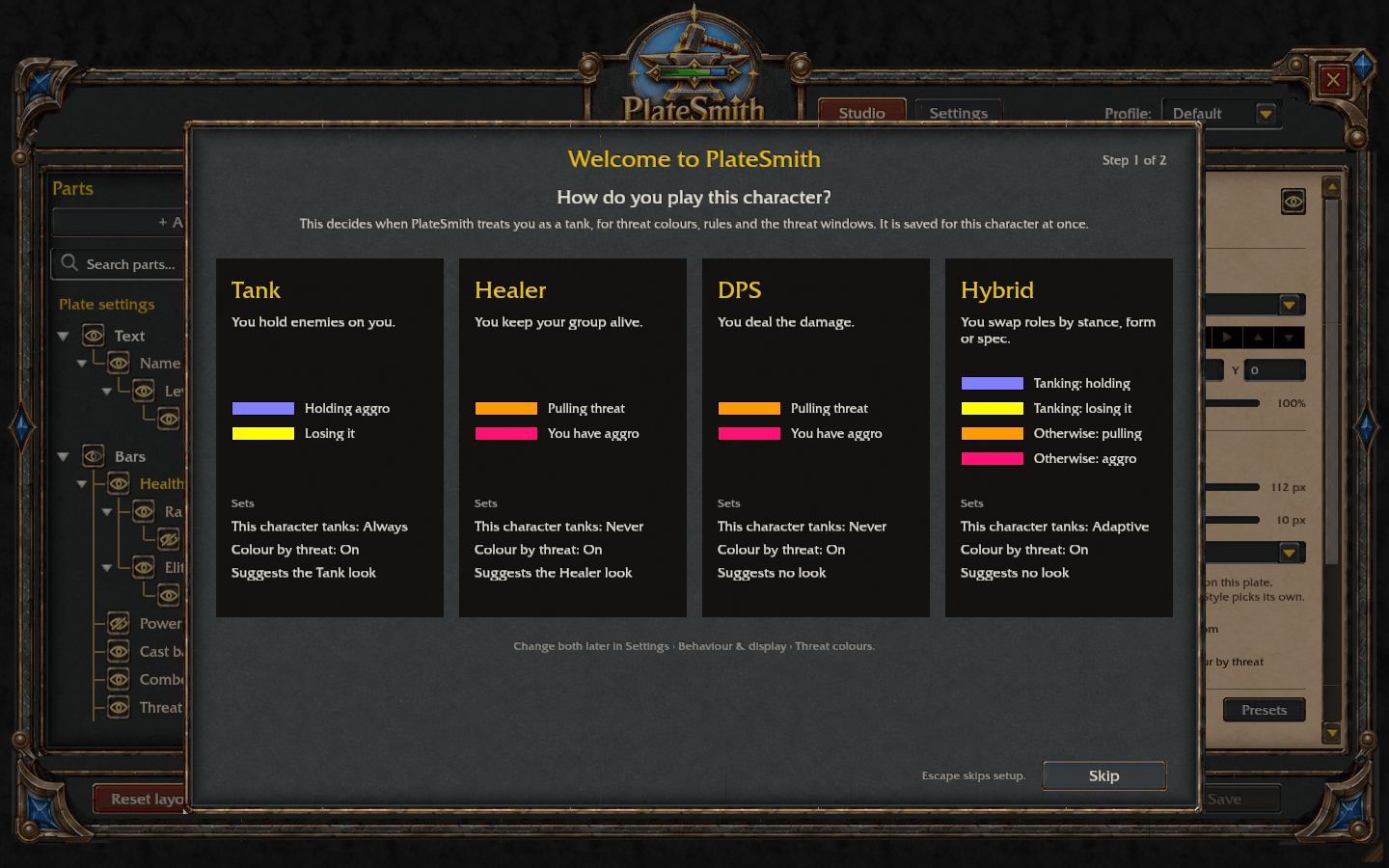
- Colour by threat colours health bars and names for tanks (holding, losing it) or for DPS and healers (safe, pulling, aggro).
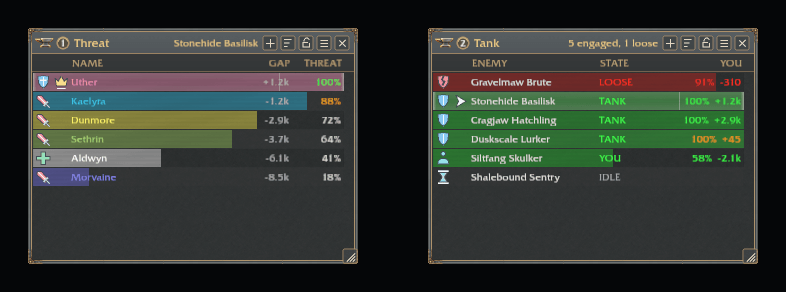
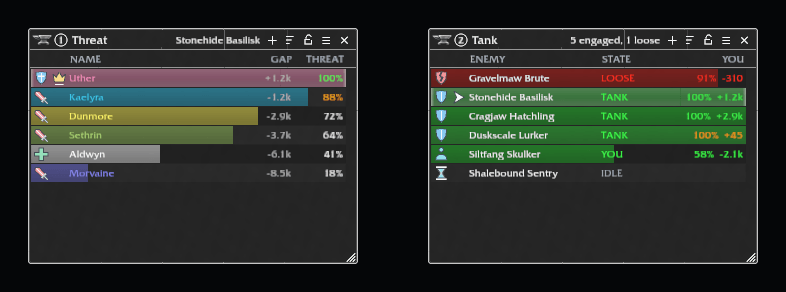
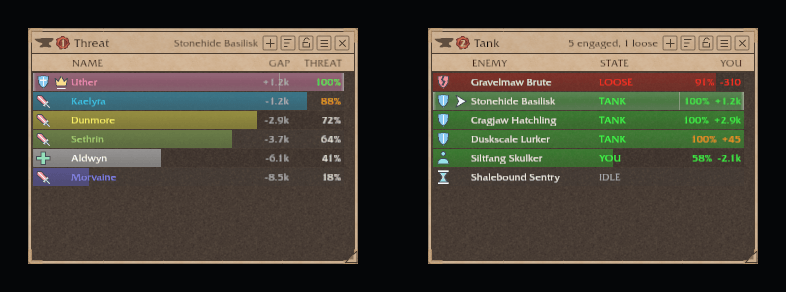
- Up to five threat windows: a threat meter for your target, or a tank list of every enemy in view. They can follow Blizzard's damage meter.
Quests
- Quest markers on mobs you still need for a quest, with optional progress such as 3/8.
- If you use Questie, choose whether its quest icons or PlateSmith's show.
- The optional PlateSmith_QuestieDB companion, included in the download, also marks mobs that can drop a quest item when QuestieDB is installed.
Blueprints
- Export your whole setup as a share code, or Link in chat for other PlateSmith players to click.
- Import shows what will change, design by design, and you pick the sections to bring in.
Profiles
- Named profiles with Save and Revert, so you can try things without losing your setup.
- Switch profiles automatically for dungeons, raids, battlegrounds or each specialization.
Getting started
- Install PlateSmith and log in.
- Type
/ps. On a new install a short setup asks how you play this character, then lets you pick a look. - Click a part, change it, and press Save. Your plates show changes at once, but only Save keeps them.
Commands
| Command | What it does |
|---|---|
/ps | Open Blueprint Studio |
/ps config | Open Settings |
/ps save or /ps revert | Keep or undo unsaved changes |
/ps profile [name] | List profiles, or switch to one |
/ps console | Show or hide the threat windows |
/ps console sample | Show or hide sample data in the threat windows (out of combat) |
/ps status | Show the profile and any active restrictions |
/ps diagnose | Open the diagnostics report |
/ps perf | Watch PlateSmith's live performance |
/ps mode auto, own or overlay | Choose who draws the plates |
/ps fetch <Name-Realm> <id> | Ask for a Blueprint shared in chat if its link isn't clickable |
Compatibility
- Made for WoW Forever. The game keeps some values private in combat and in instances. PlateSmith still shows them where the game allows, but never guesses: a rule that depends on one does not apply.
- QuestieDB, Questie and LibSharedMedia are used when installed, and are never required.
- Another nameplate addon (KuiNameplates, Plater, Threat Plates, ElvUI's nameplates and others): PlateSmith
says so once a session and, by default, runs as a light overlay (quest markers and threat) on its plates.
It offers to disable the other addon (for ElvUI, turn its nameplates off), or use
/ps mode own. - Blizzard protects friendly plates in dungeons and raids; there PlateSmith offers what the game allows.
- English only for now.
Reporting a problem
Target the mob, type /ps diagnose, and copy the summary and the report code into your comment with a
screenshot and what you were doing.
You must be logged in to leave a comment.