

Pimmer Plus
Pimmer Plus — The Swiss Army Knife of Addons
Details
Addon ID:
26970
Addon Version:
Pimmer_Plus-1_1_0.zip
Expansion:
1.60
Upload date:
Oct 06, 2026
Last Updated:
Oct 06, 2026
Downloads:
Less than 100
Website:
Source Link
Expansion
 Forever
 Developers

pimmerx
Creator
Having issues?
Pimmer Plus — The Swiss Army Knife of Addons
Pimmer Plus bundles the quality-of-life features you'd normally need a dozen separate addons for, all in one lightweight package with a single settings window. Built for WoW: Forever.
/pp or /pimmer to open options.
Quality of Life
- Auto accept/turn-in quests — breeze through quest givers without clicking (hold Shift to bypass)
- Faster looting — auto-loot fires instantly instead of waiting on the animation
- Move Anything — drag almost any default Blizzard window (character pane, spellbook, bags, mail, auction house, and more) wherever you want it
- Clickable links in chat — click a web link to select and copy it, no more squinting at raw URLs
- Account-wide gold tracker — see your total gold across every character at a glance
- Auto-vendor junk — grey items sell themselves the moment you visit a merchant
- Hide error messages — silence the red on-screen spam
- Easy-delete — types DELETE for you on the item destruction prompt
- Dark mode for unit frames — recolors the player/target/focus/pet/party frame borders to a darker theme
- Spell training tab — a new spellbook tab listing every spell and rank your class can learn and the level required for each, so you always know what's coming next without a trip to the trainer
Buff Reminders
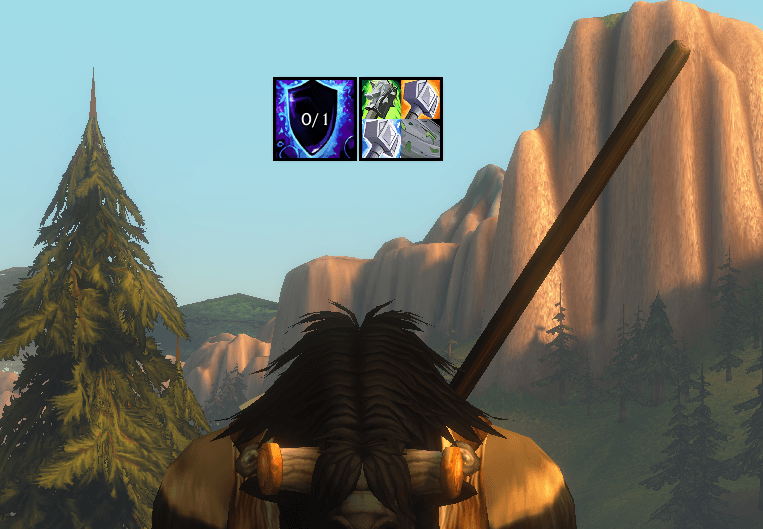
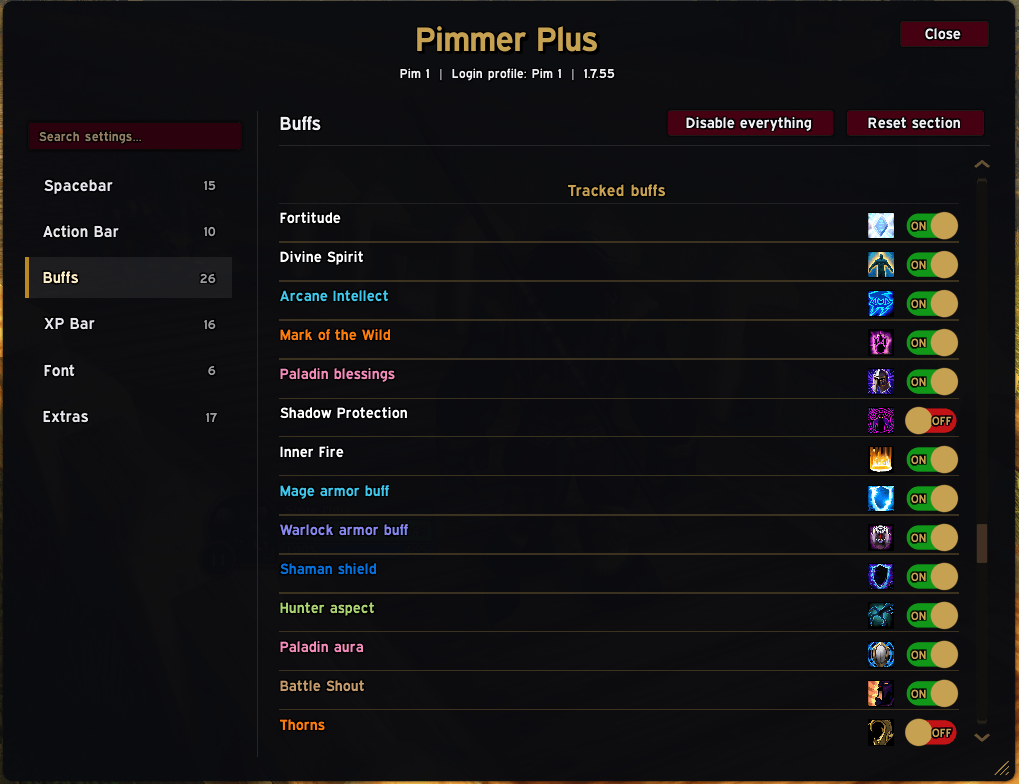
- Clickable, auto-targeting buff reminders — see exactly which buffs are missing on you or your party, and click the icon to cast it on the right target
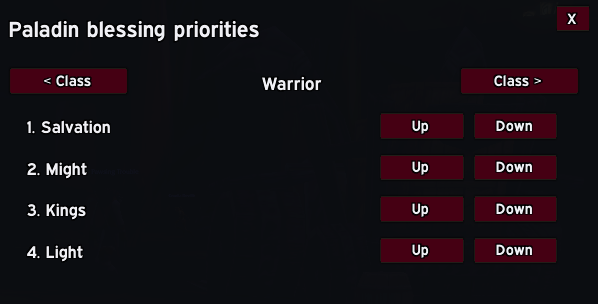
- Smart Paladin buff tracker — automatically distributes Blessings across your group instead of spamming one buff on everyone
- Passive pet tracker — reminds you when your pet isn't on Passive when it should be
- Shaman weapon imbue reminder — one icon split into four clickable quarters (Rockbiter, Flametongue, Frostbrand, Windfury), shown whenever your weapon has no imbue active
Spacebar Dialogue
- Spacebar advances NPC dialogue, and number keys 1–9 pick dialogue/quest options — think Old School RuneScape-style conversations, if you've played that
- Spacebar also confirms popups: item deletion, equipping Bind-on-Equip items, and similar prompts
Action Bar
- Hide or mouseover-reveal the bag bar, micro menu, and action bars
- Zoom into action icons, strip the standard border, and apply dark outlines
- Opacity slider for your bars
XP Bar
- Time-to-ding tracker
- Session XP tracker
- Quest completion % of your current XP bar
- Rested XP tracker
- Fully customizable colors and size
Fonts
- Change the font used across nearly everything — chat, unit frames, nameplates, windows
And much more, with even more on the way.

You must be logged in to leave a comment.