

Pewter
Pewter is a UI reskin for WoW Forever replacing the default bronze interface with a pewter tone. It recolors the entire UI while keeping content like spell icons, health bars, and class art in their original colors.
Details
Expansion
 Forever
 Categories
Developers

Having issues?
Pewter Recolor
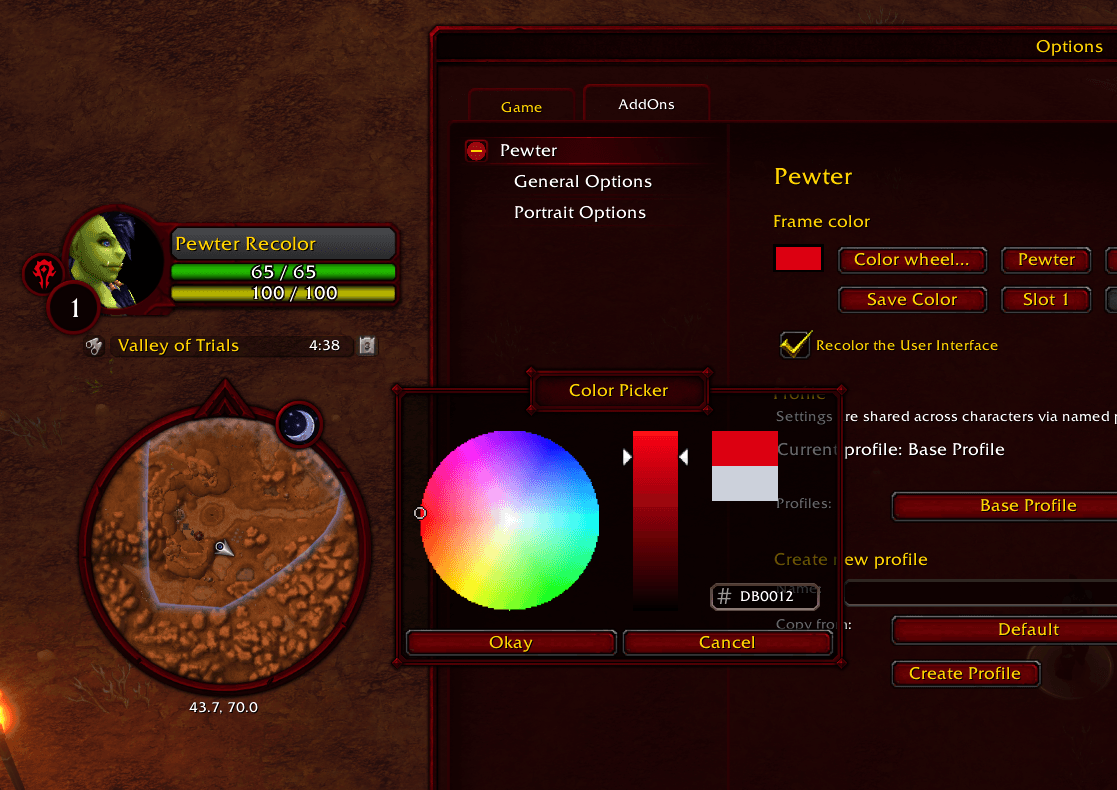
A recolor of the base WoW: Forever Interface to provide a more classic vibe. Type /pewter in game to open the options, and /pewter help for every command. I have never made a WoW add-on before, so I am sure there are small UI elements I still need to catch in future updates.
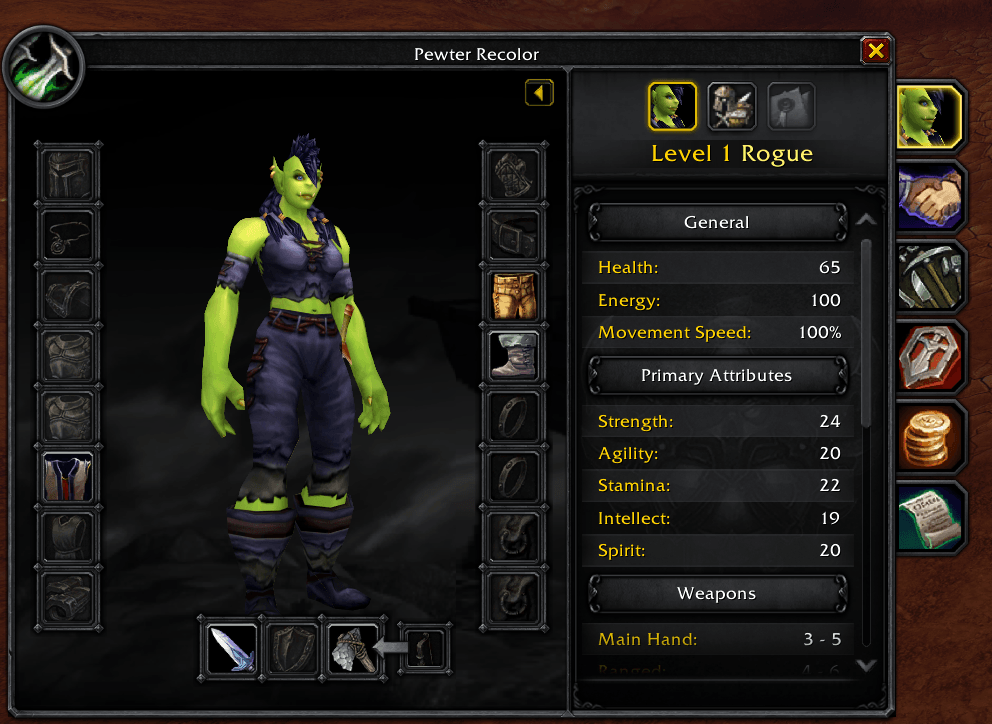
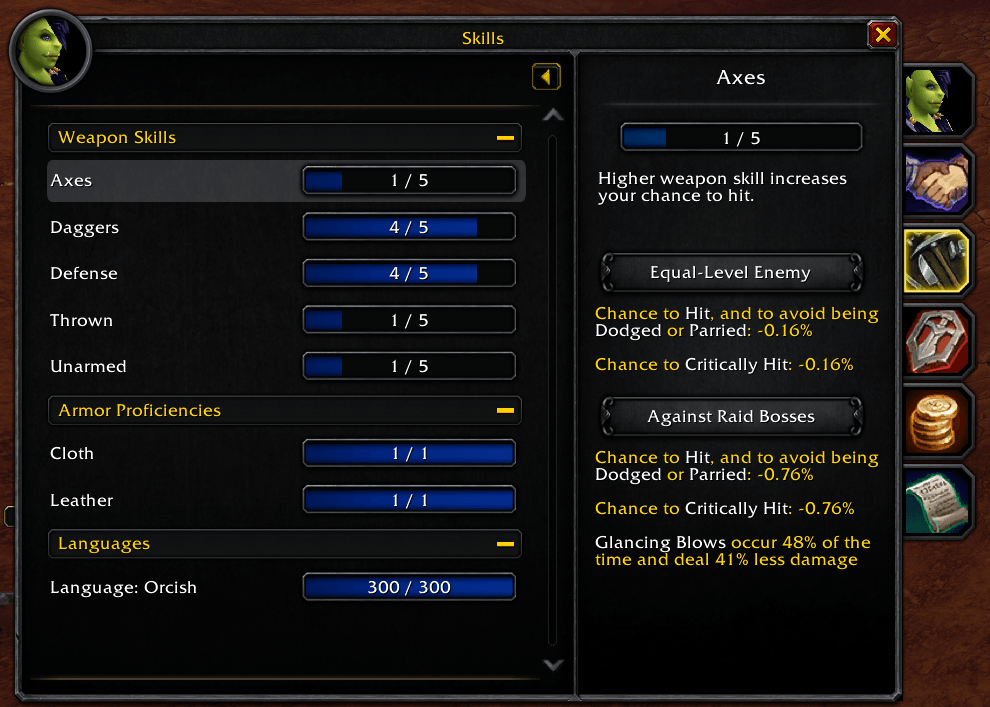
- Recolors the action bars, bag bar, bags and bank slots, character window, window frames, and buttons
- Pick your own color with the color wheel
Not yet covered: things I have not interacted with in the world, such as battleground scoreboards.
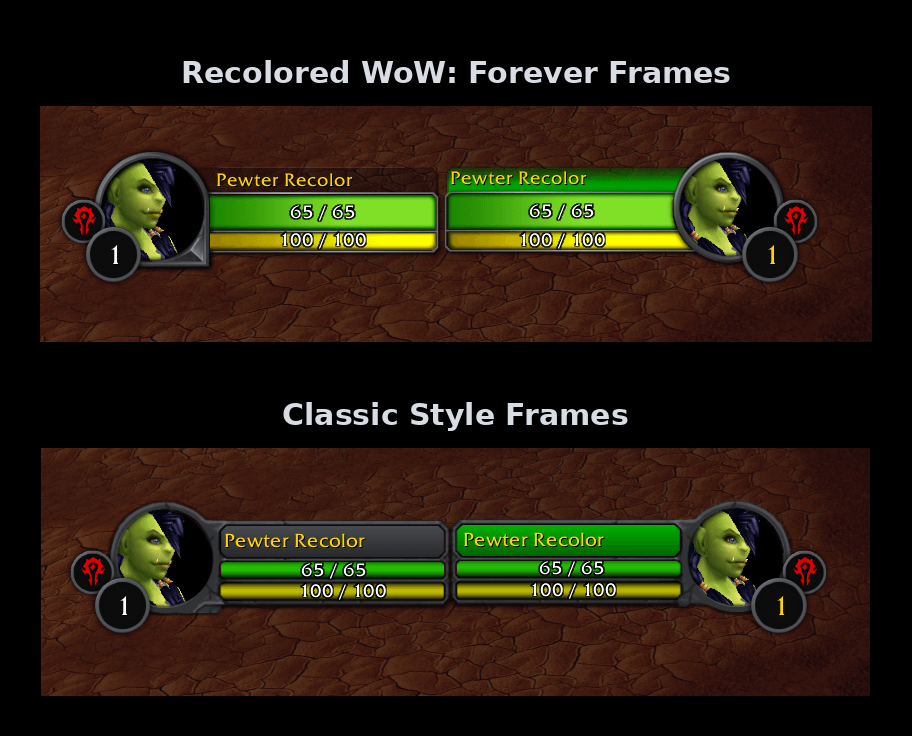
Classic Style Frames
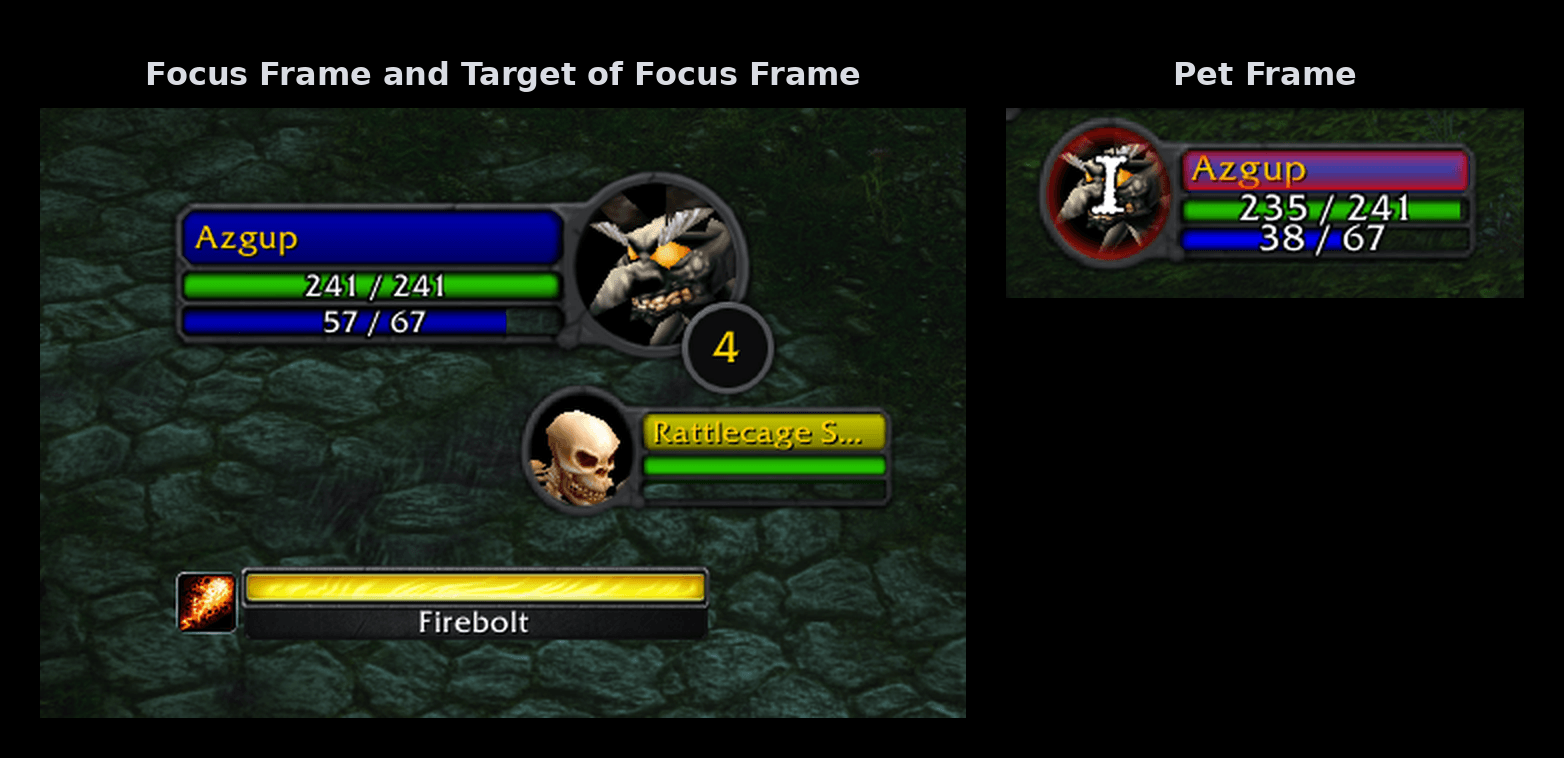
Original Classic Frames looked low resolution next to the high resolution interface, so I made my own custom textures: the modern layout of the retail frames with the nostalgic aesthetic I grew up with.
- Toggle between the standard Retail Frames and my Classic inspired frames
- Covers the player, target, focus, target of target, party, and pet frames
- Health and mana bars adjusted to look more like the original ones
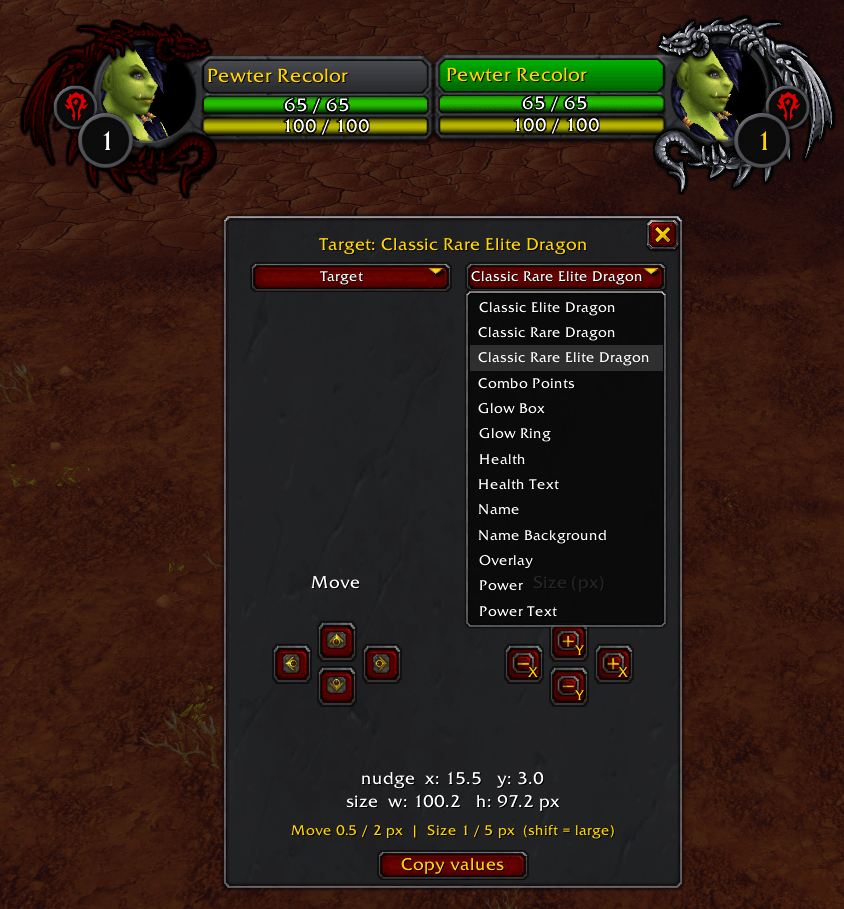
- Toggle between classic and modern elite dragon art
- Dragon art on your own player portrait, in any color or your class color (On Classic Frames)
- Player name background in any custom color or your class color (On Classic Frames)
- Custom aggro and combat glows for Classic Frames
Combo Points, Druid Frame and Five Second Rule
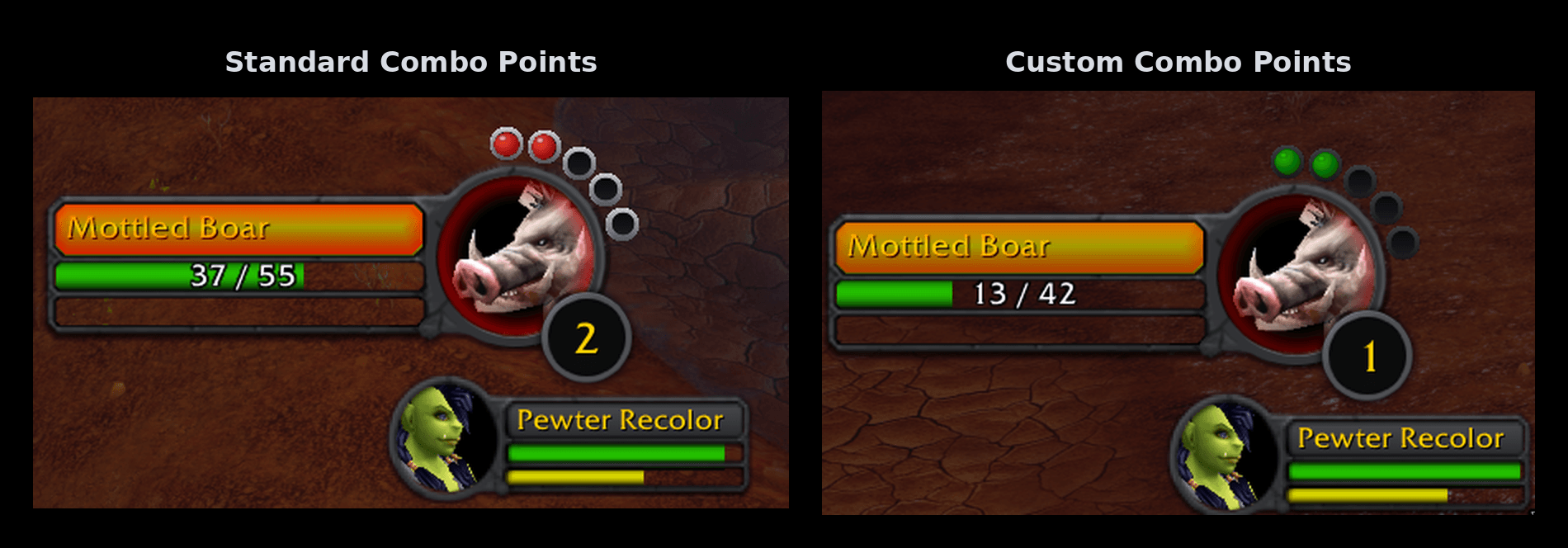
The Classic combo points looked low resolution on every frame style, and as a healer main and former SoD Druid main, I wanted to see my mana.
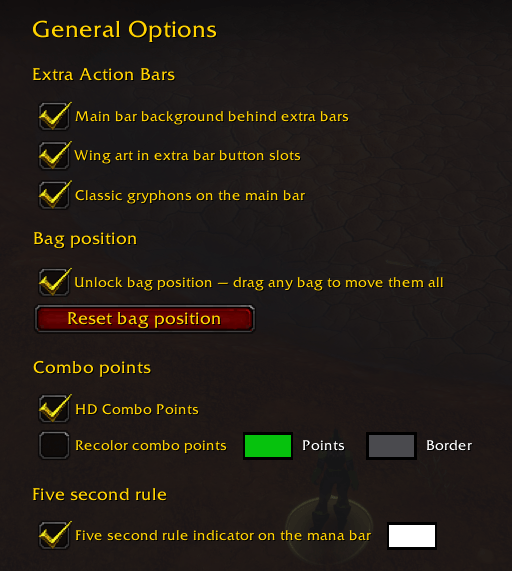
- Custom combo points toggle with adjustable colors and border thickness
- Five second rule display: Mana Bar Indicator shows when your full mana regen will begin
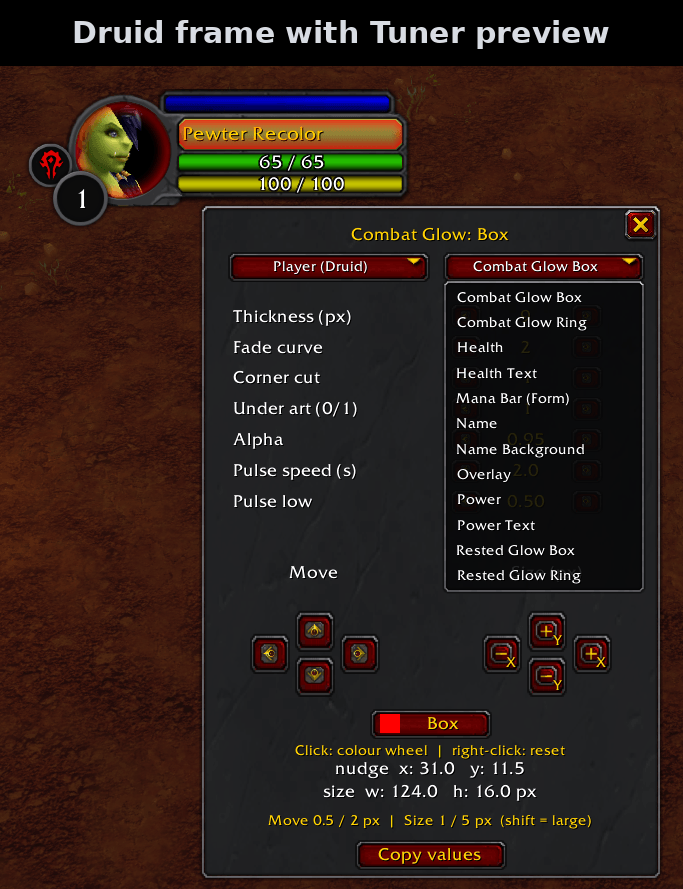
- Druid-only player frame that shows your mana bar while in bear or cat form, including the five second rule (if toggled on)
Action Bars and Bags
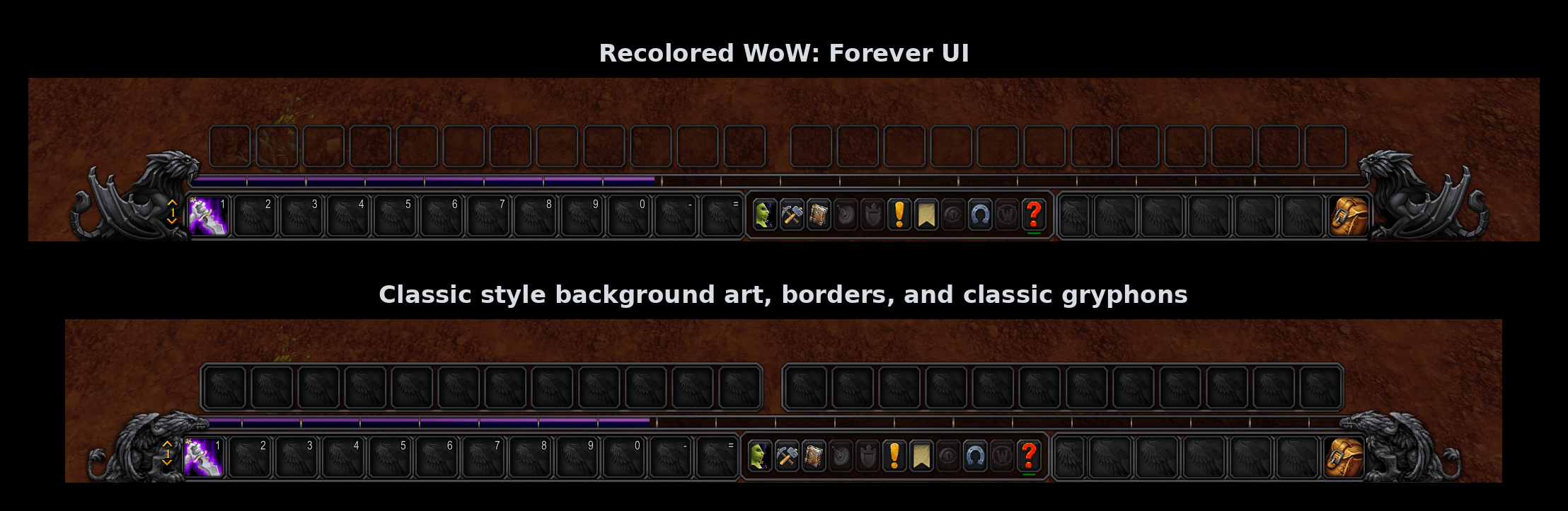
Action bars with classic inspired toggles, and inventory bags that you can move.
- Toggle the classic gryphon end caps on the main bar
- Toggle the wing slot art inside the extra action bar buttons
- Toggle the main bar's background behind the extra action bars
- Unlock and reposition your bags with a checkbox (because the base Edit Mode does not let you)
- The combined bag and the separate bags are positioned separately
Profiles and the Tuner
Pewter became complex and I felt it required user profiles.
- Create custom profiles, and reset a profile to the default base if you ever mess anything up
- The Tuner. Open it from a button in the options menu, or with
/pewter tuner, so that you can select, move, scale, and edit basically any element that I have touched or created
The Tuner is not something I expect the everyday person to engage with, but if you like to customize things or want to change anything I did, it is there.
Good to Know
- After an update that adds new art, do a full game restart, not just
/reload. - If the main bar background does not show behind your extra action bars, check that "Hide Bar Art" is not turned on in Edit Mode.
- Try
/reload(it will hopefully fix most small issues you may encounter). - Pewter recolors Blizzard's own interface. Add-ons that replace those frames may look different or may not be recolored.
A Personal Project
Pewter started as a personal project, and still is. I am putting it out here for anyone who wants a user interface that looks like the game we were used to playing, but with a (modern-ish?) twist.
As a first-time add-on developer, I apologize for the bugs that I am sure will appear. I do not have any social media sites or a Discord related to this add-on, so if you run into a problem, please post a comment here on CurseForge so that I can fix it as soon as I can. It helps a lot if you include your Pewter version and what /pewter errors prints.
As I post in Trade: "Dawnstrider [Addon Services] - tips appreciated, not required - PST" (I could really use a coffee)

You must be logged in to leave a comment.