
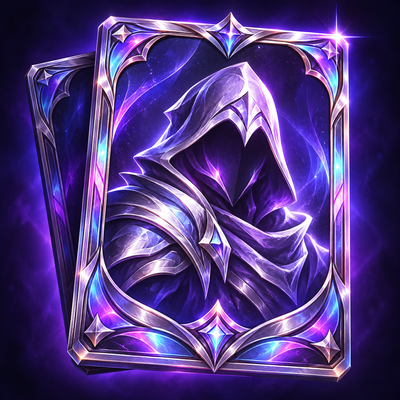
Persona — Your Character. Your Card.
Create and share animated player cards in WoW Forever, with a visual editor, holographic effects, social profiles and a card album.
Details
Expansion
 Forever
 Categories
Developers

Having issues?
Persona — Your Character. Your Card.
Create a player card that feels like yours — and discover the people behind the characters you meet.
Persona lets you design and share custom player cards directly inside World of Warcraft: Forever. Combine your 3D character, animated effects, personal details and your own layout into a card other Persona users can open in-game.
Go for a clean introduction, a glowing holographic collectible or a fantasy character showcase.
Currently in beta. Built exclusively for WoW Forever.
Start with a few clicks
Type /persona to open the card wizard. Choose a style, pick your colors, select what you want to show and add a motto.
Persona creates a layout for you. Shuffle it for another variation, or open Persona Studio to make it your own.
Your own card designer
Studio gives you control over both the front and back of your card:
Drag, resize and arrange text, your character, icons and decorations.
Choose backgrounds, frames, fonts and color themes.
Organize layers, lock elements and align them with snapping guides.
Experiment with undo and redo.
Save multiple designs as projects.
Export and import reusable designs with template codes.
Keep it simple or build a card from scratch.
Make your card come alive
Add holographic foil, cursor-reactive tilt, animated particles and opening effects. Create a second side for extra information and flip between the two.
Optional level-based borders change as your character progresses. Add an equipment display, a personal sigil or a Chronicle timeline of milestones recorded during your adventures with Persona.
Show the player behind the character
Choose the details you want to share:
Preferred roles and play styles.
Your usual play days and hours.
What you are looking for.
Languages and voice chat preferences.
Guild and rank.
A personal motto.
Optional live status and location.
Use your card to introduce yourself to a new group, find players with similar schedules or give your character a little more personality.
Discover other players
Right-click a supported player unit frame and choose View Player Card, or open a card through a clickable [Persona] chat link.
Collect the players you meet in your Album, search your collection and leave a reaction on their cards. View visitor and reaction history, or open the party board to see your group's cards side by side.
Both players need Persona installed to exchange and view cards in-game. Card availability also depends on the owner's visibility settings and whether their card can be retrieved.
Ready for screenshots
Photo Mode lets you present your card with the interface hidden, choose card-only, wide, square or portrait compositions, and take screenshots.
You can also create poster layouts featuring your party's cards or cards from your Album.
Choose who can see your card
Set visibility to:
Everyone.
Your group.
Your guild.
Private.
Visitor logging, card animations and interface sounds can also be switched off.
Getting started
Install Persona and enter the game.
Type
/personaor click the minimap button.Create your card with the wizard.
Save your card.
Invite a friend with Persona to open it!
Useful commands
/persona— open your card or first-time setup./persona edit— open Studio./persona wizard— open the card wizard./persona target— view your target's card./persona album— browse your Album./persona party— open the party board./persona photo— enter Photo Mode./persona exportand/persona import— share card designs.
Available in English, Polish and Spanish.
Beta feedback welcome
Found a bug or have an idea? Leave a comment with what happened, any error message and the steps to reproduce it. Screenshots of your card creations are welcome too!
Make a card worth opening.
You must be logged in to leave a comment.