

OlympusMute
Hides chat, bubbles, and invites from guilds you choose ("Olympus" by default), plus any words you filter. Client-side only, and nobody is notified.
Details
Expansion
 Forever
 Categories
Developers

Having issues?
OlympusMute
What's new in 1.0.9
- New: word filter. Hide messages from anyone that contain a word or phrase you choose, e.g. "asmon layer"
- New: OlympusMute's logo now shows in the in-game AddOns list
- Changed: the muted-player list opens in its own window, so the options page fits on screen
- Fixed: the Scan button has a 5-second cooldown, and searches the server throttles are retried, not skipped
- Fixed: flagged for the current WoW Forever client (1.60.1), so it loads without "Load out of date AddOns"
Full version history is in CHANGELOG.md inside the download.
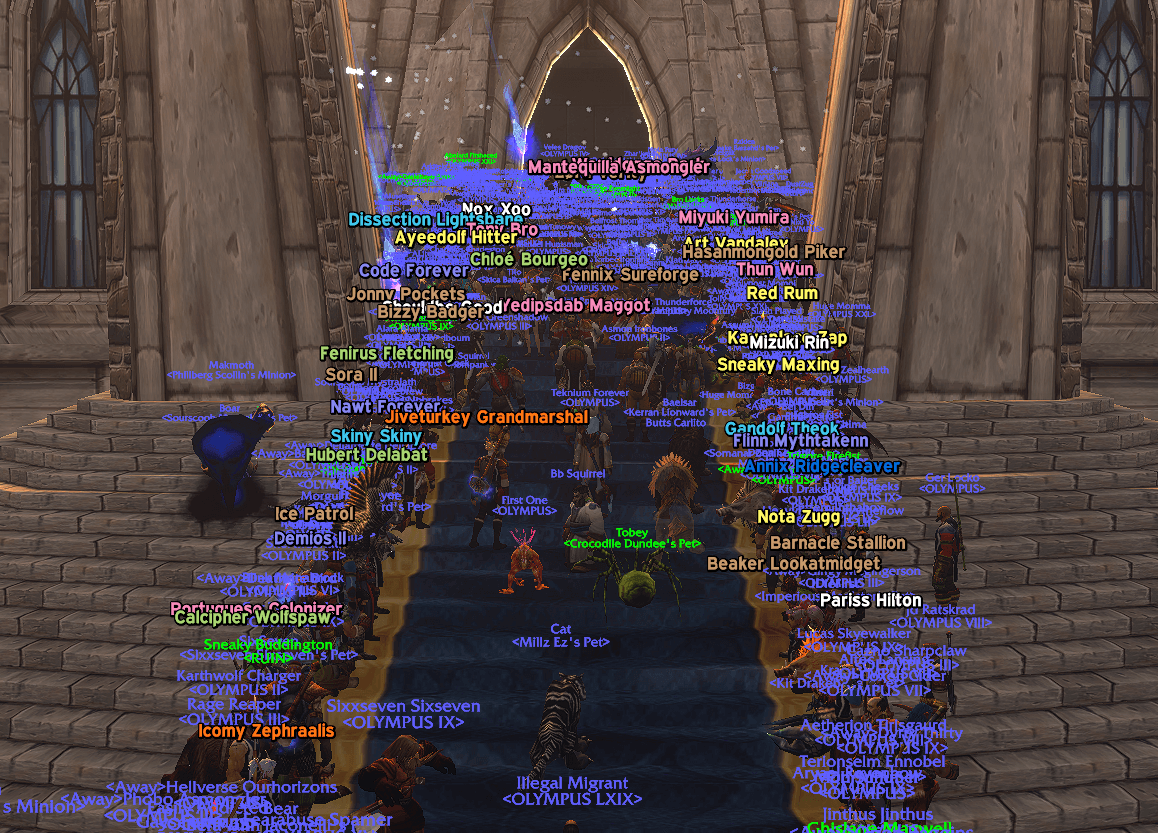
Automatically hides chat and invites from members of guilds you choose. Out of the box it mutes any guild with "Olympus" in its name, and you can add or remove guild names at any time. You can also filter messages containing specific words or phrases, whoever sends them.
Filtering is client-side only: it changes what you see and nothing else. Nothing is added to your ignore list (so no 50-name cap), and the other player is never notified.
What it does
- Hides all player chat from muted players: Say, Yell, Emote, Whisper, General/Trade/custom channels, Guild, Party, Raid, Raid Warning, and Instance chat
- Hides messages from anyone containing words or phrases you choose
- Hides muted players' chat bubbles in the open world (dungeons and raids don't allow addons to touch bubbles)
- Auto-declines guild invites from muted guilds, and group invites, duels, and trades from muted players (each can be toggled separately)
- Adds a "Muted by OlympusMute" line to muted players' tooltips
- Warns you if you join a group with a muted player, since their party chat will be hidden
- Counts how many messages it has hidden, this session and all-time
How players are detected
Chat messages don't include the sender's guild, so OlympusMute learns guilds from players you encounter:
- Targeting or mousing over a player
- Seeing their nameplate
- Grouping with them
- Shift-clicking their name in chat
- Any /who results, including the built-in Scan button
When a player is identified, their earlier messages are also removed from your chat windows. Detected players are saved between sessions, so filtering gets more complete the more you play. If a /who or shift-click shows that a muted player has left the guild, they're unmuted automatically.
Options panel
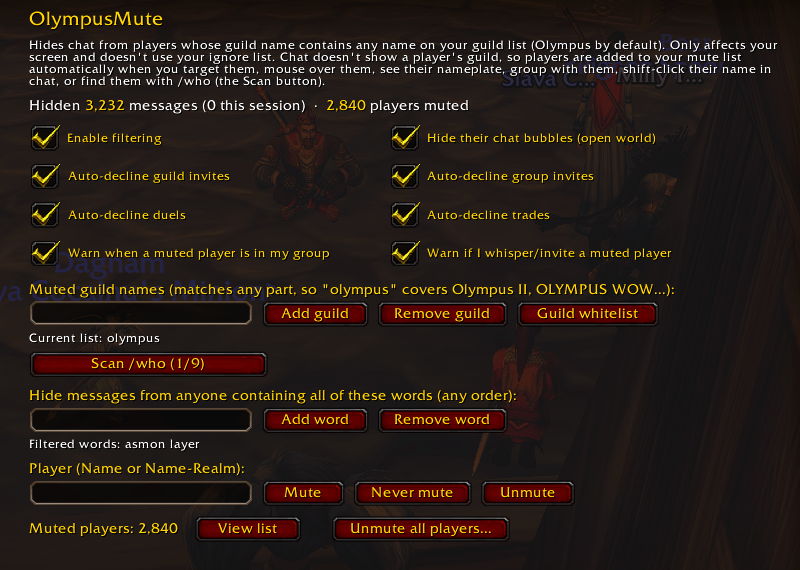
Find it under Options > AddOns > OlympusMute, or type /omute:
- Hidden-message and muted-player stats at the top
- Turn filtering, each auto-decline, the group warning, and bubble hiding on or off
- Muted guild names: add or remove any guild name (matches any part of the name)
- Guild whitelist: exact guild names that are
You must be logged in to leave a comment.