

OlympusGuard
A community-driven filtering and behavioral detection addon for World of Warcraft Classic and WoW Forever, designed to identify players exhibiting behavior associated with automatic ignoring or auto-decline addons
Details
Expansion
 Forever
 Categories
Developers

Having issues?
OlympusGuard
CHUDS STRONG TOGETHER
OlympusGuard is a community-driven filtering and behavioral detection addon for World of Warcraft Classic and WoW Forever, designed to identify players exhibiting behavior associated with automatic ignoring or auto-decline addons through observable in-game interaction patterns.
It maintains its own persistent player database, separate from Blizzard's normal Ignore List, allowing OlympusGuard to track and locally filter far more players than the standard WoW ignore system permits.
OlympusGuard does not attempt to read another player's installed addons. Instead, it builds confidence using observable in-game behavior, local evidence, and community reports.
Features
Custom Block List
OlympusGuard maintains its own SavedVariables-based block list.
This means detected or manually blocked players do not consume Blizzard Ignore List slots.
Players classified as blocked can have supported interactions filtered locally, including:
Chat messages
Whispers
Party invitations
Guild invitations
Duel requests
Trade requests
You can also manually block or allow individual players.
Weighted Detection System
OlympusGuard uses a weighted confidence system rather than flagging somebody from a single interaction.
Local behavior can contribute evidence when a player repeatedly exhibits extremely fast automatic-style declines.
Examples include:
Rapid guild invite decline
Rapid trade cancellation
Rapid duel cancellation
Rapid party invitation decline
Repeated independent observations
Different types of evidence are more valuable than repeatedly performing the same test.
Repeated identical observations use diminishing returns to help reduce false positives and score farming.
Community Reports
OlympusGuard users can report suspected OlympusMute behavior.
Community reports contribute toward a player's confidence score, but reports alone are not enough to automatically classify somebody as detected.
Current limits:
Community reports may contribute up to 50 points
Remote behavioral evidence is independently limited
A player must reach the overall detection threshold
A player must also have a minimum amount of locally observed behavioral evidence
This prevents a simple pile of community reports from automatically blocking somebody on your client.
OlympusGuard Peer Network
OlympusGuard includes an in-game peer-sharing system.
Compatible OlympusGuard users can discover one another through supported WoW addon communication channels and exchange limited information such as:
Community reports
Behavioral evidence summaries
Recently observed information
Peer availability
OlympusGuard can remember previously discovered peers and synchronize new information when those players become reachable again.
The addon does not simply copy another player's complete block list.
Every client continues to calculate its own scores and make its own local blocking decisions.
Anti-Abuse Design
A remote OlympusGuard user cannot simply claim that somebody else submitted a report.
Reports are attributed to the WoW character from which the addon message was actually received.
Duplicate reports from the same reporter do not repeatedly increase a player's score.
Remote evidence is also worth considerably less than evidence observed directly by your own client.
Right-Click Player Controls
On supported WoW player menus, OlympusGuard adds its own options.
Right-click a player through supported chat, unit, group, guild, or social interfaces to access:
OlympusGuard
Report OlympusMute Behavior
Block Locally
Always Allow
View OlympusGuard Status
Reporting through OlympusGuard is separate from Blizzard's misconduct reporting system.
An OlympusGuard report is used only by OlympusGuard's community confidence system.
Manual Behavioral Probes
OlympusGuard can assist with several behavioral tests, including supported:
Party invitations
Guild invitations
Duel requests
Trade requests
OlympusGuard does not silently initiate these interactions.
Where WoW requires player input, you must manually initiate the action.
The addon watches the resulting response and may record evidence when the behavior matches configured detection criteria.
Confidence System
OlympusGuard combines several categories of information:
Local Evidence
Behavior actually observed by your own WoW client.
This is the strongest evidence category.
Remote Evidence
Behavior reported by another OlympusGuard client.
Remote behavioral evidence has reduced weight and a contribution cap.
Community Reports
Individual OlympusGuard users reporting suspected OlympusMute behavior.
Reports also have their own contribution cap.
Detection Requirements
A high community score by itself is not sufficient.
Automatic detection requires both:
A sufficiently high overall confidence score
A minimum amount of locally observed behavioral evidence
This design intentionally favors multiple independent signals rather than mass reporting.
Tooltip Information
When supported, OlympusGuard can display information about tracked players, including their current confidence status.
Depending on available evidence, a player may appear as:
Unknown
Suspicious
Likely
High Confidence
Detected
Manually Blocked
Always Allowed
Installation
CurseForge App
The easiest installation method is through the CurseForge application.
Install OlympusGuard through CurseForge.
Make sure it is installed for the correct World of Warcraft client.
Launch WoW.
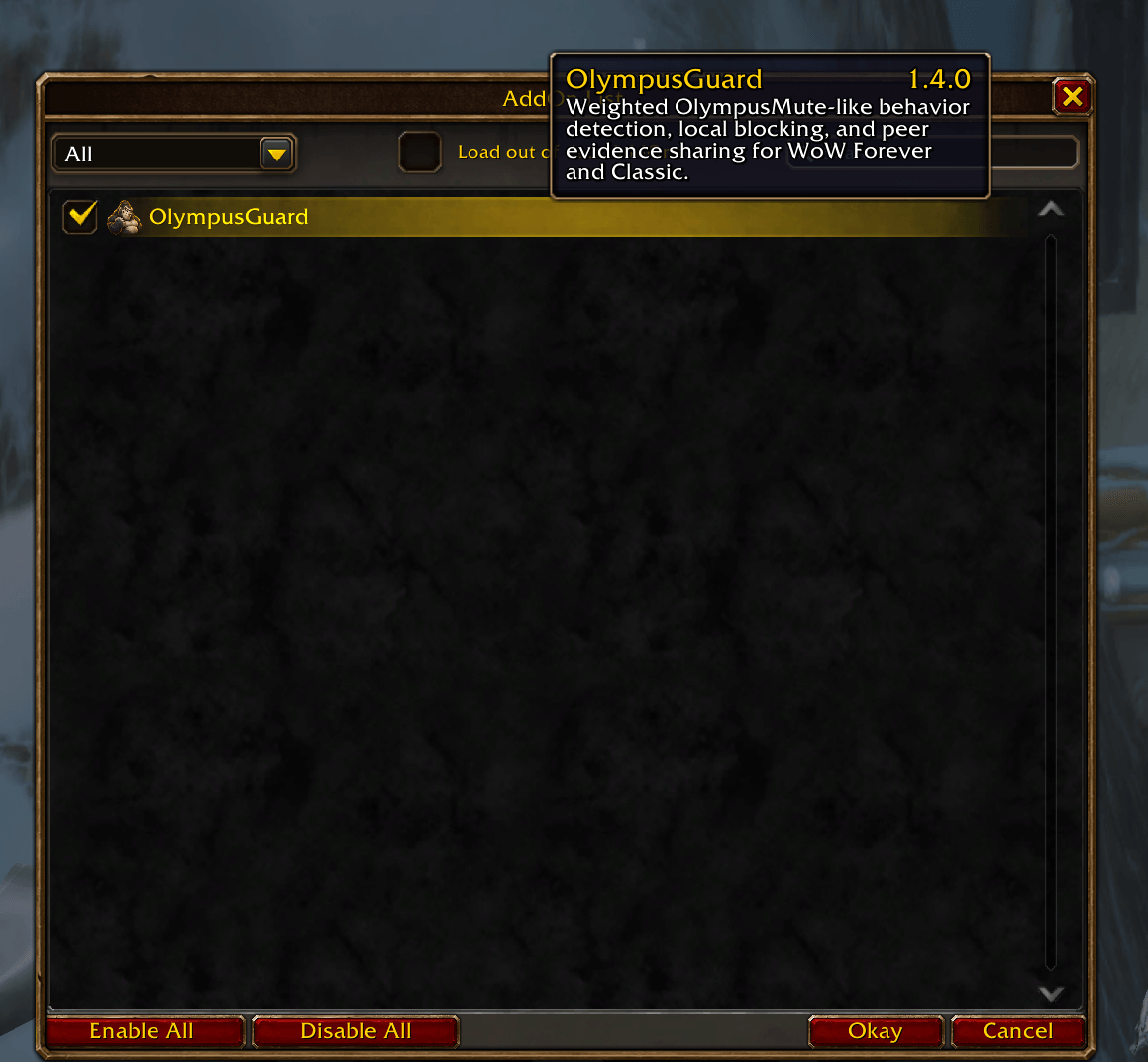
At the character-selection screen, click AddOns.
Make sure OlympusGuard is enabled.
Enter the game.
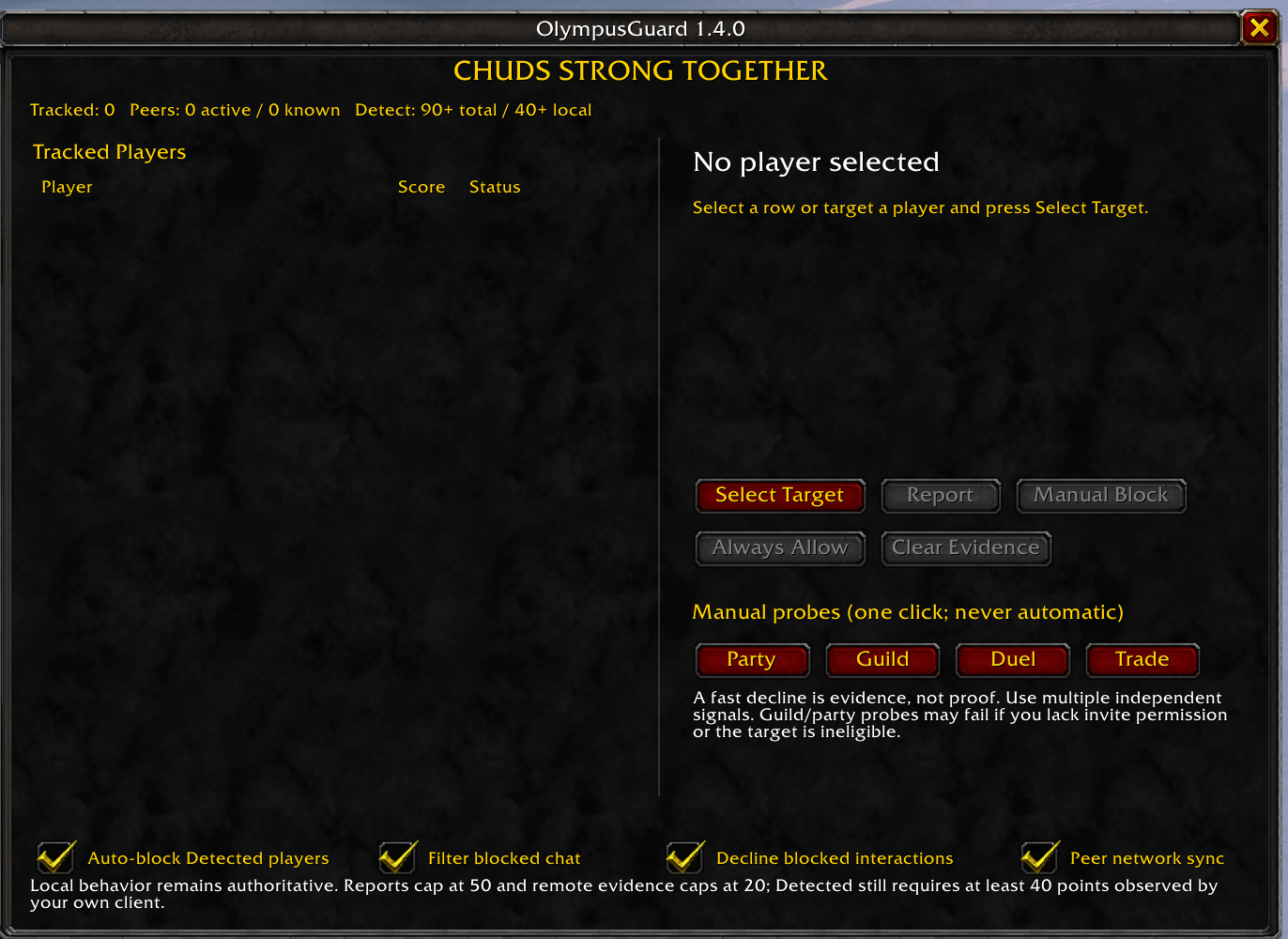
Type:
/og
The OlympusGuard window should open.
Manual Installation
Download the OlympusGuard ZIP file.
Extract it.
Locate the folder named:
OlympusGuard
- Copy that folder into the appropriate World of Warcraft
Interface/AddOnsdirectory for the client you are using.
A normal installation should look approximately like:
World of Warcraft/.../Interface/AddOns/OlympusGuard/
Inside the OlympusGuard folder you should see files such as:
OlympusGuard.toc
OlympusGuard.lua
Do not install it with an extra folder level such as:
AddOns/OlympusGuard/OlympusGuard/OlympusGuard.lua
The .toc file should be directly inside:
AddOns/OlympusGuard/
Restart WoW after installing the addon.
Supported Clients
OlympusGuard is designed to support:
WoW Forever
WoW Classic Era
Classic Anniversary
Supported Classic branches included with the release package
Because Blizzard can change UI and addon APIs between client updates, some features may temporarily require updates after major WoW patches.
Commands
Open OlympusGuard:
/og
Show known peer information:
/og peers
Force peer synchronization:
/og resync
Enable network synchronization:
/og sync on
Disable network synchronization:
/og sync off
Enable nearby Classic peer discovery:
/og nearby on
Disable nearby Classic peer discovery:
/og nearby off
Report a player:
/og report Player-Realm
Check a player's status:
/og status Player-Realm
Manually block a player:
/og block Player-Realm
Always allow a player:
/og allow Player-Realm
For cross-realm players, using the full Player-Realm name is recommended.
Saved Data
OlympusGuard stores its database using WoW SavedVariables.
This allows information such as the following to persist between sessions:
Tracked players
Local evidence
Reports
Manual blocks
Allow-list entries
Known OlympusGuard peers
Network settings
Deleting the OlympusGuard SavedVariables file will reset locally stored OlympusGuard information.
Important Limitations
World of Warcraft does not provide addons with a function that reveals the complete addon list installed by another player.
Because of this, OlympusGuard cannot directly ask:
"Does this player have OlympusMute installed?"
OlympusGuard instead uses observable behavior and community-supplied information to build a confidence score.
A very fast decline or cancellation is not absolute proof that a particular addon caused it. Players can manually decline interactions, use other addons, or configure WoW in ways that produce similar behavior.
For that reason OlympusGuard intentionally combines multiple signals instead of treating one event as definitive proof.
Privacy and Networking
OlympusGuard communication occurs through World of Warcraft's supported addon-message system.
The addon does not require an external account or external website to operate.
OlympusGuard's peer network is designed to exchange limited report and evidence data rather than silently uploading complete player databases to an external service.
Players may disable synchronization through the addon commands if they prefer to use OlympusGuard entirely locally.
Disclaimer
OlympusGuard is an independent community addon.
It is not affiliated with, endorsed by, or maintained by Blizzard Entertainment, CurseForge, Asmongold, Olympus, or the developers of OlympusMute.
World of Warcraft and Warcraft are trademarks or registered trademarks of Blizzard Entertainment.
OlympusGuard classifications represent addon confidence based on observed behavior and community data. They should not be interpreted as definitive proof that a player has a particular addon installed.
CHUDS STRONG TOGETHER
You must be logged in to leave a comment.