

OakUI: The Ellesmere UI Edition
One-click EllesmereUI profile installer for Retail and WoW Forever Beta, with role-aware layouts, Edit Mode import, fonts, borders, chat tools, and more.
Details
Expansion
 Forever
 Categories
Developers

Having issues?
OakUI: The EllesmereUI Edition
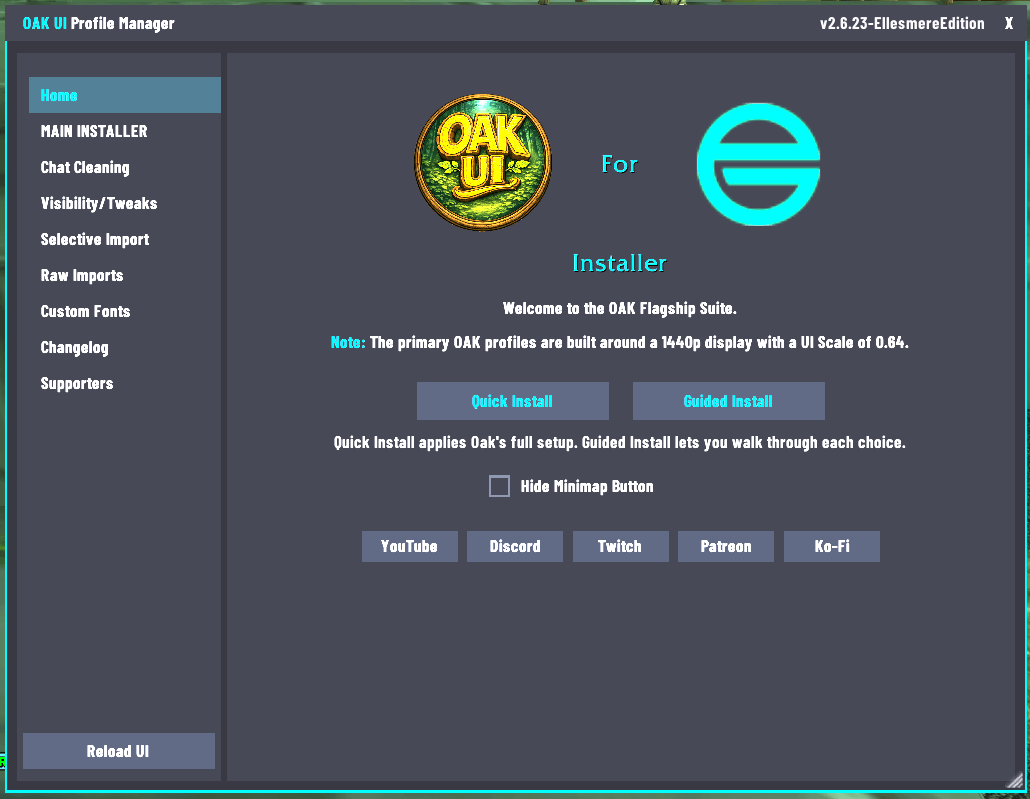
Welcome to the next evolution of OakUI—a sleek, high-performance World of Warcraft UI installer built around EllesmereUI.
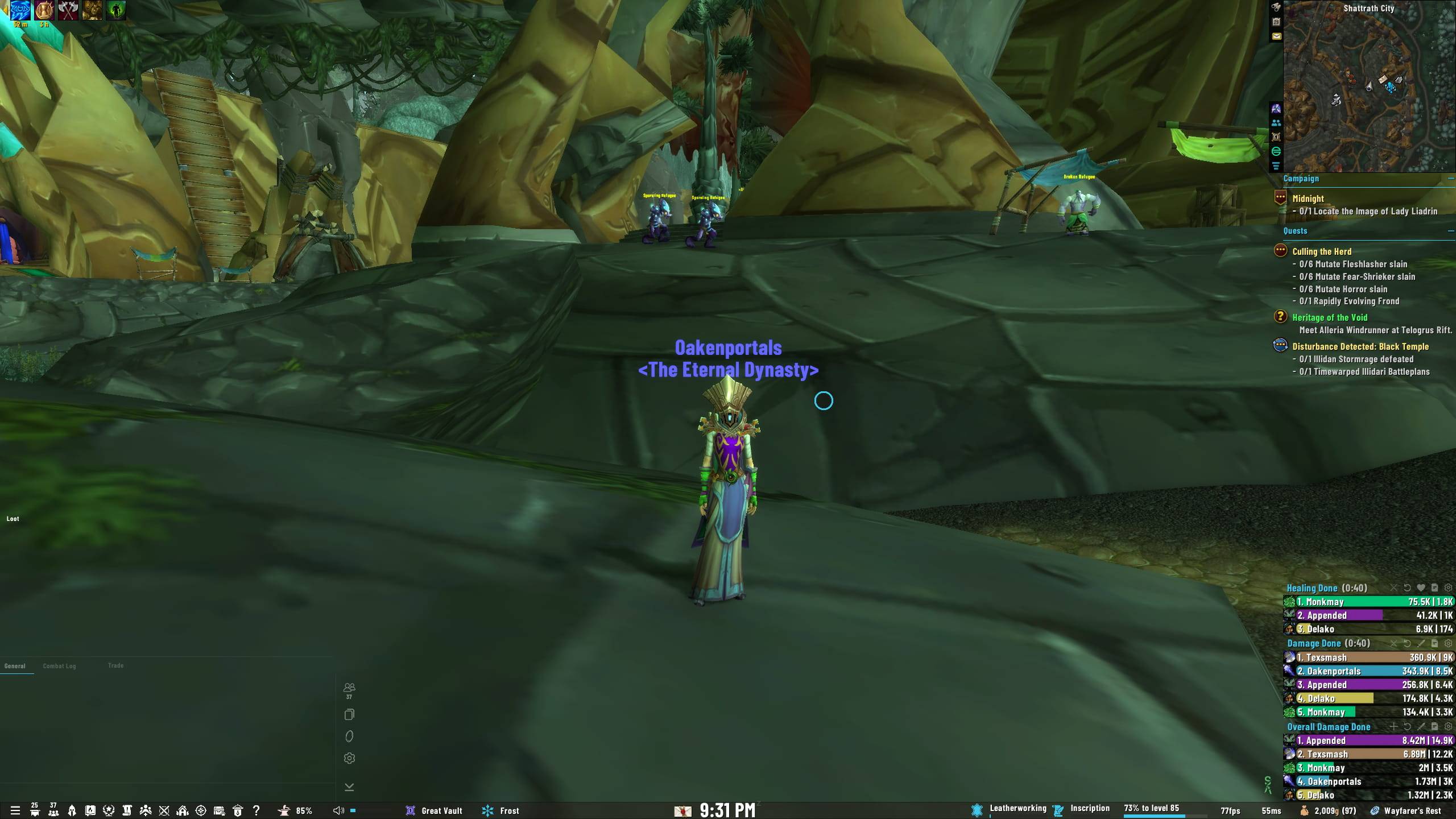
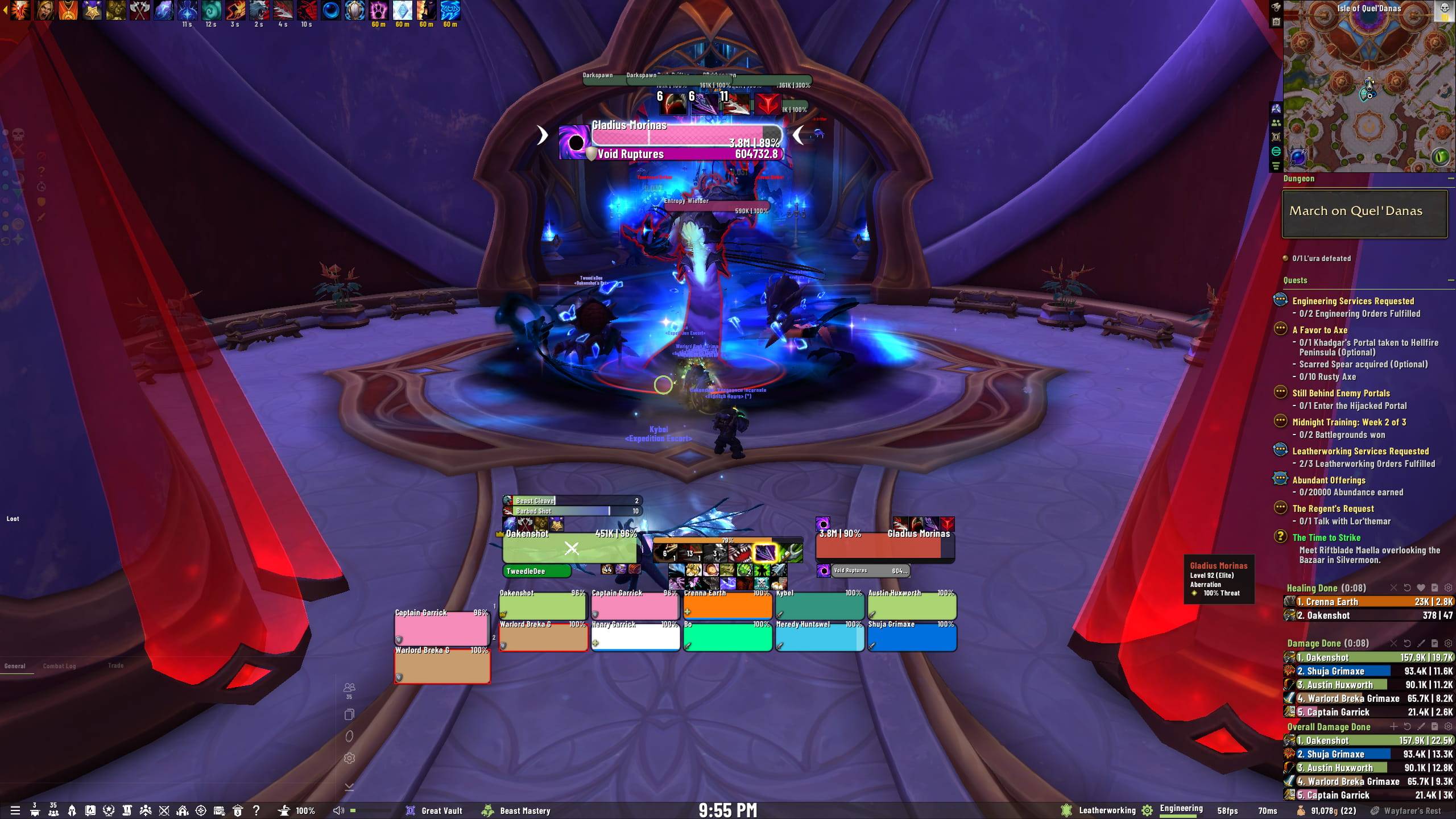
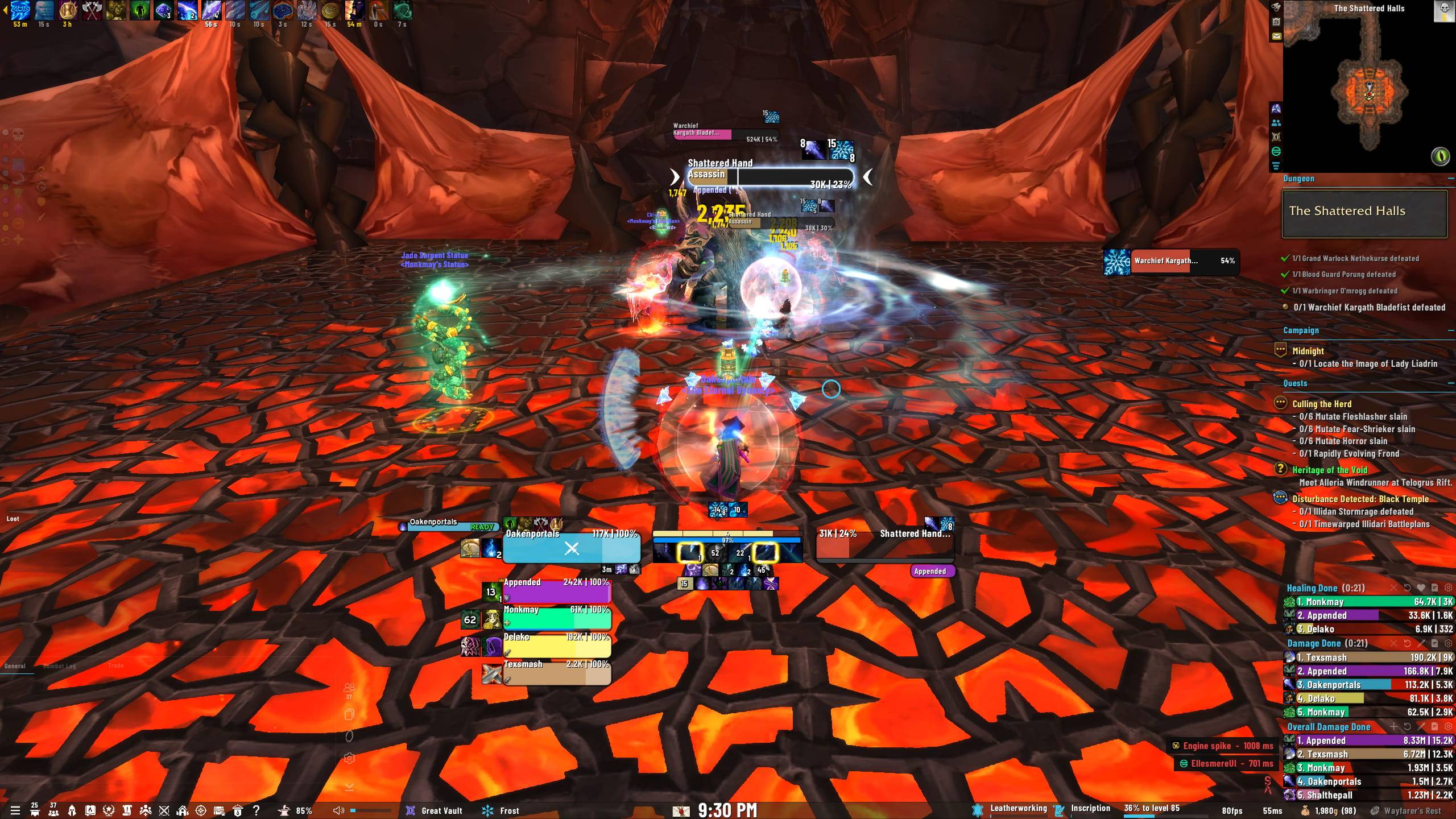
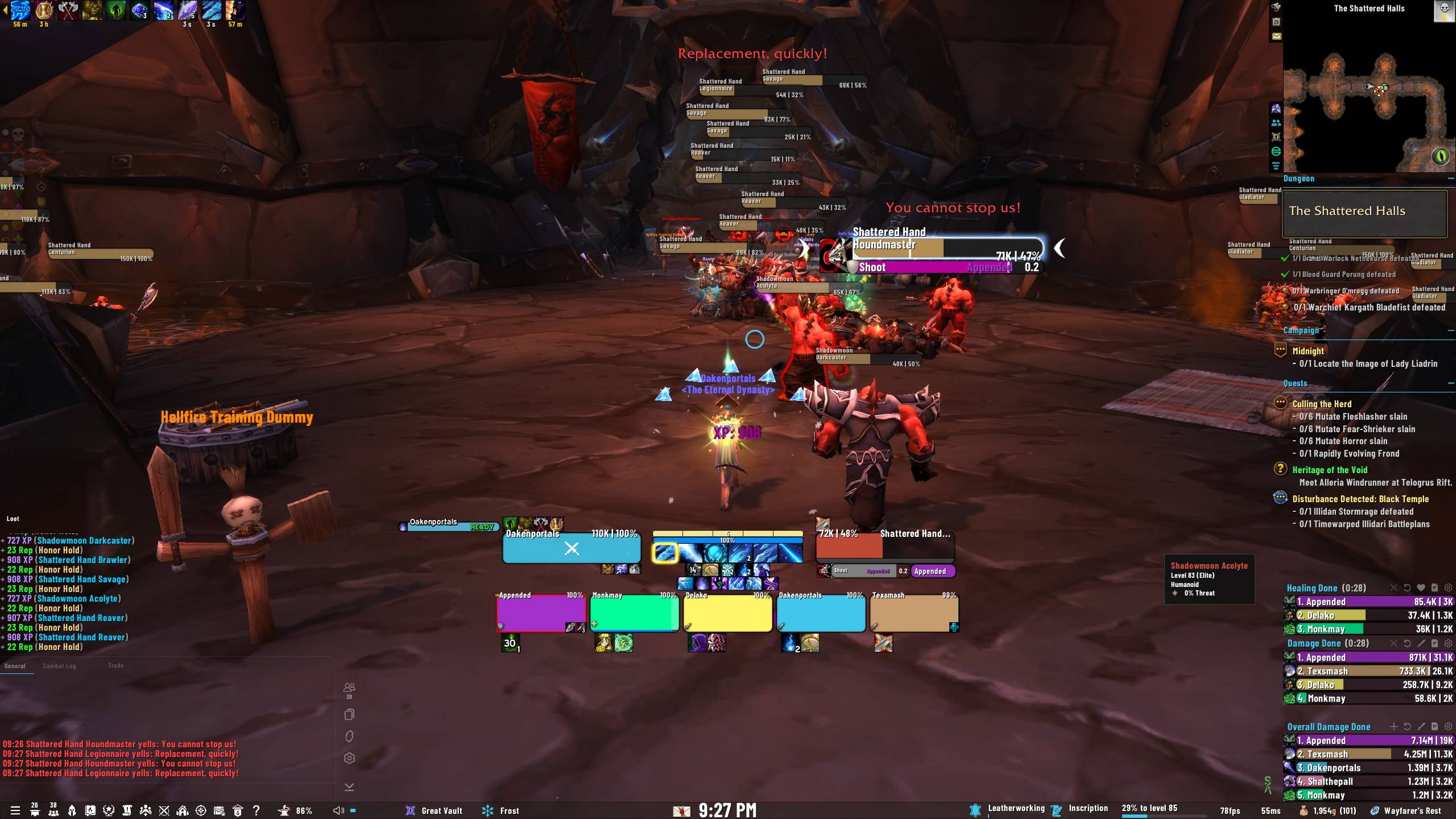
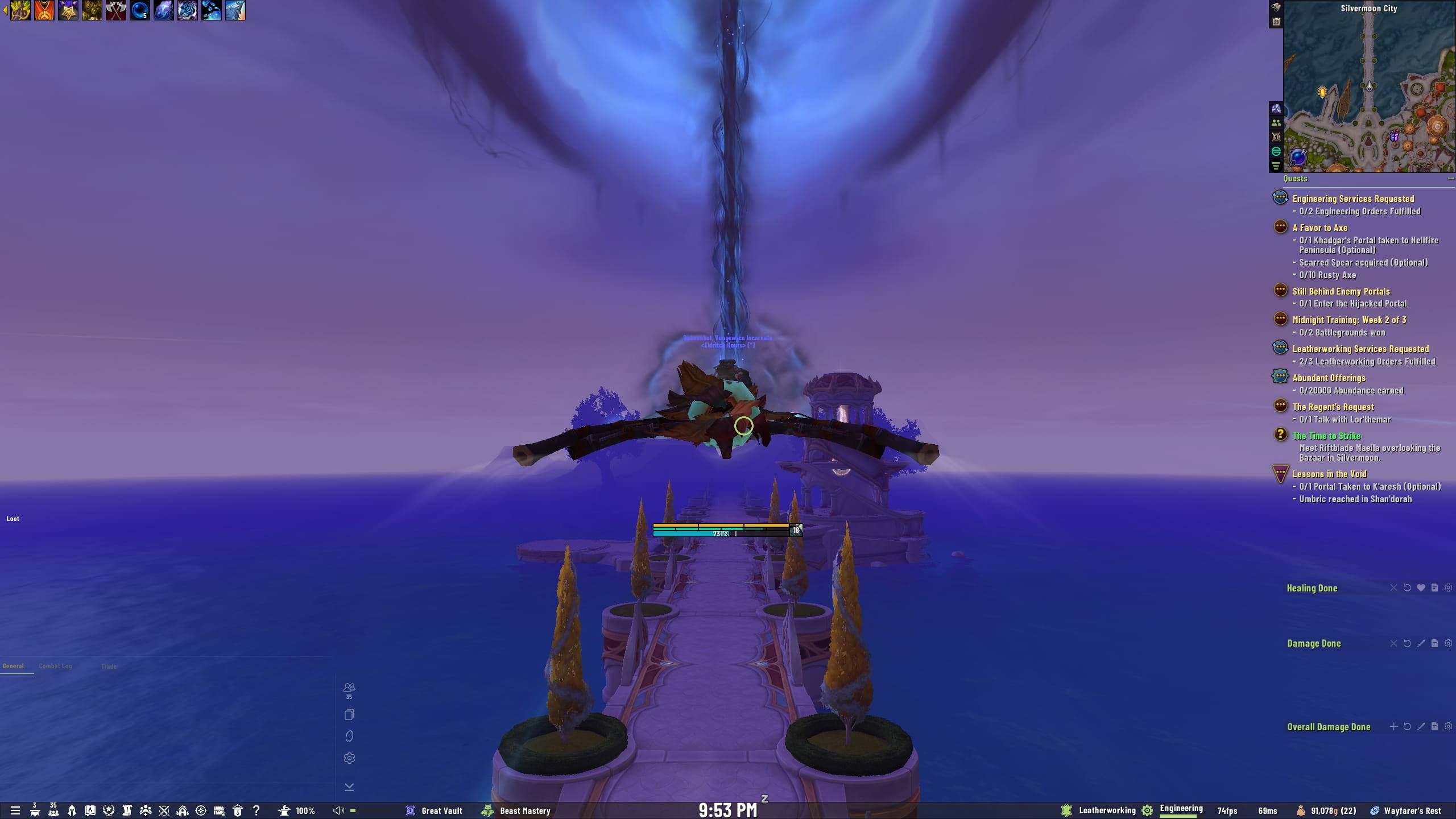
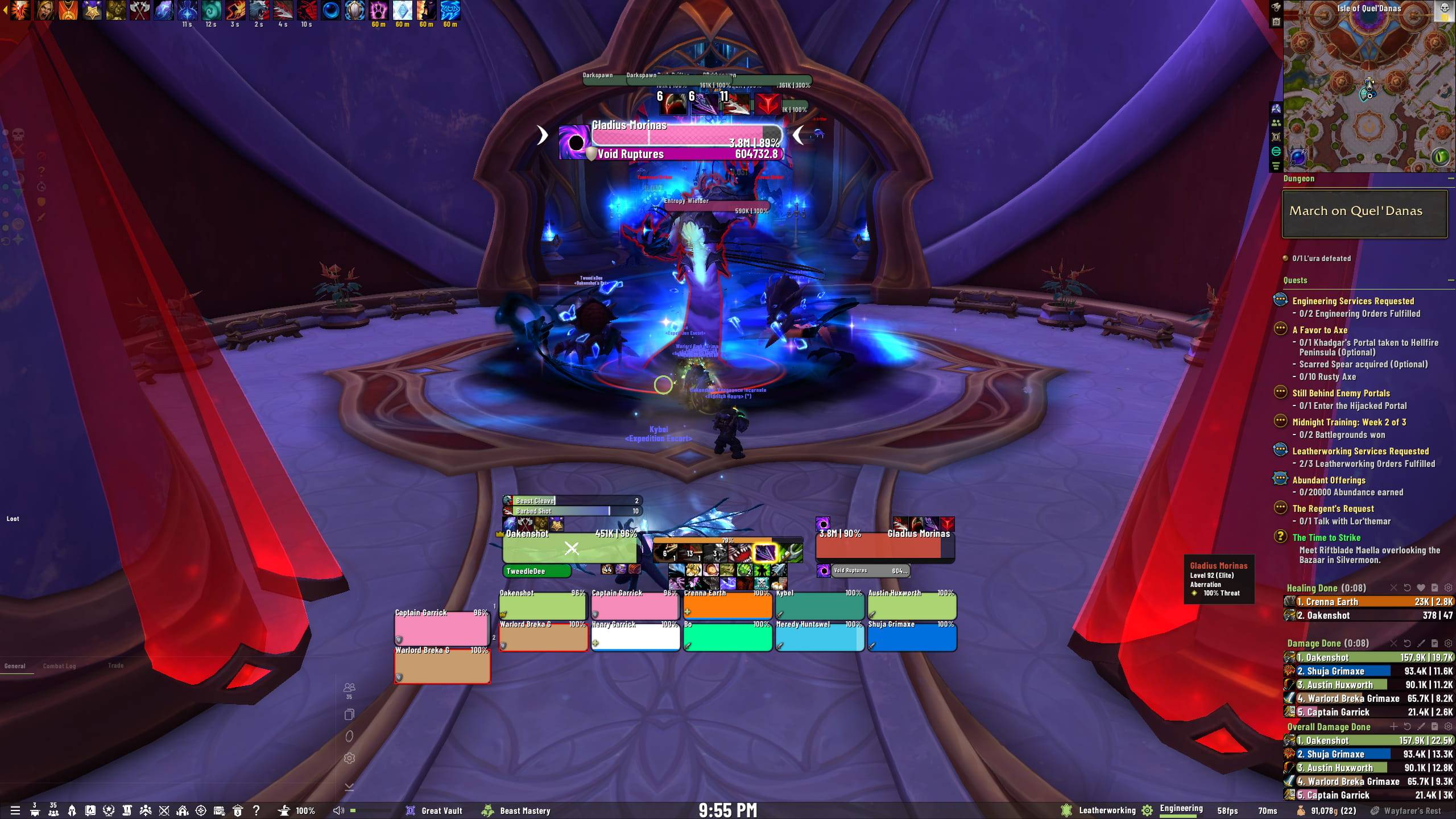
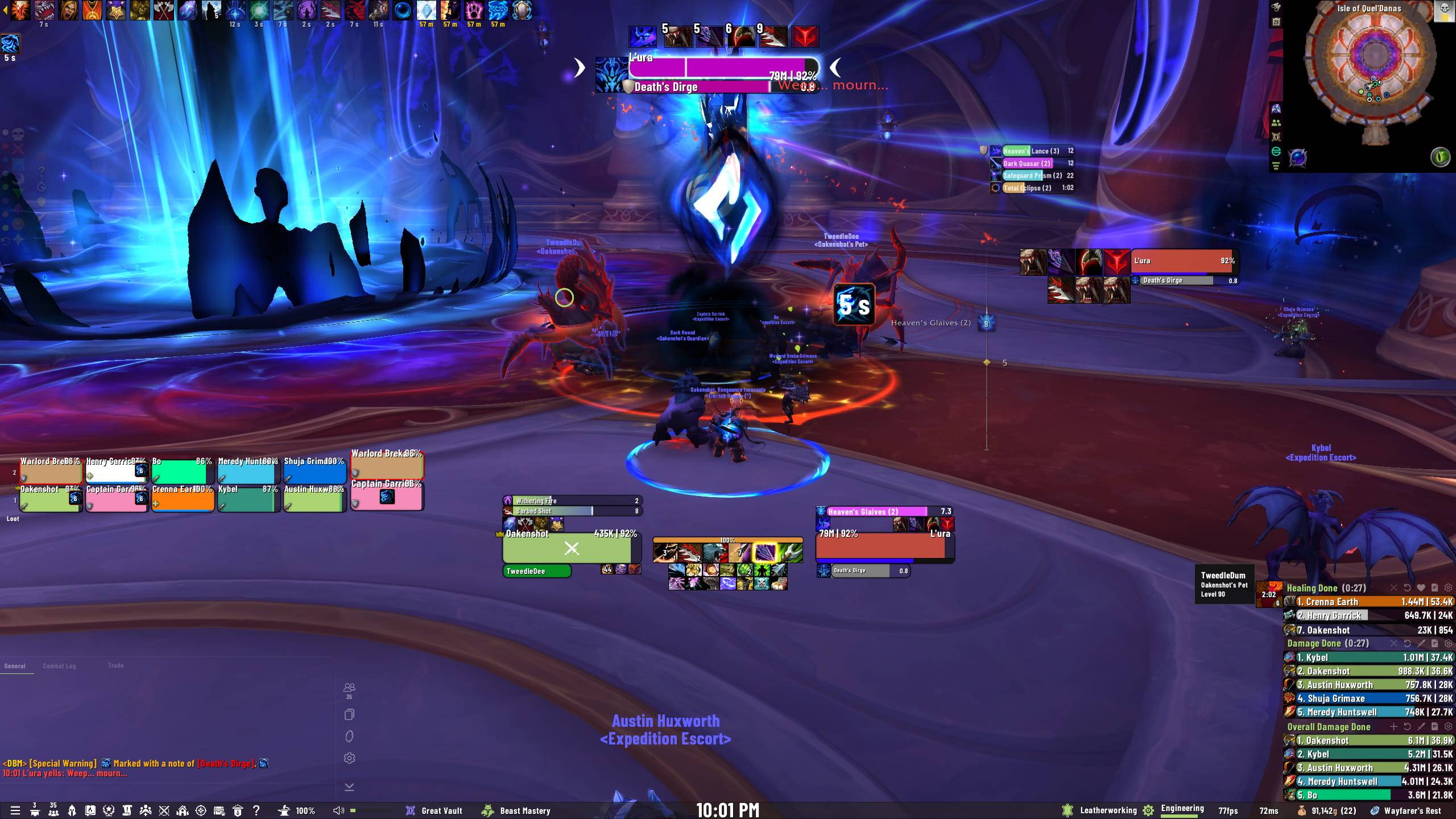
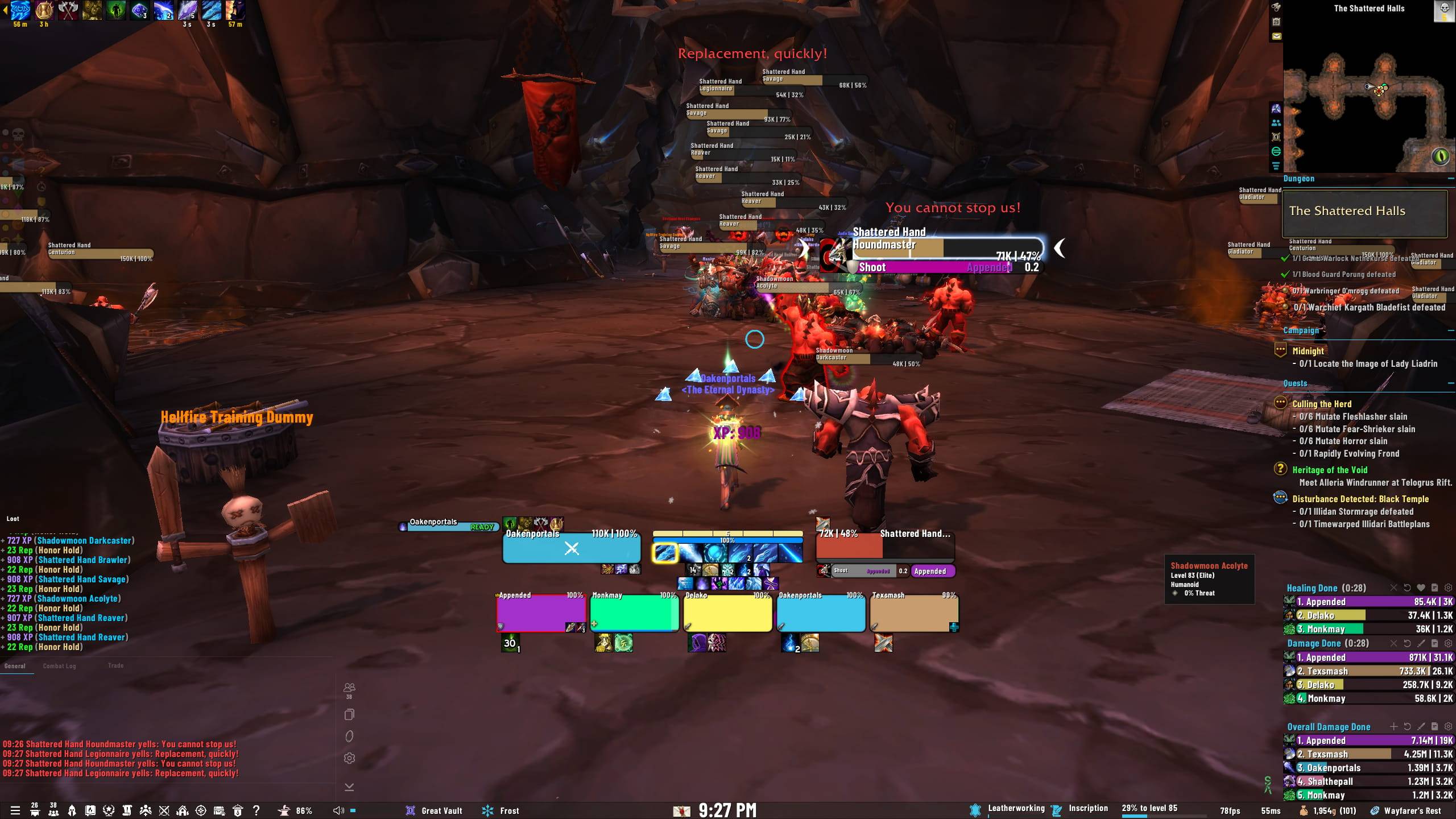
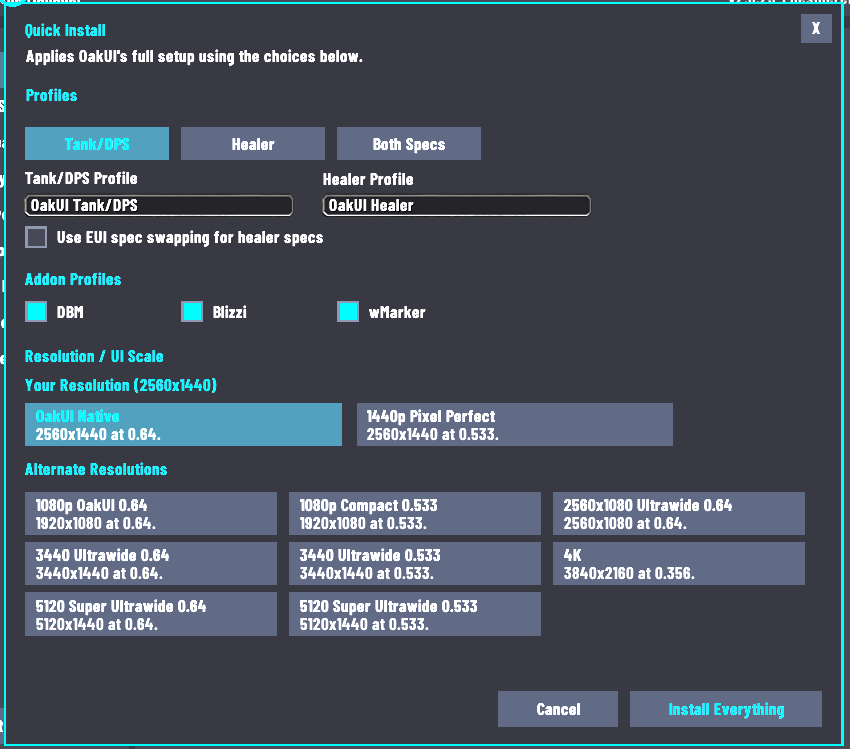
OakUI delivers polished, role-aware profiles and powerful quality-of-life enhancements for raiding, Mythic+, PvP, and everyday play. Choose your resolution, role, profile name, visibility options, borders, fonts, and supported optional integrations, then install everything with a few clicks.
Built for players who want a clean interface without spending hours positioning every frame by hand.
🧊 WoW Forever Beta Support
OakUI now supports Retail and WoW Forever Beta in the same addon. No separate Forever download is needed—OakUI automatically detects the active client and loads the correct installer path.
On WoW Forever, OakUI:
- Imports compatible OakUI styling into EllesmereUI.
- Creates and selects the OakUI Blizzard Edit Mode layout.
- Preserves your local EllesmereUI Cooldown Manager, AuraBuff Reminders, and Quickdraw spell configuration.
- Skips Retail-only integrations for DBM, BigWigs, Blizzi Party Tools, wMarker, Mythic+, and Dragon Riding.
Use /oaklayout or the installer's Import Layout button to import the Edit Mode layout separately at any time. WoW Forever is still in beta, so client updates may require compatibility fixes. Please report beta issues on Discord.
🚀 Key Features
- One Addon for Retail and Forever: Automatic client detection keeps one OakUI install compatible with both clients.
- EllesmereUI Core Integration: OakUI is built alongside EllesmereUI to provide a lightweight, modern, and highly optimized interface experience.
- Role-Aware Profiles: Install dedicated Healer or Tank/DPS layouts with custom profile names and profile switching support.
- Quick Install and Guided Install: Choose your resolution, UI scale, role, visibility preferences, rounded borders, and supported optional addon profiles through a streamlined setup process.
- Resolution and UI Scale Support: Includes polished layouts for 1080p, 1440p, 4K, and ultrawide displays.
- Ellesmere Tweaks Suite: A powerful collection of visibility, layout, and gameplay-focused options:
- Hide Player/Pet: Hide Player and Pet frames when you do not have a target.
- Smart Player: Automatically show Player and Pet frames when you or your pet are injured.
- Show Player in Group: Automatically show your Player frame when joining a party or raid.
- Hide CDM: Hide EllesmereUI’s Cooldown Manager when you have no active target.
- Hide Action Bars: Hide action bars until you mouse over them. Mousing over any bar reveals them all.
- Hide Chat Background: Create a clean, transparent chat layout with a smooth background fade.
- Chat Line Fade: Use Blizzard’s native per-line chat fading instead of EllesmereUI’s full-window chat fade.
- Adjustable Chat Fade Delay: Tune how long each chat line remains visible before fading.
- Hide Error Messages: Suppress most unnecessary red UI errors while keeping important warnings visible.
- Dragon Riding Anchoring: Keep the Dragon Riding bar anchored to EllesmereUI’s Class Resource bar, with an opt-out toggle for manual customization.
- DBM Anchoring: Automatically position DBM bars to match the OakUI layout, with an opt-out toggle so users can customize DBM freely.
- wMarker Mouseover Fading: Fade the raid-marker, world-marker, and control-button bars when not in use, with gradual transitions, adjustable opacity, and shared hover behavior.
- Rounded Borders: Apply OakUI’s clean Round Thin border style across EllesmereUI frames, nameplates, cast bars, tracking bars, boss bars, damage meters, raid frames, absorb overlays, and supported optional addon frames.
- Rounded borders can be enabled or disabled during installation or from the Ellesmere Tweaks menu.
- When disabled, OakUI falls back to EllesmereUI’s shadow border styling.
- Border preferences are preserved across profile imports and Healer/Tank-DPS profile switching.
- In-Game Font Engine: Choose fonts, sizes, outlines, and global font rules directly inside OakUI using LibSharedMedia—no folder swapping or logout required.
- OakUI Chat Engine:
- Auto-Layout: Instantly size, position, and stack the General, Loot, and Trade chat windows.
- Smart Filtering: Clean up Loot, XP, Reputation, Quest, Achievement, and other chat spam.
- Loot Parser: Display clear, colorful loot messages showing exactly who looted what.
- Chat Persistence: Preserve chat layout, docking, and placement through reloads and profile changes.
- Ellesmere CDM Refresh Command: Use
/oakcdmto repopulate the active EllesmereUI Cooldown Manager profile from Blizzard’s current Cooldown Manager settings. - Blizzard Edit Mode Support: Import and select the OakUI Edit Mode layout automatically, or use
/oaklayoutas a standalone option. - Installer Diagnostics and Fallbacks: Missing or disabled addons are detected automatically, download links are provided, and disabled addons can be force-enabled. If automatic installation fails, use the Raw Imports tab to manually copy profile strings.
📦 Required Addon
- EllesmereUI — The core framework powering the OakUI experience.
🌟 Retail Optional Addons
On Retail, OakUI can inject and synchronize profiles for these addons when they are installed:
- Blizzi Party Tools — Highly recommended interrupt and raid utility tools.
- BigWigs Boss Mods — Highly recommended encounter warnings and timers.
- DBM — Optional boss mod profiles and OakUI bar positioning.
- wMarker — Optional raid markers, ready checks, countdowns, and OakUI mouseover fading support.
Forever does not require these integrations. OakUI preserves local EUI spell setup and skips them automatically on the Forever client.
OakUI relies on EllesmereUI’s native Nameplates and DataBars. Platynator and XIV Databar integrations are no longer included.
🛠️ Installation Guide
- Install Dependencies: Download and enable OakUI and EllesmereUI. On Retail, install any optional addons you want OakUI to configure.
- Open the Installer: Log in and type
/oakuior/oakto open the OakUI Profile Manager. - Choose an Install Type: Use Quick Install for a fast setup or Guided Install for complete control over your options.
- Choose Your Role: Select Healer or Tank/DPS and enter the profile name you want to use.
- Choose Optional Profiles: On Retail, select DBM, BigWigs, Blizzi, and/or wMarker if those addons are installed.
- Configure Fonts: Open the Custom Fonts tab to choose fonts, sizes, outlines, and individual element rules.
- Configure Tweaks: Open the Ellesmere Tweaks tab to customize visibility, chat fading, rounded borders, Dragon Riding, DBM anchoring, wMarker fading, and other available layout options.
- Complete Installation: Follow the in-game reload prompt after the installer finishes. On Forever, use
/oaklayoutif you want to import the Edit Mode layout separately.
🤝 Support & Community
A huge thank you to all Patreon and Ko-fi supporters who help make OakUI possible. Check out the in-game Supporters tab!
Need help, want to request a feature, or just want to hang out?
- YouTube — Setup guides and UI content
- Discord: Join the Oak Tree
- Twitch
- Patreon — Support OakUI’s development
You must be logged in to leave a comment.