

MultiLFG
Find groups in other languages in WoW Forever without changing your game’s language.
Details
Expansion
 Forever
 Developers

Having issues?
MultiLFG lets you find groups in other languages in WoW Forever without changing your game’s language.
Keep your client in English and search for groups listed under Spanish, German, French, or several languages at once. Results appear in the game’s normal Group Finder, where you can select a group, send a message, or invite players as usual.
How it works
MultiLFG uses the category and activities selected in the Group Finder’s Browse tab. Its Search button sends that search with your chosen languages included in the request.
The addon adds two buttons to the game’s interface:
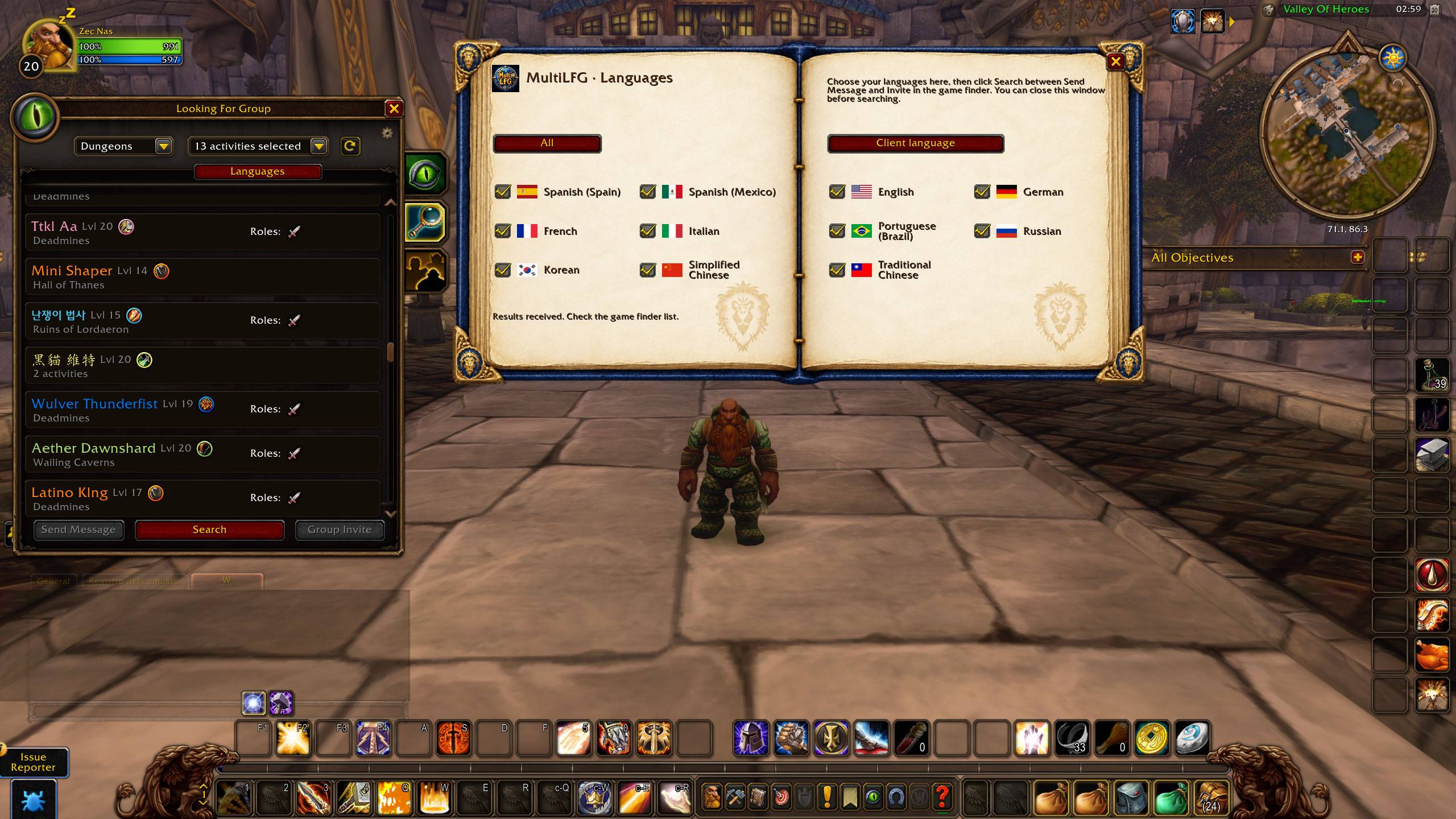
- Languages, below the activity selector, opens the language settings.
- Search, between Send Message and Invite to Group, searches with your selected languages.
The Search button stays available when you close the language window. Once you have chosen your languages, you can search again without reopening it.
Choosing languages
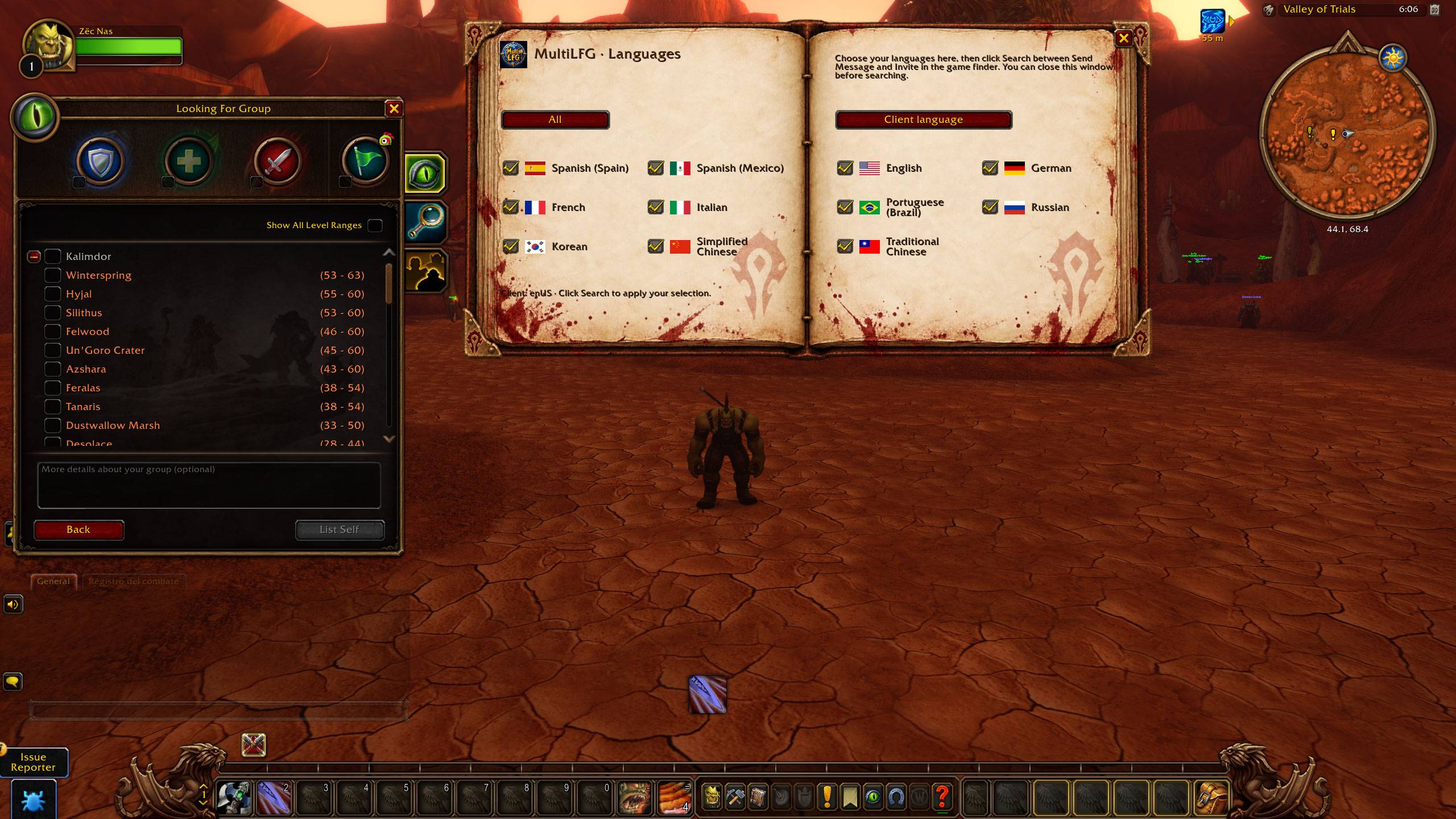
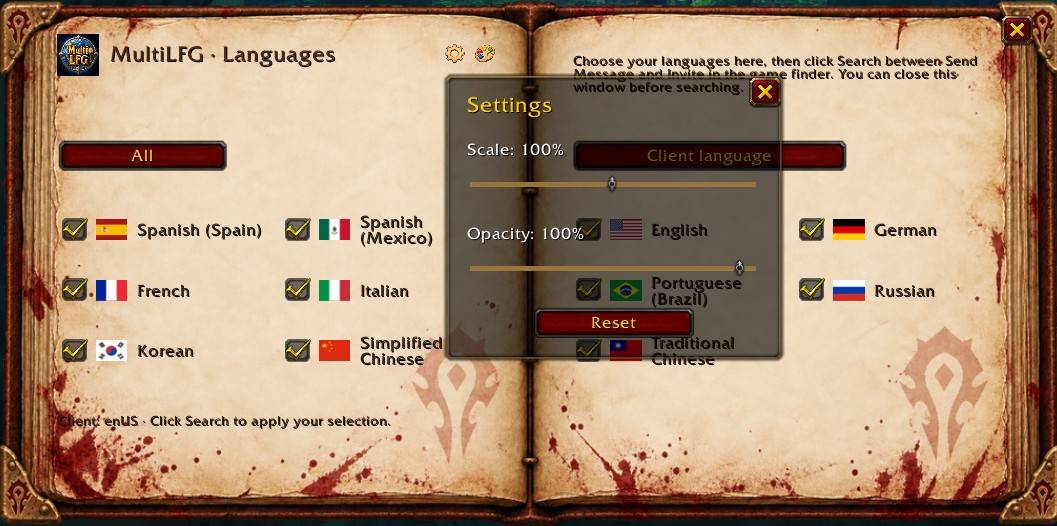
The language window includes:
- All: selects every language offered by the addon.
- Client language: selects your client’s language. Spanish clients select both Spain and Mexico; English clients use the shared English search option.
- Individual checkboxes: let you select one language or any combination.
Each option has a flag, and its name is translated into your client’s language. Your selection is saved as soon as you change a checkbox or use a selection button, and it is kept between sessions.
Available search languages are English, Spanish for Spain and Mexico, German, French, Italian, Brazilian Portuguese, Russian, Korean, Simplified Chinese, and Traditional Chinese. The groups returned depend on the listings available through your server.
The book window
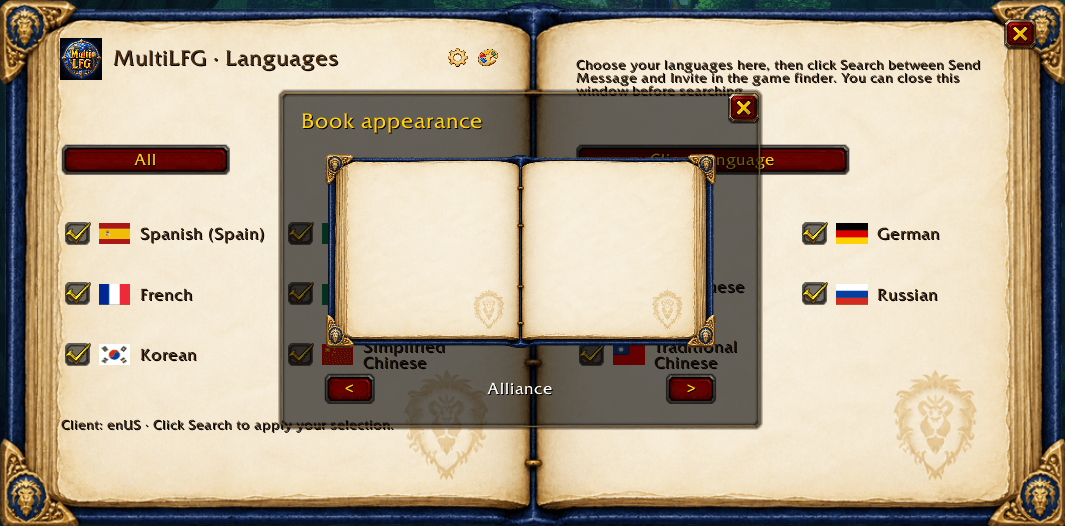
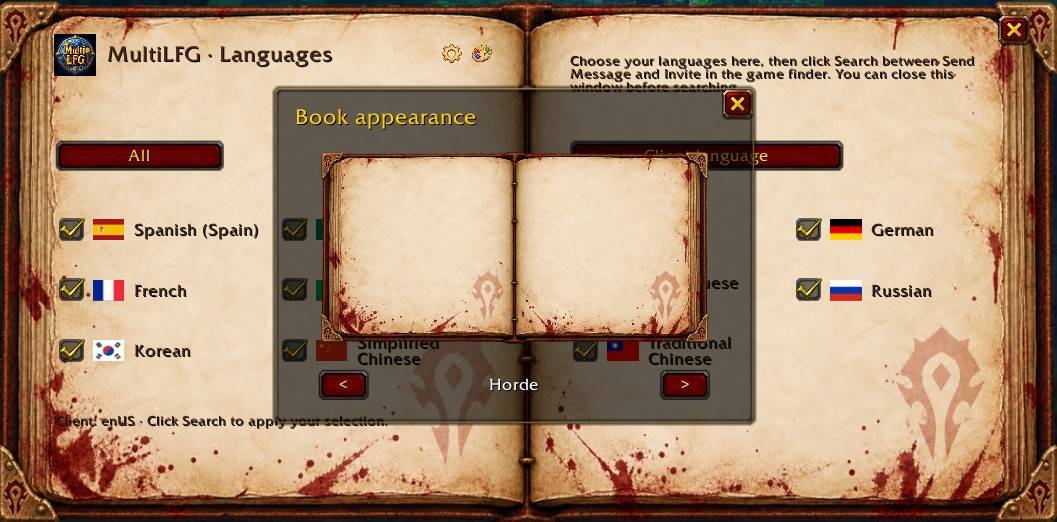
Language settings appear inside an open book, with the options arranged across both pages.
The background follows your character’s faction:
- Horde: Horde symbols and bloodstained parchment.
- Alliance: Alliance symbols and a clean, well-kept book.
- Neutral: the original parchment background.
Opening and closing the window plays the game’s spellbook sounds. These follow your sound-effects settings.
The buttons, instructions, status messages, and language names automatically follow your client’s language. Unsupported client languages fall back to English.
Quick start
- Open the Group Finder’s Browse tab.
- Choose a category and the activities you want to search.
- Click Languages below the activity selector, or type
/multilfg. - Select your languages, or click All.
- Close the book if you want.
- Click MultiLFG’s Search button between Send Message and Invite to Group.
- Browse the results in the normal group list.
Use MultiLFG’s Search button to apply your language selection. The game’s normal refresh button uses its default language filter. After changing activities, click MultiLFG’s Search button again.
Listings remain in their original language. The addon does not translate descriptions or change the language of your own advertisements. Searches run when you click Search; there is no automatic background refresh.
Commands and troubleshooting
/multilfgor/mlfg— open or close the language window./multilfg debug— print the addon version, client information, API availability, selected languages, and the last search status or error.
Normal searches do not print messages in chat. Status messages appear in the book window.
If a search fails, wait for any current search to finish, leave combat, and try again. For a bug report, run /multilfg debug with the Group Finder open and include its output.
You must be logged in to leave a comment.