

McAwesome Questing
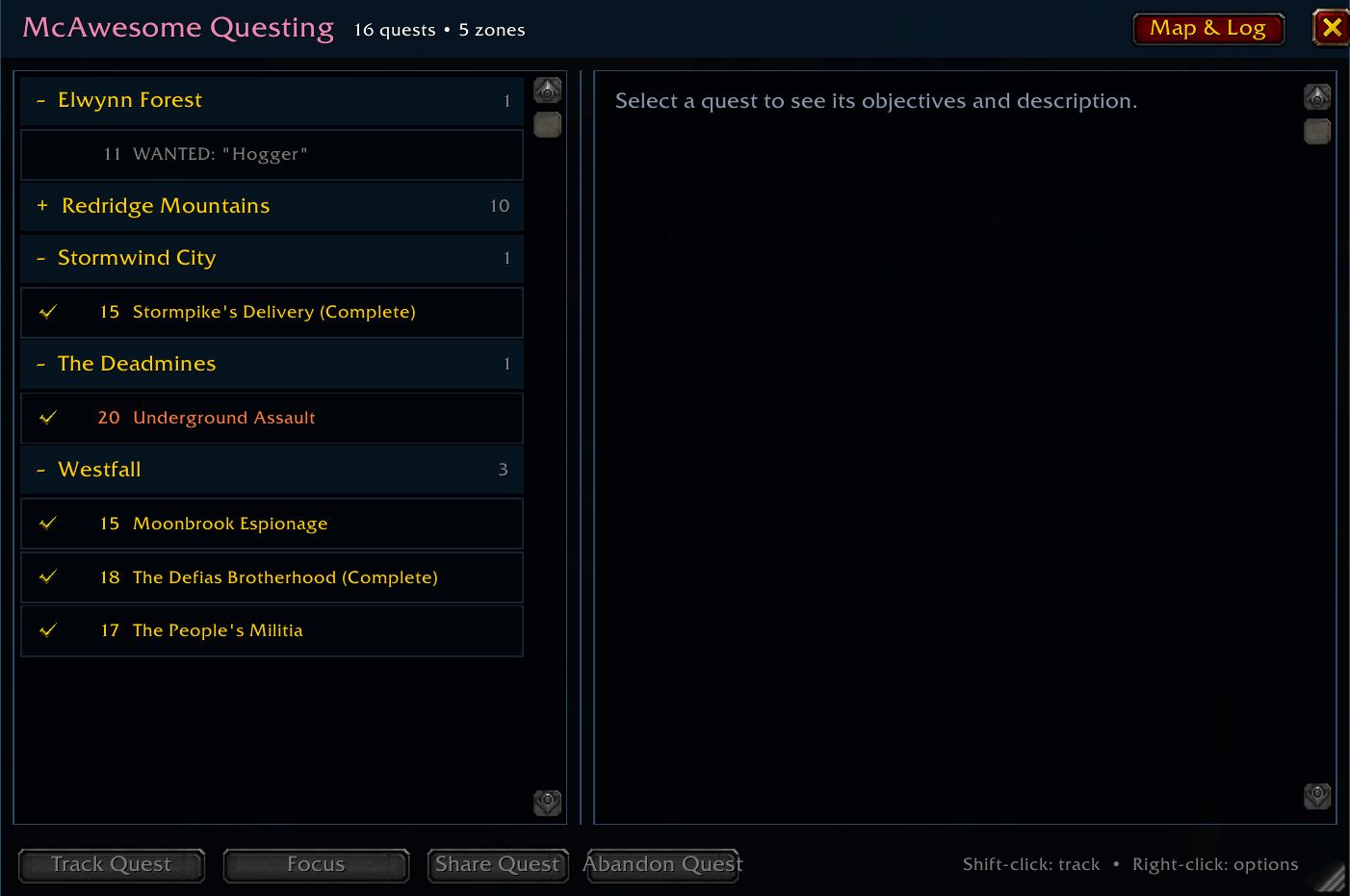
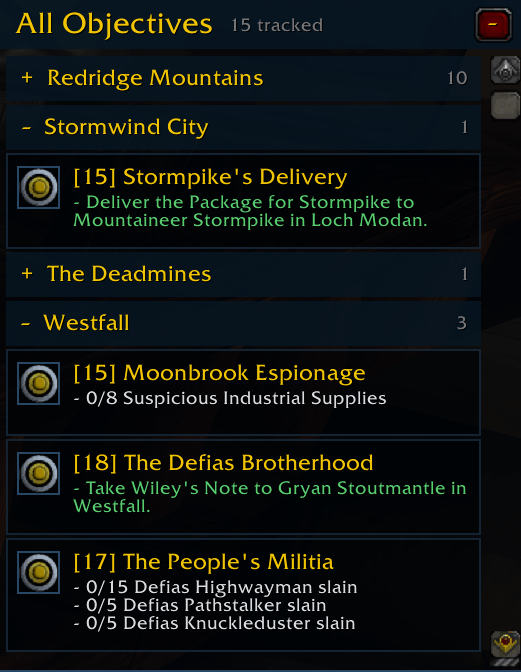
McAwesome Questing is a movable, resizable World of Warcraft quest journal and objective tracker. It keeps Blizzard's familiar quest pages and actions while organizing quests by zone and giving the on-screen tracker more useful controls.
Details
Expansion
 Forever
 Categories
Developers

Having issues?
McAwesome Questing
McAwesome Questing is a movable, resizable World of Warcraft quest journal and objective tracker. It keeps Blizzard's familiar quest pages and actions while organizing quests by zone and giving the on-screen tracker more useful controls.
Features
- Groups quests by source zone and sorts them alphabetically.
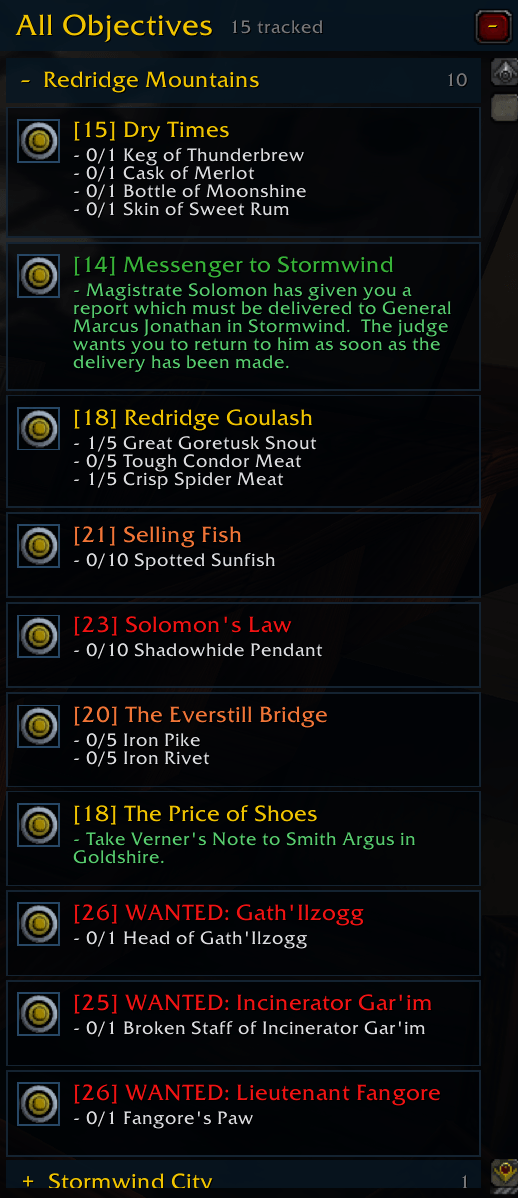
- Replaces the standard objective tracker with the movable All Objectives window.
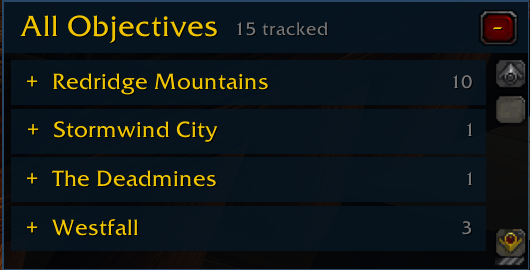
- Collapsible zone sections automatically shrink and expand the tracker height.
- A resize handle sets the tracker's preferred maximum height.
- Zone counts show tracked versus total quests, such as
3/12. - Right-clicking a zone provides Track All and Untrack All actions.
- Clicking an objective opens its quest page; clicking the same objective again closes the journal.
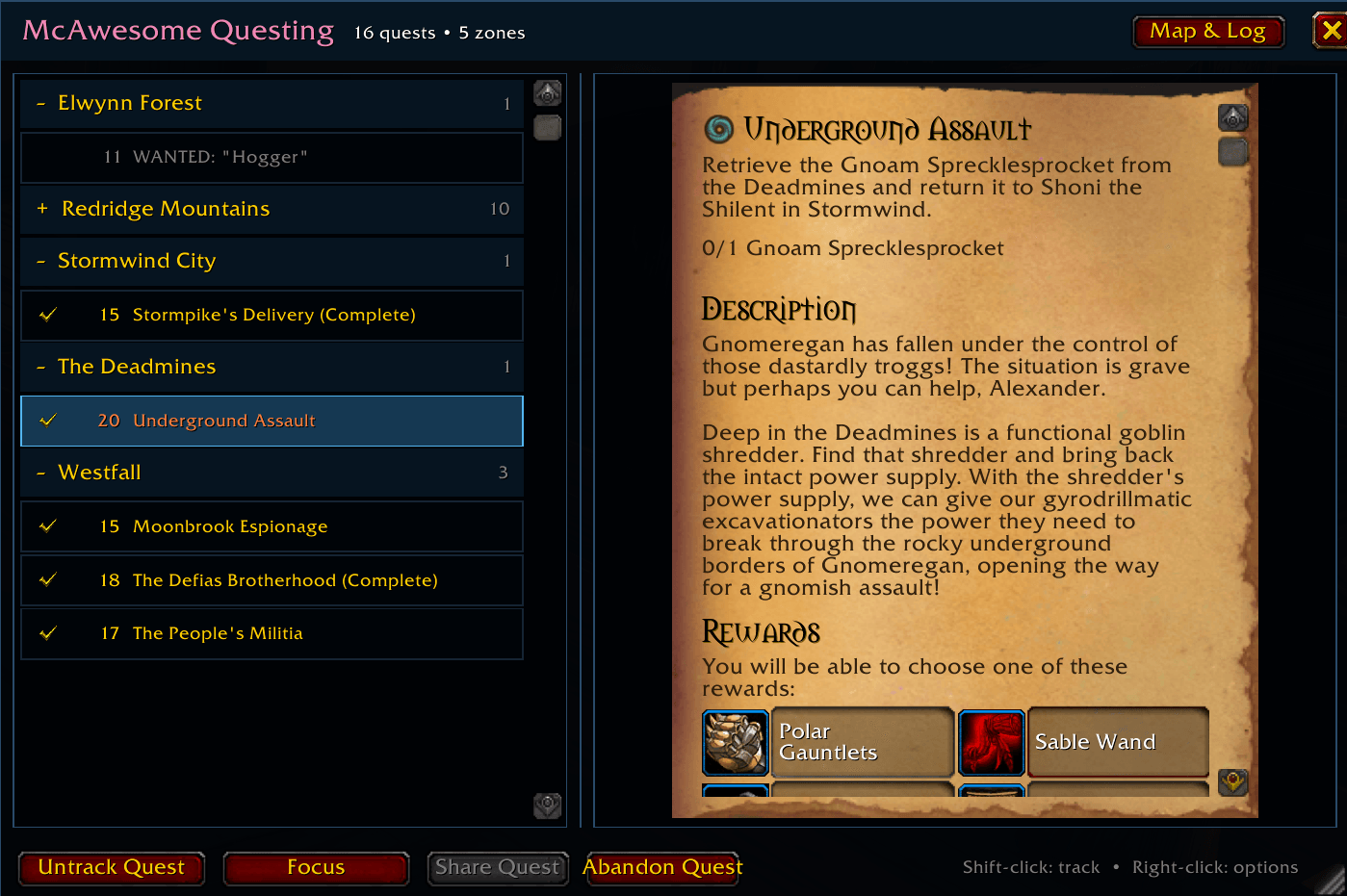
- Uses Blizzard's native quest-detail renderer for objectives, descriptions, rewards, parchment, and quest-specific themes.
- Colors quest names and levels using Blizzard's quest-difficulty colors.
- Provides Blizzard-compatible Track, Untrack, Focus, Share, and Abandon actions.
- Includes a Blizzard target icon for setting or clearing the map and minimap quest target.
- Shows group members' quest status and progress when hovering a quest.
- Preserves window position, size, opacity, scale, lock state, and collapsed zones per character.
The addon reads and updates Blizzard's quest watch list, keeping its tracking state synchronized with the world map and standard objective-tracking APIs. If the game resets that watch list after a crash, a zone remains visible as 0/total; right-click it and choose Track All to restore its objectives.
Controls
| Action | Result |
|---|---|
| Click a quest in All Objectives | Open that quest in the journal |
| Click the same quest again | Close the journal |
| Click a zone heading | Collapse or expand the zone |
| Right-click a quest | Open quest actions |
| Right-click a zone heading | Track or untrack every quest in that zone |
| Click the target icon | Set or clear the map/minimap quest target |
| Shift-click a journal quest | Track or untrack it |
| Hover a quest while grouped | Show party members' quest progress |
Slash commands
| Command | Description |
|---|---|
/maq or /maq toggle | Toggle the quest journal |
/maq show | Show the quest journal |
/maq hide | Hide the quest journal |
/maq tracker or /maq objectives | Toggle All Objectives |
/maq lock | Lock the journal and tracker |
/maq unlock | Unlock the journal and tracker |
/maq alpha 20-100 | Set window opacity |
/maq scale 75-135 | Set window scale |
/maq blizzard | Toggle replacement of Blizzard's quest-log binding |
/maq reset | Restore the default layout and settings |
Installation
- Download or clone this repository.
- Copy the inner
McAwesomeQuestingdirectory into your game installation'sInterface/AddOnsdirectory. - Confirm the final path is
Interface/AddOns/McAwesomeQuesting/McAwesomeQuesting.toc. - Restart World of Warcraft or reload the UI.
Related addons
McAwesome Questing shares its visual family with McAwesome Reagents and McAwesome Chats.

You must be logged in to leave a comment.