
MacroForge
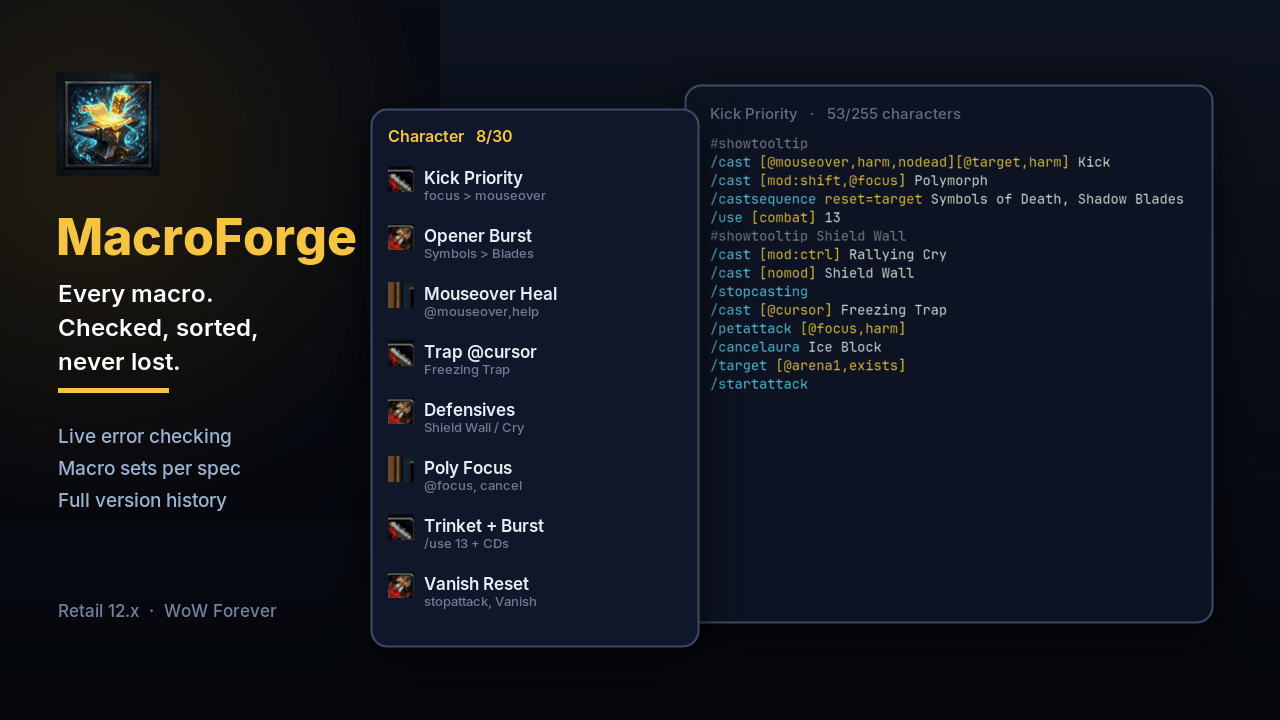
Never press a broken macro again: live error checking, autocomplete, 50+ templates, macro sets per spec and a full history.
Details
Expansion
 Forever
 Categories
Developers

Having issues?
Your macro is broken. You will find out mid-pull.
No syntax check. No spell verification. No history. Blizzard's macro frame is a text box, and it has been for twenty years.
MacroForge is the editor that should have shipped with the game. It checks every line as you type, tells you what your macro would do right now, keeps every version you ever saved, and swaps whole macro sets when you change spec — without emptying your action bars.

It catches the mistake before the boss does
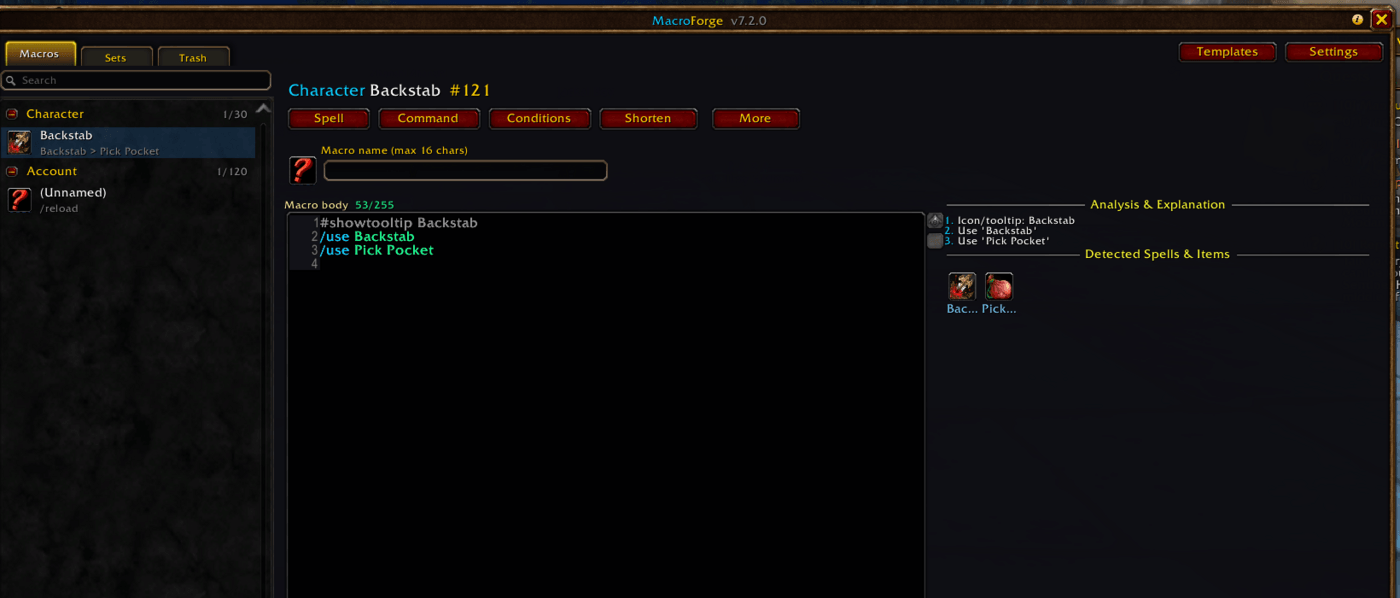
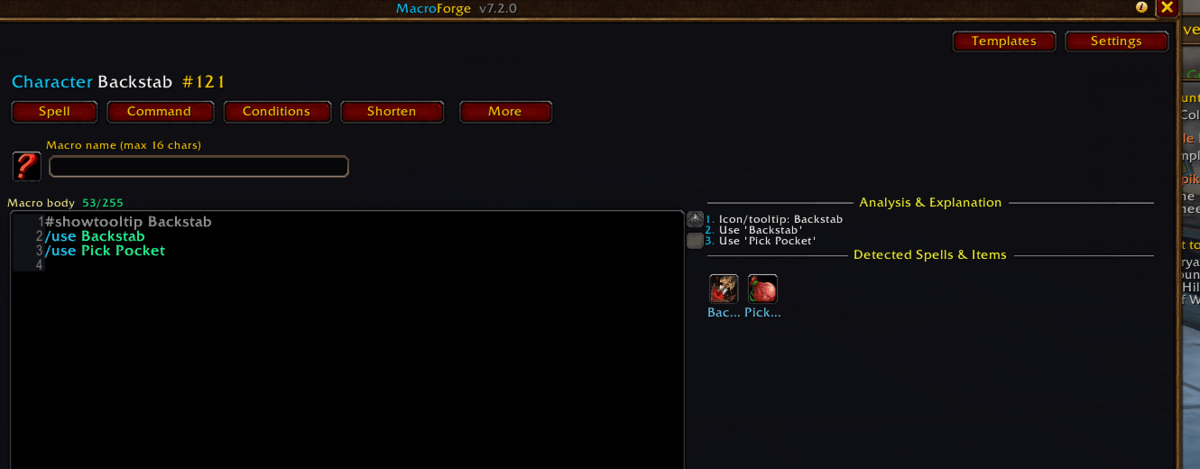
- Live analysis — every command, condition and spell checked against your own spellbook
- "Did you mean…?" —
/csatsequencebecomes/castsequence, a misspelt spell gets the closest match - Plain-language explanation of every line, right next to the code
- Broken lines turn red — a
[never closed, conditions typed after the spell (/target Boss[@mouseover]), a missing;, a mistyped condition like[noddead]: the code frame and the line number go red, and a strip under the code says what is wrong - One-click fixes — click Fix and the line is rewritten (
/target [@mouseover] Boss); when the intent is not clear, MacroForge says so instead of guessing - Live test — one click and the panel shows which clause fires right now, on which target, and follows as you change target, hover a unit or hold Shift
- Live 255-character counter, with the shortener one click away
One window, built for speed
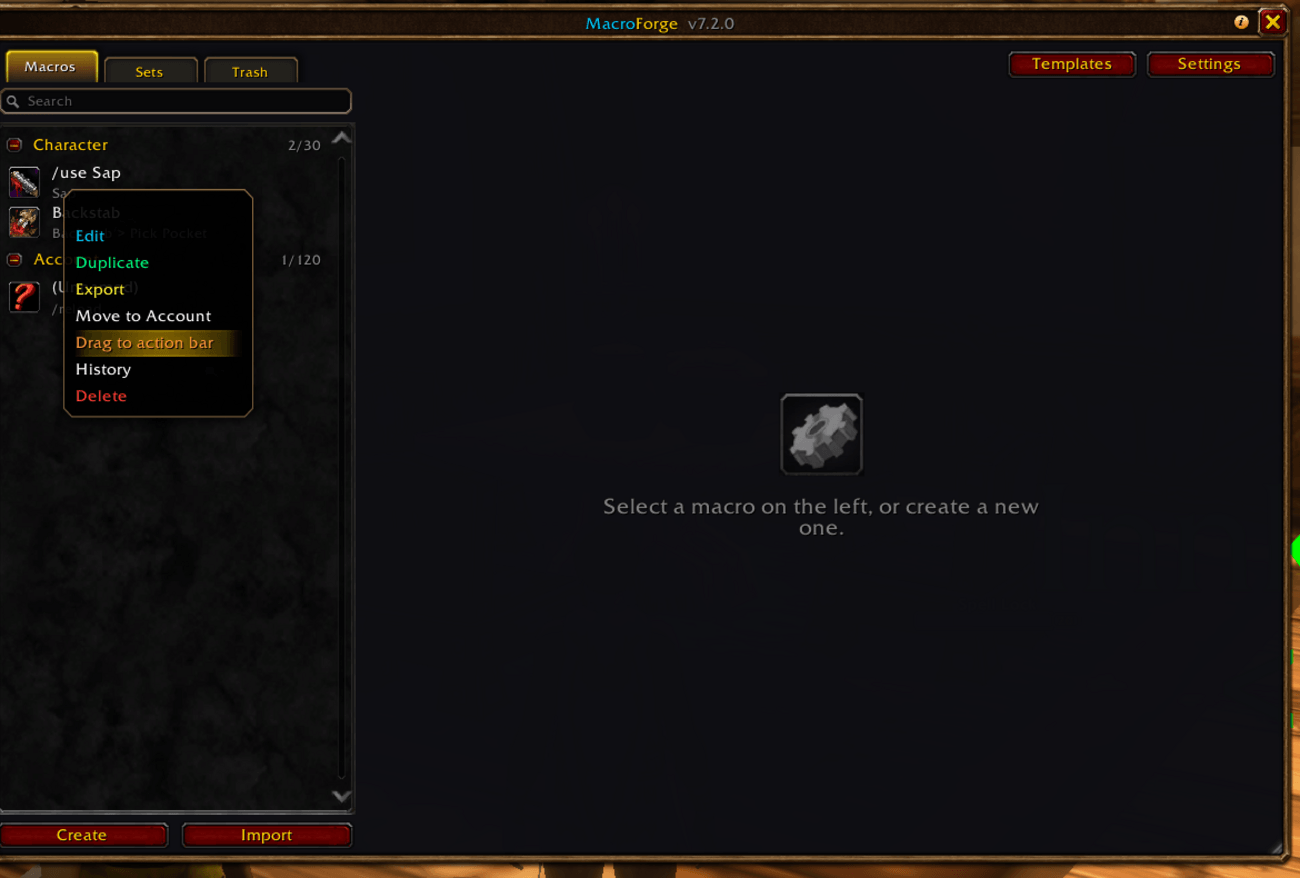
Everything opens inside it: templates, history, sharing and duplicates are pages of the window (Esc goes back), and the spell list, commands, condition builder and icon picker slide in next to the code. Search by name or content. Filter to what is broken, what sits on a bar, what nobody uses. Drag a macro straight onto your action bars. Right-click for duplicate, share, move between Character and Account, or its full history.
Ctrl+S save · Ctrl+Z undo · Ctrl+F search · ↑ ↓ walk the list · Del delete


Your macros follow your spec
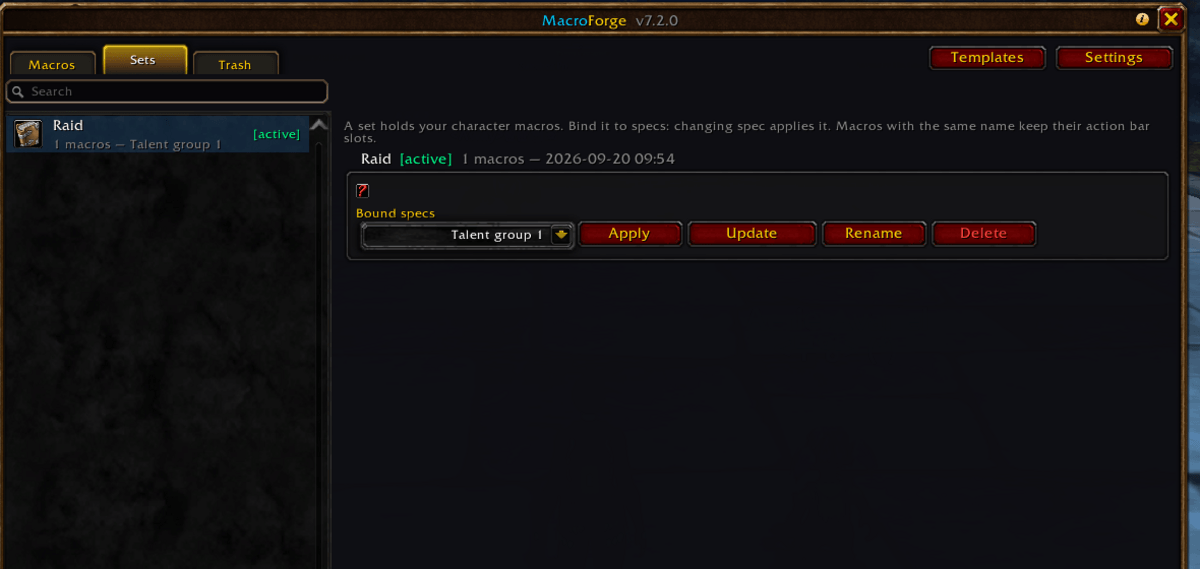
Save your character macros as a set — Raid, M+, PvP, whatever you run. Bind it to a spec. Change spec, and the right set is in place before the pull.
Macros that exist in both sets keep their action bar slots, and anything you changed is saved into the set before it swaps. No more rebuilding your bars every Tuesday.

Nothing is ever lost
- Every version of every macro is kept — including the edits you make in Blizzard's own frame
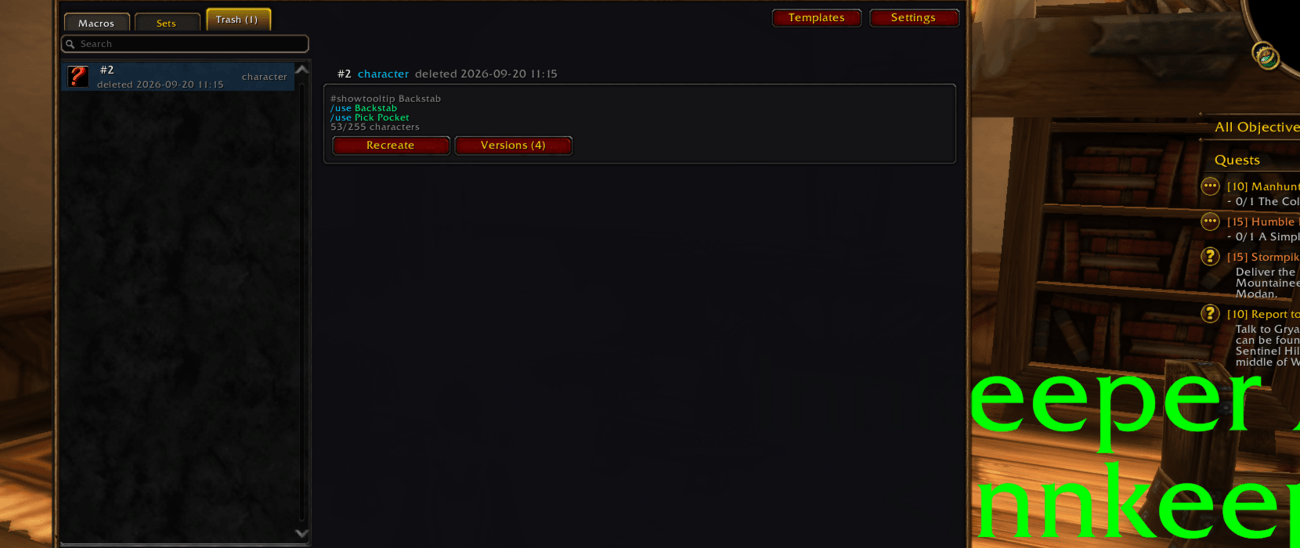
- Deleted a macro? It is in the Trash, body intact, one click from coming back
- An automatic backup is taken before every set swap or restore
- Unsaved changes are marked, and MacroForge asks before dropping them

Also in the box
190 templates — stances, traps, totems, seals, curses, druid forms, focus interrupts, mouseover heals: 11 for every class and 16 to 21 per class on WoW Forever, every spell checked in the client. Browse any class, not only yours. Spell names are filled in your client's language, so they work the moment you create them.
Audit — one panel listing every macro that needs attention, worst first, each a click away from being fixed.
Share — export a macro as a short code, send it to another MacroForge user in game, or paste any macro copied from a guide: it is named for you.
Condition builder — build [@mouseover,harm,nodead] in three steps (on whom, only if, result) instead of memorising it; it lands at the right place in the line.
Your language — the whole addon, analysis and explanations included, follows your client's language:
 English ·
  Français ·
  Deutsch ·
  Español ·
  Español (México) ·
  Italiano ·
  Português (Brasil) ·
  Русский ·
  한국어 ·
한국어 ·  简体中文 ·
  繁體中文
繁體中文
Blizzard's /macro window gets a MacroForge button: the macro you selected there opens here.


Start in ten seconds
- Install with the CurseForge app
- Type
/mfin game, or click the minimap button - Pick a macro on the left — hover the ? in the title bar for every shortcut
| Command | What it does |
|---|---|
/mf | Open / close MacroForge |
/mf sets | Macro sets |
/mf audit | Check every macro |
/mf templates | Class templates |
/mf import | Import a share code |
/mf backups · /mf restore [n] | Backups |
/mf trash | Deleted macros |
/mf help | Everything else |
FAQ
Does it replace my macros? No. It edits the very same macros as Blizzard's frame. Uninstall it and every macro is still there, on the same slot.
Is it safe in combat? WoW forbids macro changes in combat. MacroForge queues them and applies them the moment you leave combat, and it never swallows your keys while you fight.
Why does my macro show a "?" icon?
That is the dynamic icon: with #showtooltip it follows the spell being cast. MacroForge keeps it dynamic instead of freezing it on one spell, the way saving from other tools does.
Where are my spec profiles from older versions? They became sets, named after each spec, in the Sets tab.
Does it run on WoW Forever? Yes. Retail 12.x and the Forever client are both supported, from the same install.
Found a bug or have an idea? Open an issue on GitHub — include the error from BugSack if you have one. MIT licensed, built on Ace3.
<sub>World of Warcraft and its logos are trademarks of Blizzard Entertainment. MacroForge is fan-made and not affiliated with Blizzard.</sub>
You must be logged in to leave a comment.