

LoneBit UI Forever
Minimalistic unit frames, auras, combo points and PW: Shield absorb in one configurable panel.
Details
Expansion
 Forever
 Categories
Developers

Having issues?
IMPORTANT: THERE IS A KNOWN BUG ON FOREVER BETA PTR THATS PREVENTING ADDONS FROM READING ADDON SETTINGS FROM SAVE FILES. DUE TO THIS A WORKAROUND FIX HAS BEEN IMPLEMENTED TO RESTORE THE SETTINGS AFTER GAME RESTART. THIS WILL HOPEFULLY BE ADDRESSED BY BLIZZARD BEFORE THE RELEASE!
LoneBit UI Forever
A complete replacement for the default unit frames, with auras, combo points and Power Word: Shield absorb tracking in the same addon and the same settings panel.
Built for WoW Forever.
This is an early version and still under active development. What gets built next is shaped by player feedback, so if something is missing, breaks, or could be laid out better, leave a comment or a suggestion and it will be taken into account.
Unit frames
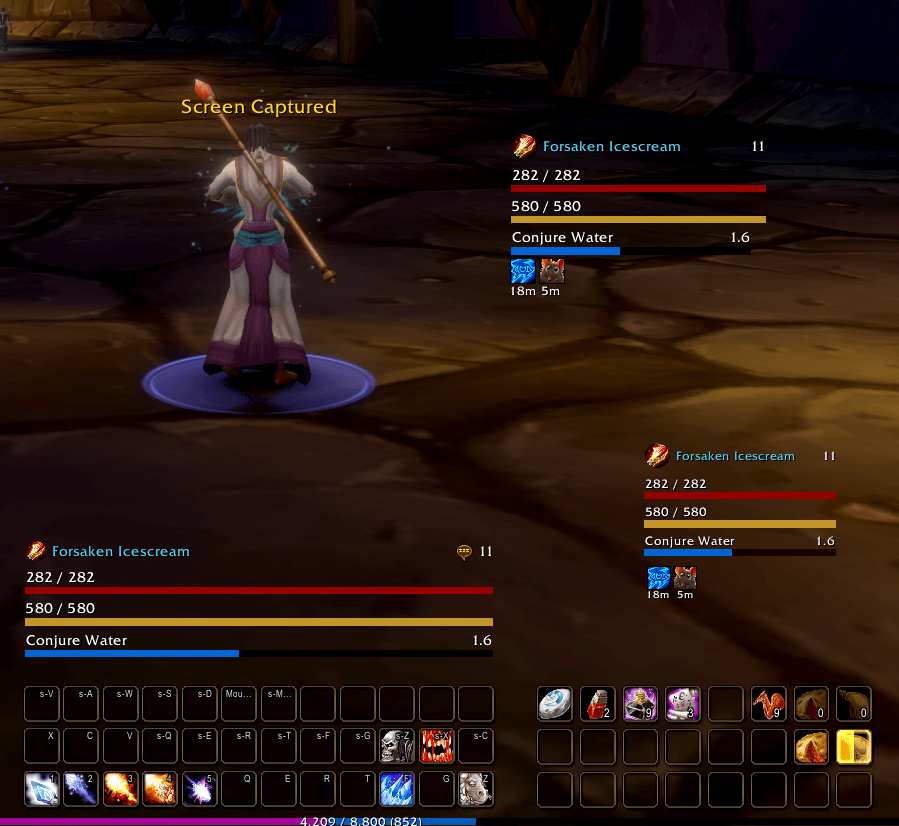
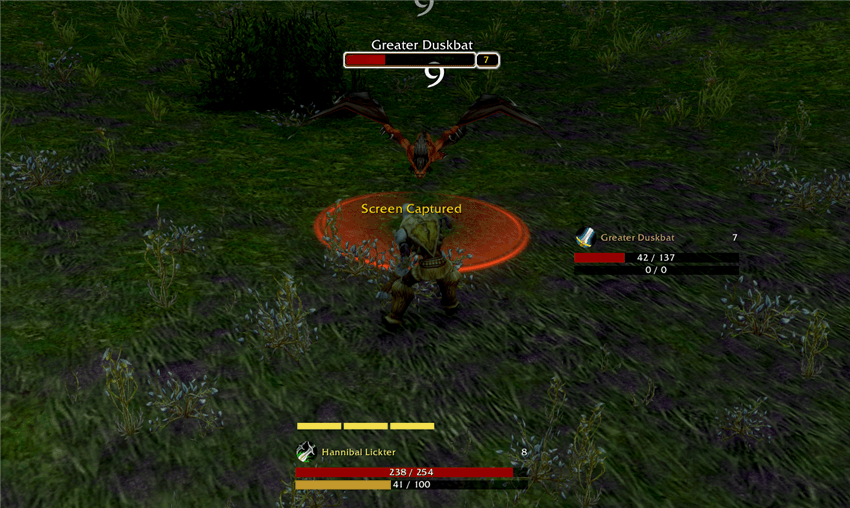
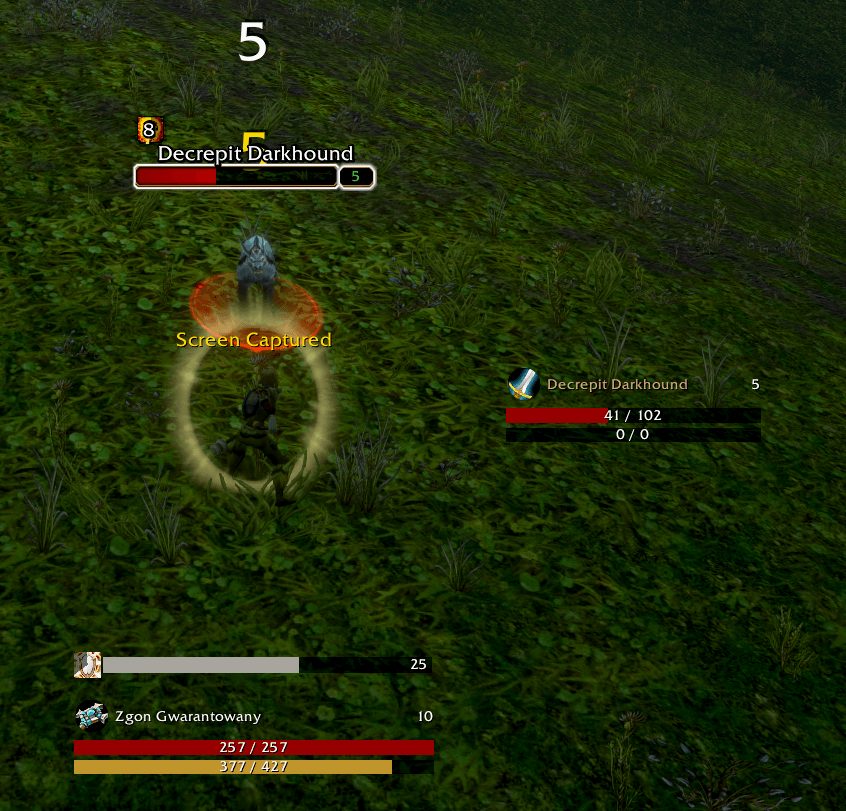
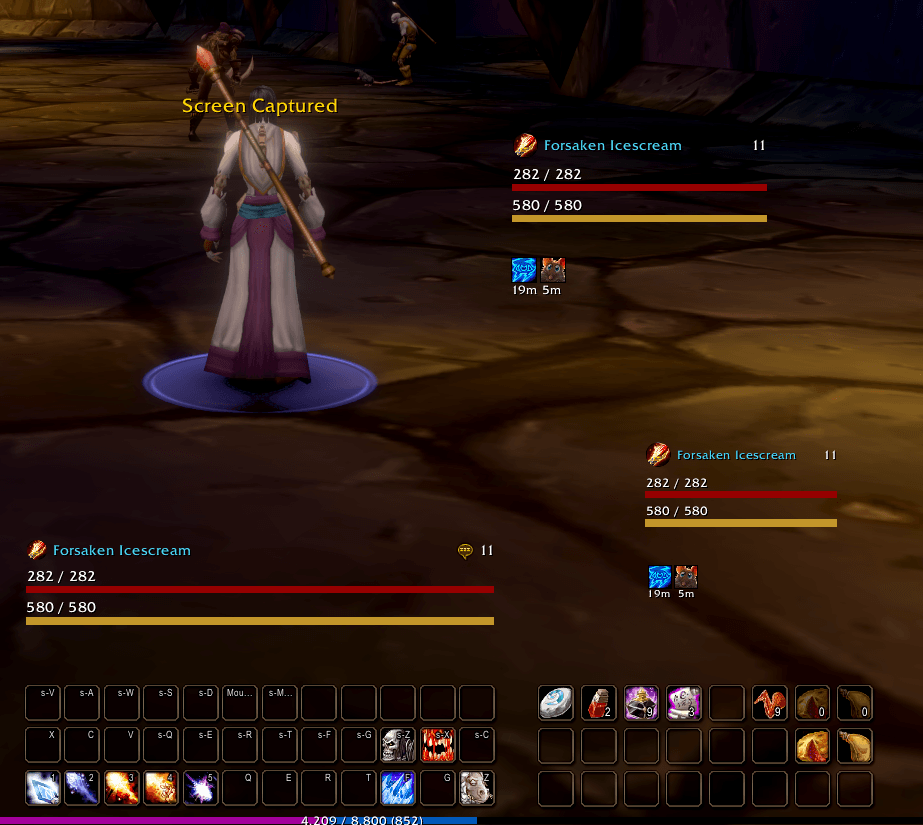
Separate frames for player, target and focus. Nothing is shared between them: each has its own screen position, layout, bar order, spacing, scale, background and lock.
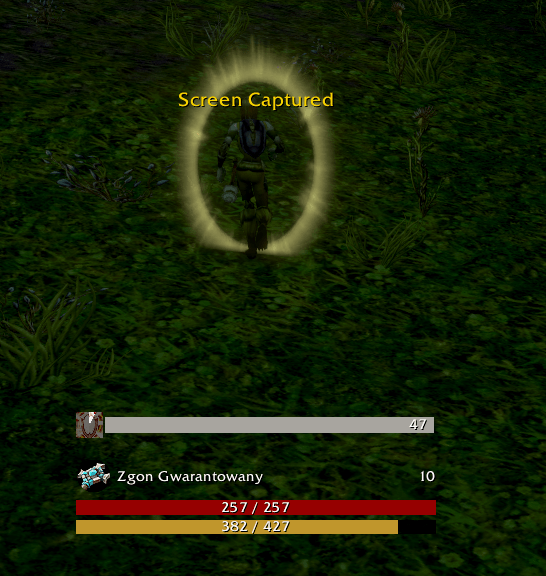
Each frame carries a health bar, a resource bar and a cast bar, with independent width, height, colour, font and text options.
The resource bar follows the class on its own, switching between rage, energy, mana and everything else the client reports. It can also be pinned to a fixed resource.
Optional header with class icon, name and level, each toggled separately.
Clickable frames: left click targets the unit, right click opens the same menu as the default frame.
The Blizzard frames being replaced are hidden for you, including the companion frames and the native cast bars.
Buffs and debuffs
Two independent blocks per unit, each with its own screen position, grid size, icon size, text size and background.
Combo points
Configurable squares with adjustable width, height, spacing, colours and count, in a horizontal row or a vertical column. The count comes from the game when it reports it, otherwise from a slider.
Power Word: Shield
One row per shield showing the absorb left, with an icon, a cooldown sweep, a bar and the remaining time. Tracks the shield on you and the ones you cast on other people.
One settings panel
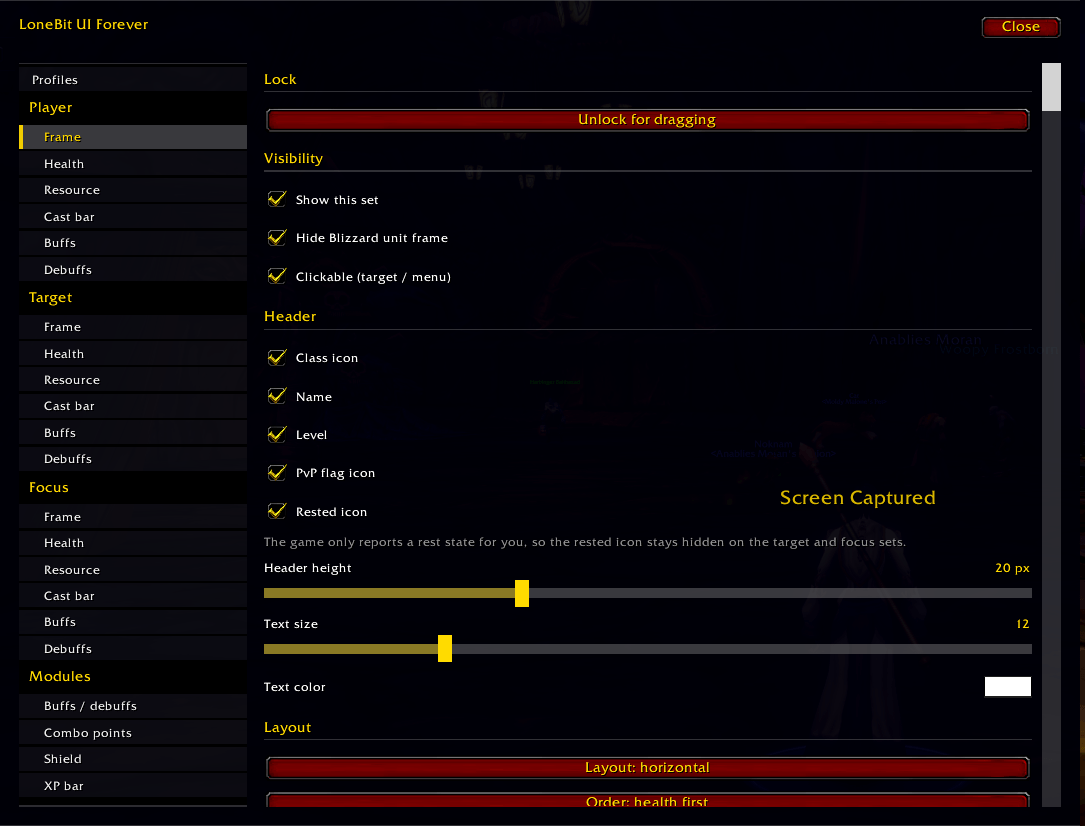
Type /lbf config to open everything: Profiles, Player, Target, Focus, Buffs and debuffs, Combo points, Shield.
Every tab starts with its own lock switch, so unlocking a frame to drag it is always the first thing on screen. Combo points and the shield tracker have on/off switches if you only want the unit frames.
Moving settings between characters
Settings are saved per character. To copy a layout, open Profiles, click a character in the list and press Load the selected settings. No exporting, copying or pasting. A character appears on the list once you have logged out on it at least once.
A text export and import is available as a fallback.
Commands
/lbf config - settings panel
/lbf unlock and /lbf lock - drag every frame
/lbf reset - restore defaults
/lbf scan [unit] - power types the game reports
/lbf test - shield row preview
/lbf debug - client state and restrictions
/lonebitui works the same.
Installation
Extract the LoneBitUIForever folder into Interface/AddOns and run /reload.
You must be logged in to leave a comment.