
KillDex | Mob Kill Tracker and Counter
Mob kill tracker with per-mob tooltip counts, kills per hour, loot and a searchable database. Export to killdex.com for leaderboards. Works on Midnight, WoW Forever, MoP, TBC and Classic Era.
Details
Expansion
 Forever
 Categories
Developers

Having issues?
KillDex | Mob Kill Tracker and Counter
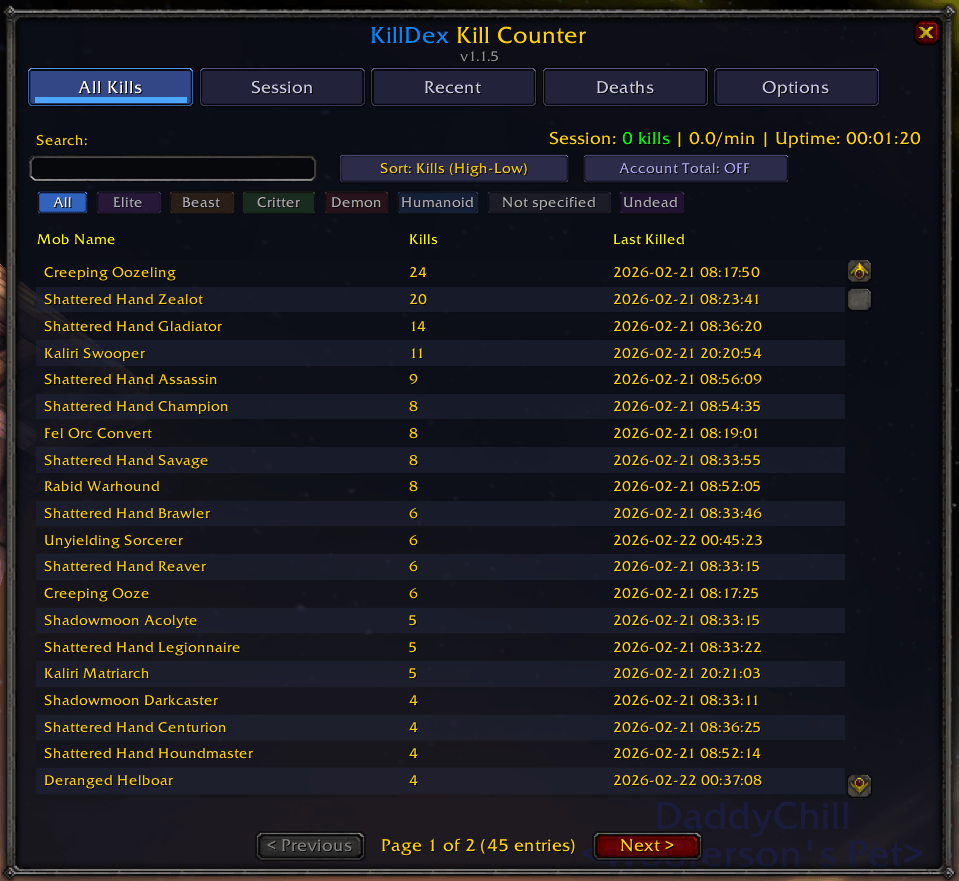
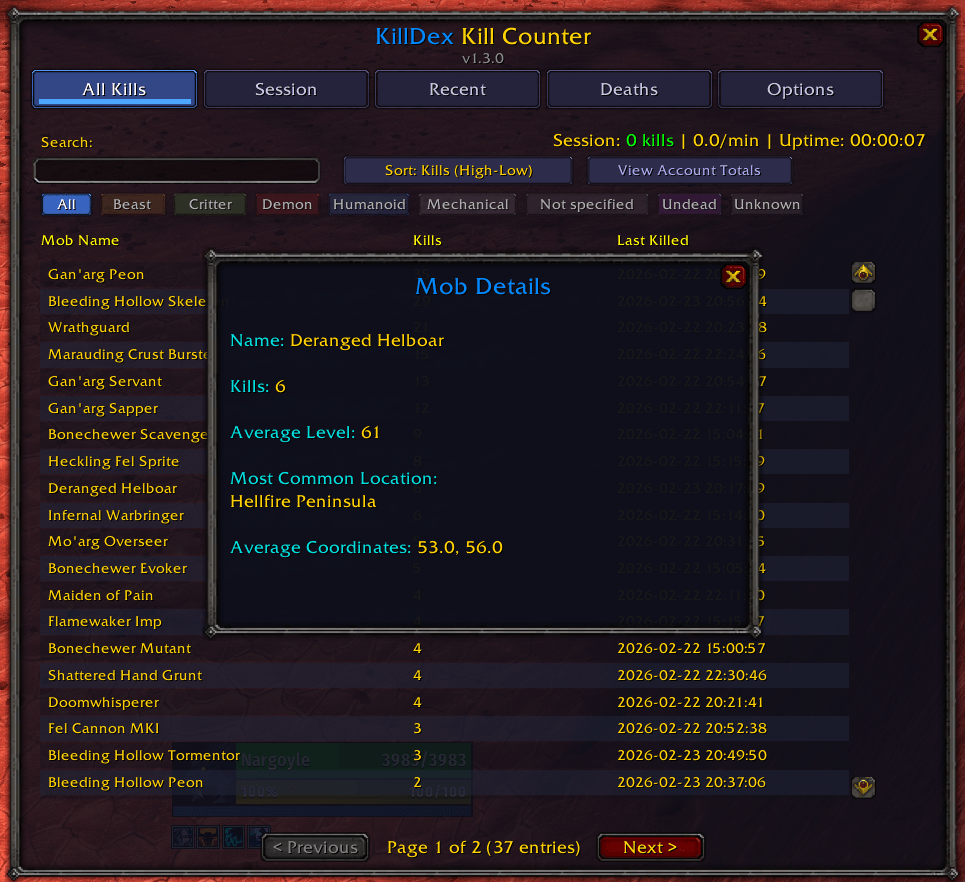
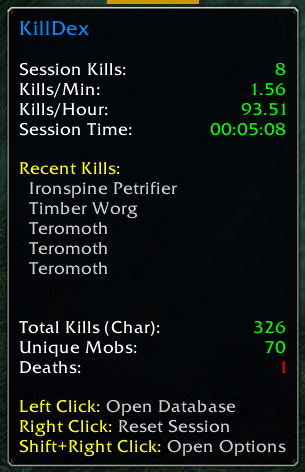
KillDex is a mob kill tracker and counter for World of Warcraft. It records every mob you kill, shows the running count in the tooltip, tracks your kills per hour while farming, and keeps a searchable database per character and account-wide. It also records what each mob drops, and tracks deaths.
Works on every modern WoW client:
- Midnight (retail)
- WoW Forever
- Mists of Pandaria Classic
- Burning Crusade Classic / Anniversary Edition
- Classic Era / Vanilla
Your kills on killdex.com
killdex.com turns your collection into a profile page and puts you on your game's leaderboard.
- In game, click Export for killdex.com in the KillDex window (or Ctrl+click the minimap button) and copy the string.
- At killdex.com, sign in with Battle.net and paste it.
You get a page for your player and each character: every mob you've killed, your rares, elites and bosses, gold and loot, and your zones. Leaderboards are per game, ranked by kills, rares, elites, bosses, gold and more. Characters on your Battle.net account get a Verified mark. Import again whenever you want to update it. It's free.
Bring your kills with you
Moving to another computer or account? /kd export on one, /kd paste on the other. You see a preview first, nothing is written until you confirm, and you can undo it.
Coming from KillTrack? KillDex imports your kill counts directly. Options tab, "Import from KillTrack". Keep KillTrack installed and enabled while you import, then delete it. WoW only lets an addon read another's data while both are loaded. You see every mob and exactly what changes before anything is written, mobs are matched by ID so it's exact, and the whole import can be undone.
Features
- Per-mob kill counter with account-wide and per-character totals
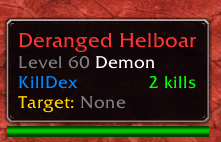
- Kill count shown in the tooltip when you hover any mob
- Searchable, filterable database of every creature you've killed
- Loot tab: every item and coin you loot, with drop rates per mob
- Boss, world boss, elite, and rare detection
- Kills per hour (KPH), kills per minute, and session uptime
- Death tracker (optional) for how many times each mob has killed you
- Filters by creature type (Beast, Humanoid, Demon, Undead, etc.) and classification
- Elite (+), rare (r), and rare-elite (r+) indicators on names
- Milestone messages at 10, 25, 50, 100, 250, 500, and 1000 kills on a single mob
- Minimap button with live session stats on hover (LibDBIcon)
- Independent session stats so you can reset a farm without touching lifetime totals
- Export to killdex.com, or move your collection to another account
- Import your existing counts from KillTrack, with a full preview and undo
Commands
/killdex       Open the main panel (or /kd)
/kd stats      Print session stats to chat
/kd reset      Reset session statistics
/kd options    Open the options panel
/kd export     Copy your collection, for killdex.com or another account
/kd paste      Import a collection string
/kd import     Import kills from KillTrack
/kd backup     Where your data lives on disk
/kd help       Show all commands
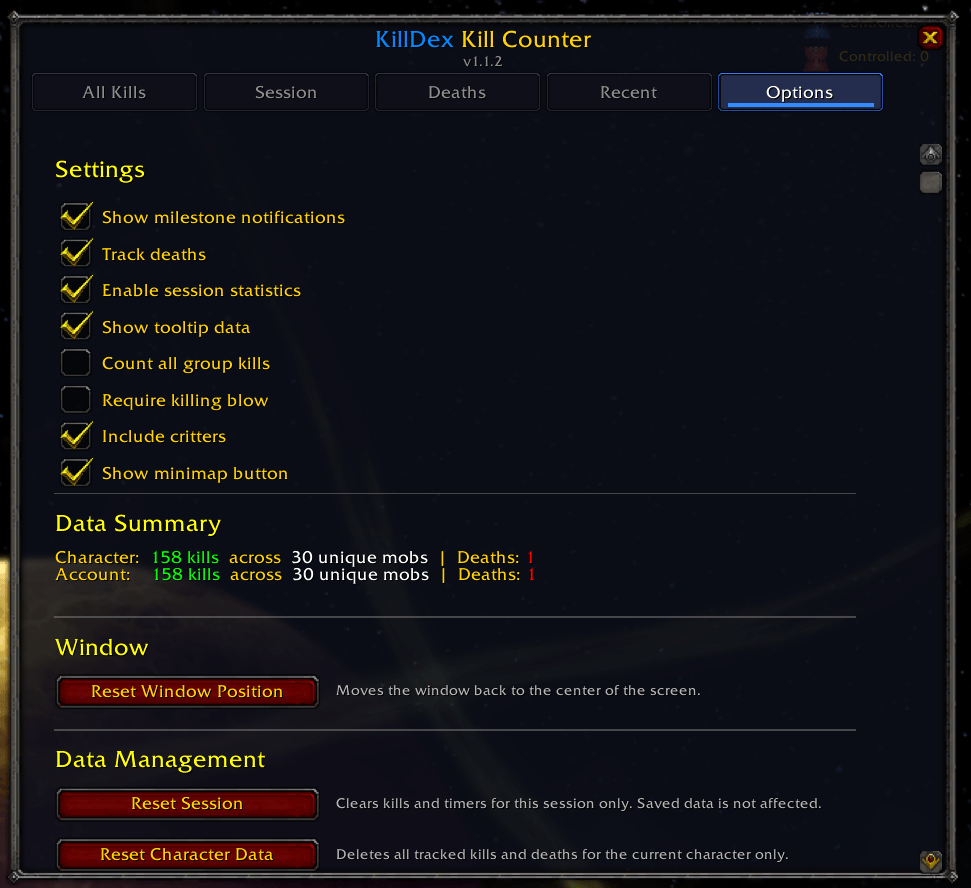
Options
- Show milestone notifications
- Track deaths
- Count group kills
- Require killing blow
- Include critters
- Show or hide the minimap button
A note on dungeons
Since 12.0, Blizzard hides NPC identity inside instances, so on Midnight and WoW Forever addons can't tell which mob died in dungeons, raids, delves, battlegrounds, or arenas. World kills track normally on every client. Dungeon kills still work on MoP Classic, TBC, and Vanilla.
Installation
The easy way: install through the CurseForge app. It handles updates for you.
Manual install: drop the KillDex folder into your client's Interface/AddOns folder, then restart WoW and enable KillDex at the character select screen. Type /killdex in chat once it's installed.
Feedback
Bugs, feature ideas, and farm requests are welcome. Leave a comment on the CurseForge page.
You must be logged in to leave a comment.