

Icon Finder Plus
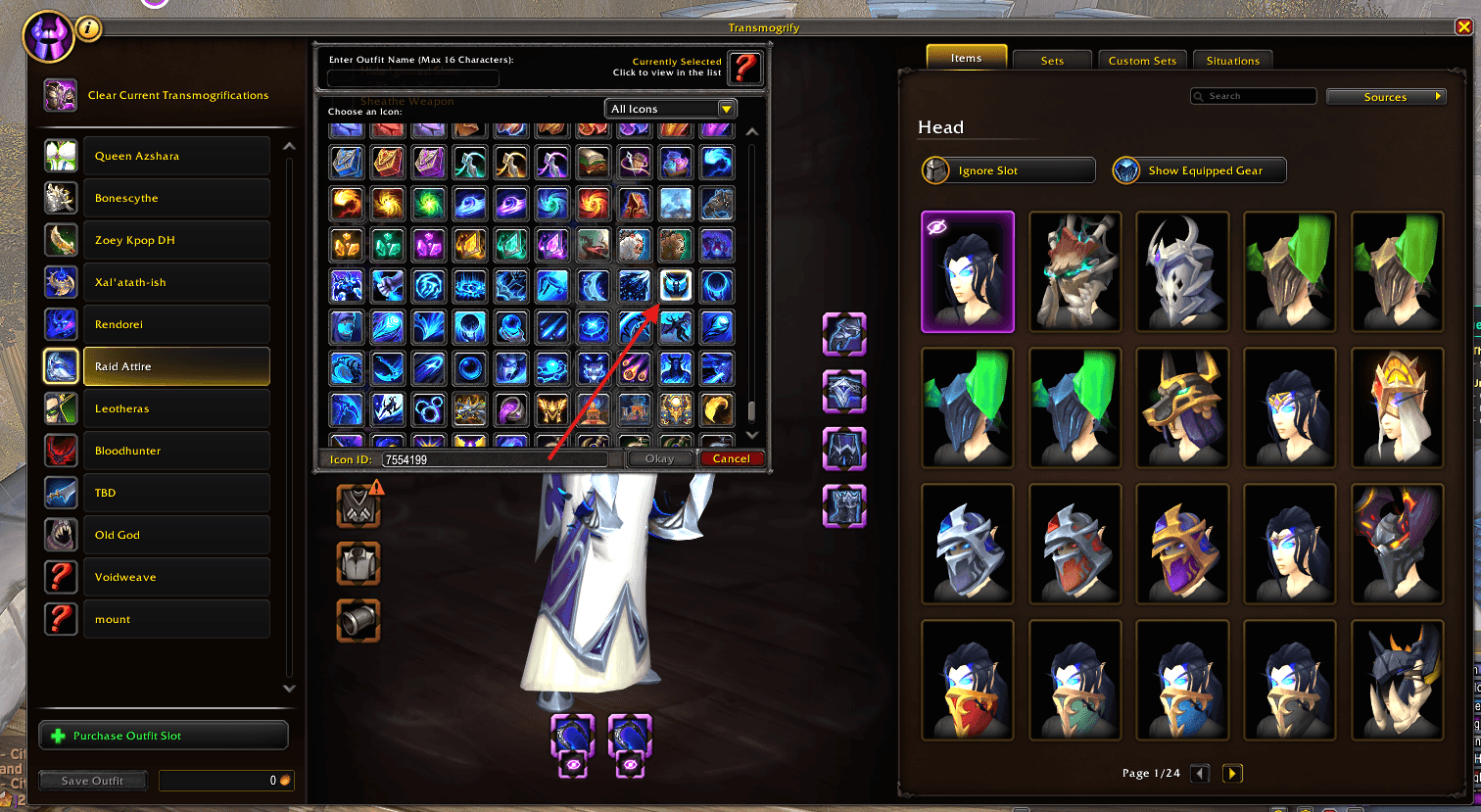
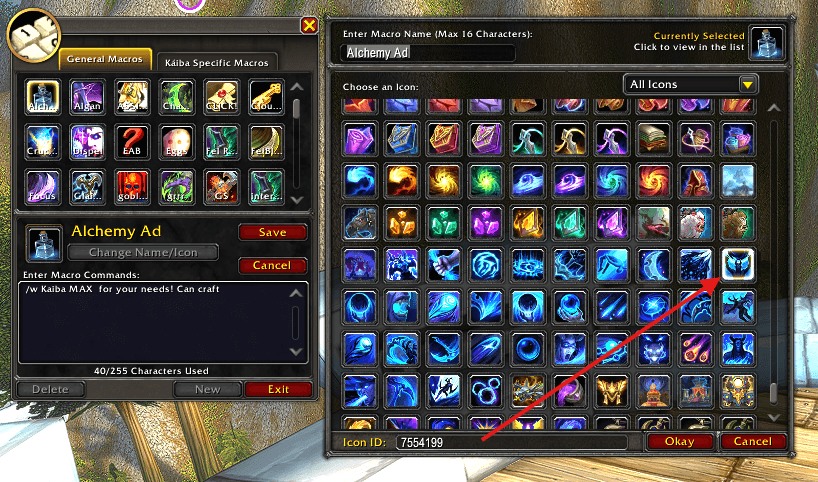
Adds an Icon ID search field to Blizzard's icon picker. Enter a FileDataID and jump directly to the matching icon. Great for macros, transmog outfits, addon development, and quick icon selection.
Details
Expansion
 Forever
 Categories
Developers

Having issues?
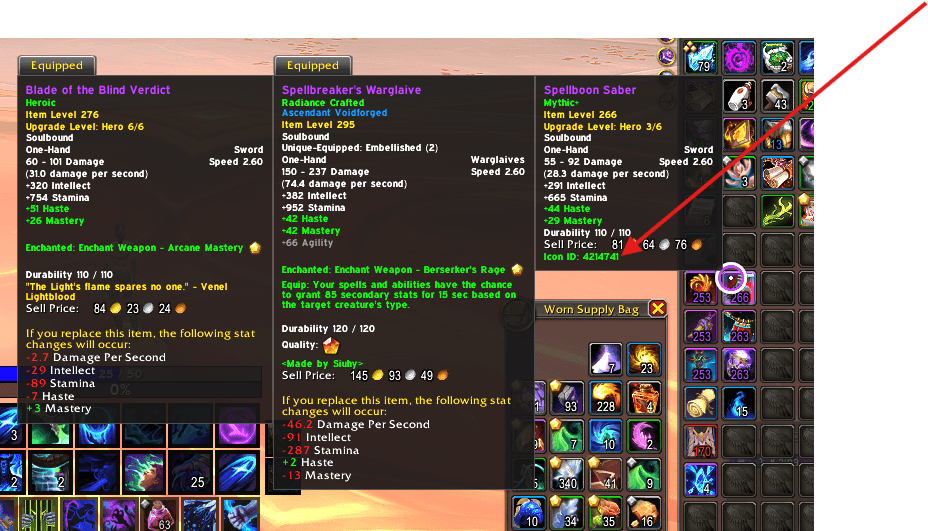
Icon Finder Plus enhances Blizzard's default icon picker with FileDataID searching, spell-name searching, partial spell matching, and Icon ID tooltips.
Instead of scrolling through thousands of icons, simply type an Icon FileDataID or part of a spell name and jump directly to the matching icon.
Supports:
- World of Warcraft: Midnight / Retail
- World of Warcraft: Forever Beta
- Direct Icon FileDataID search
- Exact and partial spell-name search
- Cross-class spell searching
- Large pre-generated spell/icon database
- Item and spell tooltip Icon IDs
- Macro Icon Picker
- Equipment / Transmog icon selectors
- Blizzard's shared Icon Selector interface
Icon ID Search
Enter a Blizzard Icon FileDataID and press Enter:
1305159
7554199
The picker will jump directly to that icon.
Spell Name Search
Search using full or partial spell names:
Bestial Wrath
bestial
Mark of the Wild
mark wild
fire
For example:
bestial → Bestial Wrath
fire → Fireball
mark wild → Mark of the Wild
Icon Finder Plus searches its loaded spell library and intelligently prioritizes relevant matches.
Icon ID Tooltips
Supported item and spell tooltips display their Icon FileDataID, making it easy to find IDs without searching external databases.
Fast and Lightweight
The spell library is generated ahead of time rather than scanning millions of spell IDs while WoW is running.
This provides broad spell coverage with minimal runtime overhead and avoids querying unsafe or incomplete internal spell data.
Forever Compatibility Update
Icon Finder Plus now supports World of Warcraft: Forever Beta alongside Retail / Midnight using the same addon codebase.
This update includes improved Blizzard icon-picker detection, Retail/Forever-specific icon handling, cross-class and partial spell searches, safer tooltip handling, and a redesigned static spell database.
It also removes the old brute-force spell scanning system that could cause crashes on Forever and avoids reading protected Blizzard UI text that can trigger secret-value errors.
Known Limitations
World of Warcraft contains duplicate, legacy, NPC, and alternate versions of many spells. Because of this, some spell names or partial searches may occasionally resolve to an alternate icon.
If that happens, searching directly by Icon FileDataID is the most accurate method.
Example:
7554199will always request that specific icon.
Icon Finder Plus enhances Blizzard's existing icon picker without replacing it — search faster, find the icon you need, and get back to building.
You must be logged in to leave a comment.