
Hebuka UI Enhancements
Flat action bars and unit frames, a slim status bar and hiding of Edit Mode frames for WoW: Forever.
Details
Expansion
 Forever
 Categories
Developers

Having issues?
This addon enhances the visual aspect of Actions Bars and Unit Frames without affecting Blizzard functionality. It is virtually a re-skin on top of WoW Forever frames. Small additions to Blizzard's own UI for World of Warcraft: Forever (client 1.60.x, interface 16001). Type /hui in game to open the settings.
ACTION BARS
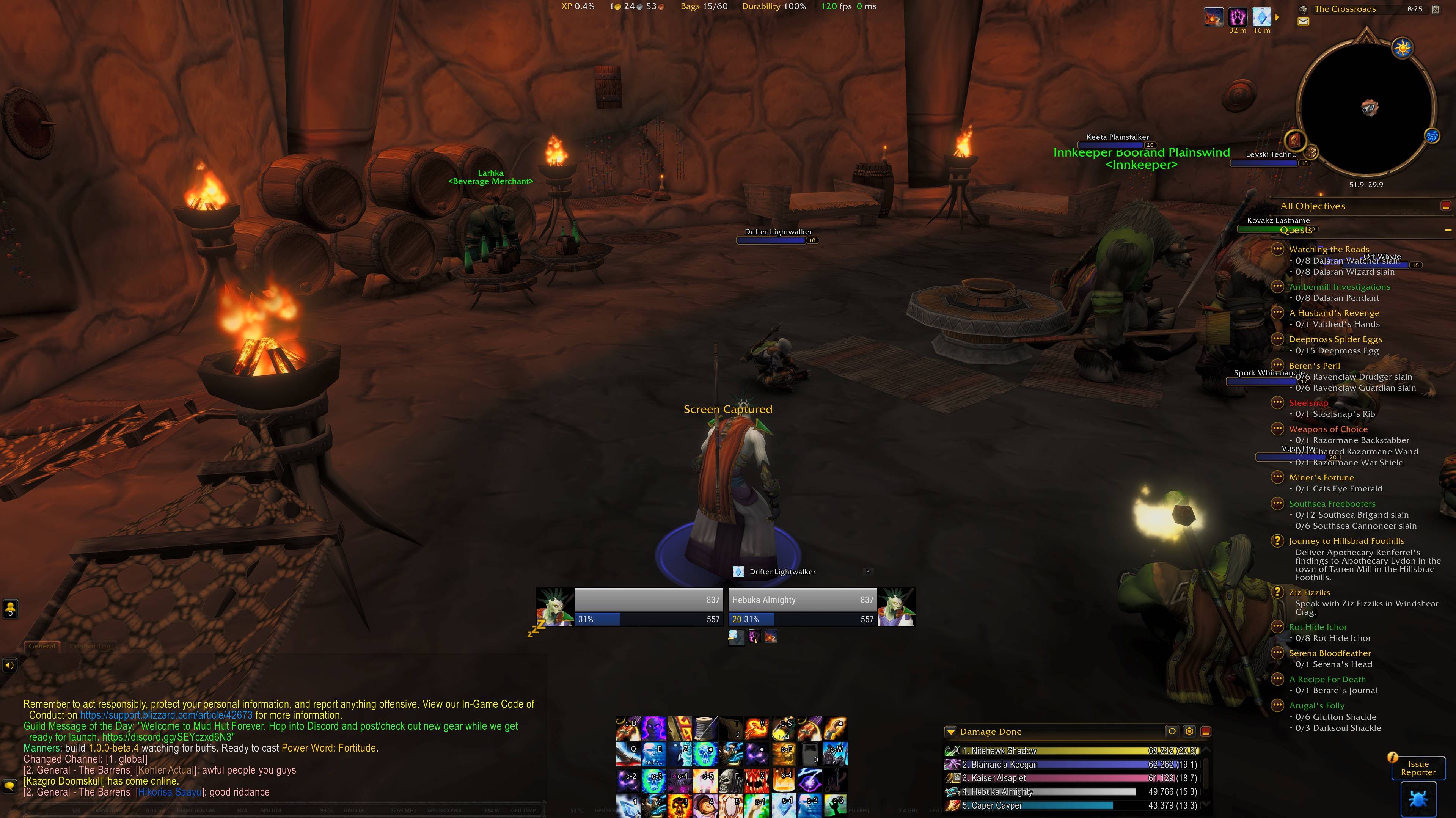
- A flat look for the Edit Mode action bars: borderless, cropped icons, optionally stretched over the button padding
- Hover highlight style and colour; keybind text size, outline and colour, or hidden
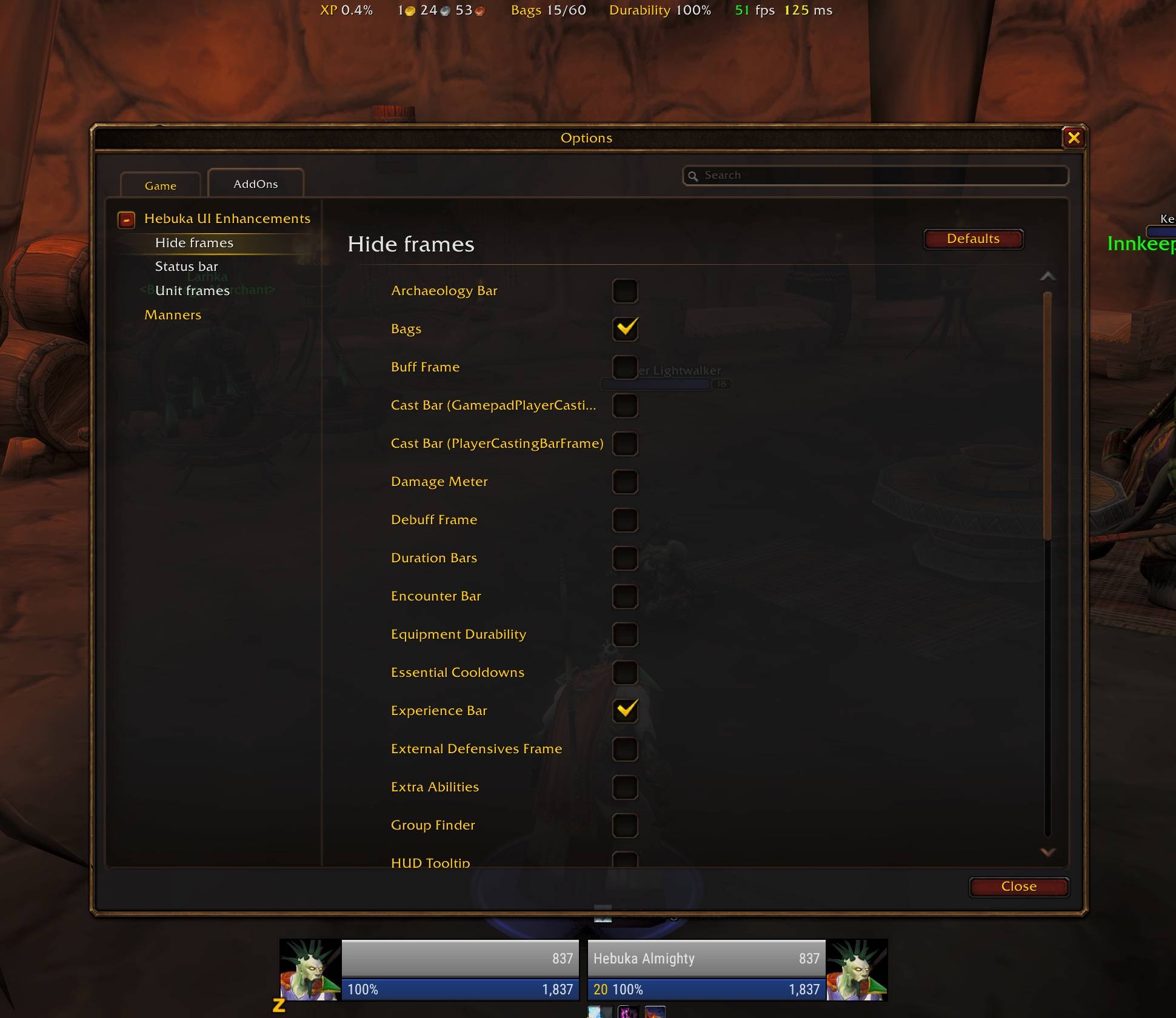
HIDE FRAMES
- Hides any frame Edit Mode manages that Edit Mode cannot hide itself, such as the experience bar
- Hidden frames show again while Edit Mode is open
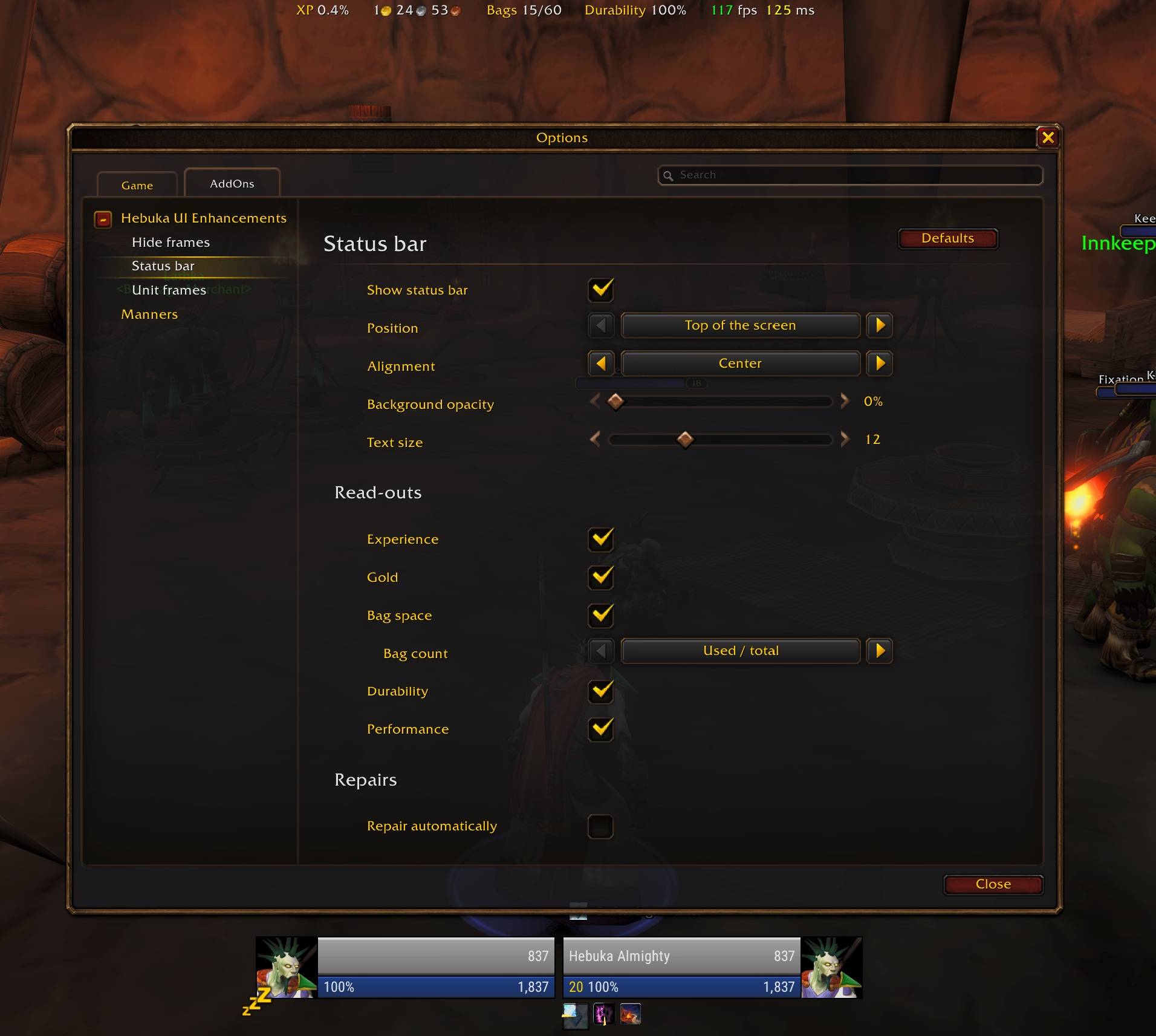
STATUS BAR
- A thin see-through bar with experience, gold, bag space, durability and performance; hover a read-out for details
- Optional automatic repair at vendors
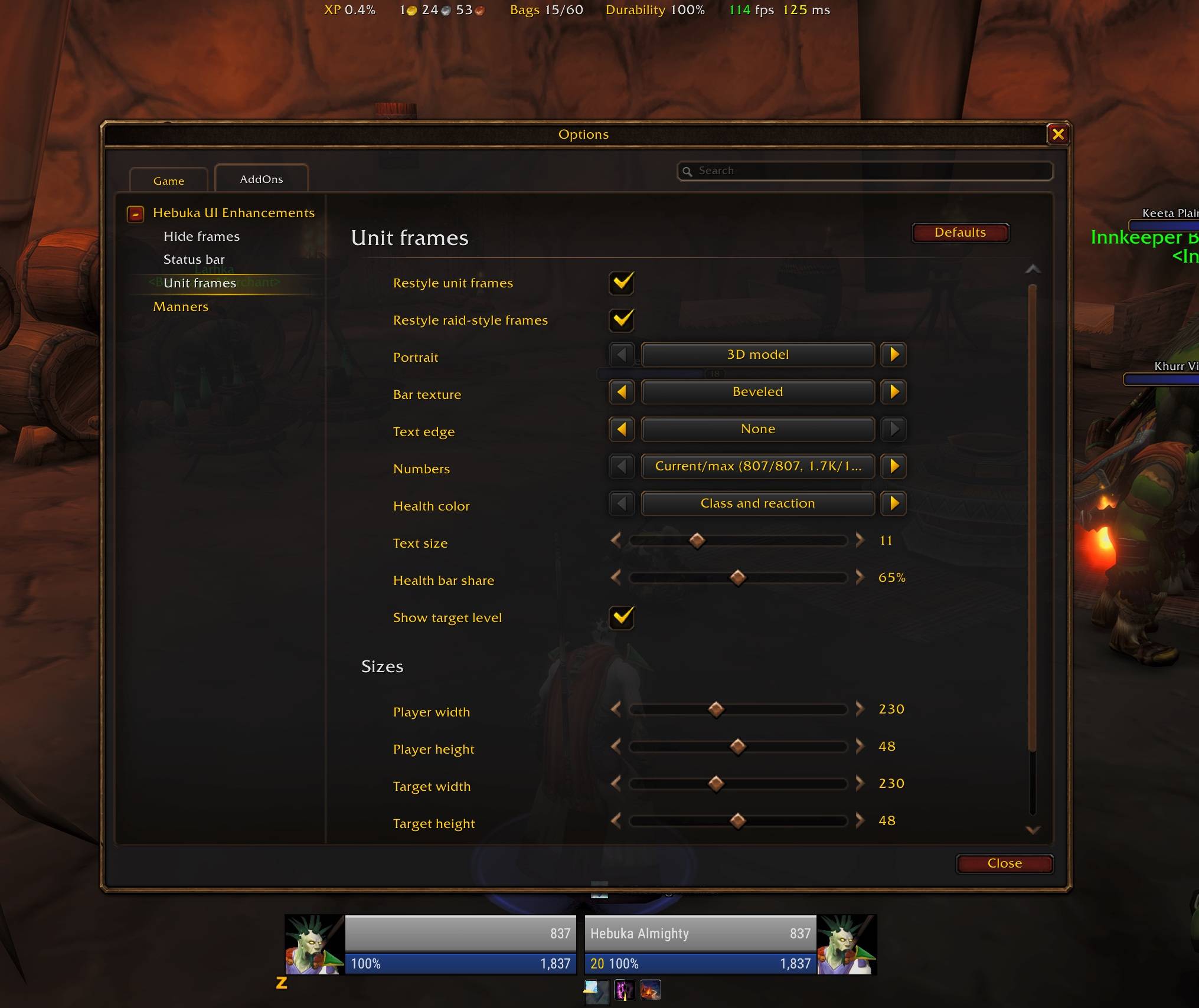
UNIT FRAMES
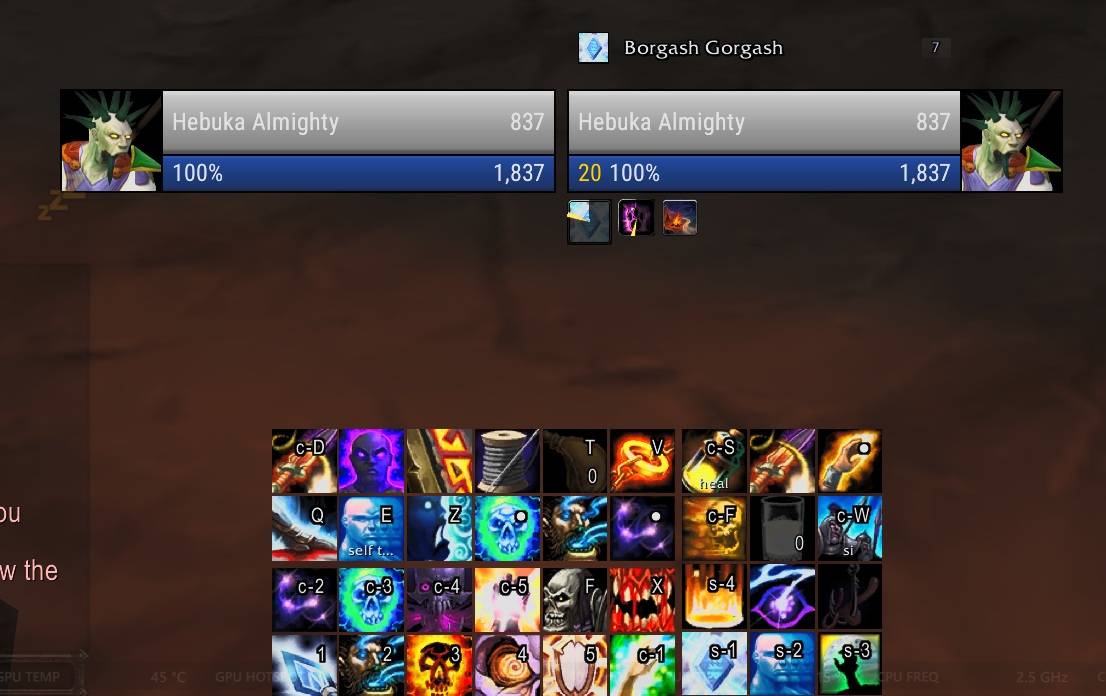
- A flat look for Blizzard's player, target, target of target, pet and party frames
- Square 3D or 2D portraits, plain bars with the name inside the health bar, choice of bar texture and font, width and height for player, target and target of target
- Blizzard's frames keep working underneath; numbers in current/max form (807/807, 1.7K/1.7K, 100%) or Blizzard's own Status Text
- Blizzard's raid-style party and raid frames get the same bar texture, font and power colours
COMMANDS/hui - open the settings/hui reset - put every setting back to its default/hui zoom <0-15> - set the icon zoom/hui gaps - toggle filling the gaps between buttons/hui bar - show or hide the status bar/hui gold forget <name> - remove a character from the gold list
KEEPING YOUR SETTINGS ON THE FOREVER BETA
The Forever beta client saves addon settings when you log out but does not load them when the game starts, so every addon starts from defaults after a restart (/reload and relogging are fine). Blizzard is hopefully going to fix it soon. This addon works around it with a link to your account's SavedVariables folder. Create it once:
1. Open your _classic_beta_ folder in File Explorer (for example C:Program Files (x86)World of Warcraft_classic_beta_).
2. Click the address bar, type powershell and press Enter.
3. Paste this and press Enter:
$acc = @(Get-ChildItem WTFAccount -Directory | Where-Object { Test-Path "$($_.FullName)SavedVariables" }); if ($acc.Count -eq 1) { New-Item -ItemType Junction -Path "InterfaceAddOnsHebuka-UI-EnhancementsForeverSV" -Target "$($acc[0].FullName)SavedVariables" } else { "More than one account, use the manual command with one of: " + ($acc.Name -join ', ') }
If you have more than one account it lists their names; then run this instead, replacing ACCOUNT with one of them:
New-Item -ItemType Junction -Path "InterfaceAddOnsHebuka-UI-EnhancementsForeverSV" -Target "WTFAccountACCOUNTSavedVariables"
After every update, run the command again before starting the game. If you start the game without the link, the next logout overwrites your saved settings with defaults. Without the link the addon still works; settings just reset at each restart. Once Blizzard fixes the client, the link is no longer needed.
SUPPORT DEVELOPMENT
If this addon improves your UI, you can support its development on Ko-fi: https://ko-fi.com/renhyl
Fonts: Roboto Condensed by Google, Apache License 2.0 (included).
You must be logged in to leave a comment.