

Gold Ledger
Tracks what you buy and sell and where every copper comes from, with prices, profit and your gold over time.
Details
Expansion
 Forever
 Categories
Developers

Having issues?
Gold Ledger keeps a ledger of your gold: what you buy and sell, where every copper comes from, and how much you hold over time. It records only gold that actually moved and mail the server actually delivered, so a Buy click that times out never becomes a purchase.
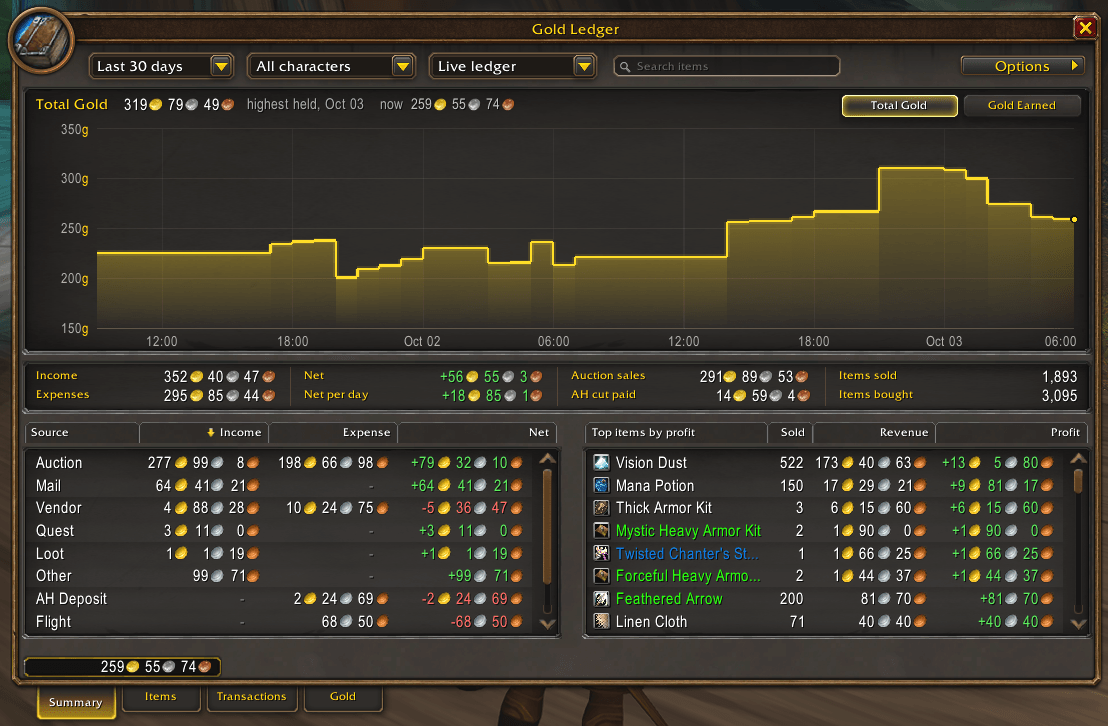
- Summary: income and expenses by source (auction, vendor, mail, quest, loot, trade, repairs, flights, AH deposits), your top items by profit, and your gold on a graph.
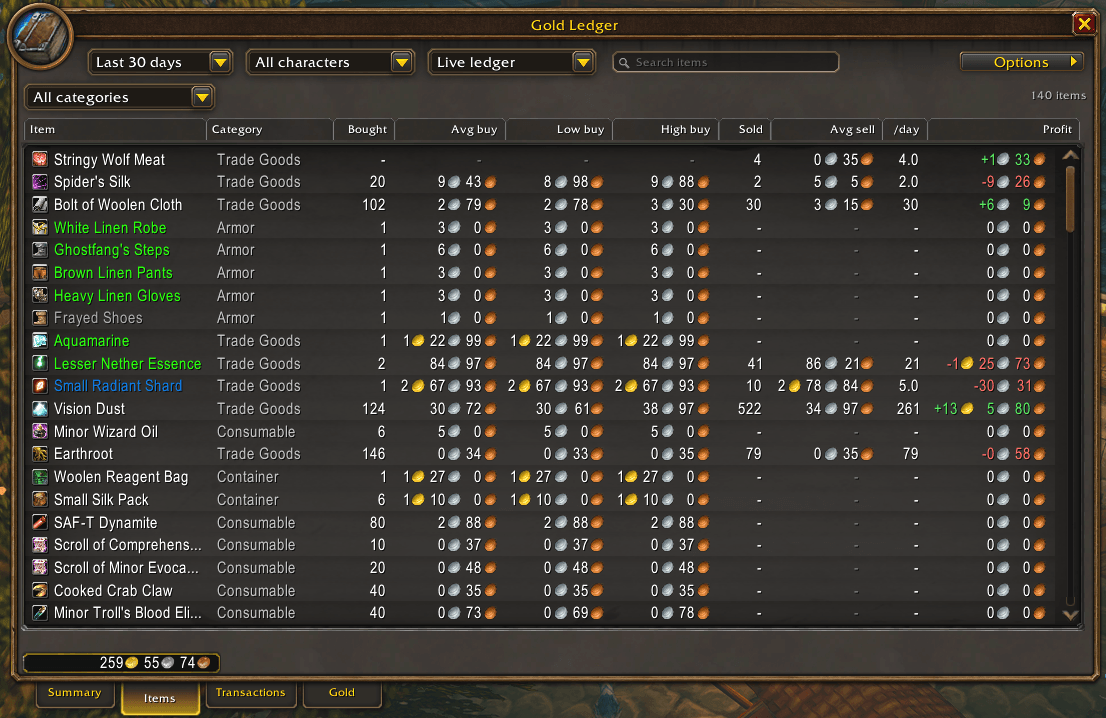
- Items: every item you have traded, with quantity bought and sold, average, lowest and highest buy price, average sell price, sold per day and profit.
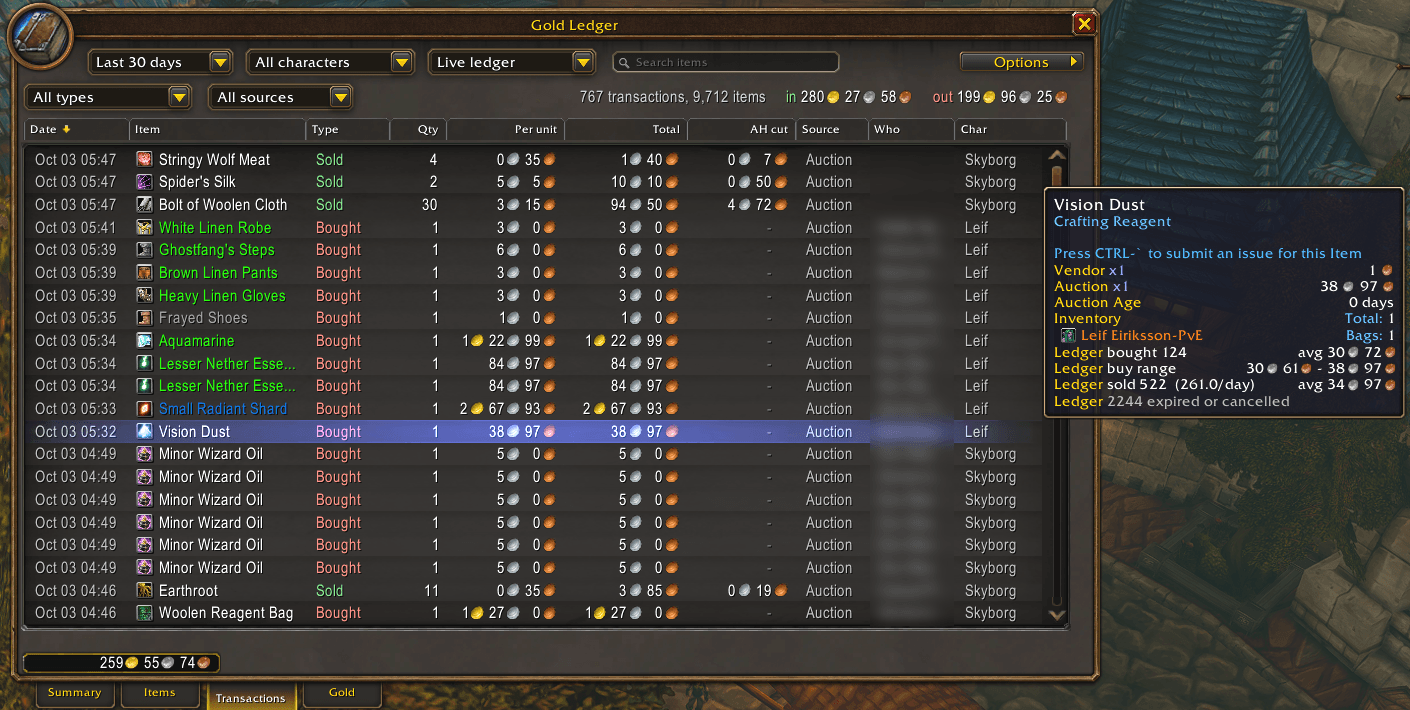
- Transactions: every purchase, sale, expired and cancelled auction, with price per unit, total, AH cut, source, the other player and your character. Filter by type or source, or search.
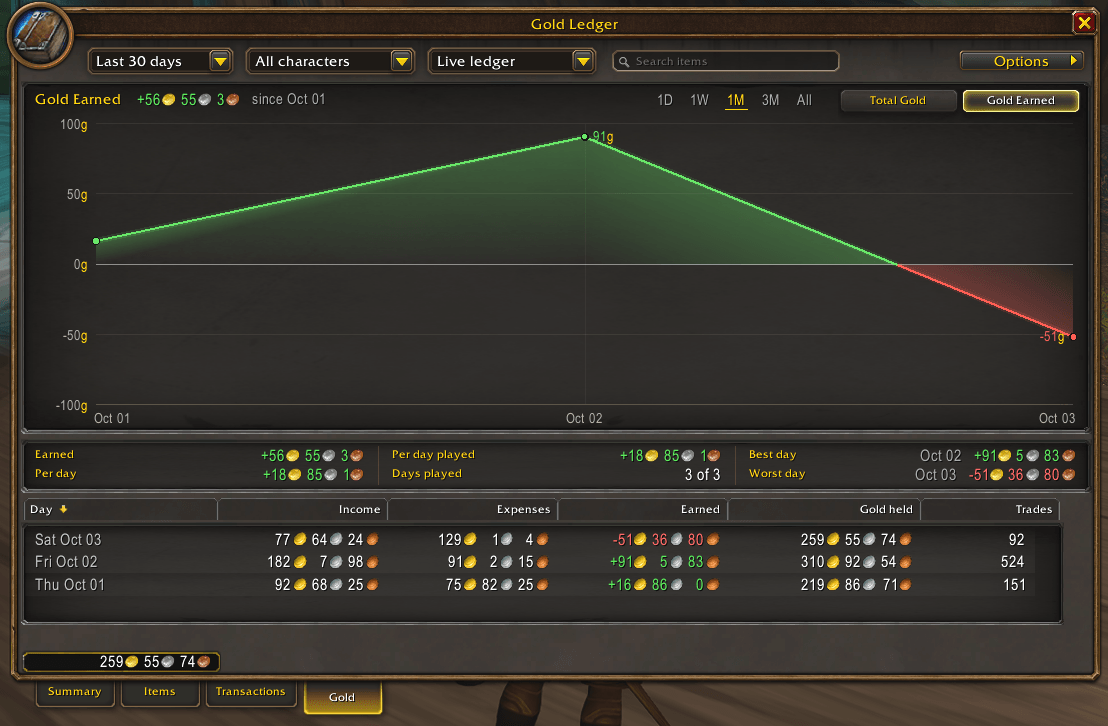
- Gold: Total Gold, the most you have ever held, with your gold over time beneath it; and Gold Earned, all the gold you received each day, from every source. 1D, 1W, 1M, 3M or All.
- Item pages: click an item for its own price history: every trade as a point, a daily average line, and Auctionator's market price as a dashed line if you use Auctionator.
- Tooltips: hover any item to see how many you bought and sold, your average prices, your buy range, and how many expired or were cancelled.
- Trade window: a "Count in ledger" box under your name, ticked for every trade. Untick it for a gift or a loan, and that trade's gold is left out of income, expenses and Gold Earned.
Summary
Items
Transactions, with an item tooltip
Gold
All your characters
Every character you log in with Gold Ledger is tracked. Pick one in the dropdown or see them all together. Gold mailed between your own characters counts as an alt transfer and is left out of income and expenses.
Auction house and mail
Purchases and sales on the auction house are recorded when you collect them from your mailbox, dated to when they happened. Postal's Open All works.
Stays fast for years
When a quarter ends, its rows move to Gold Ledger Archive, which loads only while it files rows or when you open an archived quarter. Your live ledger stays small, and nothing is ever thrown away. Pick a quarter from the period dropdown to look back.
No other addons needed
Gold Ledger works on its own. If Auctionator is installed, item pages also show its market price.
Commands
/ledger opens the window, and so does the book on your minimap. Options (top right) turns the tooltip lines, the minimap button and the graph points on or off, and archives on demand.
Licence
Free software under the GPL-3.0: you are welcome to change it and share your changes.
If you like my addons and want to support my work, it's greatly appreciated!

If you liked my addon and have an idea for one you'd like to see developed, contact me here on CurseForge. Suggestions are always welcome!
You must be logged in to leave a comment.