
GatherSkillTooltip
Shows your skill and the required skill when you hover a herb or ore, on a minimap pin or in the world, and beside the level of a creature you can skin. Starts from the classic tables, then learns from what you gather.
Details
Expansion
 Forever
 Categories
Developers

Having issues?
GatherSkillTooltip
For World of Warcraft: Forever (Classic Plus).
Forever is still changing, and the gather numbers are not fully known. The addon starts from the vanilla herb and ore tables and the usual skinning formula, then learns from play and remembers it.
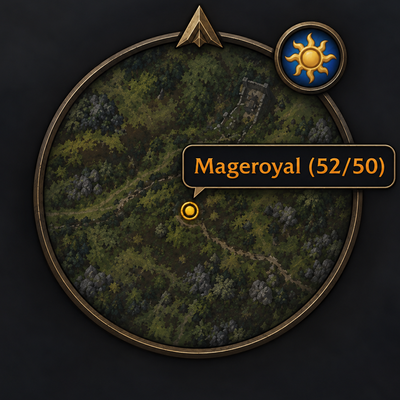
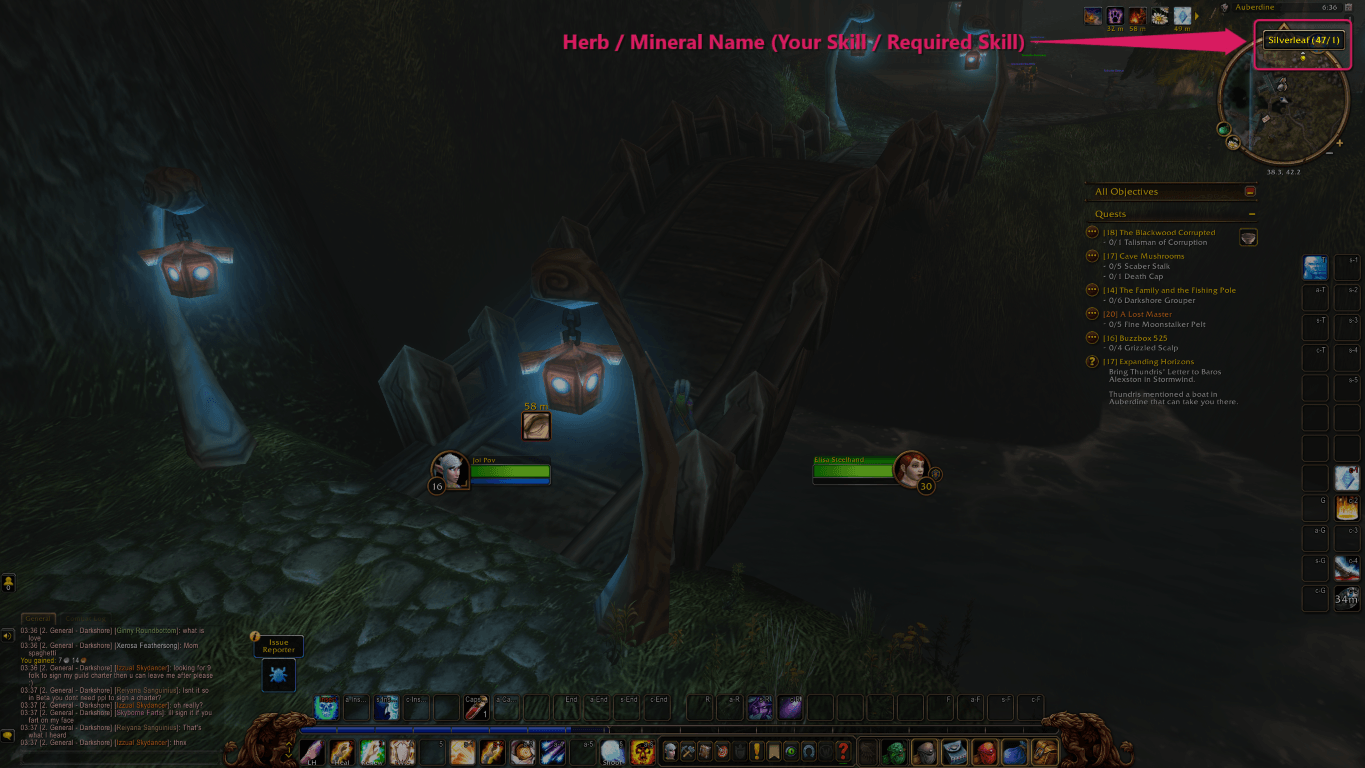
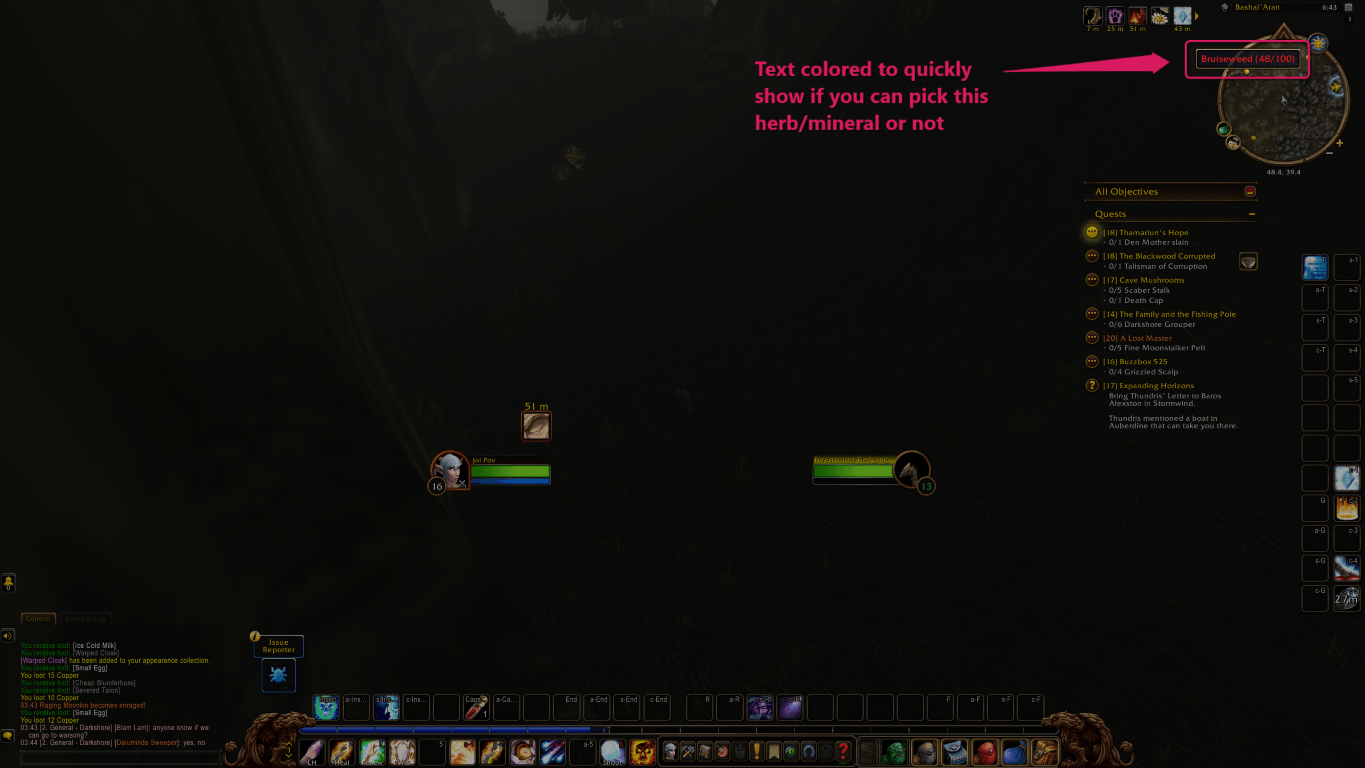
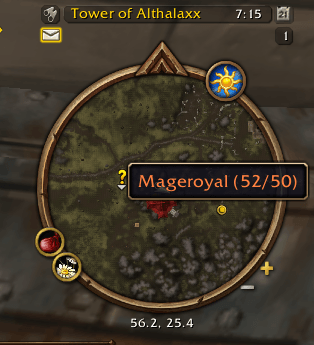
Hover a herb or ore and the tooltip shows your skill and the skill required, for example Mageroyal (42/50). That works on a minimap pin and on the node in the world. Hover only. Nothing is drawn on the minimap, and the yellow gather dots are not recolored.
Hover a beast or dragonkin and the same numbers sit beside its level, for example Level 16 (Skinning 42/60) Boar, including the corpse. Only if you have Skinning. Critters, pets, and friendly creatures are left alone until learned otherwise. Beast dots on the minimap stay as they are.
Hovering a corpse teaches skinning. You do not have to cast it. If the tooltip says Skinnable, that creature is remembered and gets the numbers later, even if it is not a beast or dragonkin. If the corpse is yours, you have looted it empty, and it still does not say Skinnable, the numbers stop for that creature.
Your skill comes from the game, including gear bonuses. Herbs and ores start from vanilla nodes (Peacebloom through Black Lotus, Copper through Thorium, including Ooze Covered veins). Forever's Wilted Peacebloom and Stunted Silverleaf use the Peacebloom and Silverleaf numbers. Any other herb or ore name that is not in the table is remembered the first time you hover it and gather it, and gets numbers from your skill at that gather. Skinning starts from the creature's level: 1 through level 10, ten points a level from 11 to 20, then five times its level. Red, then orange, yellow, green, grey.
A finished gather or skin corrects that guess for that node, or that skinning level. A skill point counts as a hit. No point counts as a miss. Misses at your current cap are ignored. A point below the listed requirement lowers the number shown. Further tries recolor toward how often you actually gain a point. A long run of misses turns it grey. Something you can still gain a point on stays green.
Names, settings, and the skinning label follow the client language: English, German, French, Spanish, Italian, Portuguese, Korean, and both Chinese clients. A German client keeps Maguskönigskraut (42/50). Not Russian. The addon name stays GatherSkillTooltip, and /gst stays /gst.
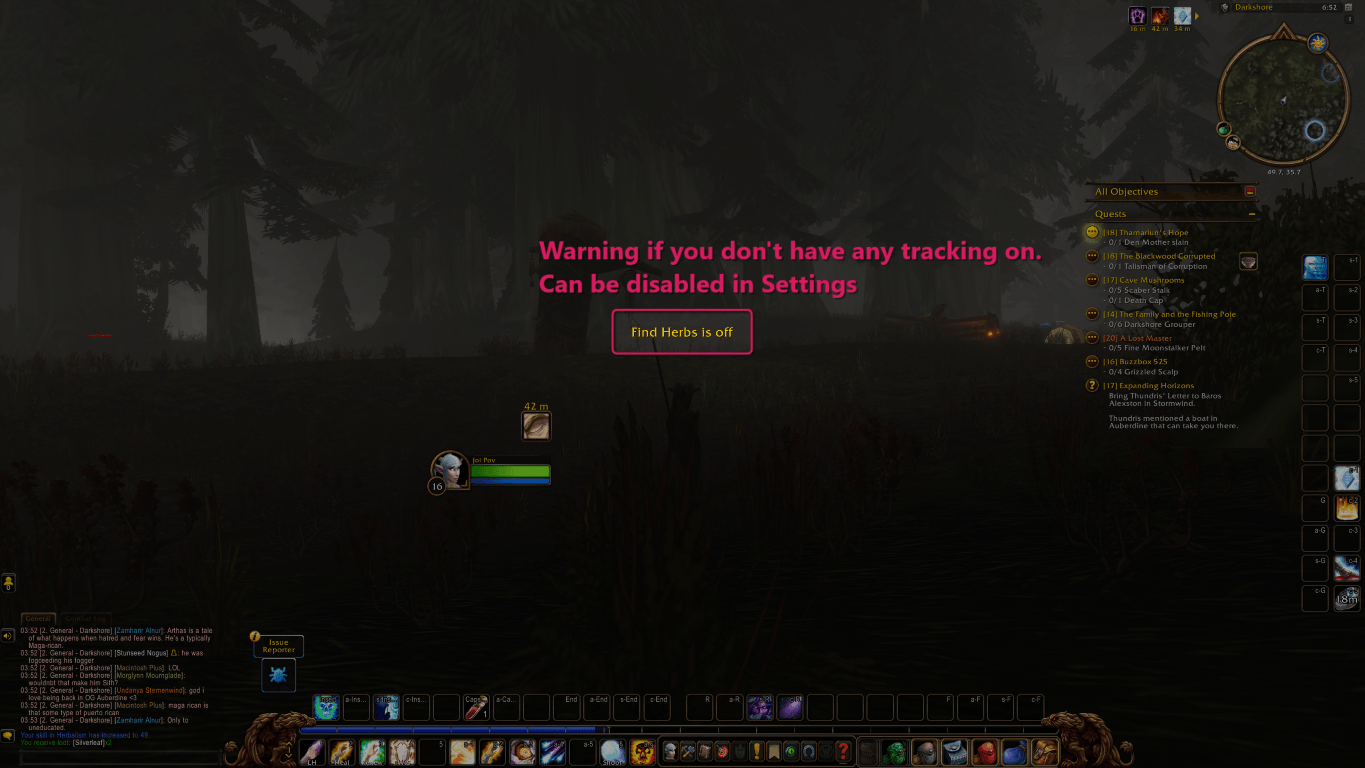
Forever allows one tracking spell at a time. If you know Herbalism or Mining and both Find Herbs and Find Minerals are off, a warning stays in the middle of the screen until you turn one on, or turn the warning off. One spell is enough if you have both professions. Skinning never raises it.
Settings
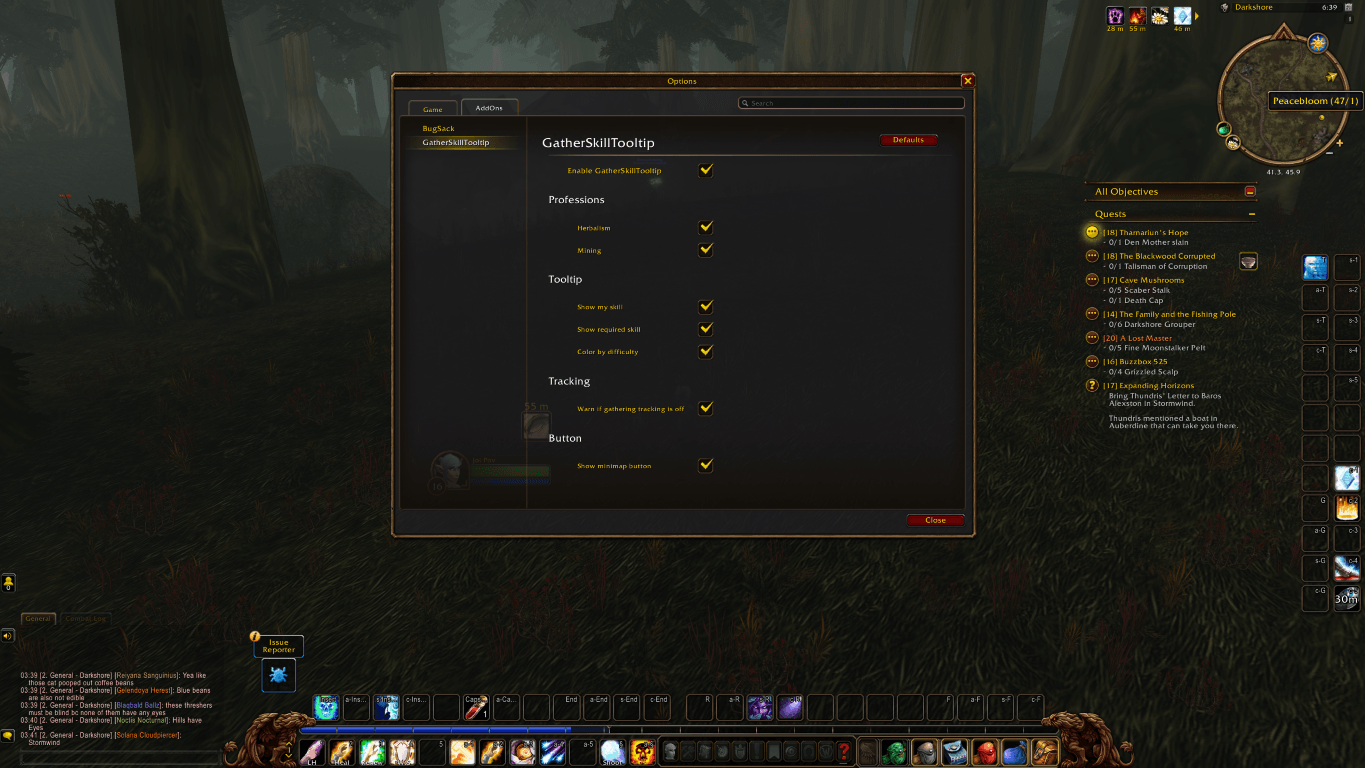
Open with /gst, /gatherskilltooltip, the minimap button, or Esc > Options > AddOns > GatherSkillTooltip. Text follows the client language. Everything defaults to on except the two marked off.
- Enable GatherSkillTooltip — master switch. Off means no tooltip changes and no warnings. What was learned is kept.
- Herbalism / Mining / Skinning — which professions get the extra tooltip.
- Show my skill — the first number, 42 in Mageroyal (42/50).
- Show required skill — the second number, 50 in that example. Both, one, or neither. Same switches for skinning. A learned lower requirement replaces the table number.
- Color by difficulty — colors the name or the skinning text. Starts from the table, then follows what you have gathered. If skill, required skill, and color are all off, the tooltip is left alone.
- Chat when something is learned — off by default. One line when a creature is learned as skinnable or not, when an unknown herb or ore is learned from gathering, or when a color changes. Learning still happens when this is off.
- Warn if gathering tracking is off — the on-screen tracking warning. One of Find Herbs or Find Minerals is enough.
- Remind me to train the next rank — a short message when you gather or skin at your current cap and a trainer still has a higher rank.
- Show minimap button — off by default. Flower button for settings. Ellesmere places it with the other addon buttons. On the minimap itself, you can drag it.
/gst debug prints unmatched herb and ore names in chat if Forever adds a node that is not in the table, until that name has been learned by gathering.
You must be logged in to leave a comment.