

FrameWorks
FrameWorks is a quality-of-life and UI customization suite for WoW: Forever. Hide or fade UI elements, customize chat and the minimap, adjust bag, cast bars and tooltips from an interface meant to feel like an extension to the default game art.
Details
Expansion
 Forever
 Categories
Developers

Having issues?
FrameWorks (/fw) is an all-in-one quality-of-life and interface customization suite for WoW: Forever. It extends the familiar game's art style while giving you control over how much of the interface you can see, where it sits, and how it behaves.
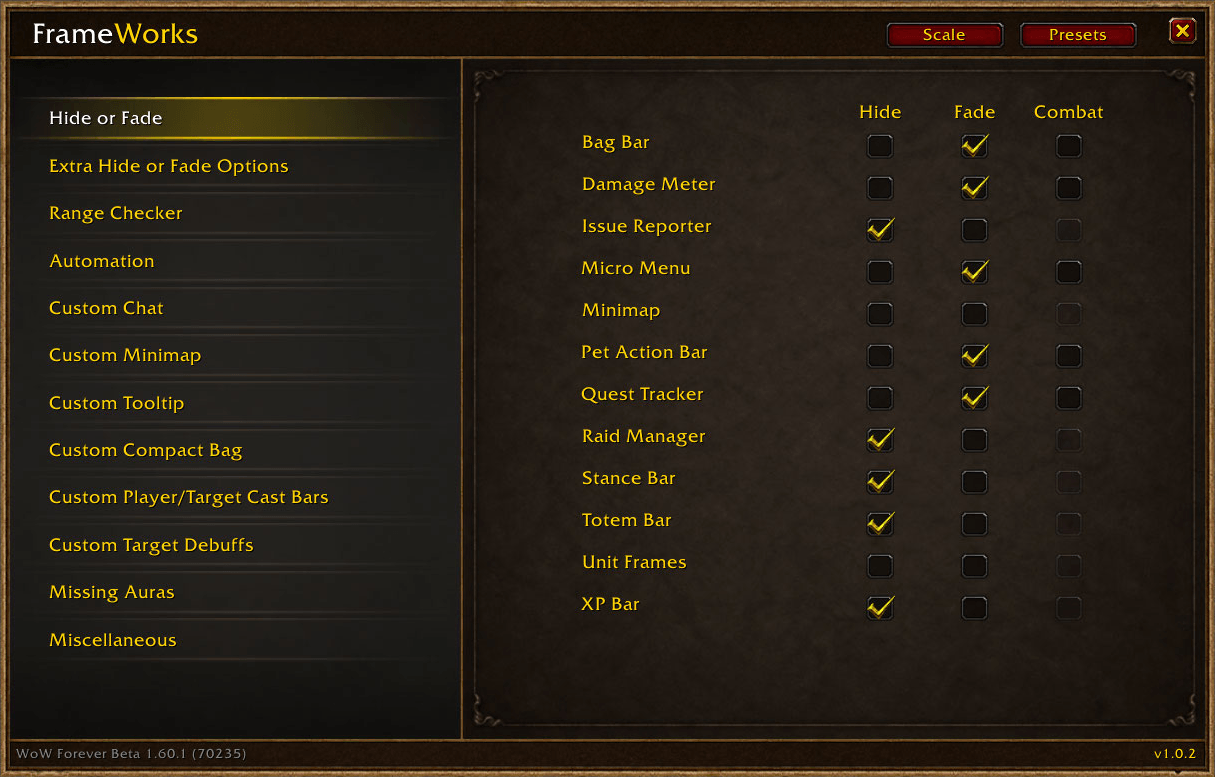
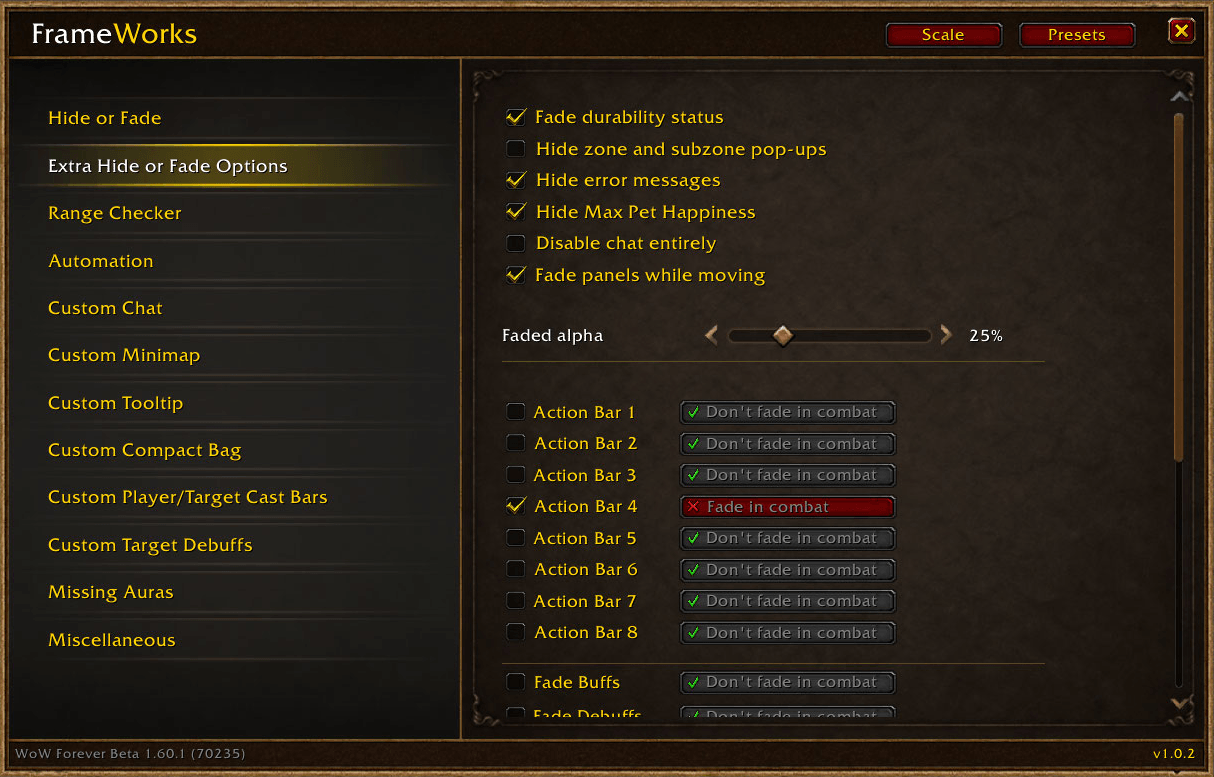
Hide, fade and simplify - Choose which interface elements remain visible, disappear entirely, or fade until you need them: bag bar, damage meter, issue reporter, micro menu, minimap, pet action bar, quest tracker, raid manager, stance bar, totem bar, unit frames, XP bar. Configure action bars 1–8 individually, with separate combat/targeting fade preferences. Additional options cover buff and debuff fading, player cast-bar visibility, and durability-indicator fading. Use a shared Global Fade Delay and Global Fade Alpha. Movement-based panel fading has its own opacity setting: supported panels fade while you move and return when you stop or hover over them. Other options let you hide zone and subzone pop-ups, hide error messages, or disable chat entirely. Try the Immersion preset for a truly immersive in-and-out of combat experience!
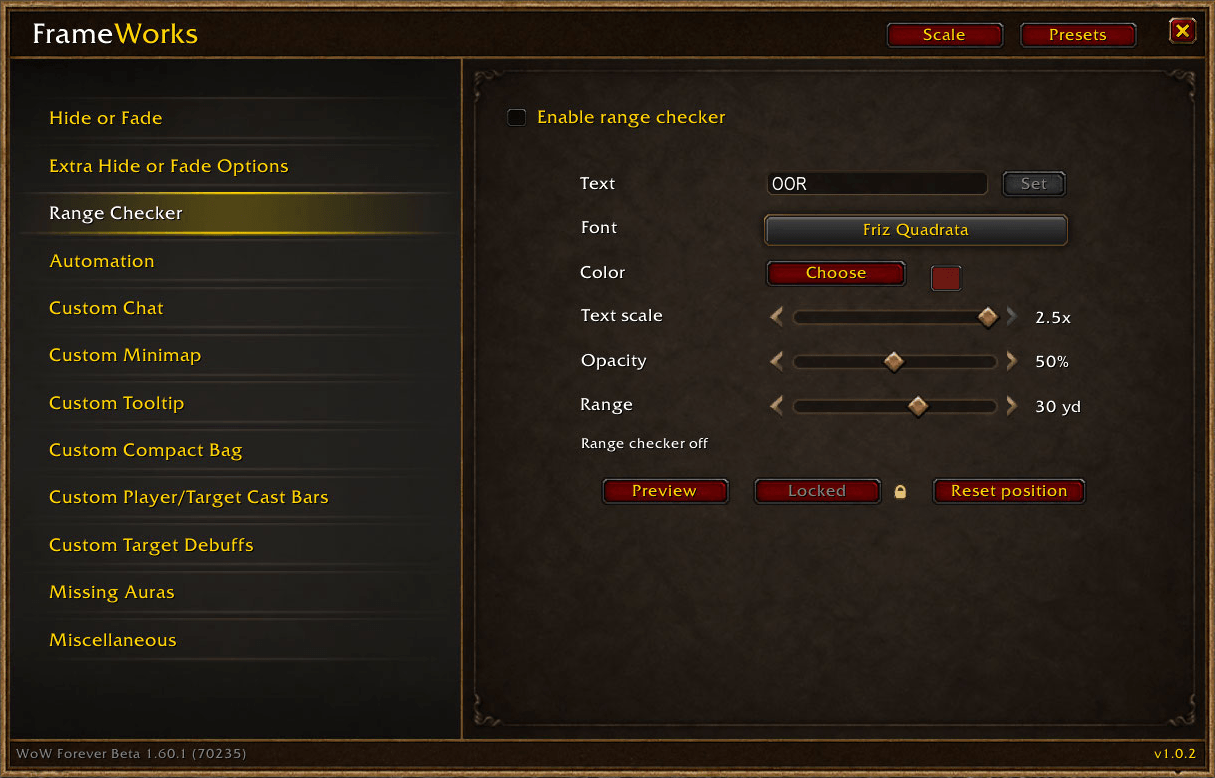
Range Checker - Display a customizable out-of-range warning for your target: choose the warning text, font, color, scale, opacity and range threshold. Preview the warning, move its anchor, lock it in place, or reset its position. Font changes update immediately while the preview is running.
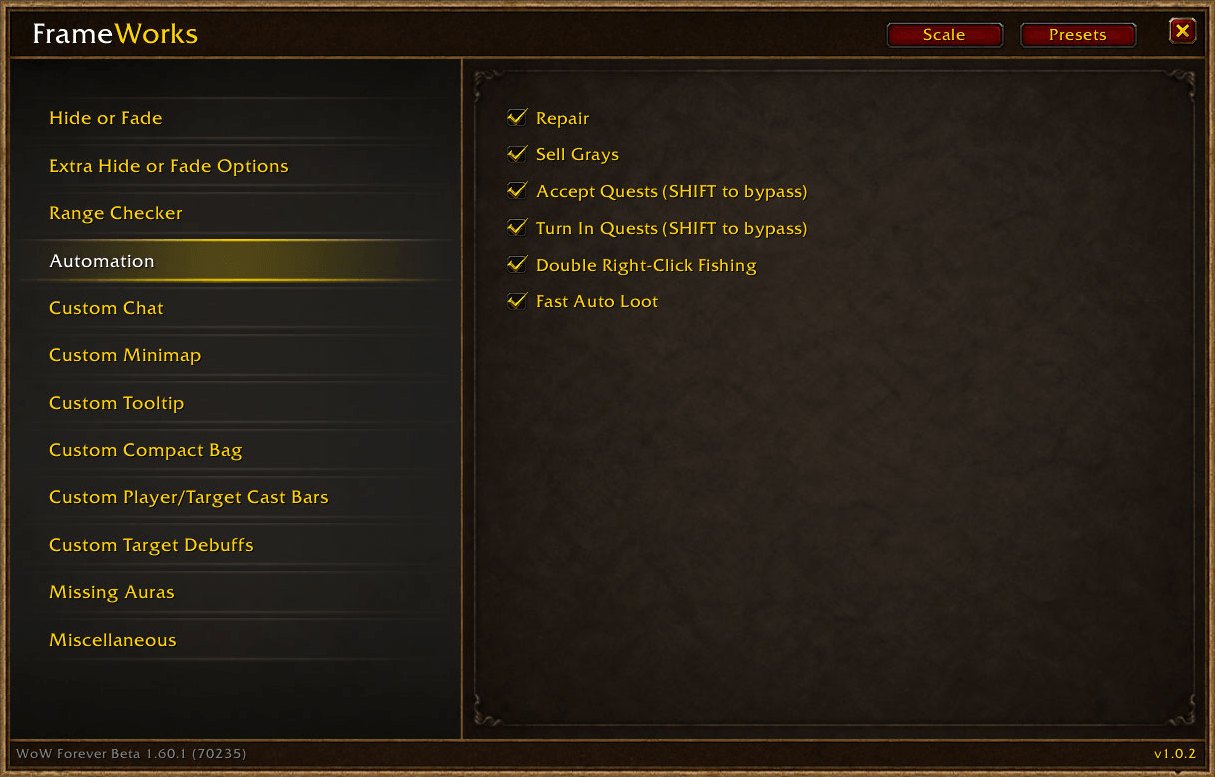
Automation - Enable the conveniences you want individually: automatic repairs, automatic sale of gray items, automatic quest accept, automatic quest turn-in, double right-click fishing, fast auto loot.
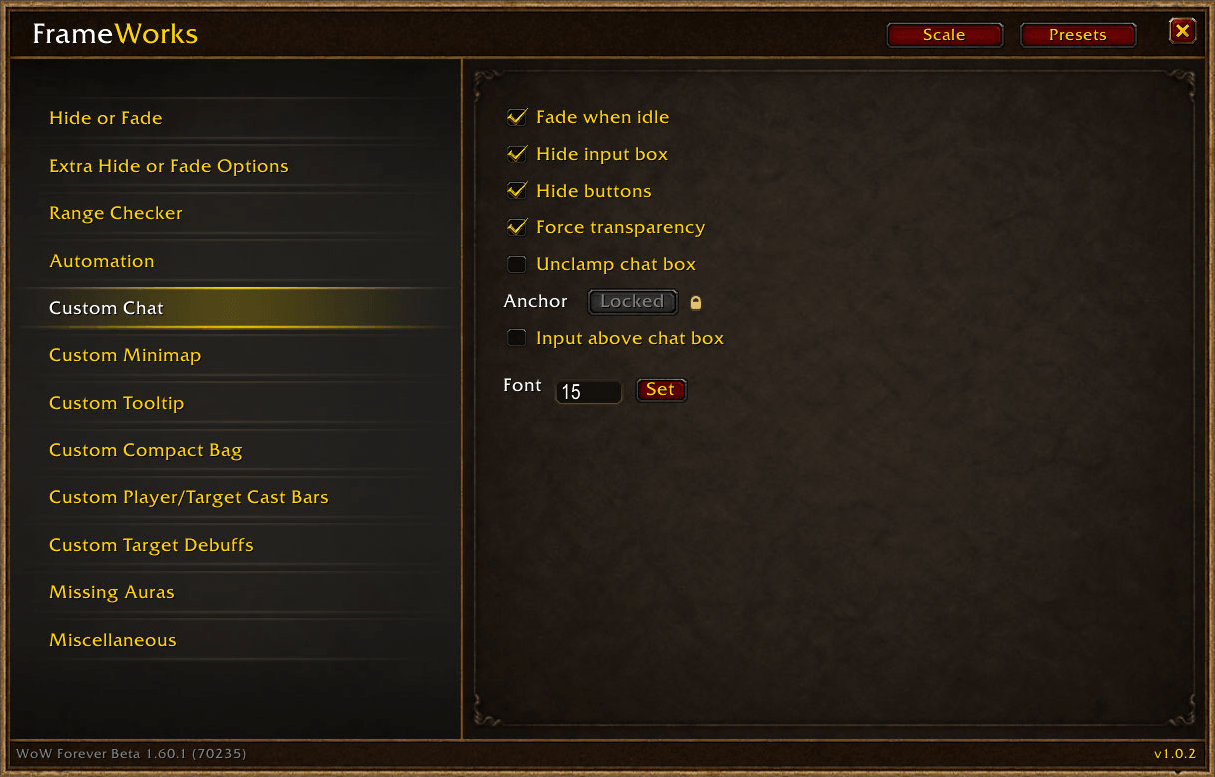
Custom Chat - Make chat quieter and easier to move: fade when idle, hide the input-box decoration and chat buttons, force a transparent background, adjust the chat font size, unclamp and move the chat window beyond screen edges, place the input box above the chat.
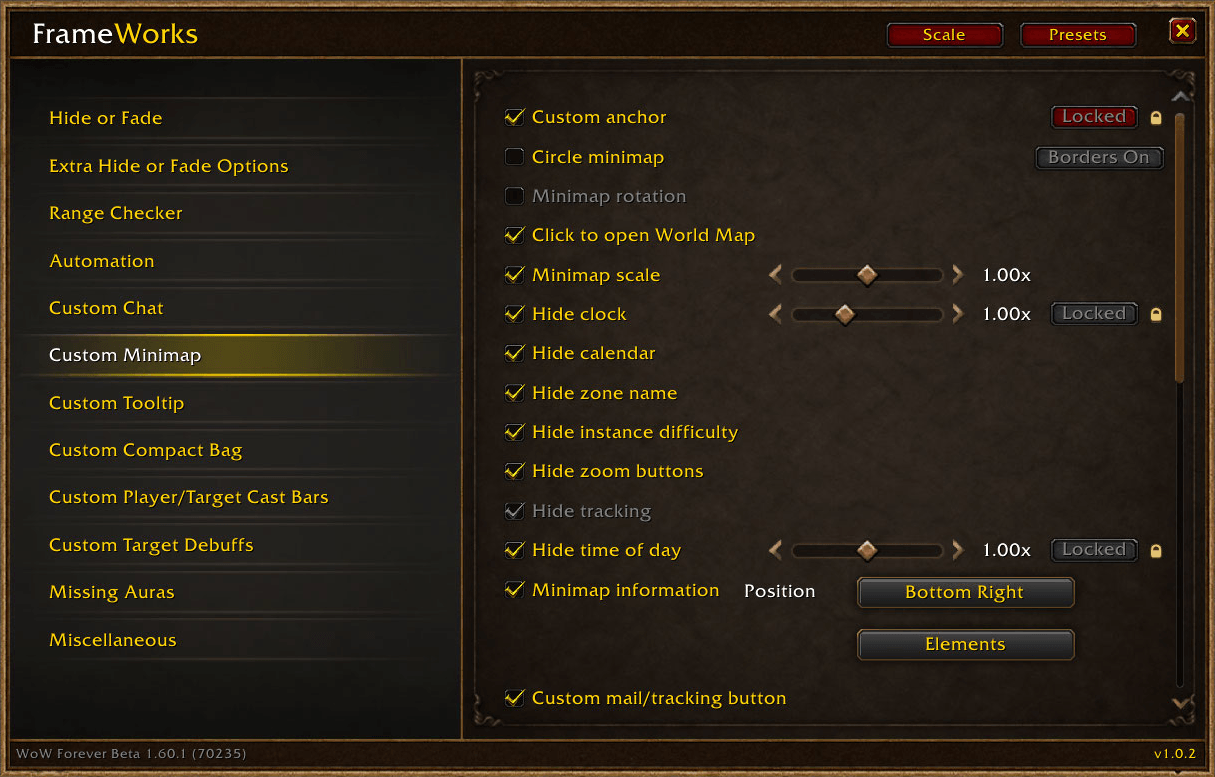
Custom Minimap - Deeply customize the Minimap: choose a square or circular shape, move and scale the minimap and supported controls, hide the clock, calendar, zone name, tracking control, time-of-day display, zoom buttons or instance difficulty indicator. Optional left-click behavior opens the World Map while retaining right-click pin placement. Add a custom mail/tracking button and a movable addon-button tray and adjust their anchors and scales, and choose the tray’s orientation and growth direction. Display selected minimap information: current XP percentage, XP from completed quests, FPS, world latency. For square minimap borders, choose Tooltip, Dialog or Gold Dialog, with adjustable size and inset.
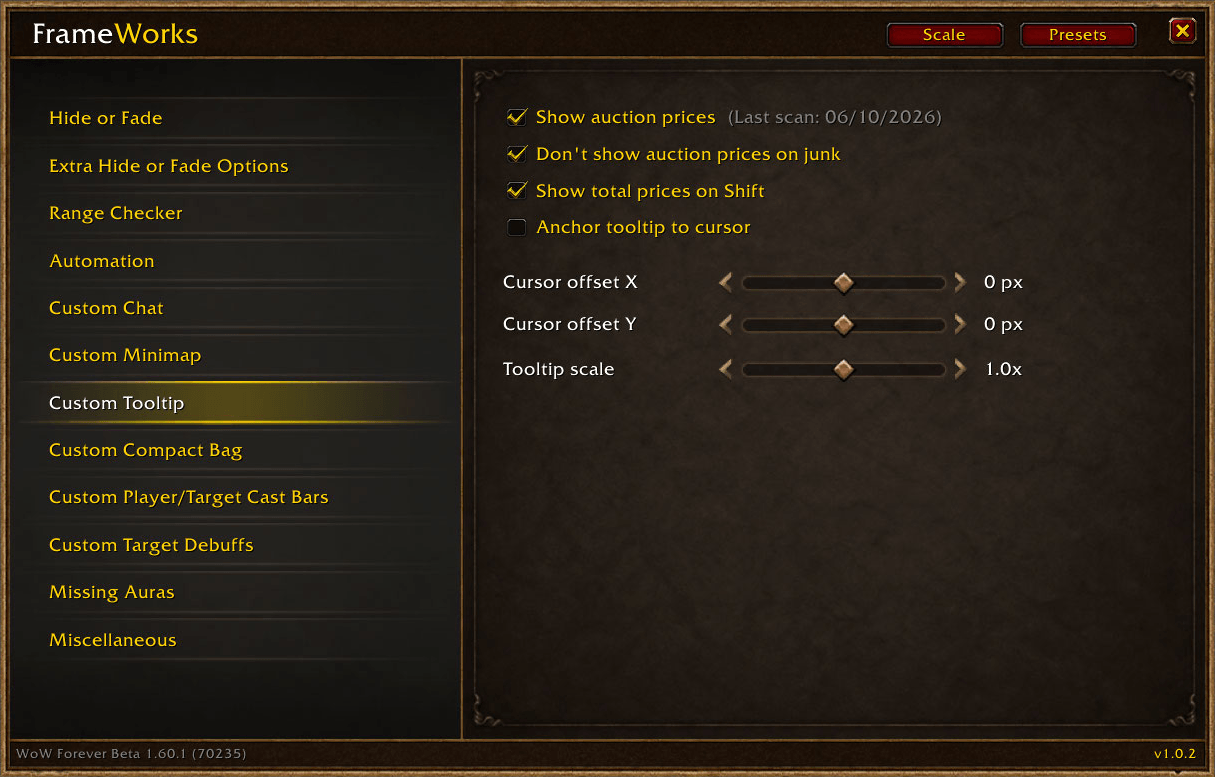
Custom Tooltip and item prices - Anchor the tooltip to your cursor, adjust its horizontal and vertical offsets, and change its scale. Auction Prices adds cached per-item auction prices to item tooltips. Use the Scan button at the Auction House to update the cache. Prices are shared across characters on the same realm and faction. Show total prices on Shift (this works independently of Auction Prices).
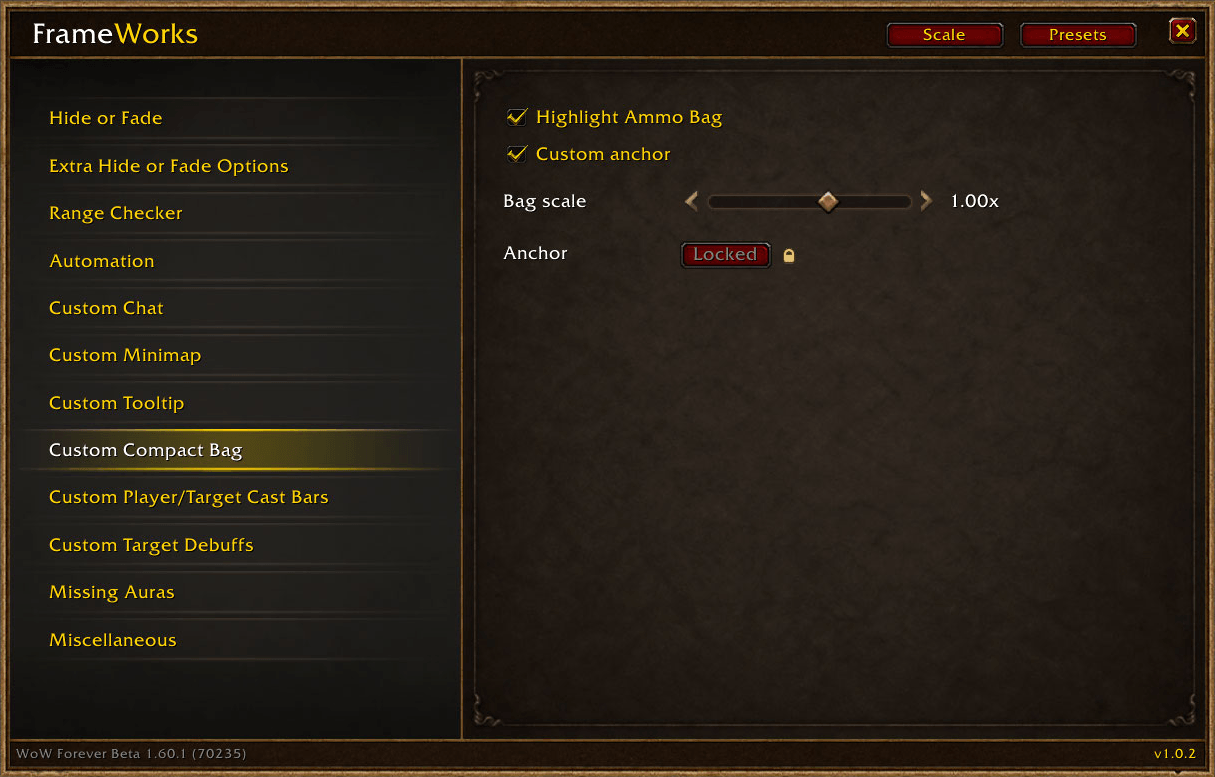
Custom Compact Bag - Scale the combined bag window, use a movable anchor, and lock it in place. Optional ammo-bag highlighting makes those bag slots easier to identify.
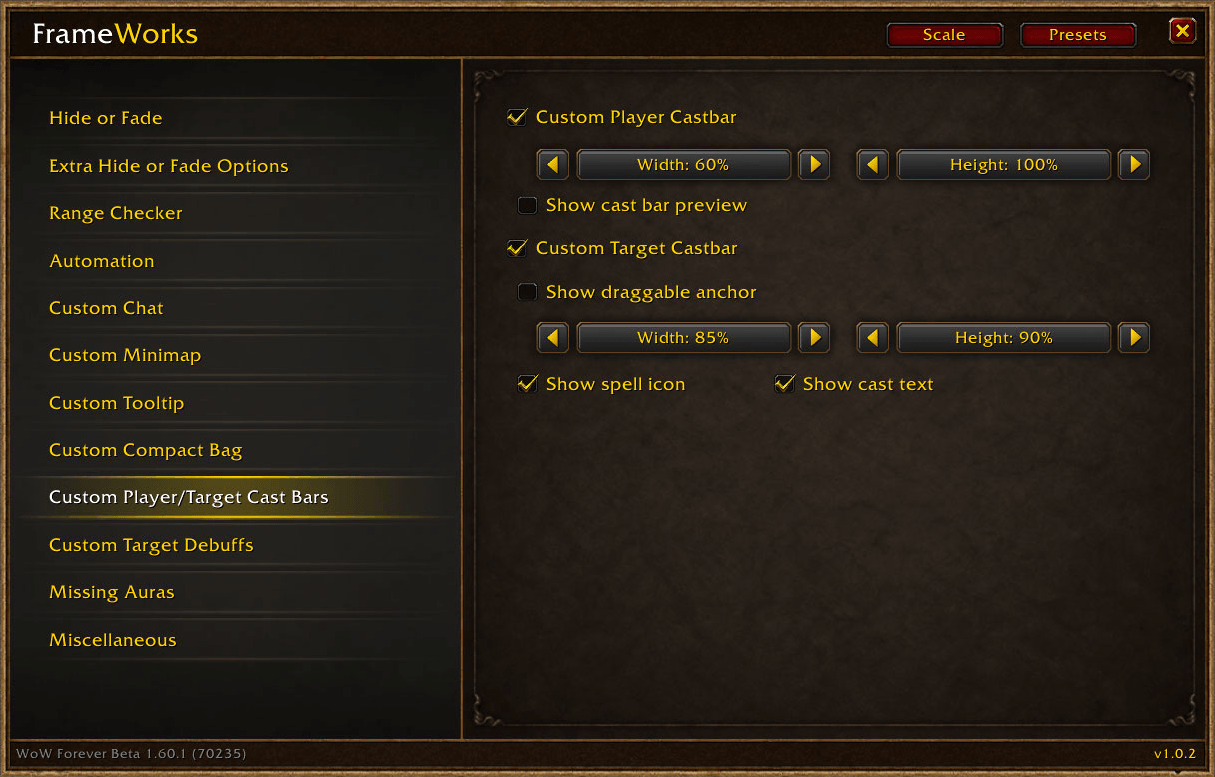
Custom Player and Target Cast Bars - Adjust player and target cast-bar width and height independently. Use the player cast-bar preview to check your setup. The target cast bar has a draggable anchor and separate options for displaying its spell icon and cast text.
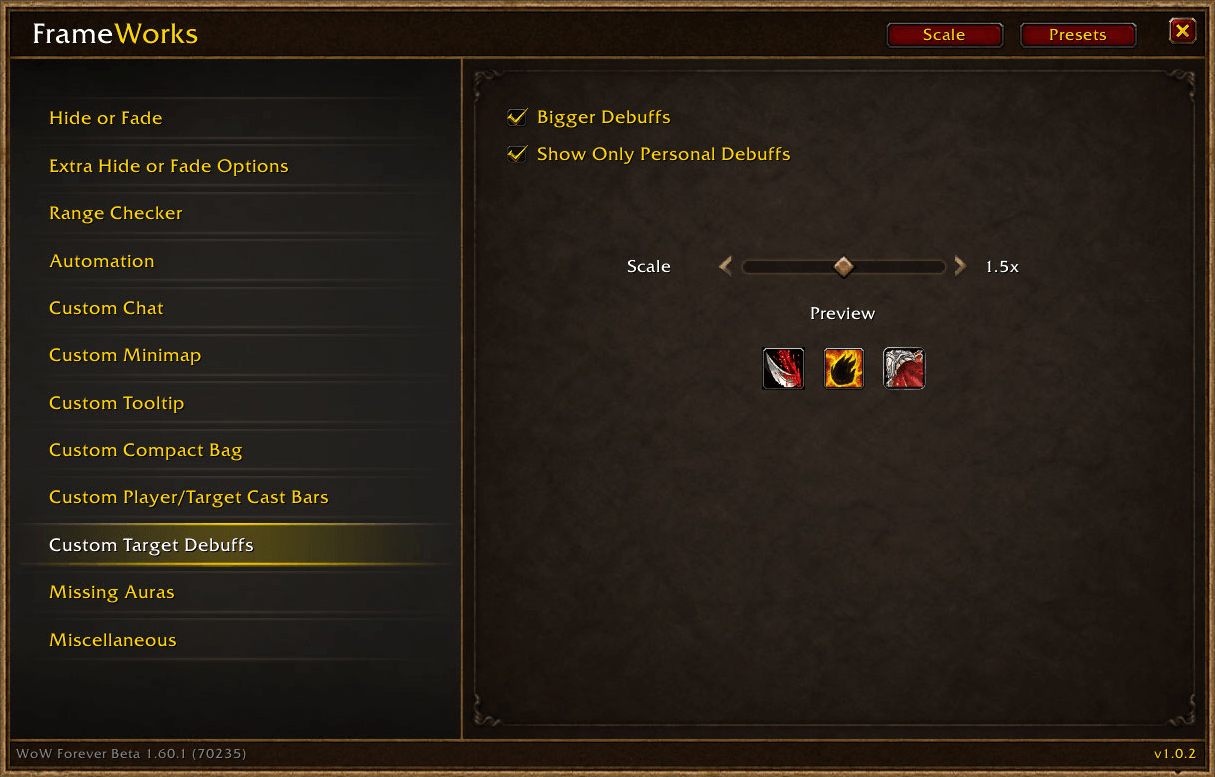
Custom Target Debuffs - Enlarge target debuffs up to 2.0× and optionally display only your own debuffs. A live preview helps you choose the size.
Missing Auras - tracks up to five auras by name or spell ID. Icons flash below a configurable duration threshold and become desaturated when missing. Supports personal aura filtering, scale, orientation, growth direction, and a draggable anchor. Tracks updates outside combat and refreshes automatically after combat.
You must be logged in to leave a comment.