

ForeverWisp
Free questing addon for WoW Forever, with eight 1–20 levelling routes, quest tracking, map guidance and optional party progress sharing.
Details
Expansion
 Forever
 Categories
Developers

Having issues?
ForeverWisp
Your next quest, right beside you.
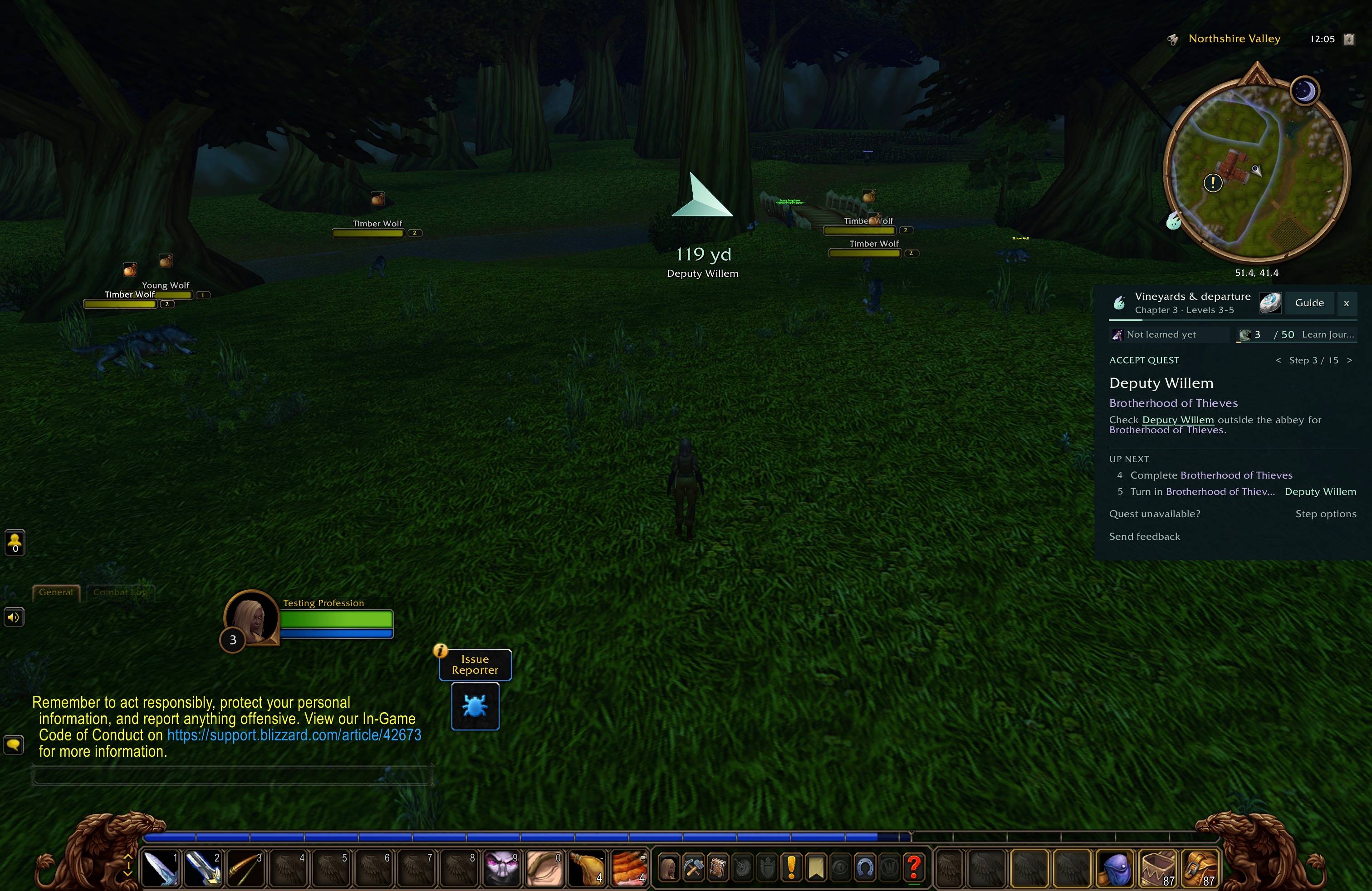
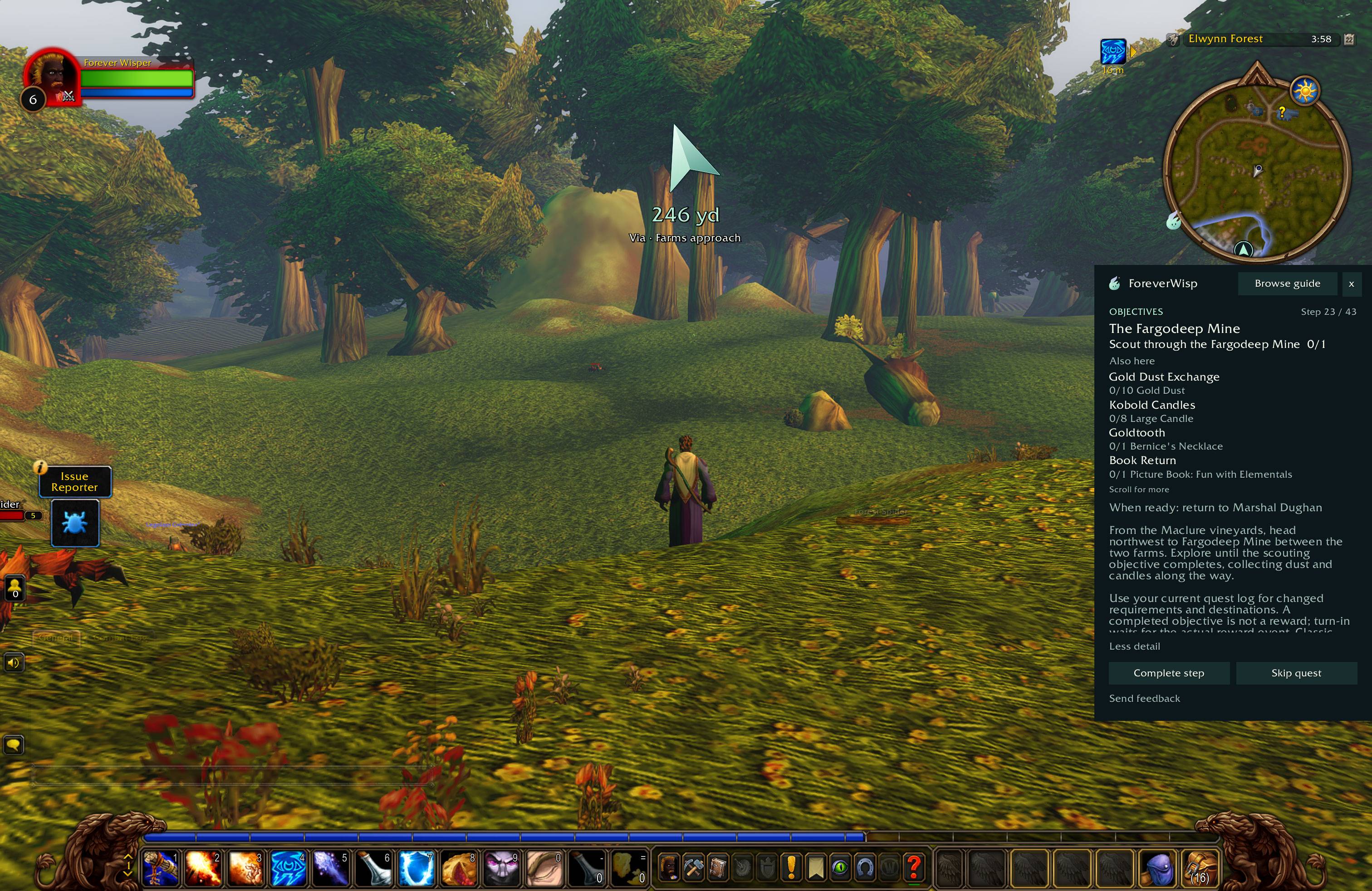
Wisp helps you find your next objective, follow the route and keep nearby quests in view while you explore WoW Forever.
Start free with eight levelling routes covering both factions through level 20. No account needed.
What Wisp does
- Keeps your current quest, objectives and directions together in game.
- Groups nearby objectives so you can make the most of each trip.
- Tracks quest progress and guides you to your next stop.
- Helps you pick a starting point if you join partway through a route.
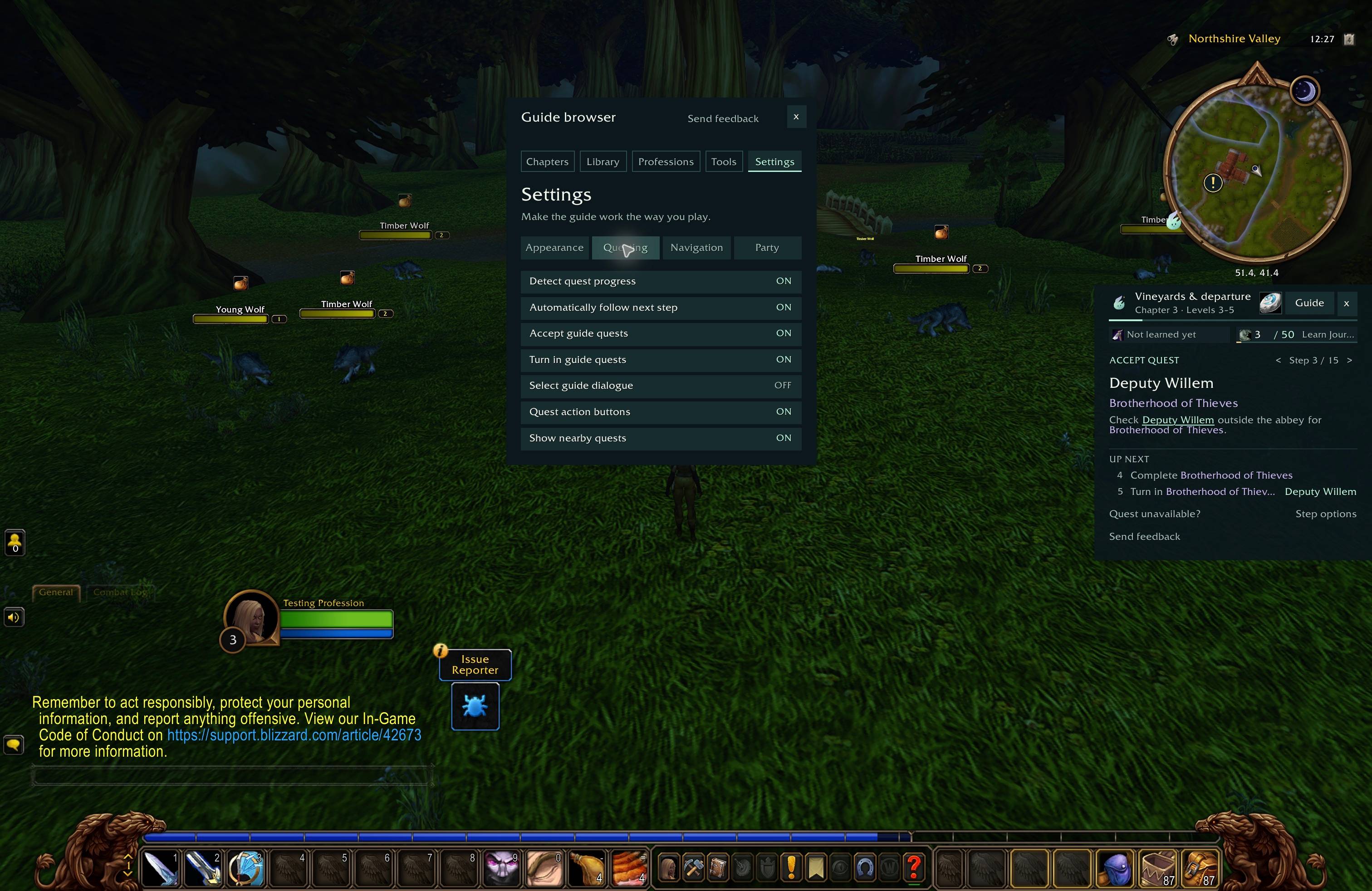
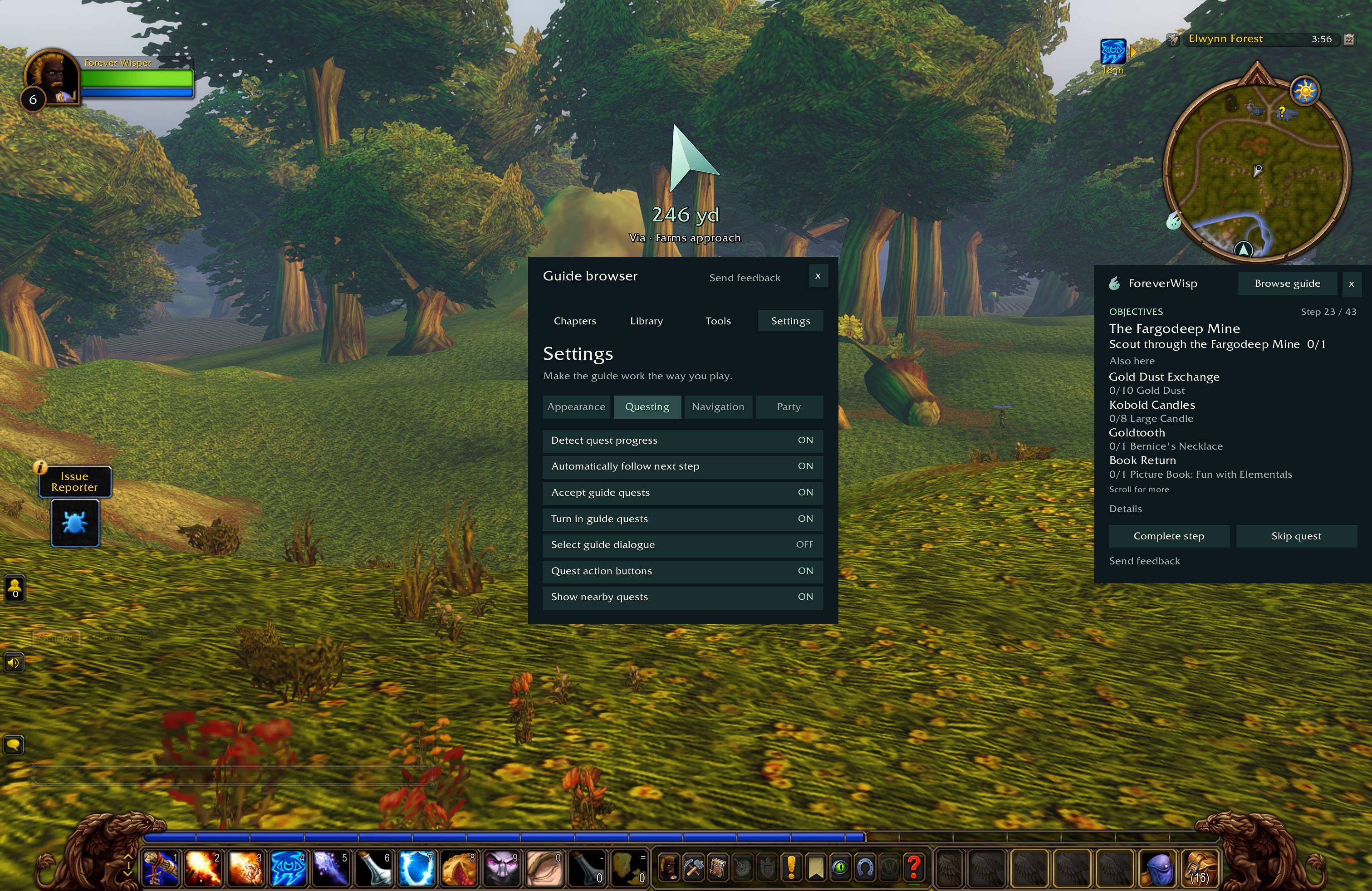
- Offers optional quest acceptance and turn-in assistance when you speak to NPCs.
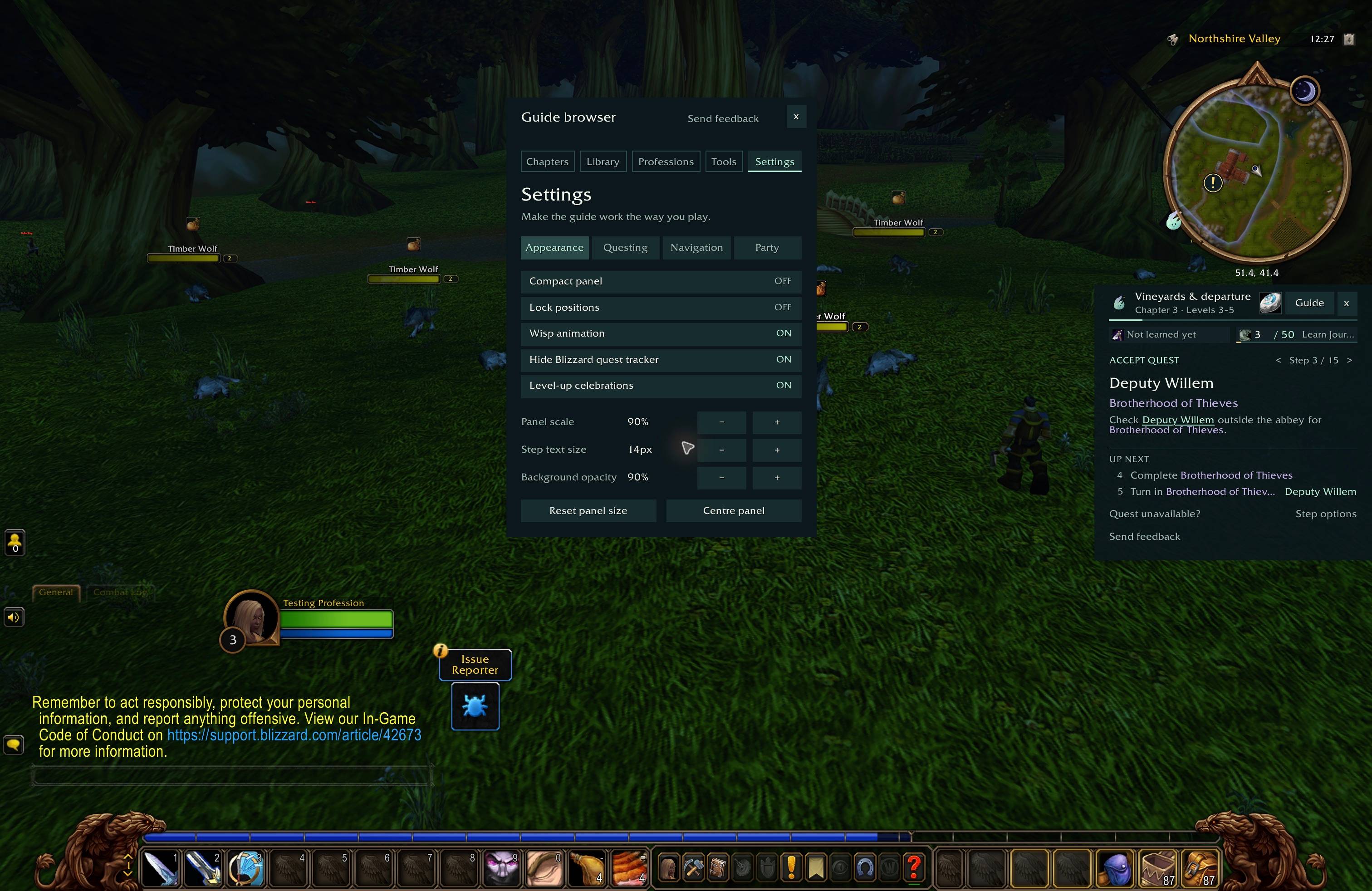
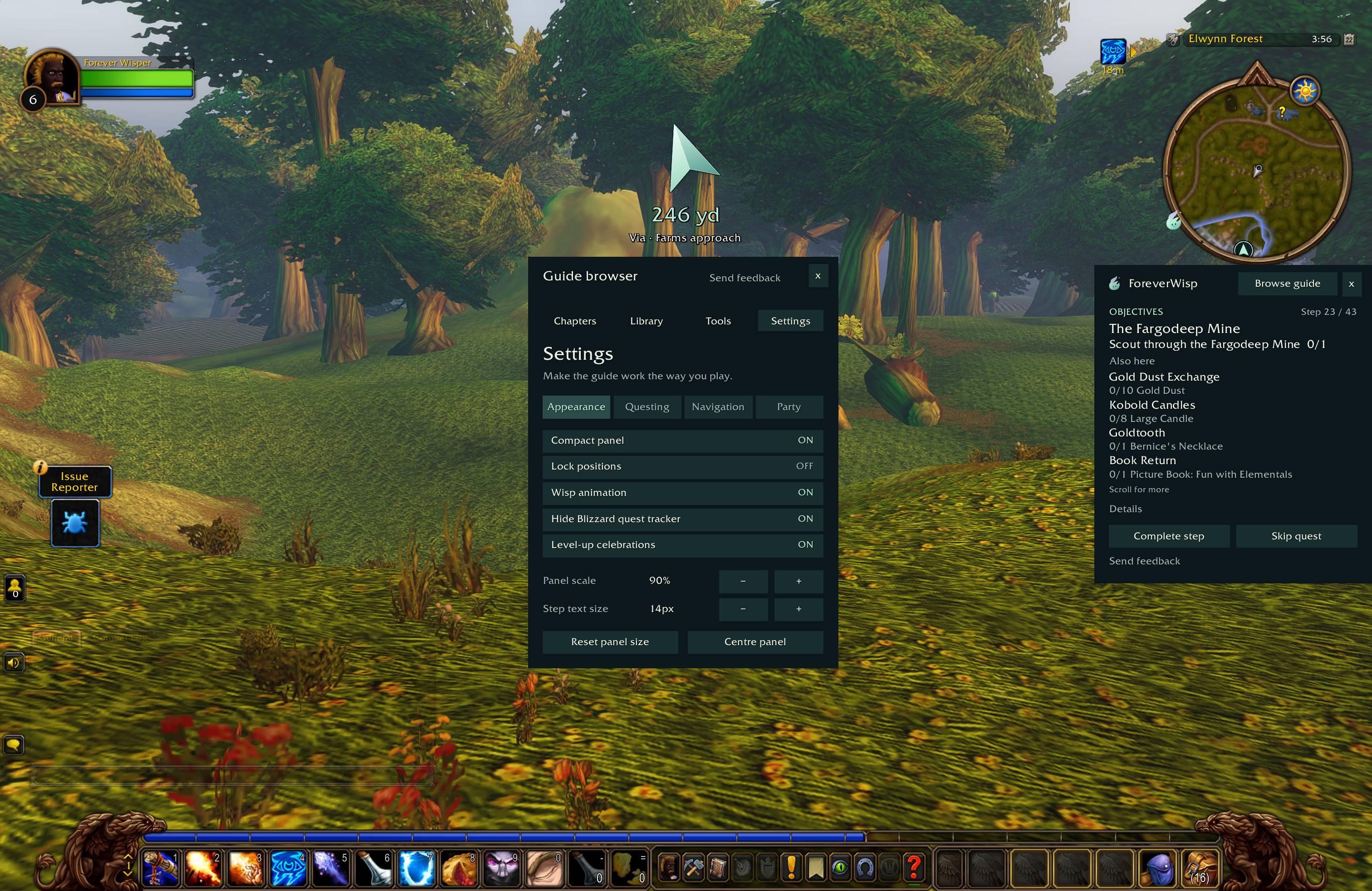
- Lets you move the panel, adjust text size and choose a compact or full display.
- Supports optional party progress sharing, so you can see who still needs an objective.
Eight free starting routes
Alliance: Human, Dwarf & Gnome, Night Elf and Alliance Skyborne.
Horde: Orc & Troll, Tauren, Undead and Horde Skyborne.
All eight routes are included in this download. Open the guide library to find the routes for your character.
Continue after level 20
Pre-order your faction’s full 20–60 guide and play its 20–30 guide now in beta. The launch collection includes both factions. Levels 30–60 are included as they release—see the release timeline for upcoming updates.
Your pre-ordered guides are downloaded separately. Open My guides, connect the Battle.net account you play on and download your personal guide pack. Install it beside the current Wisp addon. Online reading is also included, with no Battle.net connection needed.
Explore the guides · View the launch collection
Get started
For the WoW Forever beta client.
- Close WoW, download the ZIP and extract it.
- Copy the ForeverWisp folder into
World of Warcraft/_classic_beta_/Interface/AddOns/. The fileForeverWisp.tocshould be directly insideAddOns/ForeverWisp. - Start WoW and enable ForeverWisp in the character-select AddOns menu.
- Log in, type
/wisp, choose your character’s guide and select Start this guide.
Installing a guide from your pre-order? Keep its folder beside ForeverWisp, not inside it. Your account’s setup guide shows the folders and steps for Windows and Mac.
Updating Wisp
Close WoW and replace the old ForeverWisp addon folder with the new one. Keep your WTF folder and SavedVariables—they hold your settings and progress. We recommend backing up WTF before updating.
Profession guides
Mining, Herbalism and Skinning guides through skill 150 are prepared and awaiting public release. These separate packs are not included in this download. Each profession’s first 150 skill is planned to be free.
See profession coverage and release plans
Beta and feedback
Wisp is in beta. Route pacing, map guidance and class quests are still being tested and improved. Check the current beta status and known issues if something does not look right.
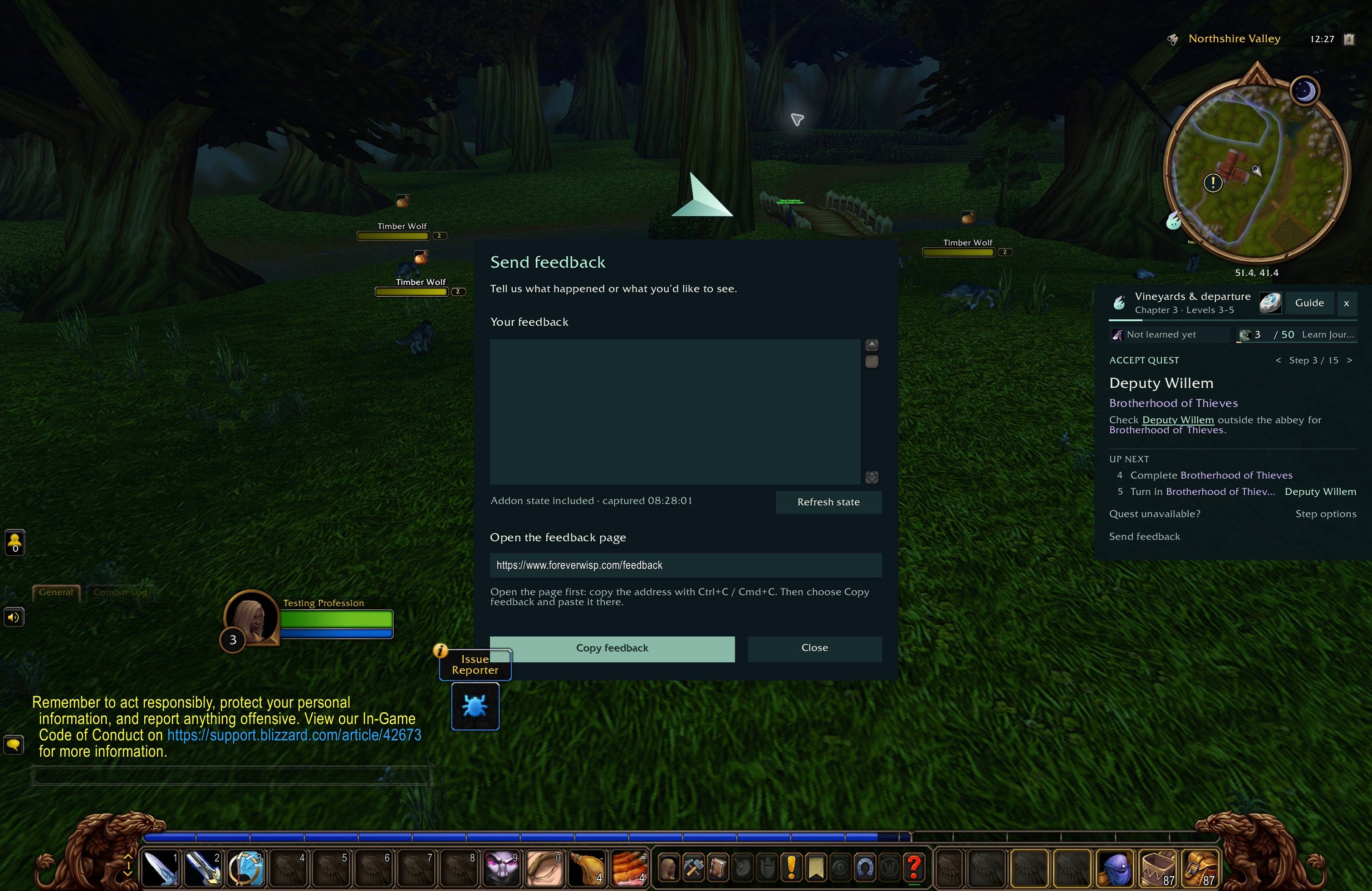
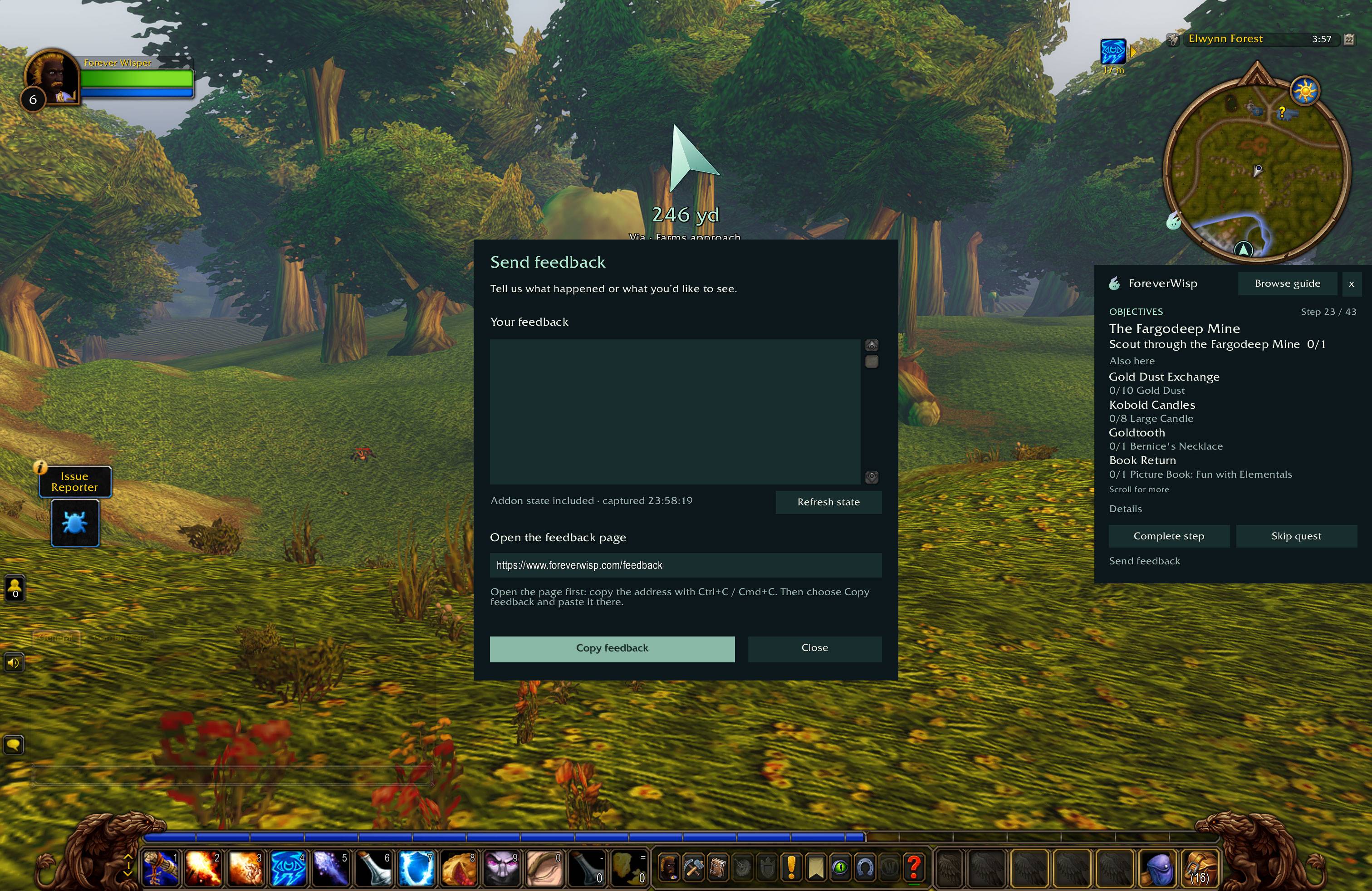
Choose Send feedback in Wisp or type /wisp feedback, then copy your report to our feedback page. No account is needed.
ForeverWisp is an independent project and is not affiliated with Blizzard Entertainment. Bundled libraries and quest reference data retain their included licence and attribution notices: LibStub, CallbackHandler, HereBeDragons and Classic-DB.
You must be logged in to leave a comment.