

ForeverQuest
ForeverQuest is a quest-helper addon for WoW: Forever featuring a customizable tracker, clustered map markers, dotted minimap guidance, and usable quest-item buttons.
Details
Expansion
 Forever
 Categories
Developers

Having issues?
ForeverQuest 0.11 — Quest Tracking and Guidance for WoW Forever
ForeverQuest brings Questie-inspired quest assistance to WoW Forever with a customizable tracker, world-map markers, dotted minimap guidance, and optional quest automation.
New in version 0.11: Adjustable transparency
Customize the background transparency of ForeverQuest’s tracker, settings window, destination chooser, and diagnostics window. Keep backgrounds solid or make them transparent while text and buttons remain readable.
Open Settings → Display, or use /fq transparency 50. Your preference saves across sessions.
Quest tracking and navigation
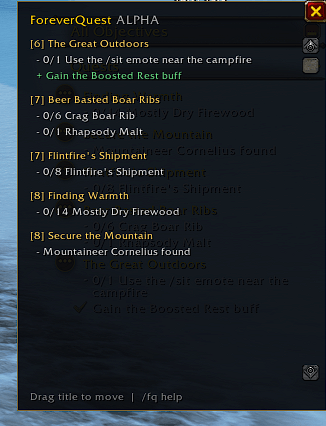
Replace Blizzard’s on-screen objective tracker with a movable ForeverQuest window.
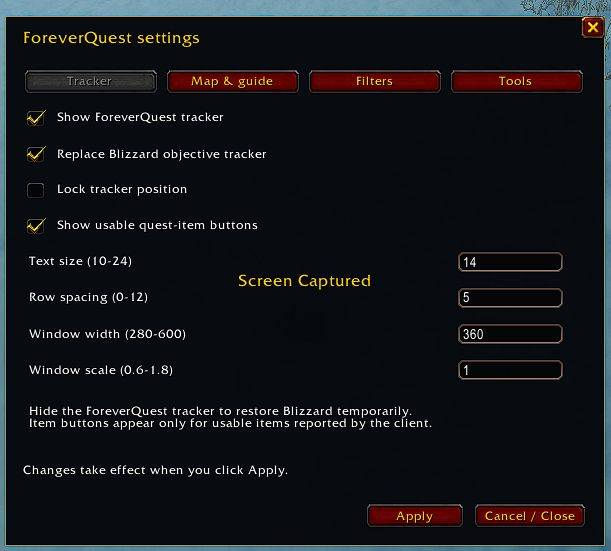
Adjust text size, row spacing, window width, and scale.
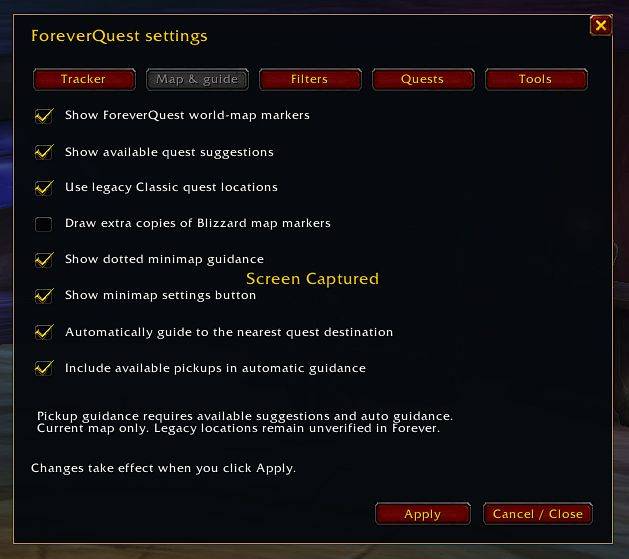
Display available quest pickups, objectives, and turn-ins on the world map.
Group overlapping markers for easier destination selection.
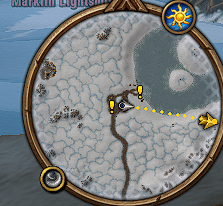
Follow dotted minimap guidance to your selected destination.
Automatically select the nearest known quest destination on your current map.
Include available quest givers in automatic guidance, marked [PICK UP] in the tracker.
Update automatic selection as quests are accepted, objectives completed, and quests turned in.
Use quest-item buttons directly from the tracker when supported.
Left-click an accepted quest to select manual guidance, or right-click to open its details. Manual destination selection turns off automatic nearest selection.
Optional quest automation
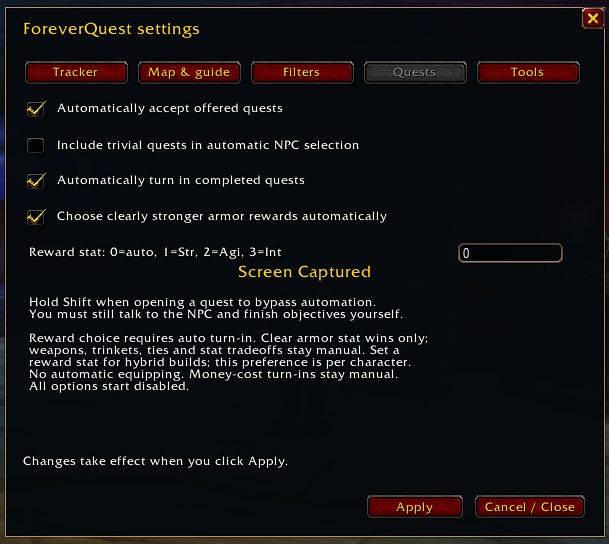
Automatically accept offered quests and turn in completed quests when interacting with quest NPCs. Optional reward selection compares suitable armor using a conservative stat comparison, with a preferred Strength, Agility, or Intellect setting saved per character.
Weapons, trinkets, ties, and unclear stat tradeoffs remain manual. Reward selection does not guarantee the best item for every build.
Automation starts disabled. Hold Shift when opening an interaction to bypass it. Quest objectives must still be completed through normal gameplay.
Convenient settings and saved preferences
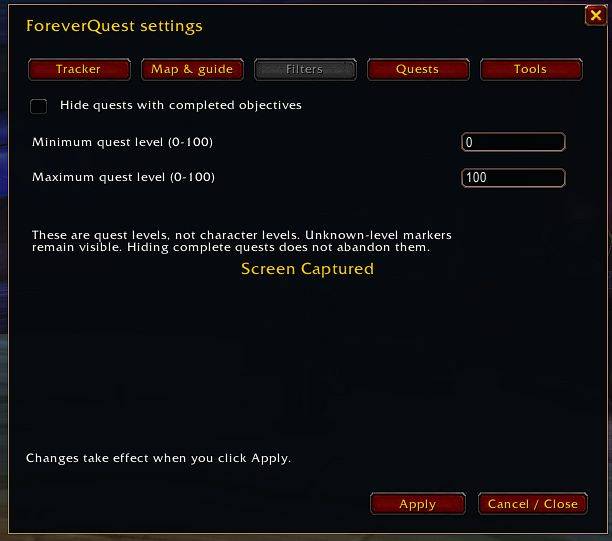
Open settings through the circular, draggable minimap icon or /fq. Your settings, tracker position, settings-window position, and minimap-button position persist across sessions. Valid edits left in the open settings window also save during normal logout or /reload.
Useful commands
| Command | Action |
|---|---|
/fq | Open settings |
/fq help | View the full command list |
/fq show / /fq hide | Show or hide the tracker |
/fq replace / /fq blizzard | Use ForeverQuest’s tracker or restore Blizzard’s |
/fq guide | Toggle dotted minimap guidance |
/fq nearest | Toggle automatic nearest-destination selection |
/fq pickups | Toggle available pickups in automatic guidance; enabling also enables automatic dotted guidance |
/fq available | Toggle available quest suggestions |
/fq pins | Toggle ForeverQuest world-map markers |
/fq minimap | Toggle the minimap settings button |
/fq items | Toggle quest-item buttons |
/fq autoaccept | Toggle automatic quest acceptance |
/fq autoturnin | Toggle automatic turn-in |
/fq autoreward | Toggle conservative reward selection; requires auto-turn-in |
/fq transparency 50 | Set background transparency from 0–100% |
/fq font 14 | Set text size from 10–24 |
/fq spacing 5 | Set row spacing from 0–12 |
/fq width 360 | Set tracker width from 280–600 |
/fq scale 1.0 | Set tracker scale from 0.6–1.8 |
/fq lock | Lock or unlock tracker positioning |
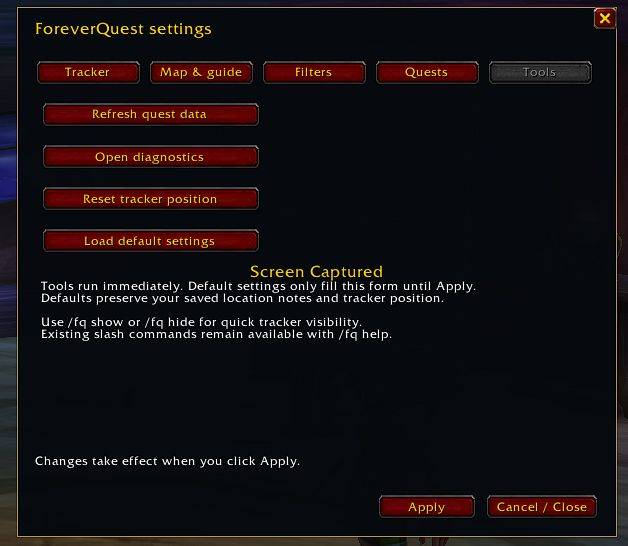
/fq resetpos | Reset tracker position |
/fq refresh | Refresh quest data |
/fq debug | Open diagnostics |
Version: 0.11.0
Target: WoW Forever 1.60.1, build 69913, Interface 16001
ForeverQuest combines live client information, 3,772 legacy Classic quest records, and personal location notes. Legacy locations remain unverified for Forever, and guidance depends on available coordinates. Dotted lines show a straight-line direction rather than a terrain-aware route.
Includes Questie-derived data under GPLv3, with source, license, and attribution included. This alpha release remains under active development and requires continued in-game testing.
You must be logged in to leave a comment.