

ForeverQoL
Small tweaks for QoL in the Forever beta
Details
Addon ID:
26580
Addon Version:
1.16.0
Expansion:
1.60
Upload date:
Oct 06, 2026
Last Updated:
Oct 06, 2026
Downloads:
Less than 100
Website:
Source Link
Expansion
 Forever
 Developers

ashsenior
Creator
Having issues?
Features
Quests
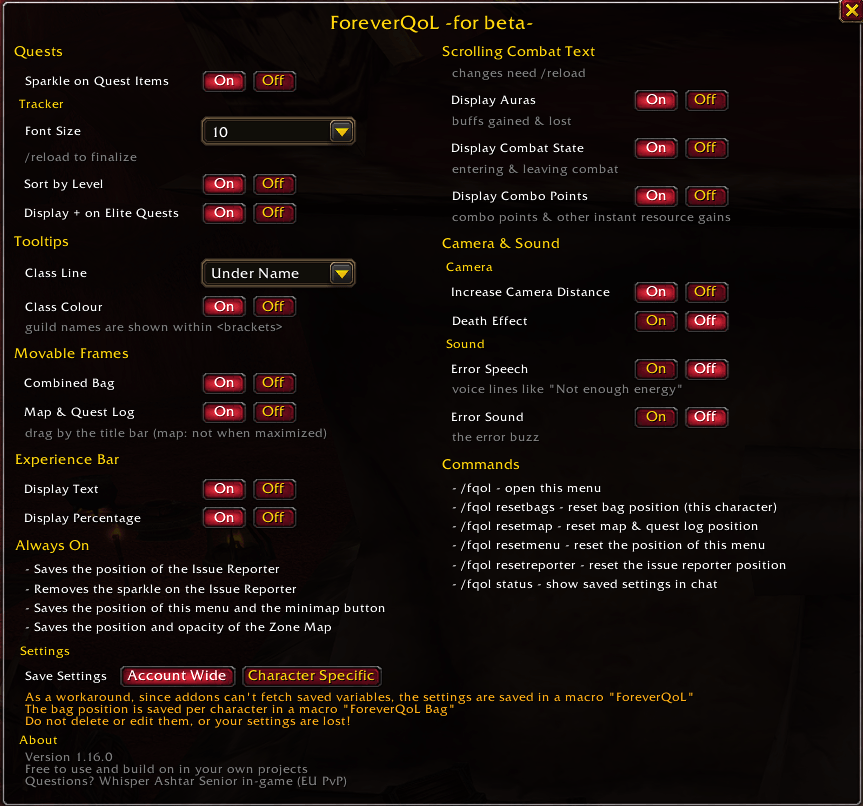
- Sparkle on Quest Items – the game's own loot sparkle on quest items and objects you still need (a hidden setting on Forever)
- Quest tracker font size (9, 10, 11 or Blizzard's default)
- Sort the quest tracker by level (also runs when you accept or track a quest)
- Show + on elite quests in the tracker, like in the quest log
Tooltips
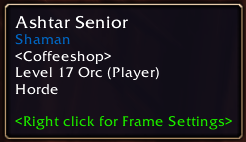
- Class line position (default, under name or under guild) and class colour
- Guild names shown in <brackets>
Movable frames
- Drag the combined bag and the Map & Quest Log by their title bars; their positions are remembered (the bag position per character)
Experience bar
- Exp text on/off, with an optional percentage
Scrolling combat text
- Show buffs gained/lost, entering/leaving combat, and combo points (plus other instant resource gains)
Camera & sound
- Increase the camera distance (zoom out twice as far)
- Turn the death effect on or off
- Turn error speech ("Not enough energy" etc.) on or off
- Mute the error sound
Always on
- Remembers the position of the Issue Reporter, the ForeverQoL menu, the minimap button, and the Zone Map (plus its opacity)
- Removes the glow on the Issue Reporter (at login and after Edit Mode, the barber shop etc.)
Why a macro?
The Forever beta client currently doesn't load saved variables back, so addon settings would reset on every reload. ForeverQoL stores its settings in a macro named ForeverQoL instead: one account macro slot for settings shared by all characters, or one character macro slot if you choose per-character settings. The bag position is always saved per character, in a character macro named ForeverQoL Bag, created the first time you move the bags on that character. Don't delete or edit these macros, or your settings are lost.
Commands
/fqol– open the menu/fqol resetbags– reset the bag position (current character only)/fqol resetmap/resetmenu/resetreporter– reset positions/fqol status– show saved settings in chat
Notes
- Font size and combat text changes need a
/reloadto take full effect. - Changing the Graphics Quality preset turns the sparkles off; the Sparkle row's On button then turns orange – just click On again.
- Free to use and build on in your own projects (MIT license).
- Questions? Whisper Ashtar Senior in-game (EU PvP).

You must be logged in to leave a comment.