

ForeverLFG: Language Search
Find groups across languages and filter by role, or recruit missing roles for your party in WoW: Forever.
Details
Expansion
 Forever
 Categories
Developers

Having issues?
ForeverLFG
Find groups and players across languages in World of Warcraft: Forever. Choose your search languages, find groups with room for your role, or recruit players to complete your party.
Settings beside Group Finder
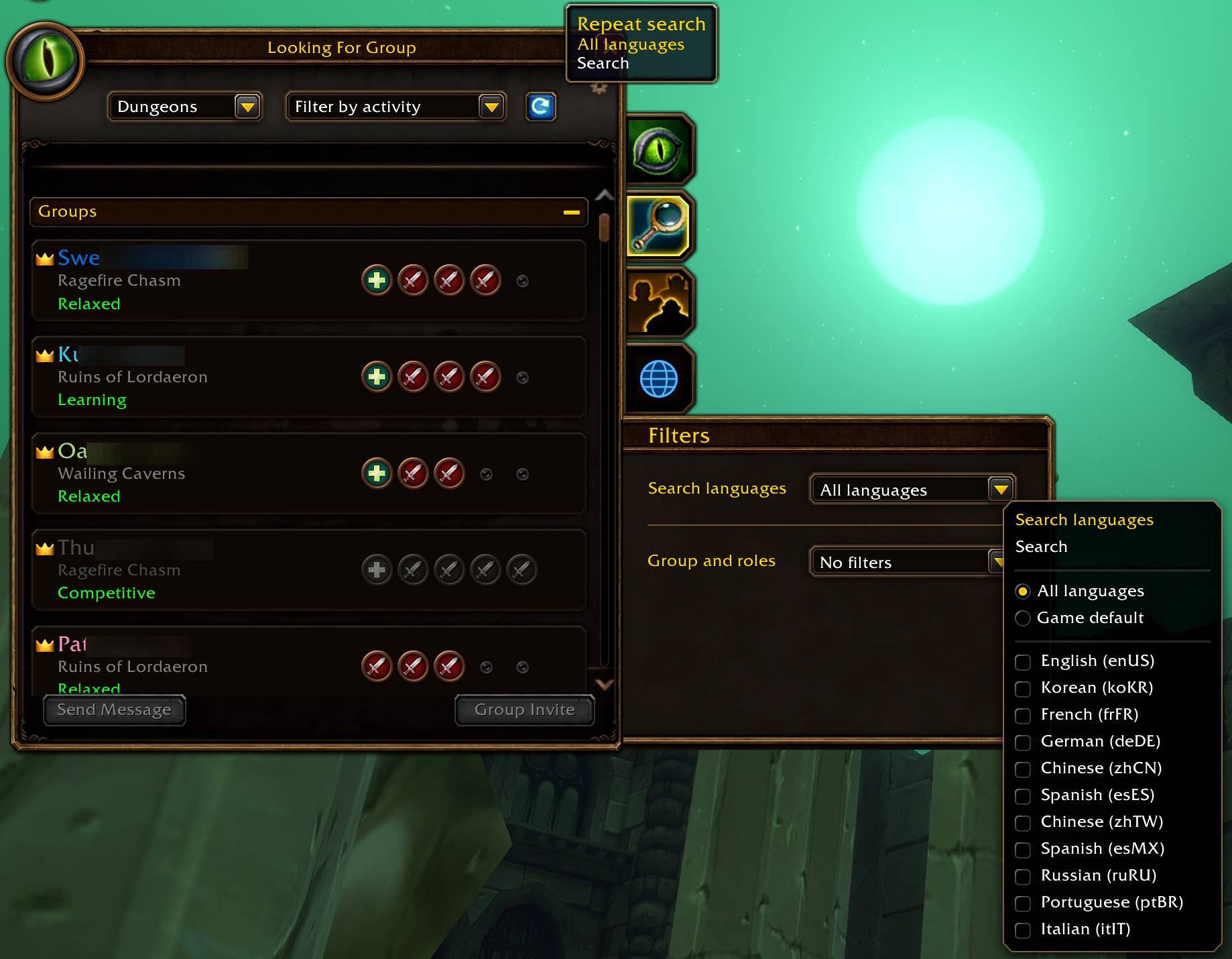
Left-click the blue globe below the three side tabs to open the attached settings panel. The globe is available on every tab; clicking it from another tab opens the search page and settings.
Use the language dropdown to choose All languages, Game default, or one or more available languages. Your choice is saved immediately. Click the refresh arrow to search with that selection, or right-click the globe while browsing.
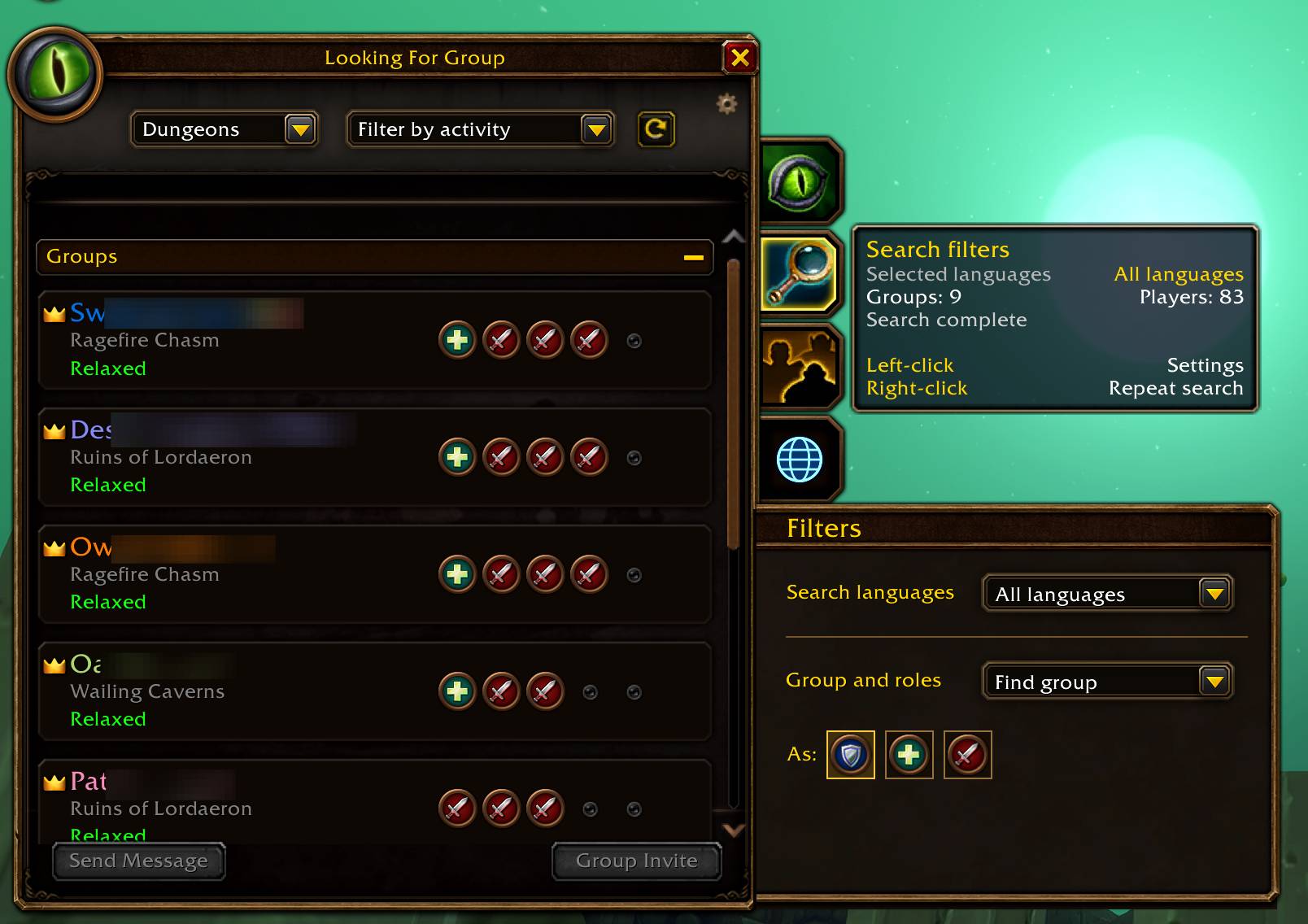
Hover over the globe for your selected languages, search status, and group/player counts. Language and role settings have separate sections with compact dropdowns and scrolling when needed.
Group and roles
- Find group: select Tank, Healer, or Damage to show dungeon groups with a free slot for any selected role.
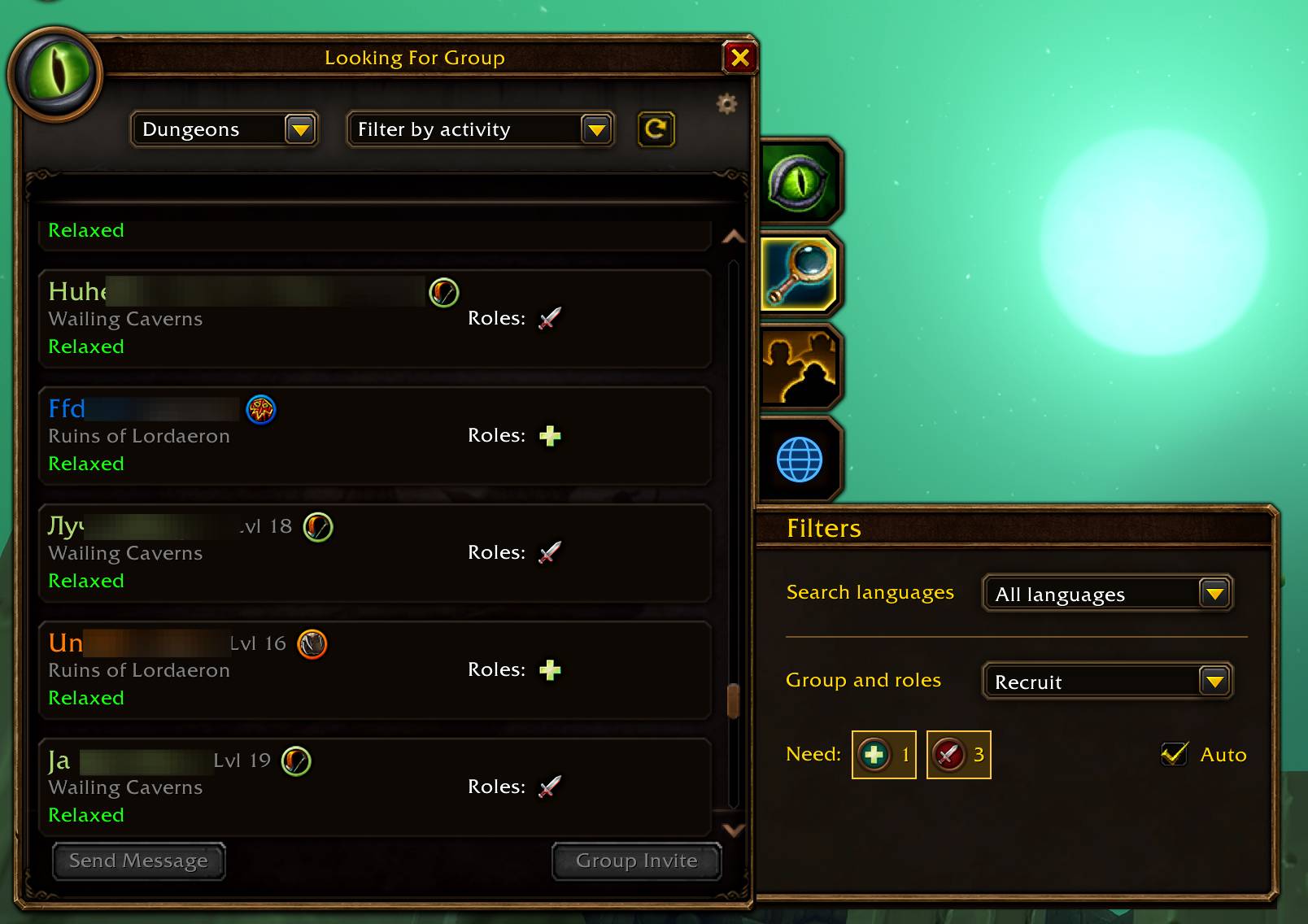
- Recruit: filter players by role, or enable Auto to match your party's missing roles: one tank, one healer, and three damage dealers.
- No filters: show the full result list. New characters start here; existing selections are preserved.
Mode and role settings are saved per character. Players without a specified role remain visible in a separate section while role filtering is active.
Automatic game searches still use the game's default language filter. Click refresh after changing categories or activities to apply your selected languages.
Languages and support
The interface supports English, Russian, German, French, Spanish, and Simplified/Traditional Chinese, with English as the fallback. Search languages come from the game. Selecting them does not translate listings or change your advertisement language.
Use /flfg for help, /flfg info for client information, and /flfg log for the last 50 diagnostic events. All diagnostic output is in English.
Report a problem with your client information, log, and screenshots.
Install the ForeverLFG folder in Interface/AddOns. No additional libraries are required. MIT License.
You must be logged in to leave a comment.